Fitness Watch Face icon

Phone

Fitness Watch Face

Tools Filmmotion Studio ⭐ 0.00 1,000+
Version Varies with device Everyone

Screenshots

Fitness Watch Face screenshot
Permissions Explained 8 permissions requested View details

This app requests 8 permissions. The table below explains what each permission may allow and what users should review before installing.

Status Permission What it means Why it may be used User safety note
ℹ️ Review Approximate Location (network Based) approximate location (network-based) This is an Android permission or app-specific permission requested by the app. The app may use this permission for features related to its category, device support, background behavior, storage, connectivity, or system integration. Review this permission before installing, especially if it does not match the app’s expected purpose.
ℹ️ Review Precise Location (gps And Network Based) precise location (GPS and network-based) This is an Android permission or app-specific permission requested by the app. The app may use this permission for features related to its category, device support, background behavior, storage, connectivity, or system integration. Review this permission before installing, especially if it does not match the app’s expected purpose.
ℹ️ Review View Wi Fi Connections view Wi-Fi connections This is an Android permission or app-specific permission requested by the app. The app may use this permission for features related to its category, device support, background behavior, storage, connectivity, or system integration. Review this permission before installing, especially if it does not match the app’s expected purpose.
ℹ️ Review View Network Connections view network connections This is an Android permission or app-specific permission requested by the app. The app may use this permission for features related to its category, device support, background behavior, storage, connectivity, or system integration. Review this permission before installing, especially if it does not match the app’s expected purpose.
ℹ️ Review Pair With Bluetooth Devices pair with Bluetooth devices This is an Android permission or app-specific permission requested by the app. The app may use this permission for features related to its category, device support, background behavior, storage, connectivity, or system integration. Review this permission before installing, especially if it does not match the app’s expected purpose.
ℹ️ Review Access Bluetooth Settings access Bluetooth settings This is an Android permission or app-specific permission requested by the app. The app may use this permission for features related to its category, device support, background behavior, storage, connectivity, or system integration. Review this permission before installing, especially if it does not match the app’s expected purpose.
ℹ️ Review Connect And Disconnect From Wi Fi connect and disconnect from Wi-Fi This is an Android permission or app-specific permission requested by the app. The app may use this permission for features related to its category, device support, background behavior, storage, connectivity, or system integration. Review this permission before installing, especially if it does not match the app’s expected purpose.
ℹ️ Review Full Network Access full network access This is an Android permission or app-specific permission requested by the app. The app may use this permission for features related to its category, device support, background behavior, storage, connectivity, or system integration. Review this permission before installing, especially if it does not match the app’s expected purpose.

About Fitness Watch Face

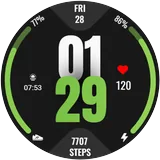
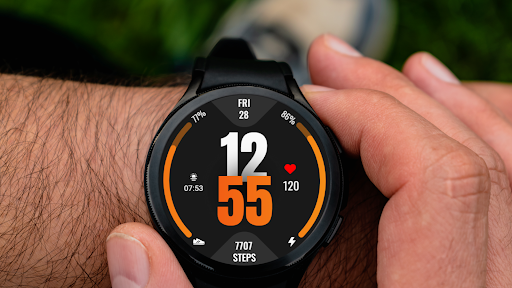
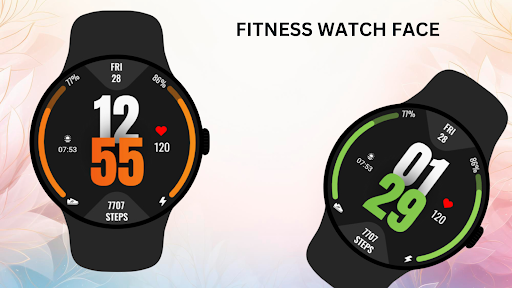
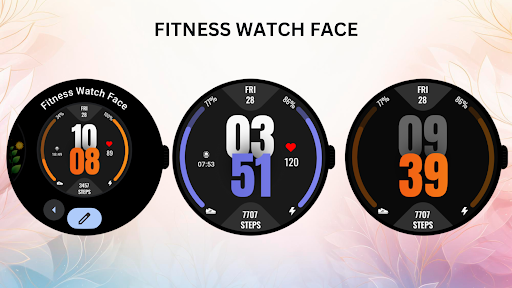
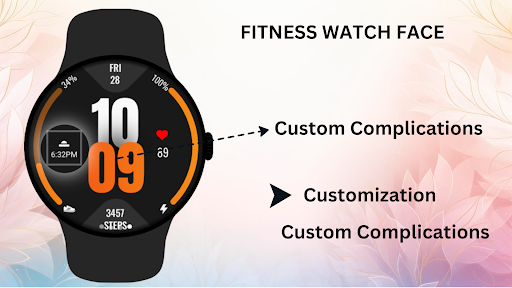
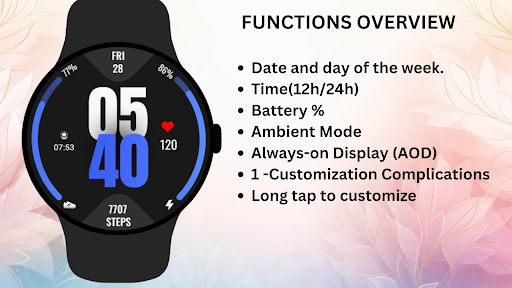
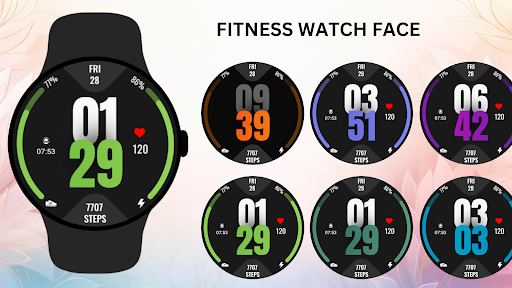
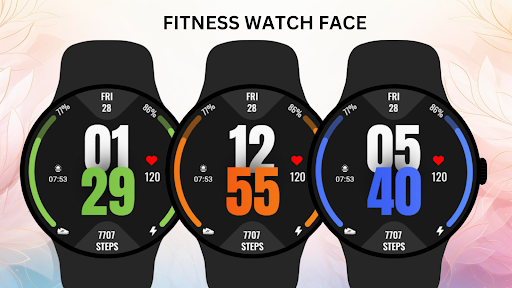
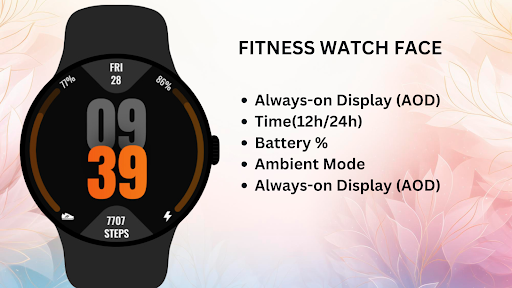
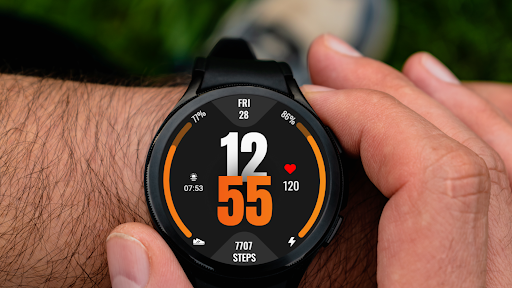
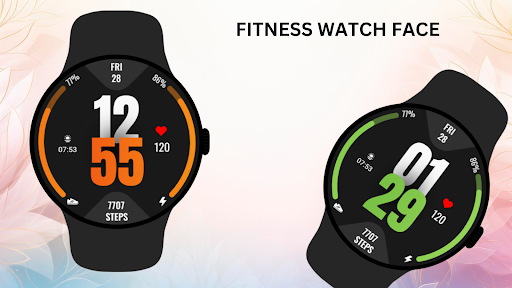
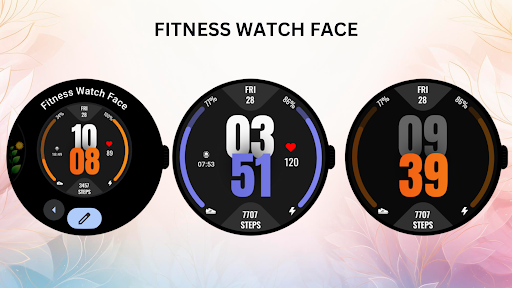
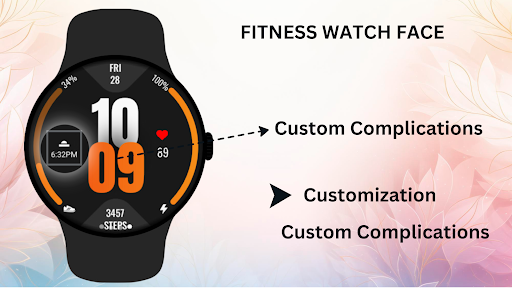
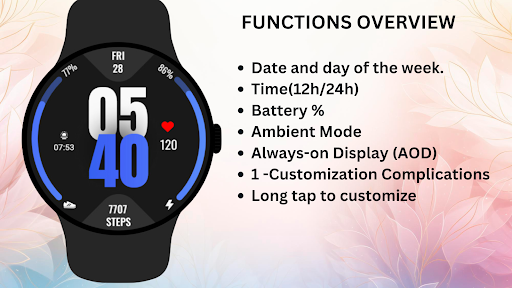
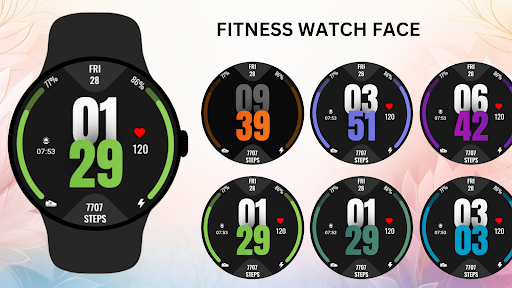
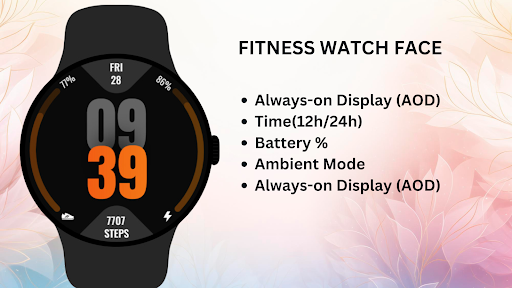
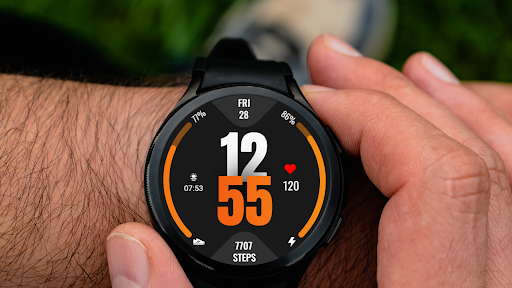
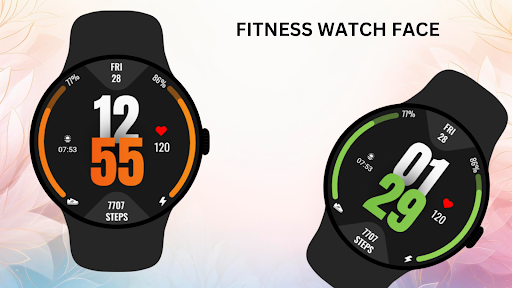
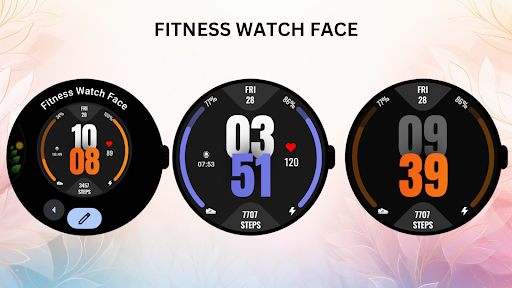
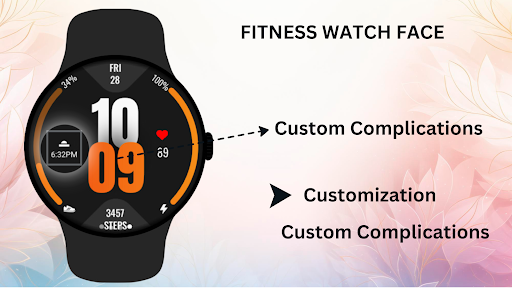
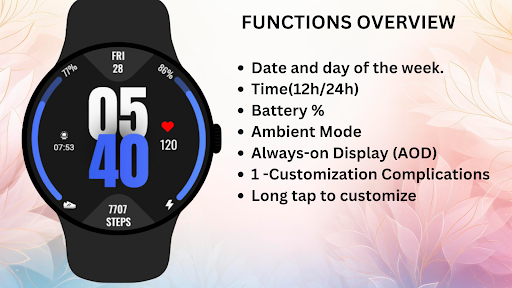
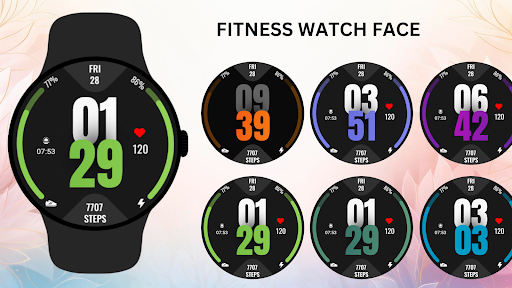
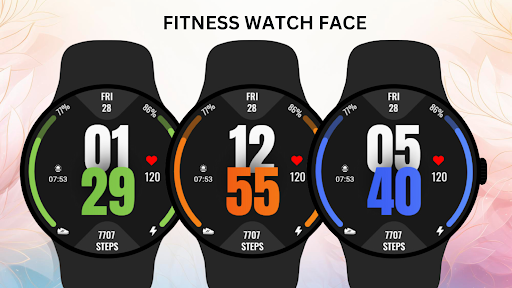
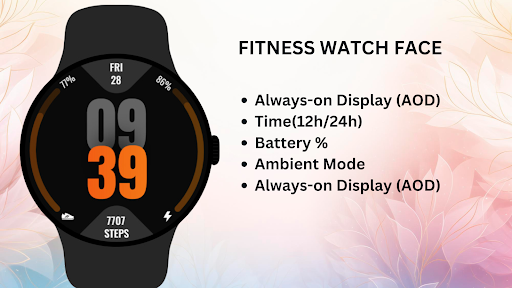
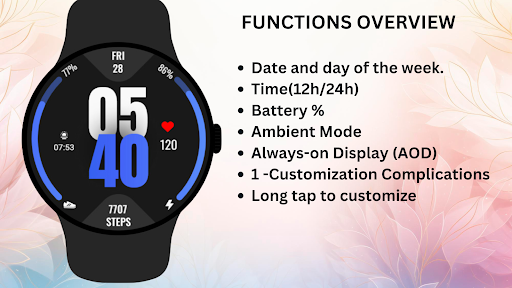
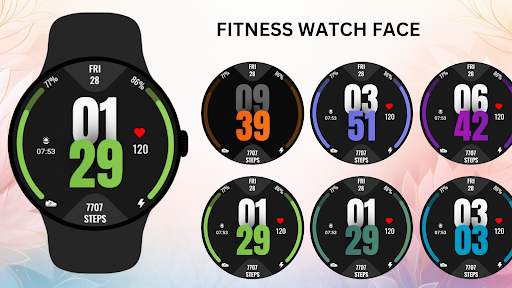
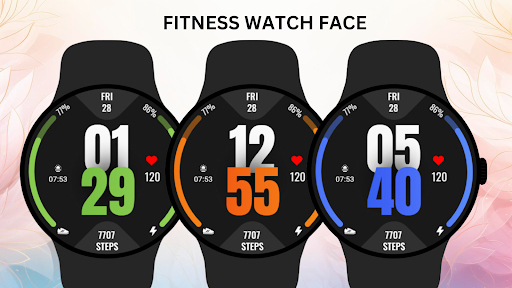
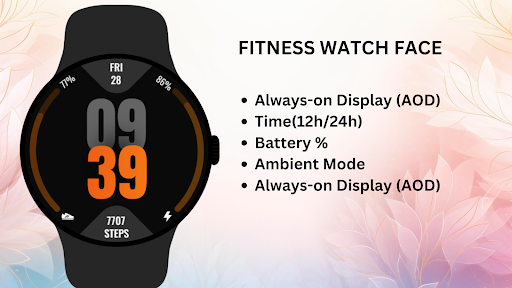
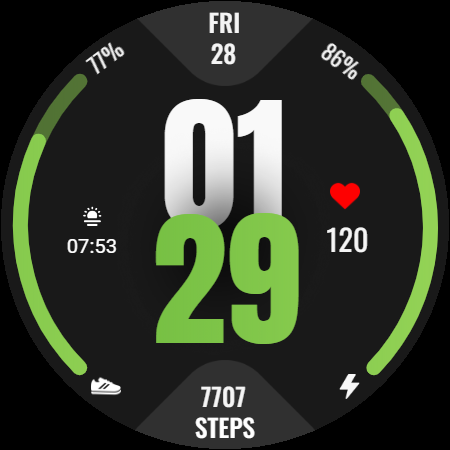
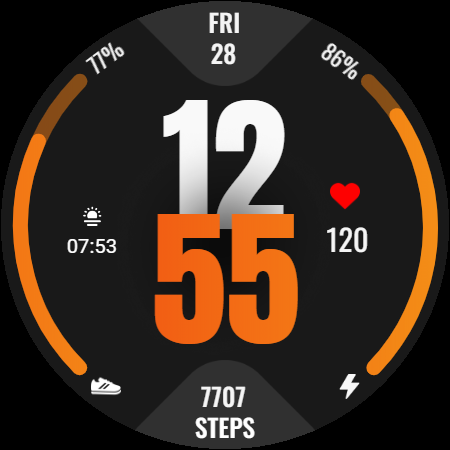
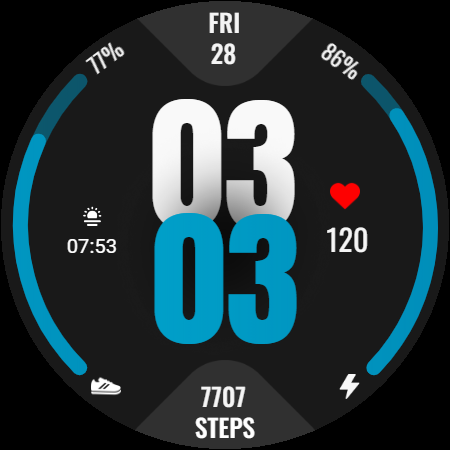
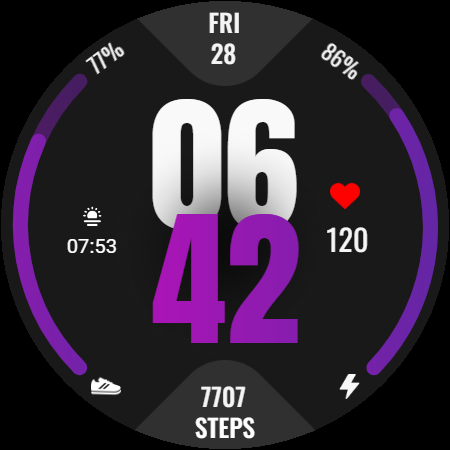
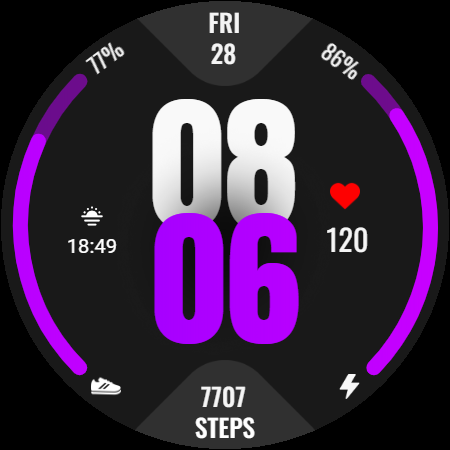
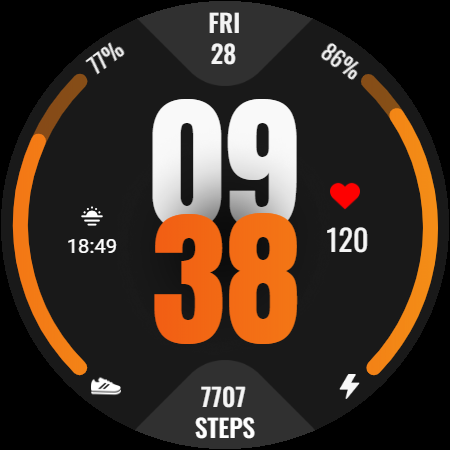
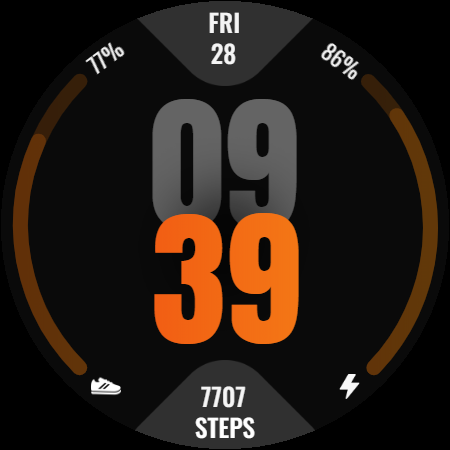
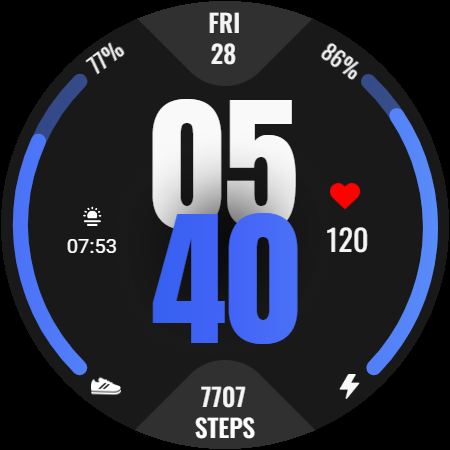
Take control of your fitness journey with the Fitness Watch Face for Wear OS. This watch face offers a sleek and modern design packed with vital health metrics, including steps, heart rate, and battery percentage, all in one place. The bold time display keeps you on schedule, while the fitness tracking features help you stay motivated and on top of your goals. Perfect for fitness enthusiasts, this watch face is designed to help you track progress while looking stylish. Key Features: * Real-time fitness tracking including step count, heart rate, and sunrise/sunset times. * Bold digital clock display. * Battery percentage indicators for both phone and watch. * Customizable elements with vibrant design. * Supports Ambient Mode and Always-On Display (AOD). * Compatible with round Wear OS devices for smooth, optimized performance. Stay on track with your fitness goals and make your smartwatch a functional part of your active lifestyle with this stylish and informative Fitness Watch Face. Installation Instructions: 1)Open the Companion App on your phone. 2) Tap "Install on Watch." 3)On your watch, select Fitness Watch Face from your settings or watch face gallery. Compatibility: ✅ Compatible with all Wear OS devices API 30+ (e.g., Google Pixel Watch, Samsung Galaxy Watch). ❌ Not suitable for rectangular watches. Transform your smartwatch into a fitness powerhouse with the Fitness Watch Face a perfect blend of fitness tracking and modern design to keep you moving forward.

What Fitness Watch Face Is Used For

Fitness Watch Face appears to be a Wear OS watch face app designed for people who want fitness information visible at a glance on their smartwatch. Based on the metadata, it combines a bold digital clock with common health and device stats such as step count, heart rate, battery percentage, and sunrise/sunset times. That makes it useful as a daily watch-face choice for users who want quick access to activity and time information without opening separate apps.

The app also seems geared toward round Wear OS watches and includes support for Always-On Display and Ambient Mode, which suggests it is meant for regular wrist use throughout the day. The permission list includes location, network, Wi‑Fi, and Bluetooth-related access, which may be needed for displaying time-sensitive data, syncing with the watch, or supporting connected watch functionality through the companion setup flow on a phone. Based on the metadata, it is most relevant for users who want a practical, fitness-oriented watch face rather than a standalone workout tracker.

Common uses

  • Shows time and fitness stats on a Wear OS watch face
  • May help users monitor steps and heart rate at a glance
  • Displays battery percentage for both phone and watch
  • Includes sunrise and sunset information for daily planning
  • Supports Always-On Display and Ambient Mode
  • Designed for round Wear OS devices, not rectangular watches
  • Uses a phone companion app to install on the watch
Best for:
Wear OS users Fitness-focused watch faces Round smartwatch owners Glanceable activity tracking Phone companion setup

App Details

Package:
com.watchface.wearos.fitnesswatchface
Category:
Tools
Developer:
Filmmotion Studio
Version:
Varies with device
Updated:
Feb 12, 2026
Min Android:
Varies with device
Age Rating:
Everyone
Contains Ads:
No
In-App Purchases:
No

Official Listing

  • Official listing available on Google Play
  • Package name: com.watchface.wearos.fitnesswatchface
  • Age rating: Everyone

Explore More

Browse more apps in Tools or explore the Phone hub .

Related Tools Apps

Turbo VPN - Secure VPN Proxy icon

Turbo VPN - Secure VPN Proxy

Tools Innovative Connecting

Enjoy fast streaming, secure & private internet with super unlimited VPN Turbo

Version 4.2.9.8 25.3 MB ⭐ 4.70 100,000,000+ installs
AVG AntiVirus & Security icon

AVG AntiVirus & Security

Tools AVG Mobile

Scam & Malware protection, Virus Cleaner, Hack Alerts, App Locker, Photo Vault

Version 26.6.0 56.3 MB ⭐ 4.60 100,000,000+ installs
Avast Antivirus & Security icon

Avast Antivirus & Security

Tools Avast Software

Android Mobile Security with Antivirus, Virus cleaner, App Lock & Phone cleaner

Version 26.2.3.260318122 56.8 MB ⭐ 4.60 100,000,000+ installs
F-Secure Mobile Security icon

F-Secure Mobile Security

Tools F-Secure Corporation

Antivirus, Virus Cleaner & Malware Scan | Mobile Security & Hacker Protection
Version 10.57-ff32089 17.9 MB ⭐ 4.20 100,000,000+ installs
TeraBox: 1TB Cloud & AI Space icon

TeraBox: 1TB Cloud & AI Space

Tools Flextech Inc.

Get 1TB Cloud Storage Space with One-Click. Unlock AI Tools in One Smart Space.

Version 4.13.7 112.7 MB ⭐ 4.40 100,000,000+ installs
Secure VPN-Safer Internet icon

Secure VPN-Safer Internet

Tools Secure Signal Inc.

Access favorite websites and apps more securely on the go.

Version 4.3.11 5.6 MB ⭐ 4.70 100,000,000+ installs

How to Download Fitness Watch Face

If this app is not hosted directly on APKApps official link, then for the safest and most up-to-date version, install it from its official Google Play listing.