About Ballozi VERO - Hybrid Analog
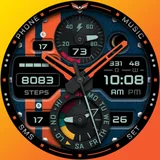
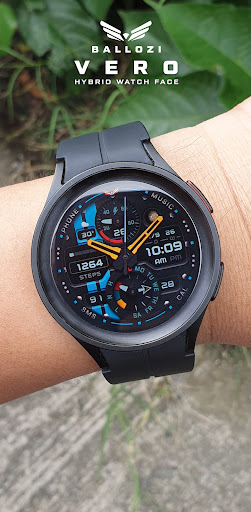
Elevate your Wear OS smartwatch with the Ballozi VERO Hybrid Analog Watch Face — a premium sporty, military-style watch face designed for maximum customization, enhanced visibility, and advanced fitness & utility stats. INSTALLATION OPTIONS: 1. Keep your watch connected to your phone. 2. Install in the phone. After installation, immediately check your watch face list in your watch by pressing and hold display then swipe to the very end and click Add watch face. There you can see the newly installed watch face and just activate it. 3. After installation, you can also check the following: A. For Samsung watches, check your Galaxy Wearable app in your phone (install it if not yet installed). Under Watch faces > Downloaded, there you can see the newly installed watch face and then just apply it to connected watch. B. For other smartwatch brands, for other Wear OS devices, please check the watch app installed in your phone that comes with your smartwatch brand and find the newly installed watch face in the watch face gallery or list. 4. Please also visit the link below showing many options how to install Wear OS watch face in your watch. https://developer.samsung.com/sdp/blog/en-us/2022/11/15/install-watch-faces-for-galaxy-watch5-and-one-ui-watch-45 For support and request, you can email me at
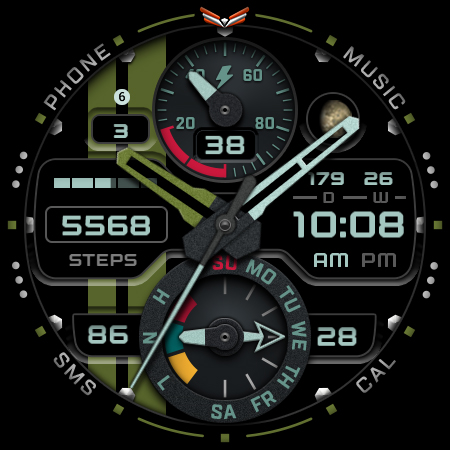
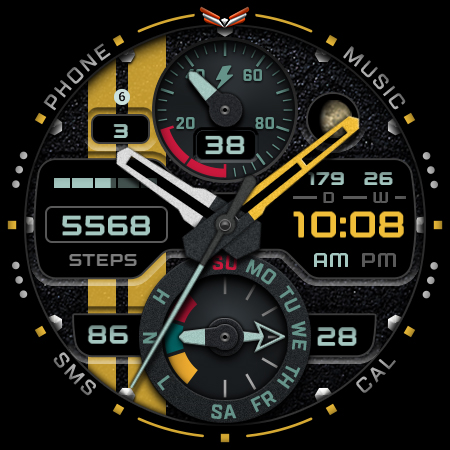
[email protected] ⚠️NOTICE of Device Compatibility: This is a Wear OS app and is only compatible with smartwatches running Wear OS 5.0 or higher (API level 34+) FEATURES: - Analog/digital switchable to 24h/12h - Heart rate and bpm levels - Steps counter and daily step goal - Battery sub dial and percent with red indicator at 15% and below - Moon phase type - Date, day of week, day of year and week of year - 10x backgrounds - 10x watch hand colors - 6x second hand colors - 10 Accent colors - HR progress bar - Steps progress bar - Toggle option to disable stripes - 2x Editable Complication - 7x Preset app shortcuts - 4x Customizable app shortcuts - AOD Option 2 CUSTOMIZATION: 1. Press and hold display then hit "Customize". 2. Swipe left and right to choose what to customize. 3. Swipe up and down to choose options available. 4. Hit "OK". PRESET APP SHORTCUTS 1. Phone 2. Battery Status 3. Music 4. Alarm 5. Messages 6. Calendar 7. Settings CUSTOMIZABLE APP SHORTCUTS 1. Press & hold display then Customize 3. Find Complication, single tap to set preferred app in the shortcuts. Check out Ballozi's updates at: Telegram: https://t.me/Ballozi_Watch_Faces Facebook page: https://www.facebook.com/ballozi.watchfaces/ Instagram: https://www.instagram.com/ballozi.watchfaces/ Youtube Channel: https://www.youtube.com/@BalloziWatchFaces Pinterest: https://www.pinterest.ph/ballozi/ For support, you can email me at
[email protected]
What Ballozi VERO - Hybrid Analog Is Used For
Ballozi VERO - Hybrid Analog appears to be a Wear OS watch face app for people who want to customize the look and information layout on a compatible smartwatch. Based on the metadata, it is designed around an analog/digital hybrid style with sporty, military-inspired visuals and multiple options for changing colors, backgrounds, and displayed elements.
Common use cases may include checking time at a glance, viewing basic fitness and utility data on the watch face, and launching selected apps through shortcut slots or complications. The metadata also suggests it can show items like heart rate, steps, battery level, date details, and moon phase, which makes it more of a daily watch interface than a standalone app. Since it is a Wear OS app for devices running Wear OS 5.0 or higher, it is intended for smartwatch use rather than a phone-based experience. The listed Google Play license check permission is mainly tied to app licensing, not broad device access.
Common uses
- Used to change the appearance of a Wear OS smartwatch face
- May display time in analog or digital format
- Can show fitness and status data such as heart rate, steps, and battery
- May help users track date-related details and moon phase information
- Includes customizable colors, backgrounds, and hand styles
- Provides app shortcut and complication slots for quick access on the watch
- Best suited for everyday smartwatch use on Wear OS 5.0+ devices
How to Download Ballozi VERO - Hybrid Analog
If this app is not hosted directly on APKApps official link,
then for the safest and most up-to-date version, install it from its official Google Play listing.