About Shadow Divide - animated face
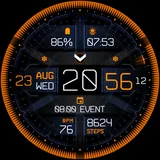
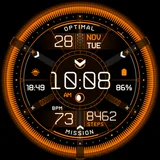
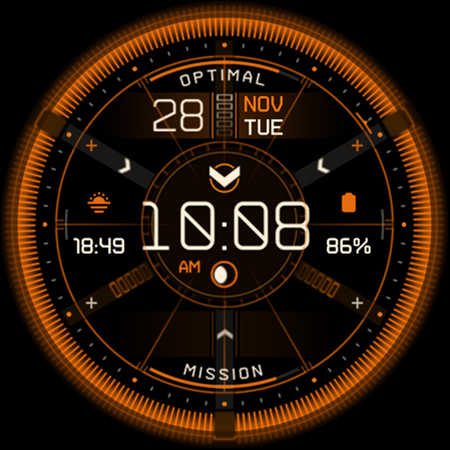
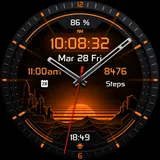
Inspired by a high-tech futuristic interface from a video game, Shadow Divide offers an informative layout with everything you’ll need! Powered by Watch Face Format - offering expanded customization options and useful features! Made only for devices running Wear OS 5.0 and newer versions (API 34+) Please install only to your watch device. Phone companion app serves only to help direct installation to your watch device. Disclaimer: This Wear OS watch face is a fan-made creation inspired by "The Division" games, and has no official affiliation or connection with "The Division", "Ubisoft" or "Ubisoft Entertainment". Buy-One-Get-One PROMOTION https://www.enkeidesignstudio.com/bogo-promotion FEATURES: - Digital clock - 12h/24h - TAP Hours for Alarm - TAP Minutes for Messages - Moon phase - Shows 1 of 8 main Moon phase images - Watch battery % - TAP to open Battery info - "charged" - 90% - "optimal" - 90-50% - "functional" - 50-20% - "recharge" - less than 20% - Date, Month & Weekday - Multi-language - TAP to open Calendar - BPM - Measures and syncs automatically - TAP to open BPM info - Daily Steps walked - TAP to open Steps - Daily Steps goal % - Syncs with health app - "mission" - goal not completed - "completed" - goal completed - 2 Customizable short-text indicators - Sunrise/Sunset by default - Watch battery by default - 4 Customizable app shortcuts - Show/Hide - Small "+" icons around the edge - Battery efficient AOD - Uses less than 7.5% active pixels - Long-press to access Customize menu: - Hide/Show - 4 layout styles - Index style - 5 options - Animation ON/OFF - Gyro Effect ON/OFF - Apps Cover ON/OFF - Complications - 2 Custom indicators - 4 Custom app shortcuts INSTALLATION TIPS: https://www.enkeidesignstudio.com/how-to-install CONTACT:
[email protected] E-mail us for any questions, issues or general feedback. We're here for you! Customer satisfaction is our main priority, we make sure to respond to each e-mail within 24 hours. Red version is also available - ROGUE Shadow Divide: https://play.google.com/store/apps/details?id=com.watchfacestudio.rogue_shadow_division More watch faces: https://play.google.com/store/apps/dev?id=5744222018477253424 Website: https://www.enkeidesignstudio.com Social media: https://www.facebook.com/enkei.design.studio https://www.instagram.com/enkeidesign Thank you for using our watch faces. Have a great day!
What Shadow Divide - animated face Is Used For
Shadow Divide - animated face appears to be a Wear OS watch face app made for personalizing a smartwatch display rather than a phone-first utility. Based on the metadata, it is meant for devices running Wear OS 5.0 and newer, and the phone app mainly serves as an installer helper that directs setup to the watch. The design is inspired by a futuristic game-like interface, so its common use is likely giving the watch a themed, information-rich look.
The watch face seems intended for everyday glanceable data on the wrist, including time, date, moon phase, battery status, steps, and heart rate. It also includes tap actions and shortcut slots, which suggests users may open alarms, messages, calendar, battery details, and other apps more quickly from the watch face. The customization options, animation controls, and always-on display behavior indicate it is aimed at users who want both style and practical fitness or status information on a large smartwatch screen.
Common uses
- Shows time, date, and weekday in a futuristic watch-face layout
- Displays health and activity data such as steps and BPM
- Includes battery and moon-phase indicators for quick glance checks
- Offers tap actions to open alarms, messages, calendar, and status screens
- Provides customizable app shortcuts and short-text indicators
- Lets users adjust layout styles, animation, and gyro effects
- Designed for Wear OS 5.0+ watches, with the phone app mainly for installation
How to Download Shadow Divide - animated face
If this app is not hosted directly on APKApps official link,
then for the safest and most up-to-date version, install it from its official Google Play listing.