About Watch face 10h08.com #139
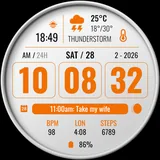
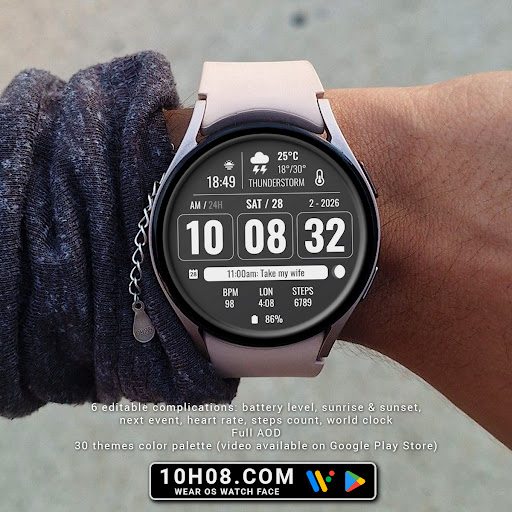
⌚️ Watch face 10h08.com #139 User manual: 1. The watch face only works for devices running Wear OS 5 or later Check in Watch settings - Watch info - Software info - Wear OS version 2. Your weather shows "?". Open Galaxy Wearable app - Watch settings - Apps - Find Weather app and open it - Settings - Enable location, local, adjust units,... * With Wear OS 6 and One UI 8 or later, please open the Weather app on your watch, then tap settings to configure. 🟥 Information: - High resolution, sharp images - Classic and elegant design - Digital time - Day & date - Weather information - Battery level - Sunrise & sunset - Next event - Heart rate - Steps count - World clock - Moon phase - 6 editable complications: battery level, sunrise & sunset, next event, heart rate, steps count, world clock - Full AOD - 30 themes color palette (video available on Google Play Store) 🟨 How to custom this watch face? 1. Press and hold watch face screen 2. Tap “Customize” button 3. Swipe left or right, up or down to customize watch face 🟦 How to install watch face on your watch? 1. Install watch face from Google Play store 2. Press and hold watch face screen 3. Swipe right to left and tap “Add watch face” 4. Scroll to the bottom of the page and selectwatch face in the “downloaded” section 🟧 Compatible with smart watches running Wear OS 5+ SDK 34+ For example: Galaxy Watch 6, Galaxy Watch 7 Ultra, Ticwatch Pro 5, Pixcel Watch 2, Watch 2 Pro,... 🟩 See all my watch faces: https://play.google.com/store/apps/dev?id=5487081600241990978 🟪 Follow my social media pages for the latest watch face updates: https://10h08.com https://facebook.com/10h08
What Watch face 10h08.com #139 Is Used For
Watch face 10h08.com #139 appears to be a customization app for Wear OS smartwatches, specifically a downloadable watch face rather than a general phone app. Based on the metadata, it is used to change the look and layout of a compatible watch face on devices running Wear OS 5 or later. The design is described as classic and elegant, with a digital time display and a high-resolution style aimed at everyday watch use.
This watch face may be useful for people who want a more detailed smartwatch screen with at-a-glance information. The listed elements include date, weather, battery level, sunrise and sunset, next event, heart rate, steps, world clock, moon phase, and multiple editable complications. The metadata also notes always-on display support and several color themes, so it appears intended for users who like to personalize both appearance and data density on their watch. Because it is a watch face, it is most relevant in a smartwatch context rather than as a standalone phone utility.
Common uses
- Customize the appearance of a Wear OS watch face
- Show time, date, and weather at a glance
- Track watch data such as battery, steps, and heart rate
- Display calendar or next event information
- Use editable complications to prioritize different info
- Adjust colors and themes for a personalized look
- Support always-on display on compatible watches
App Details
Package:
com.watchfacestudio.wf10h08com139
Developer:
10h08.com - Wear Os Watch Face
Version:
Varies with device
Min Android:
Varies with device
Age Rating:
Everyone
Contains Ads:
No
In-App Purchases:
No
Official Listing
-
Official listing available on
Google Play
-
Package name:
com.watchfacestudio.wf10h08com139
-
Age rating:
Everyone
Related Personalization Apps
Personalization
•
Zedge
Discover millions of background wallpapers & ringtones or make your own with AI.
Version 9.14.2
55.5 MB
⭐ 4.70
500,000,000+ installs
Personalization
•
LBE Tech
Run multiple accounts of the same app on a single device
Version 4.0.9557
34.4 MB
⭐ 4.10
100,000,000+ installs
Personalization
•
Nexileap
6000+ Emojis, Custom Keyboard, Fonts, Themes, Genmoji AI Generator,Stickers,GIFs
Version 3.6.3.1
36.7 MB
⭐ 4.70
100,000,000+ installs
Personalization
•
Nebuchadnezzar DOO
Check Wallcraft Live 4D Wallpaper - 4k HD wallpapers & stunning 3D backgrounds!
Version Varies with device
29.6 MB
⭐ 4.60
100,000,000+ installs
Personalization
•
Delicate theme for Android App
Install our stylish keyboard with Neon Love Theme now!
Version 10.7.2.0323
33.2 MB
⭐ 4.60
100,000,000+ installs
Personalization
•
Battery Stats Saver
Ultimate Gallery Lock App - Hide Pictures, Videos and Lock Apps Instantly!
Version 2.1.12
24.6 MB
⭐ 4.60
100,000,000+ installs
How to Download Watch face 10h08.com #139
If this app is not hosted directly on APKApps official link,
then for the safest and most up-to-date version, install it from its official Google Play listing.