About ZigBuddy! Home Health Planner
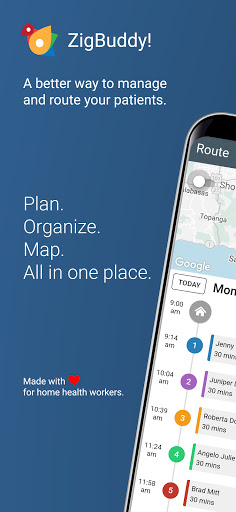
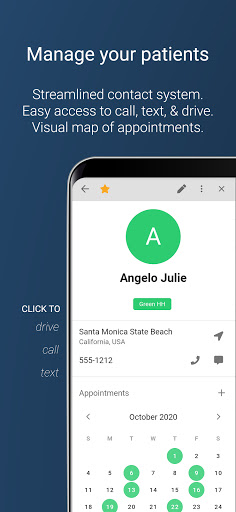
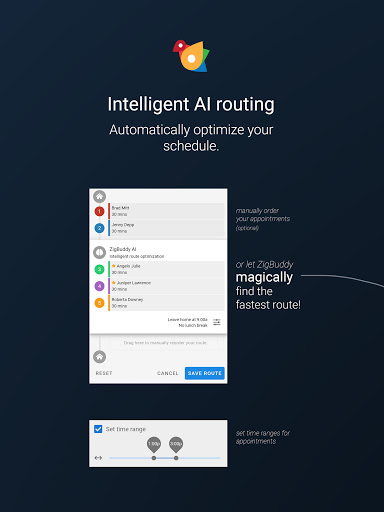
ZigBuddy lets home health workers manage and route patients faster than ever before. Plan, organize, map, route, take notes, and more...all in one place. Features: • Manage your patients - Easily find, add or edit contact information. Archive patients when needed and reactivate with a click. Tada! • Robust calendar system - Intuitive drag and drop calendar interface. Want to see John on Tuesday? Just drag him (not literally) onto the calendar and voila! • Intelligent map and routing - No more not having a visual where your patients live. We do this for you. We'll even optimize your route. Automatically! Sign up now for your free ZigBuddy trial. You'll get full access to everything we offer. Become a paid subscriber anytime you like to keep your ZigBuddy subscription. Before starting your subscription, you'll see the plan price. This amount will be charged to your iTunes account at confirmation of the subscription and on renewal. ZigBuddy subscription renews monthly. Your account will be charged for renewal 24 hour before the end of your current billing period. To avoid auto-renewal, turn it off in at least 24 hours before your subscription renews. You can turn off auto-renewal anytime from your iTunes account settings. You can manage and cancel your subscriptions by going to your account settings on the App Store after subscribing. ZigBuddy is HIPAA complaint with world class database encryption. With Intelligent route optimization, you get the fastest route with a click of a button. Need to see someone within a specific time range? That's easy. Just pick a time range and Zigbuddy AI will calculate the best route. (For those who like figuring things out themselves, you can manually organize your day) Our simple and intuitive calendar lets you quickly see your workflow. The calendar is color coded to help you get a faster overview. Use patient types, appointment colors, and status icons so you know your next steps. Flexible and visual smart maps with regional colors to help you visually see patient locations on a map. Draw custom areas to help you make decisions about who to see and when. • Add and manage patient information to calendar and map • Manage phone numbers and dial with a click • Input and manage addresses and e-mails • Categorize patients by company or agency • Categorize patients by geographic areas • Toggle by category what is visible on the calendar • Calendar with no "hidden visits" - unlike most calendar programs • Personalize and create custom categories • Create tags for patients • Star favorite patients • Archive inactive patients • Color code patients to easily differentiate • Intuitive drag and drop calendar interface • Manually or use drag and drop to create appointments • Visually see patients' locations on map • Color coded map pins for faster identification • Mark visit appointments as confirmed, cancelled, left message, or completed • Easily plan your day by manually ordering your patients or let ZigBuddy optimize the…
What ZigBuddy! Home Health Planner Is Used For
ZigBuddy! Home Health Planner appears to be a scheduling and routing app for home health workers who need to organize patient visits on a phone. Based on the metadata, it is used to manage patient contact details, place visits on a calendar, and map where patients are located so daily routes can be planned more efficiently. The app’s category and description suggest it is meant for field work rather than general navigation.
Common use may include adding or editing patient records, keeping track of appointments, and arranging visits by time or location. The calendar and map tools appear designed to help users see their workload at a glance, while route optimization may help decide the order of visits. The network permissions suggest the app likely syncs data or loads mapping and account-related features, and the sleep-prevention permission may support continuous use during a workday. Because it mentions subscription-based access and in-app purchases, it may be aimed at professional users managing ongoing home care workflows.
Common uses
- Manage patient contact information and visit details
- Organize home health appointments in a calendar view
- Map patient locations for route planning
- Plan or optimize visit order for a workday
- Use notes, status icons, or color labels to track tasks
- Support field use on a phone while moving between visits
- Sync online data and account features through network access
App Details
Package:
com.zigbuddy.app
Developer:
ZigBuddy!
Version:
3.60.9
Updated:
Jul 9, 2024
Min Android:
5.1
Age Rating:
Everyone
Contains Ads:
No
In-App Purchases:
Yes
Official Listing
-
Official listing available on
Google Play
-
Package name:
com.zigbuddy.app
-
Age rating:
Everyone
Related Maps & Navigation Apps
Maps & Navigation
•
Moovit
Version Varies with device
57.5 MB
⭐ 3.80
100,000,000+ installs
Maps & Navigation
•
AppVerge Technologies, LLC
Navigate seamlessly with Real-Time Traffic, Offline Maps, and Voice Navigation.
Version 13.89
208.7 MB
⭐ 4.00
100,000,000+ installs
Maps & Navigation
•
Sygic.
Sygic GPS Navigation with 3D offline maps is compatible with Android Auto.
Version Varies with device
103.6 MB
⭐ 4.20
50,000,000+ installs
Maps & Navigation
•
Family Locator Inc.
Version 6.91
9.2 MB
⭐ 4.30
50,000,000+ installs
Maps & Navigation
•
Radarbot Company
Speedcam alerts and navigation. 100% Legal and Reliable. Never pay another fine!
Version Varies with device
61.4 MB
⭐ 4.10
50,000,000+ installs
Maps & Navigation
•
JVSTUDIOS
GPS+ ensures you're always on track, live traffic info and offline maps included
Version 4.0.48
118.7 MB
⭐ 4.60
10,000,000+ installs
How to Download ZigBuddy! Home Health Planner
If this app is not hosted directly on APKApps official link,
then for the safest and most up-to-date version, install it from its official Google Play listing.