About Zoho Invoice - Invoice Maker
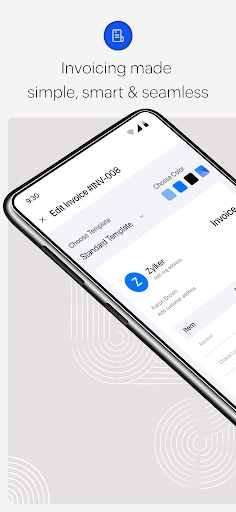
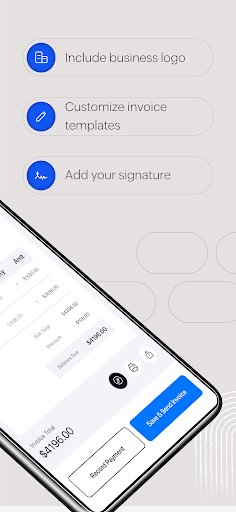
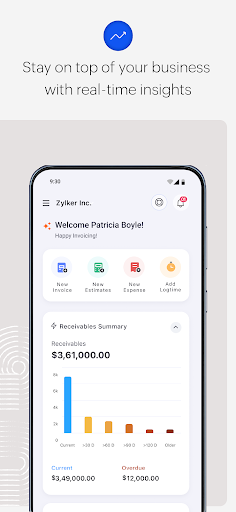
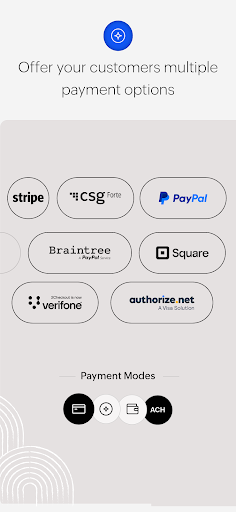
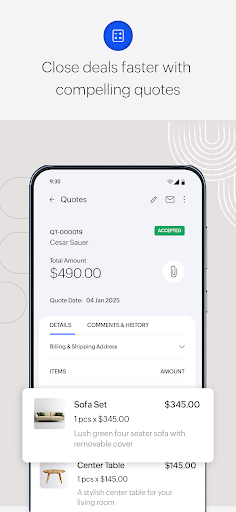
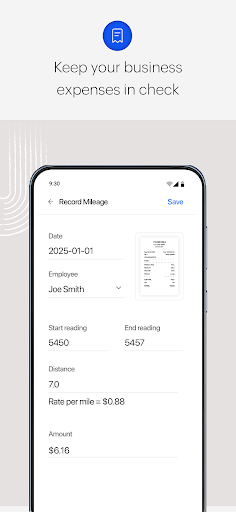
Zoho Invoice is an online invoicing software packed with all the essentials a small business needs to make their invoicing process a breeze. From raising estimates and striking deals to sending invoices and getting paid, this user-friendly invoicing app comes with all the capabilities your business needs. Everything you need and more! Swift invoicing Cut down your invoicing time and focus on your business. Quickly create professional invoices in just a click. Add your customer's information to the invoice, apply taxes, and email them or send them as a PDF instantly. Versatile templates Need an invoice template that fits your business? Fine tune your invoices to match the rhythm of your brand. Choose an invoice template, add your organization logo and signature to enhance authenticity, and alter the font size to align with your business branding. Efficient expense management Record all your expenses and categorize them to gain better clarity on your spending. Save receipts for reference and easily bill your customers for the expenses. Crucial business insights Make informed business decisions with the help of 30+ business reports or get a holistic overview of your finances from the data-packed dashboard. Strengthen customer relationships Provide your customers with a secure portal where they can save their cards for future transactions, view and pay their invoices, accept or negotiate estimates, and share their reviews for the services rendered. Faster payments Offer your customers a wide range of payment options from easy credit and debit card transactions to secure ACH transfers for quicker payment collection. Automate payment reminders and collect payments without any delay. Seamless project management Manage projects, big or small, with ease. Add users to your projects, track time, and bill your customers for the time spent. Expandable ecosystem Discover a solution that scales with your business. Get extended benefits by integrating with 10+ powerful Zoho applications and migrating data from leading tech platforms like Google and Microsoft. Head to www.zoho.com/invoice or email us at
[email protected] to learn more about Zoho Invoice. See what our customers have to say "We can process invoices much faster and also keep note of our clients' outstanding payments. The best thing about it is that it's 100% free!" - Christopher Duruemezuo, Managing Director, DES Hardware Tools and Equipment "At first, managing my finances appeared overwhelming. Thanks to Zoho Invoice for making it a breeze and reducing the administration tasks by 50%" - Danielle Vonofakidis, Founder, The Marble Pantone
What Zoho Invoice - Invoice Maker Is Used For
Zoho Invoice - Invoice Maker appears to be a business app for creating and managing invoicing tasks on a phone. Based on the metadata, it is commonly used by small businesses, freelancers, and service providers who need to prepare estimates, send invoices, track payments, and keep records of receipts and expenses in one place. The app also mentions time tracking and project-related billing, which suggests it can support work where hours or tasks need to be converted into customer charges.
The permission set and description point to a connected, document-oriented workflow. Internet access is likely needed for sending invoices, syncing data, and using online payment or customer portal features, while storage permissions may support saving or exporting files such as PDFs and receipts. Contact access may help users fill in customer details more quickly. Because it is a phone app, it may be most convenient for day-to-day billing, on-the-go expense entry, and checking business information without needing a desktop system.
Common uses
- Create invoices and estimates for customers
- Track time spent on projects or tasks
- Record expenses and save receipt images
- Send invoices by email or as PDF files
- Monitor payments and automate reminders
- Use customer details for faster billing workflows
- Review business reports and dashboard summaries
How to Download Zoho Invoice - Invoice Maker
If this app is not hosted directly on APKApps official link,
then for the safest and most up-to-date version, install it from its official Google Play listing.