Vera Icon Pack: shapeless icon icon

Phone

Vera Icon Pack: shapeless icon

Personalization One4Studio ⭐ 4.80 10,000+
Version 6.5.1 Everyone

Screenshots

Vera Icon Pack: shapeless icon screenshot
Permissions Explained 12 permissions requested View details

This app requests 12 permissions. The table below explains what each permission may allow and what users should review before installing.

Status Permission What it means Why it may be used User safety note
ℹ️ Review Approximate Location (network Based) approximate location (network-based) This is an Android permission or app-specific permission requested by the app. The app may use this permission for features related to its category, device support, background behavior, storage, connectivity, or system integration. Review this permission before installing, especially if it does not match the app’s expected purpose.
ℹ️ Review Read The Contents Of Your Usb Storage read the contents of your USB storage This is an Android permission or app-specific permission requested by the app. The app may use this permission for features related to its category, device support, background behavior, storage, connectivity, or system integration. Review this permission before installing, especially if it does not match the app’s expected purpose.
ℹ️ Review Modify Or Delete The Contents Of Your Usb Storage modify or delete the contents of your USB storage This is an Android permission or app-specific permission requested by the app. The app may use this permission for features related to its category, device support, background behavior, storage, connectivity, or system integration. Review this permission before installing, especially if it does not match the app’s expected purpose.
ℹ️ Review View Wi Fi Connections view Wi-Fi connections This is an Android permission or app-specific permission requested by the app. The app may use this permission for features related to its category, device support, background behavior, storage, connectivity, or system integration. Review this permission before installing, especially if it does not match the app’s expected purpose.
ℹ️ Review View Network Connections view network connections This is an Android permission or app-specific permission requested by the app. The app may use this permission for features related to its category, device support, background behavior, storage, connectivity, or system integration. Review this permission before installing, especially if it does not match the app’s expected purpose.
ℹ️ Review Full Network Access full network access This is an Android permission or app-specific permission requested by the app. The app may use this permission for features related to its category, device support, background behavior, storage, connectivity, or system integration. Review this permission before installing, especially if it does not match the app’s expected purpose.
ℹ️ Review Run At Startup run at startup This is an Android permission or app-specific permission requested by the app. The app may use this permission for features related to its category, device support, background behavior, storage, connectivity, or system integration. Review this permission before installing, especially if it does not match the app’s expected purpose.
ℹ️ Review Set Wallpaper set wallpaper This is an Android permission or app-specific permission requested by the app. The app may use this permission for features related to its category, device support, background behavior, storage, connectivity, or system integration. Review this permission before installing, especially if it does not match the app’s expected purpose.
ℹ️ Review Prevent Device From Sleeping prevent device from sleeping This is an Android permission or app-specific permission requested by the app. The app may use this permission for features related to its category, device support, background behavior, storage, connectivity, or system integration. Review this permission before installing, especially if it does not match the app’s expected purpose.
ℹ️ Review Modify System Settings modify system settings This is an Android permission or app-specific permission requested by the app. The app may use this permission for features related to its category, device support, background behavior, storage, connectivity, or system integration. Review this permission before installing, especially if it does not match the app’s expected purpose.
ℹ️ Review Google Play License Check Google Play license check This is an Android permission or app-specific permission requested by the app. The app may use this permission for features related to its category, device support, background behavior, storage, connectivity, or system integration. Review this permission before installing, especially if it does not match the app’s expected purpose.
ℹ️ Review Read Google Service Configuration read Google service configuration This is an Android permission or app-specific permission requested by the app. The app may use this permission for features related to its category, device support, background behavior, storage, connectivity, or system integration. Review this permission before installing, especially if it does not match the app’s expected purpose.

About Vera Icon Pack: shapeless icon

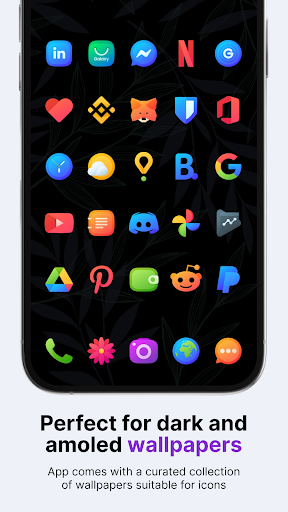
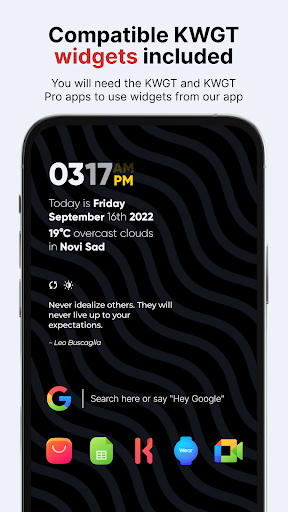
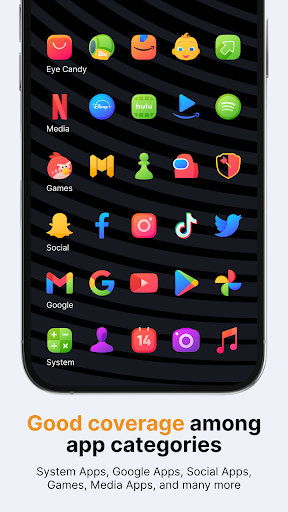
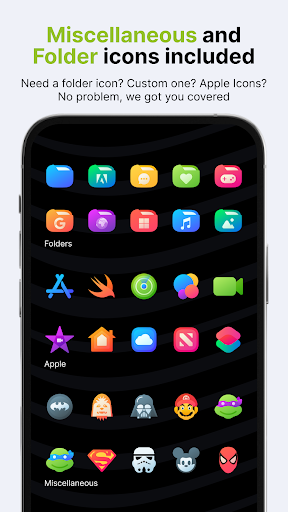
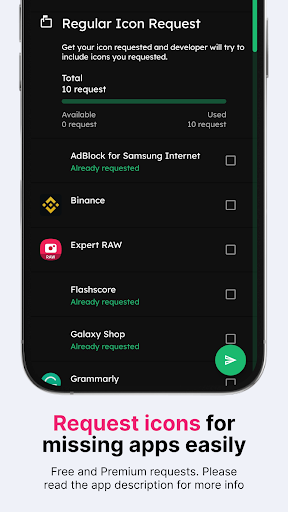
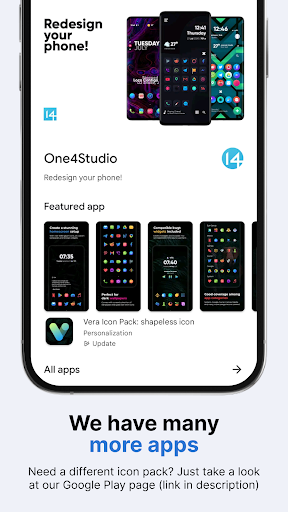
Let us introduce Vera icons, our shapeless Android icon pack—a unique and stylish collection of colorful glyph icons perfect for any modern Android phone. With a focus on simplicity and elegance, these icons feature clean lines and a minimalist design that will elevate the look and feel of your homescreen and app drawer. The icon pack includes over 7,696 icons icons, 25 wallpapers, and 8 KWGT widgets to complete the look of your homescreen. For the price of one app, you get content from three different apps: icons, wallpapers, and widgets! Our shapeless Vera icon pack will take your homescreen design to the next level! All our icon packs contain alternate icons for many popular apps, dynamic calendar icons, masking of unthemed icons, folders, and miscellaneous icons (you need to apply those icons manually). How to apply a custom icon pack You can apply our icon pack on almost any custom launcher (Nova launcher, Lawnchair, Niagara, etc.) and some default launchers like the Samsung OneUI launcher (www.bit.ly/IconsOneUI), OnePlus launcher, Oppo's Color OS, Nothing launcher, etc. Why do you need a custom icon pack? Using a custom Android icon pack can enhance the look and feel of your device. Icon packs can replace the default icons on your home screen and app drawer with ones more appropriate for your style or preferences. A custom icon pack can also help to unify your device's overall look and design, making it appear more cohesive and polished. What if I don't like the icons after purchasing them, or if there are many missing icons for the apps I've installed on my phone? Don't worry; we offer a full refund within the first 7 (seven!) days of purchase for our icons. No questions asked! But, if you're willing to wait a little longer, we update our icon pack every week, so many more apps, including those you've missed, will be covered in the future. We also offer Premium icon requests if you want to skip a line. With the Premium request, you will get your requested icons in the next update (or two) for our pack. Want to know more? If you want to know more about our icon packs, check out the FAQ section on our website - https://www.one4studio.com/apps/icon-packs. You will get answers about supported launchers, how to send icon requests, and more. Having more questions? Don't hesitate to write us an email/message if you have a special request or any suggestions or questions. Need more wallpapers? Check out our One4Wall wallpaper app. We are sure that you will find something for yourself inside the app. That's it. We sincerely hope that you will love our Vera icon pack! Website: www.one4studio.com Email: [email protected] Twitter: www.twitter.com/One4Studio Telegram channel: https://t.me/one4studio More Apps on our Developer page: https://play.google.com/store/apps/dev?id=7550572979310204381

What Vera Icon Pack: shapeless icon Is Used For

Vera Icon Pack: shapeless icon appears to be a personalization app for Android phones, mainly used to change the look of the home screen and app drawer. Based on the metadata, it provides a large set of shaped, colorful glyph icons designed to replace default app icons with a more uniform style. It may be especially useful for people who use a custom launcher or a supported default launcher and want a cleaner, more coordinated interface.

The app also includes wallpapers and KWGT widgets, so it seems intended for users who want to build a complete home screen theme rather than only swap icons. The permission to set wallpaper fits that use case, while network access and startup behavior may support downloading content, checking updates, or applying related assets. It also mentions masking for unthemed icons and alternate icons, which suggests it can help keep the visual style consistent even when some apps do not have a dedicated icon yet.

Common uses

  • Customize app icons on an Android phone
  • Match home screen and app drawer styling
  • Use wallpapers to complete a themed setup
  • Add widgets for a more coordinated layout
  • Apply icon packs through supported launchers
  • Use alternate icons or masking for missing apps
  • Refresh the look of a device without changing core apps
Best for:
phone users custom launcher users home screen customization minimalist design widget setup

App Details

Package:
cs14.pixelperfect.iconpack.vera
Developer:
One4Studio
Version:
6.5.1
Updated:
Mar 24, 2026
Min Android:
8.0
Age Rating:
Everyone
Contains Ads:
No
In-App Purchases:
Yes

Official Listing

  • Official listing available on Google Play
  • Package name: cs14.pixelperfect.iconpack.vera
  • Age rating: Everyone

Explore More

Browse more apps in Personalization or explore the Phone hub .

Related Personalization Apps

How to Download Vera Icon Pack: shapeless icon

If this app is not hosted directly on APKApps official link, then for the safest and most up-to-date version, install it from its official Google Play listing.