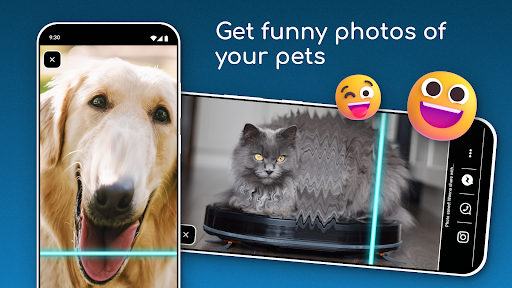
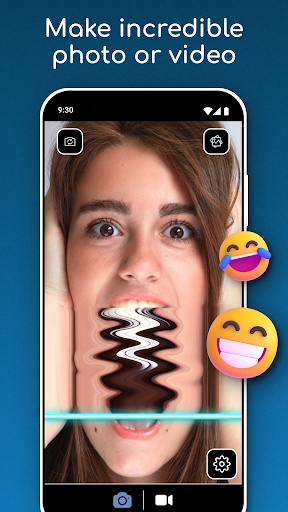
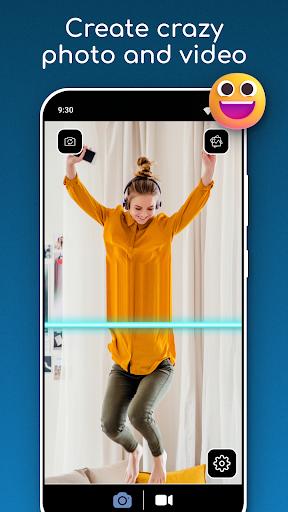
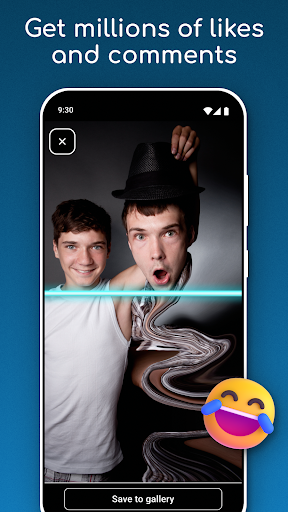
TIME WARP SCAN: Face Scanner icon

Phone

TIME WARP SCAN: Face Scanner

Photography ZipoApps ⭐ 4.60 10,000,000+
Version 6.7.4 15.7 MB Everyone

Screenshots

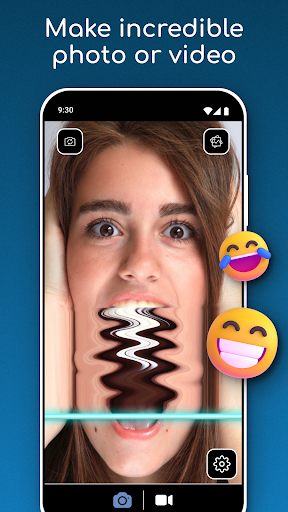
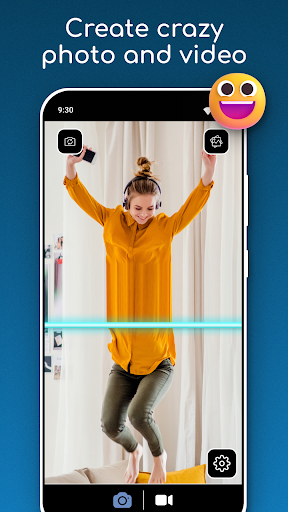
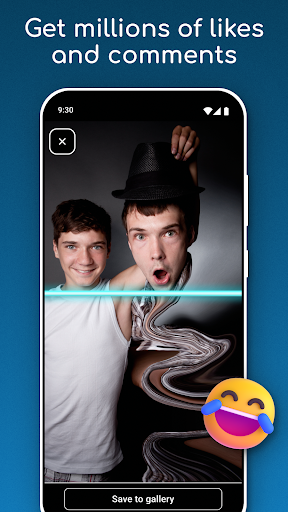
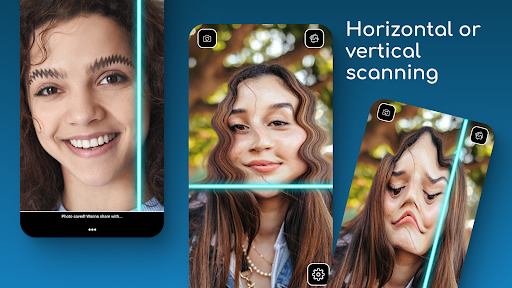
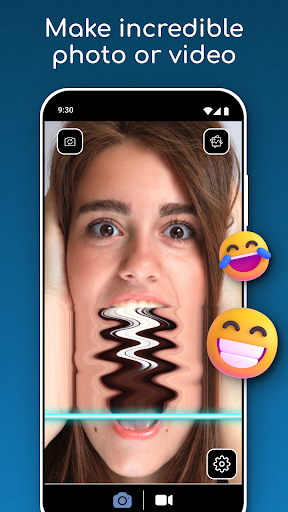
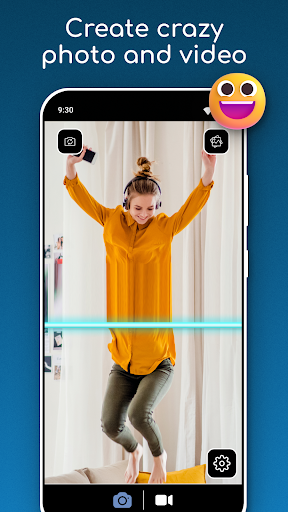
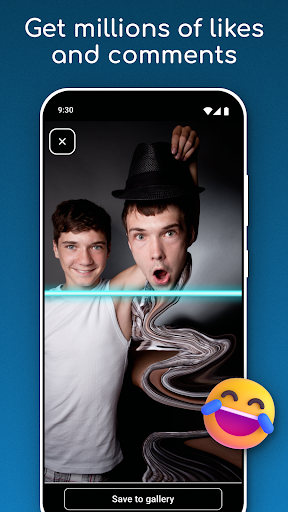
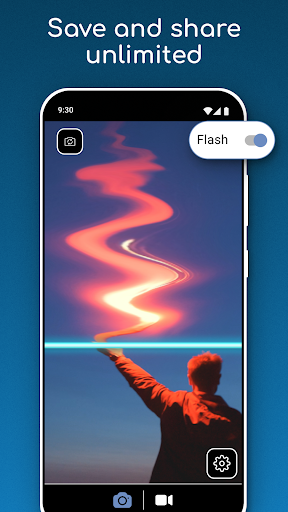
TIME WARP SCAN: Face Scanner screenshot
Permissions Explained 18 permissions requested View details

This app requests 18 permissions. The table below explains what each permission may allow and what users should review before installing.

Status Permission What it means Why it may be used User safety note
Common Internet access android.permission.INTERNET Allows the app to open network connections and communicate with online services. Commonly used for streaming, syncing, login, ads, analytics, downloads, cloud features, and app updates. Common permission. Review the app’s behavior if it does not appear to need online access.
⚠️ Sensitive Camera access android.permission.CAMERA Allows the app to use the device camera. Used for QR scanning, taking photos, video calls, document capture, AR features, or profile images. Sensitive permission. Grant only when camera features are expected.
⚠️ Sensitive Read external storage android.permission.READ_EXTERNAL_STORAGE Allows the app to read files from shared device storage. Used by media players, file managers, backup apps, editors, upload tools, and document apps. Sensitive permission. Review carefully if the app does not need access to files or media.
⚠️ Sensitive Modify external storage android.permission.WRITE_EXTERNAL_STORAGE Allows the app to write or modify files in shared device storage. Used for saving downloads, media files, exports, edited documents, backups, or cached content. Sensitive permission. Make sure file access matches the app’s purpose.
ℹ️ Review Read Media Images android.permission.READ_MEDIA_IMAGES This is an Android permission or app-specific permission requested by the app. The app may use this permission for features related to its category, device support, background behavior, storage, connectivity, or system integration. Review this permission before installing, especially if it does not match the app’s expected purpose.
ℹ️ Review Read Media Video android.permission.READ_MEDIA_VIDEO This is an Android permission or app-specific permission requested by the app. The app may use this permission for features related to its category, device support, background behavior, storage, connectivity, or system integration. Review this permission before installing, especially if it does not match the app’s expected purpose.
ℹ️ Review Flashlight android.permission.FLASHLIGHT This is an Android permission or app-specific permission requested by the app. The app may use this permission for features related to its category, device support, background behavior, storage, connectivity, or system integration. Review this permission before installing, especially if it does not match the app’s expected purpose.
ℹ️ Review Gms Permission Ad Id com.google.android.gms.permission.AD_ID This is an Android permission or app-specific permission requested by the app. The app may use this permission for features related to its category, device support, background behavior, storage, connectivity, or system integration. Review this permission before installing, especially if it does not match the app’s expected purpose.
Common View network status android.permission.ACCESS_NETWORK_STATE Allows the app to check whether the device is connected to Wi-Fi, mobile data, or another network. Often used to avoid loading content when offline or to adjust loading based on connection quality. Generally low risk by itself.
ℹ️ Review Keep device awake android.permission.WAKE_LOCK Allows the app to prevent the device from sleeping while a task is running. Used for media playback, downloads, navigation, alarms, calls, or long-running background tasks. Review battery usage if the app keeps the device awake too often.
ℹ️ Review Access Wifi State android.permission.ACCESS_WIFI_STATE This is an Android permission or app-specific permission requested by the app. The app may use this permission for features related to its category, device support, background behavior, storage, connectivity, or system integration. Review this permission before installing, especially if it does not match the app’s expected purpose.
ℹ️ Review Send notifications android.permission.POST_NOTIFICATIONS Allows the app to send notifications to the device. Used for alerts, reminders, messages, account activity, updates, or media controls. Review notification settings if the app sends too many alerts.
ℹ️ Review C2dm Permission Receive com.google.android.c2dm.permission.RECEIVE This is an Android permission or app-specific permission requested by the app. The app may use this permission for features related to its category, device support, background behavior, storage, connectivity, or system integration. Review this permission before installing, especially if it does not match the app’s expected purpose.
ℹ️ Review Com Applovin Array Apphub Permission Bind Apphub Service com.applovin.array.apphub.permission.BIND_APPHUB_SERVICE This is an Android permission or app-specific permission requested by the app. The app may use this permission for features related to its category, device support, background behavior, storage, connectivity, or system integration. Review this permission before installing, especially if it does not match the app’s expected purpose.
ℹ️ Review Vending Billing com.android.vending.BILLING This is an Android permission or app-specific permission requested by the app. The app may use this permission for features related to its category, device support, background behavior, storage, connectivity, or system integration. Review this permission before installing, especially if it does not match the app’s expected purpose.
ℹ️ Review Finsky Permission Bind Get Install Referrer Service com.google.android.finsky.permission.BIND_GET_INSTALL_REFERRER_SERVICE This is an Android permission or app-specific permission requested by the app. The app may use this permission for features related to its category, device support, background behavior, storage, connectivity, or system integration. Review this permission before installing, especially if it does not match the app’s expected purpose.
ℹ️ Review Foreground Service android.permission.FOREGROUND_SERVICE This is an Android permission or app-specific permission requested by the app. The app may use this permission for features related to its category, device support, background behavior, storage, connectivity, or system integration. Review this permission before installing, especially if it does not match the app’s expected purpose.
ℹ️ Review De Swejuppotto Timewarpscan Dynamic Receiver Not Exported Permission de.swejuppotto.timewarpscan.DYNAMIC_RECEIVER_NOT_EXPORTED_PERMISSION This is an Android permission or app-specific permission requested by the app. The app may use this permission for features related to its category, device support, background behavior, storage, connectivity, or system integration. Review this permission before installing, especially if it does not match the app’s expected purpose.

About TIME WARP SCAN: Face Scanner

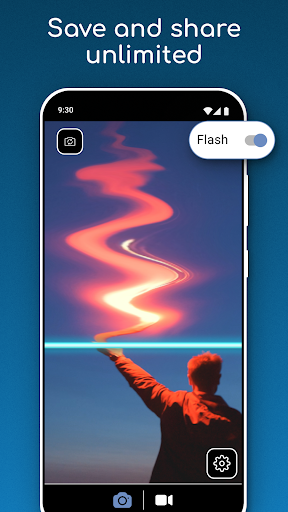
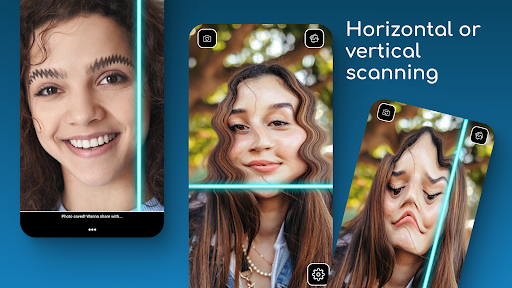
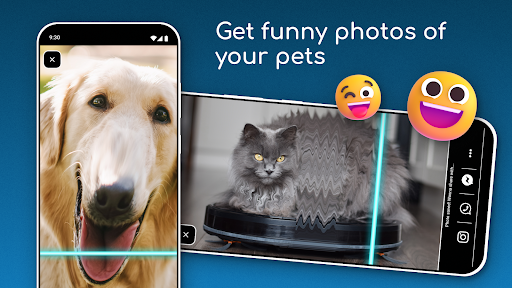
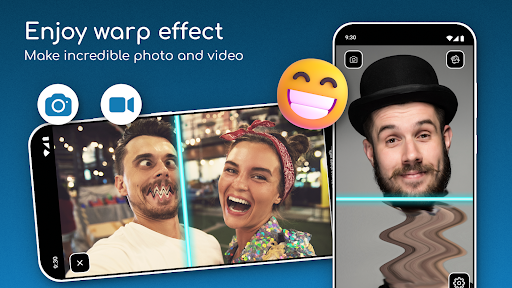
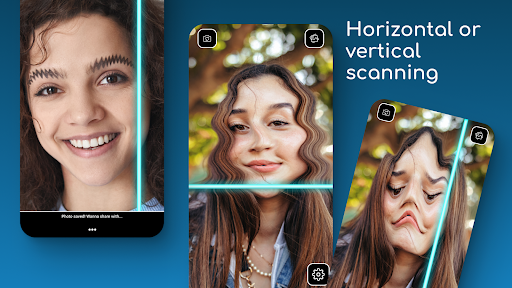
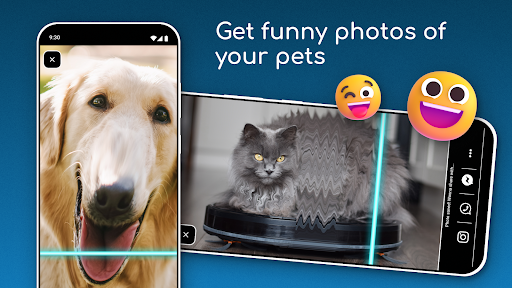
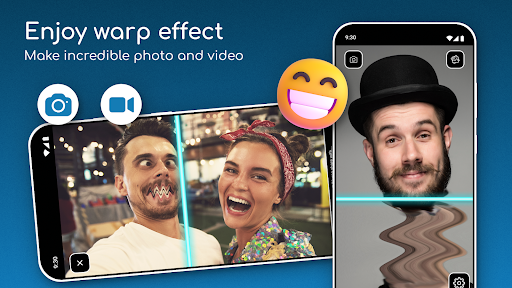
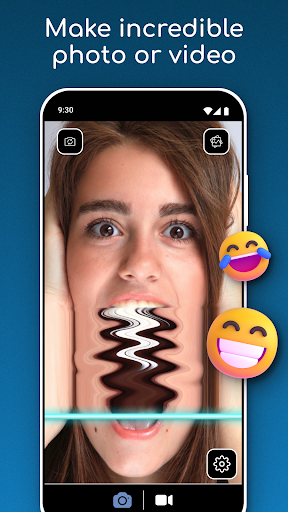
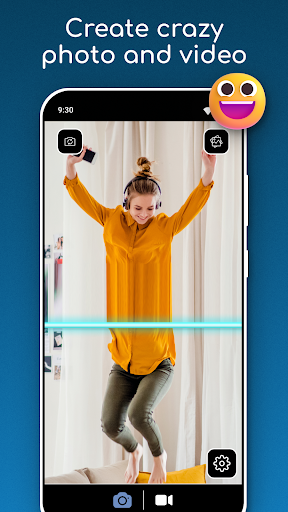
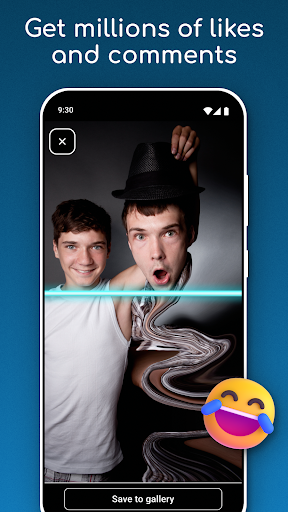
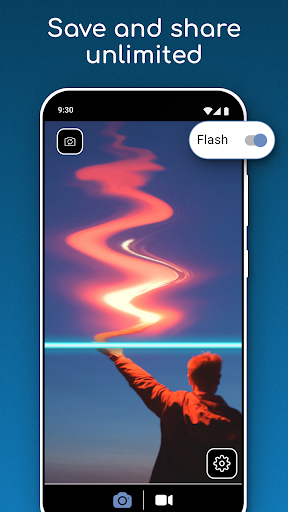
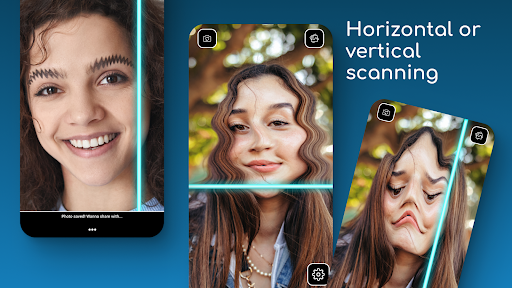
Time Warp Scan: Face Scanner – Create Funny and Unique Content! Want to make your photos and videos stand out with a trending effect? The Time Warp Effect: Blue Line Filter allows you to add a unique twist to your content with a simple scan! Whether you want to capture fun moments with friends or create visually stunning videos, this Time Warp Scan: Face Scanner app offers everything you need. You can now use the Time Warp Scan: Face Scanner and other incredible features directly on your device. The Time Warp Scan: Face Scanner provides the viral Timewarp Filter: Slit Scan effect that everyone is talking about. Create your funny videos and photos with Time Warp Scan Your Face. 📄Time Warp Scan App Key Features:📄 ⭐ Capture photos and videos with the Time Warp Effect: Blue Line Filter. ⭐ Choose the scan direction with a swipe – either horizontal or vertical. ⭐ Save and share your creations instantly from the Warp Face Scan App. ⭐ Time Warp Scan Your Face with the Timewarp Filter: Slit Scan. ⭐ Warp Camera: Face Freeze mode for creative visuals. ⭐ Simple and easy Time Scan Filter – no social media required! Warp Your Face and Create Funny Videos Easily! You can easily create hilarious and creative videos with the Face Warp Scanner: Funny Face Filters. Select the Time Scan Filter and watch as the blue line moves across your image, capturing unique and entertaining results. The Time Warp Scan Your Face feature is perfect for casual users and those looking to experiment with new artistic styles. Impress Your Friends With Funny Videos and Images: Whether trying out the Warp Camera: Face Freeze mode or using the Face Warp Scanner for laughs, this Face Warp Scanner: Funny Face Filters app makes it easy to twist your image in fun and creative ways. You don’t need to worry about complicated tools or effects – everything is built into the Timewarp Filter: Slit Scan app for your convenience. A Must-Have Warp Face Scan App for Creative Content: Are you looking to join the latest Face Warp Scanner: Funny Face Filters trend? The Time Warp Scan: Face Scanner is here to help you create the viral content everyone loves. The Time Scan Filter lets you make real-time photos and videos that capture the blue line filter. The Face Warp Scanner: Funny Face Filters adds more fun to your selfies, and the Time Warp Effect: Blue Line Filter gives you complete creative control. Start Creating Funny and Unique Content with Time Warp Scan: Face Scanner! The Warp Face Scan App allows you to explore endless possibilities for photos and videos. Apply the Timewarp Filter: Slit Scan and see how your creativity takes shape with the Time Warp Effect: Blue Line Filter. This Warp Camera: Face Freeze app has everything you need to stand out. Impress your friends with the Time Warp Scan: Face Scanner today! The App must have access to Photos/Media/Files to save pictures and videos. This includes - reading the contents of your USB storage, - reading, modifying, or deleting the contents of…

What TIME WARP SCAN: Face Scanner Is Used For

TIME WARP SCAN: Face Scanner appears to be a phone photography app for creating time-warp or slit-scan style images and videos. Based on the metadata, it is commonly used to capture playful face effects and other visual distortions by moving a scan line across the camera view, which can produce stretched, split, or frozen-looking results. This makes it a fit for people who want to experiment with short-form visual content rather than edit standard photos.

The app’s camera permission suggests it works directly with live camera capture, while storage permissions indicate it may save images and videos to the device and read existing media for sharing or review. The description also mentions horizontal and vertical scan directions, plus a face-freeze mode, so users may choose different effect styles depending on the kind of clip or photo they want to create. It appears designed for quick, casual use on a phone, especially when making social-style content with friends or trying out trend-based visual effects.

Common uses

  • Use the camera to create time-warp or slit-scan style photos and videos.
  • Try horizontal or vertical scan directions for different visual results.
  • Create face-based effects that stretch, freeze, or distort parts of the image.
  • Save captured media to your device for later viewing or sharing.
  • Experiment with short, casual clips for creative or playful content.
  • Use it as a phone-based photography tool rather than a full editor.
  • May be useful for users who want trend-style camera effects without complex editing.
Best for:
short video effects fun camera filters phone photography creative content casual use

App Details

Package:
de.swejuppotto.timewarpscan
Category:
Photography
Developer:
ZipoApps
Version:
6.7.4
Updated:
Dec 30, 2025
Min Android:
5.0
Age Rating:
Everyone
Contains Ads:
Yes
In-App Purchases:
Yes

Official Listing

  • Official listing available on Google Play
  • Package name: de.swejuppotto.timewarpscan
  • Age rating: Everyone

Explore More

Browse more apps in Photography or explore the Phone hub .

Related Photography Apps

FaceLab: Future Face Aging App icon

FaceLab: Future Face Aging App

Photography Lyrebird Studio

How old age camera Gender Swap App Face Shape Hairstyle App Hair Styler App fun!

Version 4.5.72 39.8 MB ⭐ 4.00 50,000,000+ installs
Time Warp Scan icon

Time Warp Scan

Photography ZipoApps

Take videos and pictures with the popular TikTok TIME WARP SCAN filter.

Version 1.2.2 18.8 MB ⭐ 4.62 10,000,000+ installs
DPM icon

DPM

Music & Audio Easybrain

Be a true music maker: create beats, mix and make music like a real DJ!

Version 2.25.0 50.1 MB ⭐ 4.35 100,000,000+ installs

How to Download TIME WARP SCAN: Face Scanner

If this app is not hosted directly on APKApps official link, then for the safest and most up-to-date version, install it from its official Google Play listing.