TV Cast Pro for Fire TV icon

Phone

TV Cast Pro for Fire TV

Video Players & Editors 2kit consulting ⭐ 4.30 100,000+
Version 2.45 Everyone

Screenshots

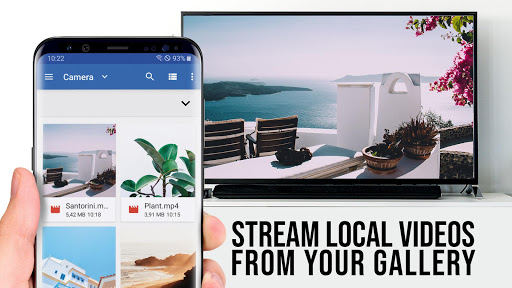
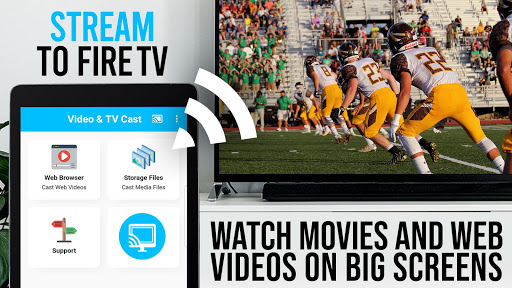
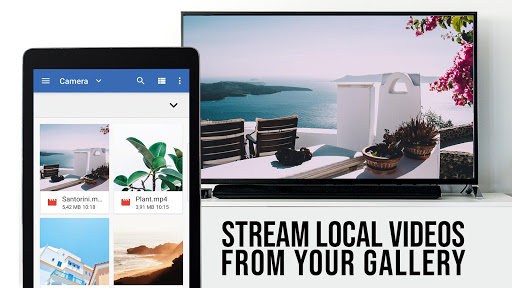
TV Cast Pro for Fire TV screenshot
Permissions Explained 9 permissions requested View details

This app requests 9 permissions. The table below explains what each permission may allow and what users should review before installing.

Status Permission What it means Why it may be used User safety note
ℹ️ Review Read Phone Status And Identity read phone status and identity This is an Android permission or app-specific permission requested by the app. The app may use this permission for features related to its category, device support, background behavior, storage, connectivity, or system integration. Review this permission before installing, especially if it does not match the app’s expected purpose.
ℹ️ Review Read The Contents Of Your Usb Storage read the contents of your USB storage This is an Android permission or app-specific permission requested by the app. The app may use this permission for features related to its category, device support, background behavior, storage, connectivity, or system integration. Review this permission before installing, especially if it does not match the app’s expected purpose.
ℹ️ Review Modify Or Delete The Contents Of Your Usb Storage modify or delete the contents of your USB storage This is an Android permission or app-specific permission requested by the app. The app may use this permission for features related to its category, device support, background behavior, storage, connectivity, or system integration. Review this permission before installing, especially if it does not match the app’s expected purpose.
ℹ️ Review View Wi Fi Connections view Wi-Fi connections This is an Android permission or app-specific permission requested by the app. The app may use this permission for features related to its category, device support, background behavior, storage, connectivity, or system integration. Review this permission before installing, especially if it does not match the app’s expected purpose.
ℹ️ Review View Network Connections view network connections This is an Android permission or app-specific permission requested by the app. The app may use this permission for features related to its category, device support, background behavior, storage, connectivity, or system integration. Review this permission before installing, especially if it does not match the app’s expected purpose.
ℹ️ Review Allow Wi Fi Multicast Reception allow Wi-Fi Multicast reception This is an Android permission or app-specific permission requested by the app. The app may use this permission for features related to its category, device support, background behavior, storage, connectivity, or system integration. Review this permission before installing, especially if it does not match the app’s expected purpose.
ℹ️ Review Full Network Access full network access This is an Android permission or app-specific permission requested by the app. The app may use this permission for features related to its category, device support, background behavior, storage, connectivity, or system integration. Review this permission before installing, especially if it does not match the app’s expected purpose.
ℹ️ Review Prevent Device From Sleeping prevent device from sleeping This is an Android permission or app-specific permission requested by the app. The app may use this permission for features related to its category, device support, background behavior, storage, connectivity, or system integration. Review this permission before installing, especially if it does not match the app’s expected purpose.
ℹ️ Review Google Play License Check Google Play license check This is an Android permission or app-specific permission requested by the app. The app may use this permission for features related to its category, device support, background behavior, storage, connectivity, or system integration. Review this permission before installing, especially if it does not match the app’s expected purpose.

About TV Cast Pro for Fire TV

Upgrade your Fire TV to watch webvideos, online movies, livestreams and live-tv shows directly on your biggest screen with the no#1 web video streamer. You don't need a difficult media server. Mp4, m3u8, hls livestreams, video over https and of course Full HD are supported. *** This PRO app edition includes all Premium Features unlocked. You can test the basic features in the FREE app edition *** *** This app only works with a Amazon Fire TV or Fire TV Stick *** With Video & TV Cast you can browse through the web and stream or cast any video you want on your Fire TV. Just navigate to your favorite website and send the embedded video with a single tap to your Fire TV. The discovered video will be shown below the browser. A tap on the video link will send it to your Fire TV immediately. >>> IMPORTANT NOTES, PLEASE READ * NOT SUPPORTED Videos: Flash video, Google Play movies, Netflix, Amazon and HBO and other DRM protected videos web-videos, online-movies, livestreams and live-tv shows. * Please test your websites and videos in the free edition! If casting fails, upgrading will NOT make it work magically. * The app does NOT mirror your full Android device, it just pushes the video part of a website to your Fire TV. * To play mp4, m3u8 or other videofiles directly on Fire TV just enter or paste the full video-url in the browser address bar. * Sometimes it is necessary to play the video on your Android device before the link gets detected for casting. * If the connection does not work, please try to restart your Android device, Fire TV and wifi router. * If a specific web-video, online-movie, livestream or live-tv show does not cast, please check our FAQ or send the website and video link to [email protected] by using the report feature in the app. We will try to add support for your video as soon as possible. Leaving negative Play Store reviews without any information about your issue will not give us a chance to help you. * Security Note: For your safety Video & TV cast only needs minimal Android permissions to work. Unlike others we do NOT access your identity data, accounts, device id, phone status, gps location or contacts. Please always check the required app permissions before you trust and install any Android app. * Refunds: Only within 24 hours after purchase. Please submit the Google Purchase ID. >>> PRO FEATURES * Remote Playbar: Use the Playbar for advanced video control while browsing, including video scrubbing, forward, rewind, play, pause, stop. The playbar is synced across all Android and iOS devices running Video & TV Cast. * Ad-Blocker + No Sponsoring Ads: The Pro app version has no ads and the Ad-Blocker blocks ads & popups on most websites that you visit. You can enable/disable it at any time in the settings. * Bookmarks: Add and manage as many bookmarks as you want, either in the bookmarks menu or directly in the browser. * Desktop Mode: Change the browser user-agent and cloak your Android device as a desktop PC to load the…

What TV Cast Pro for Fire TV Is Used For

TV Cast Pro for Fire TV appears to be a companion app for sending web videos from an Android phone to an Amazon Fire TV or Fire TV Stick. Based on the metadata, people commonly use it to browse websites on the phone and play embedded videos, online movies, livestreams, or live TV content on a larger TV screen. It is not described as a full-screen mirroring tool; instead, it seems focused on transferring the video portion of a webpage to the Fire TV.

The app may be useful when you want to view supported online video formats such as MP4, M3U8, HLS livestreams, or HTTPS video links on a television without setting up a separate media server. The permission set suggests it needs network access and Wi‑Fi visibility to discover and communicate with the Fire TV on the same network. Based on the description, it is intended for phone use as a controller and browser rather than as a standalone TV app. Some web services and DRM-protected sources are noted as unsupported, so compatibility may depend on the specific website and stream.

Common uses

  • Browse websites on your phone and send supported web videos to a Fire TV device
  • Play online movies or livestreams on a television instead of on the small phone screen
  • Enter a direct video URL when you already have an MP4, M3U8, or HLS link
  • Use it as a phone-based companion app for Fire TV streaming control
  • Check whether a website’s embedded player can be detected for casting
  • Rely on the app’s network and Wi‑Fi access to connect with Fire TV hardware
Best for:
Fire TV owners phone app users web video streaming TV viewing large screen use

App Details

Package:
de.twokit.video.tv.cast.browser.firetv.pro
Developer:
2kit consulting
Version:
2.45
Updated:
Mar 24, 2026
Min Android:
7.0
Age Rating:
Everyone
Contains Ads:
No
In-App Purchases:
No

Official Listing

  • Official listing available on Google Play
  • Package name: de.twokit.video.tv.cast.browser.firetv.pro
  • Age rating: Everyone

Explore More

Browse more apps in Video Players & Editors or explore the Phone hub .

Related Video Players & Editors Apps

Fire TV icon

Fire TV

Tools Amazon Mobile LLC

Simple navigation, a keyboard, plus voice search for Fire TV.

Version 2.12.17.0-aosp 42.4 MB ⭐ 4.62 10,000,000+ installs
Yatse icon

Yatse

Video Players & Editors Tolriq

Original Kodi remote with easy remote control, streaming & more since 2011!

Version 6.0.1.0 13.9 MB ⭐ 4.54 1,000,000+ installs

How to Download TV Cast Pro for Fire TV

If this app is not hosted directly on APKApps official link, then for the safest and most up-to-date version, install it from its official Google Play listing.