RecForge II Pro - Audio Record icon

Phone

RecForge II Pro - Audio Record

Music & Audio Dje073 ⭐ 3.20 10,000+
Version Varies with device Everyone

Screenshots

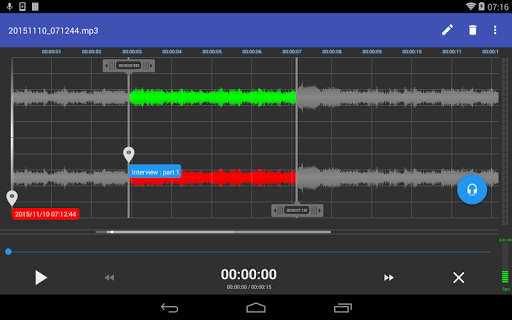
RecForge II Pro - Audio Record screenshot
Permissions Explained 14 permissions requested View details

This app requests 14 permissions. The table below explains what each permission may allow and what users should review before installing.

Status Permission What it means Why it may be used User safety note
ℹ️ Review Read The Contents Of Your Usb Storage read the contents of your USB storage This is an Android permission or app-specific permission requested by the app. The app may use this permission for features related to its category, device support, background behavior, storage, connectivity, or system integration. Review this permission before installing, especially if it does not match the app’s expected purpose.
ℹ️ Review Modify Or Delete The Contents Of Your Usb Storage modify or delete the contents of your USB storage This is an Android permission or app-specific permission requested by the app. The app may use this permission for features related to its category, device support, background behavior, storage, connectivity, or system integration. Review this permission before installing, especially if it does not match the app’s expected purpose.
ℹ️ Review Record Audio record audio This is an Android permission or app-specific permission requested by the app. The app may use this permission for features related to its category, device support, background behavior, storage, connectivity, or system integration. Review this permission before installing, especially if it does not match the app’s expected purpose.
ℹ️ Review View Network Connections view network connections This is an Android permission or app-specific permission requested by the app. The app may use this permission for features related to its category, device support, background behavior, storage, connectivity, or system integration. Review this permission before installing, especially if it does not match the app’s expected purpose.
ℹ️ Review Pair With Bluetooth Devices pair with Bluetooth devices This is an Android permission or app-specific permission requested by the app. The app may use this permission for features related to its category, device support, background behavior, storage, connectivity, or system integration. Review this permission before installing, especially if it does not match the app’s expected purpose.
ℹ️ Review Full Network Access full network access This is an Android permission or app-specific permission requested by the app. The app may use this permission for features related to its category, device support, background behavior, storage, connectivity, or system integration. Review this permission before installing, especially if it does not match the app’s expected purpose.
ℹ️ Review Change Your Audio Settings change your audio settings This is an Android permission or app-specific permission requested by the app. The app may use this permission for features related to its category, device support, background behavior, storage, connectivity, or system integration. Review this permission before installing, especially if it does not match the app’s expected purpose.
ℹ️ Review Run At Startup run at startup This is an Android permission or app-specific permission requested by the app. The app may use this permission for features related to its category, device support, background behavior, storage, connectivity, or system integration. Review this permission before installing, especially if it does not match the app’s expected purpose.
ℹ️ Review Control Vibration control vibration This is an Android permission or app-specific permission requested by the app. The app may use this permission for features related to its category, device support, background behavior, storage, connectivity, or system integration. Review this permission before installing, especially if it does not match the app’s expected purpose.
ℹ️ Review Prevent Device From Sleeping prevent device from sleeping This is an Android permission or app-specific permission requested by the app. The app may use this permission for features related to its category, device support, background behavior, storage, connectivity, or system integration. Review this permission before installing, especially if it does not match the app’s expected purpose.
ℹ️ Review Modify System Settings modify system settings This is an Android permission or app-specific permission requested by the app. The app may use this permission for features related to its category, device support, background behavior, storage, connectivity, or system integration. Review this permission before installing, especially if it does not match the app’s expected purpose.
ℹ️ Review Google Play License Check Google Play license check This is an Android permission or app-specific permission requested by the app. The app may use this permission for features related to its category, device support, background behavior, storage, connectivity, or system integration. Review this permission before installing, especially if it does not match the app’s expected purpose.
ℹ️ Review Control Media Playback And Metadata Access control media playback and metadata access This is an Android permission or app-specific permission requested by the app. The app may use this permission for features related to its category, device support, background behavior, storage, connectivity, or system integration. Review this permission before installing, especially if it does not match the app’s expected purpose.
ℹ️ Review Receive Data From Internet receive data from Internet This is an Android permission or app-specific permission requested by the app. The app may use this permission for features related to its category, device support, background behavior, storage, connectivity, or system integration. Review this permission before installing, especially if it does not match the app’s expected purpose.

About RecForge II Pro - Audio Record

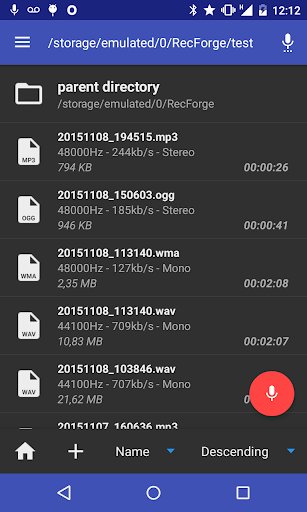
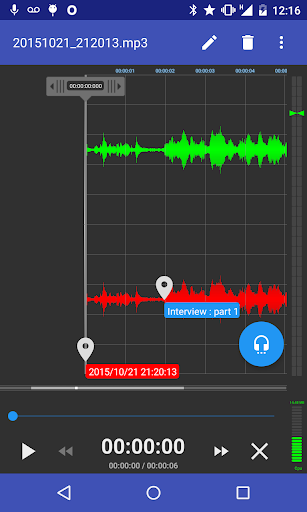
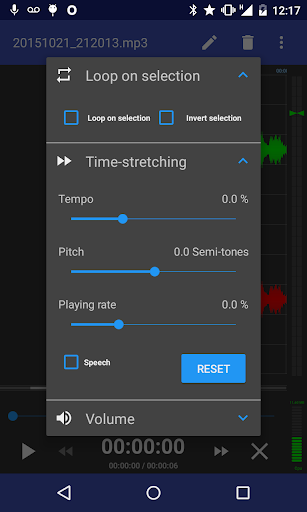
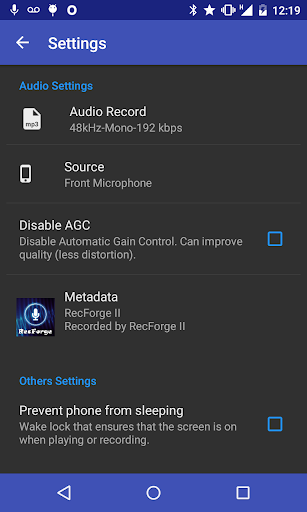
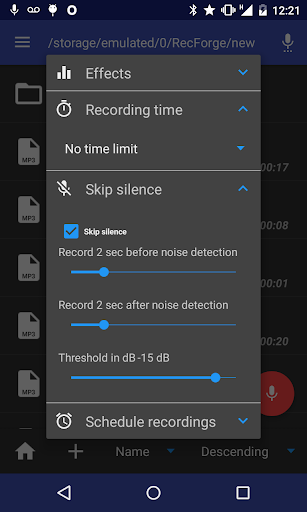
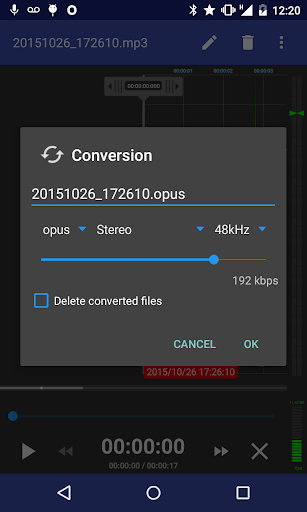
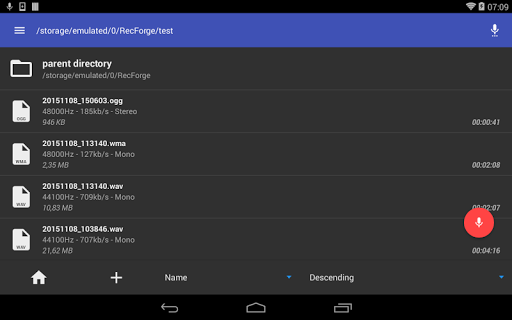
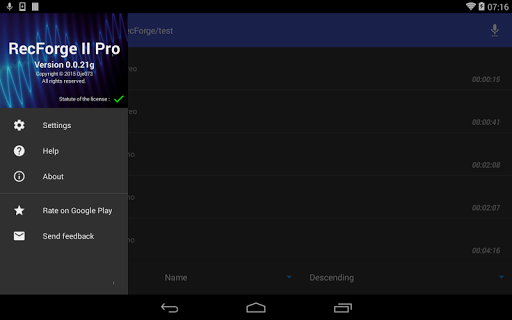
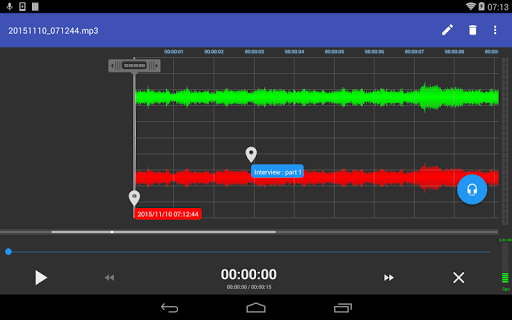
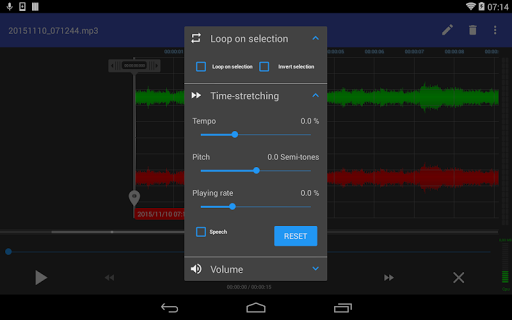
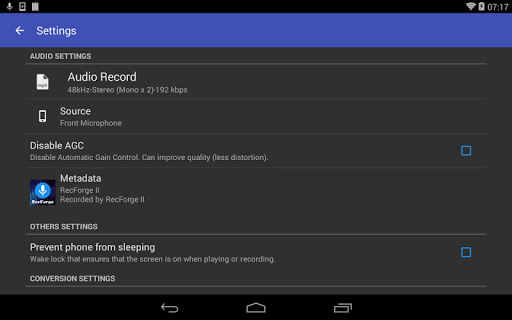
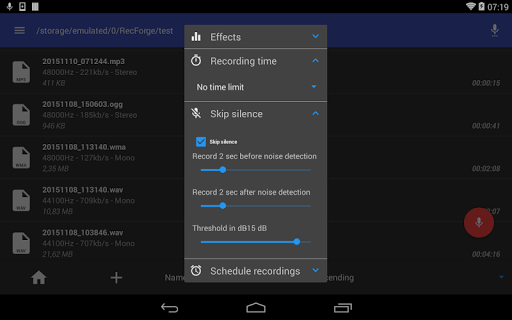
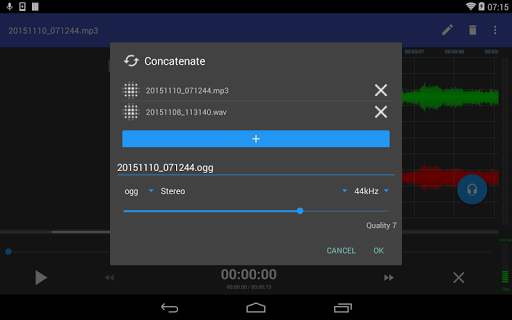
RecForge II is an Android dictaphone and editor to record, convert, play, edit, and share your recordings in most popular audio codecs Main features : • Highly customizable recorder (codec, samplerate, bitrate, mono / stereo) • Use external microphone (RODE, iRig, ...) • Disable AGC (Automatic Gain Control) • Manual gain adjustment • Skip silences • Schedule recording • extract sound stream from videos • Music speed changer : Adjust tempo, pitch, playing rate • Loop on playing selection Recording : • Recorder for sound, voice, note, dictation, rehearsal, meeting, lecture, music learning, EVP, studio recording, ... in mp3, m4a, ogg, wma, opus, flac and wav codec • Real-time monitoring (live audio spectrum analyzer) • Use front, rear or external microphone (TRRS adapter, RODE SC6, iRig Mic, iRig Cast, iRig Pre or RODE smartLav) • Skip silences • Disable AGC (Automatic Gain Control) for better quality • Schedule a date to start the recorder • Record in background • Control the recorder from the notification bar Playing : • Loop for memorization, actor lines, bible memory, recitations, ... • Visualize stereo audio signal (audio spectrum analyzer) • Music speed changer : Time stretching with playing rate, pitch and tempo adjustment (to practice an instrument or transcribe lecture, ...) Editing : • Convert your dictation to mp3, m4a, ogg, wma, opus, flac and wav with all possible settings : samplerate, bitrate, mono / stereo, ... • Extract sound stream from video • Edit your recordings (cut or crop to keep only interesting parts – concatenate or merge to make basic arrangements) for ringtones, commentary, ... • Tag your recording and edit metadata • Change music speed (tempo, pitch and rate) and save as a new file Others : • Play, record, pause / resume, loop, convert, edit, concatenate, merge, time strecth, adjust pitch, tempo and playing rate • Send your dictation to cloud storage services or share your recordings with your friends by mail, SoundCloud, WhatsApp ... • Manage and organize your files with folders (rename, delete, copy, move) • Sort recordings by date, name and size • Save sounds to android media library • 4 widgets (one click recorder) • Material design UI Supported audio formats : • samplerate from 8 to 48kHz • encoding codec : mp3, m4a, ogg, wma, opus, flac, speex and wav • decoding codec : mp3, ogg, wav, wma, flac, opus, speex, m4a, m2a, mp2, aac, m4v, mp4, mka, mkv, ac3, eac3, amr, 3gp, 3g2, avi, mov, asf, ogv, .wmv, .flv, .f4v, .webm • bitrate from 32 to 320 kbps • mono / mono x2 / stereo (cf FAQ) • 16bits ---- You can find more details about settings (external microphone, AGC, manual gain, loop, skip silences, stereo, ...) in the FAQ : http://dje.073.free.fr/html/faq.html If the app force closes after an install or upgrade, check that a Cleaner or a task killer is not running or create an exception for RecForge (you can also check this site : https://dontkillmyapp.com/) If there are any problems, please contact us and we will…

What RecForge II Pro - Audio Record Is Used For

RecForge II Pro appears to be a phone-based audio recording and editing app for capturing spoken audio, music, and other sound sources. Based on the metadata, people commonly use it for dictation, meeting notes, lectures, rehearsals, voice memos, and basic studio-style recording. It also supports common audio formats, so it may be useful for users who want to record and then convert or organize files without switching between multiple apps.

The app seems aimed at users who need more control than a simple voice recorder. Its listed permissions and features suggest support for microphone recording, audio playback, file management, background recording, and access to storage for saving or editing recordings. It also mentions Bluetooth pairing and audio settings control, which may matter if you use an external microphone, headset, or other audio accessories. Because it can edit, trim, merge, and change playback speed, it appears suited to users who want to review recordings, practice speech or music, or prepare clips for sharing.

In practical use, RecForge II Pro may be chosen when someone needs scheduled recording, silence skipping, looped playback, or quick conversion between audio formats. It also appears useful for people who want to keep recordings organized by folder and manage them directly on the device.

Common uses

  • Record voice, lectures, meetings, or rehearsal sessions
  • Edit recordings by trimming, cropping, merging, or concatenating clips
  • Convert audio into formats such as MP3, M4A, OGG, FLAC, WAV, and others
  • Use playback tools like looping and speed or pitch adjustment
  • Work with external microphones or Bluetooth audio accessories
  • Save, organize, rename, move, copy, or delete recordings on the device
  • Share recordings or send them to cloud storage services
Best for:
Voice recording Audio editing Lecture notes Music practice File organization

App Details

Package:
dje073.android.modernrecforgepro
Category:
Music & Audio
Developer:
Dje073
Version:
Varies with device
Updated:
Aug 16, 2025
Min Android:
Varies with device
Age Rating:
Everyone
Contains Ads:
No
In-App Purchases:
No

Official Listing

  • Official listing available on Google Play
  • Package name: dje073.android.modernrecforgepro
  • Age rating: Everyone

Explore More

Browse more apps in Music & Audio or explore the Phone hub .

Related Music & Audio Apps

How to Download RecForge II Pro - Audio Record

If this app is not hosted directly on APKApps official link, then for the safest and most up-to-date version, install it from its official Google Play listing.