About EX Kernel Manager
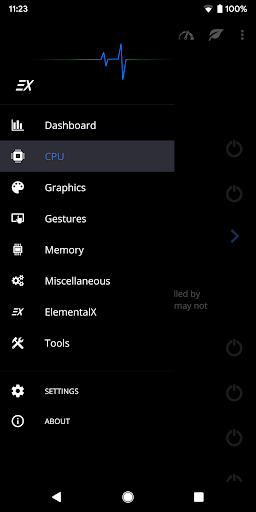
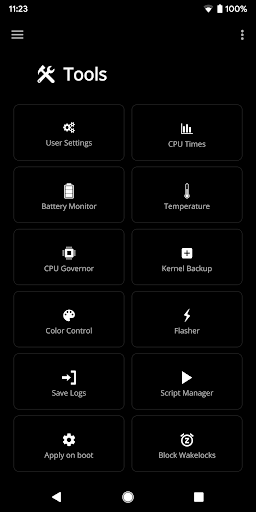
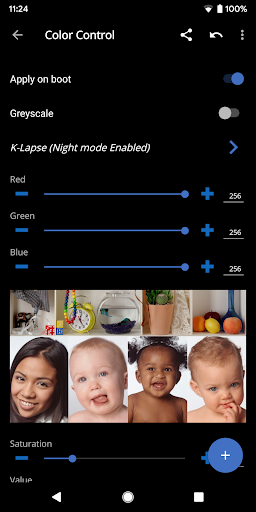
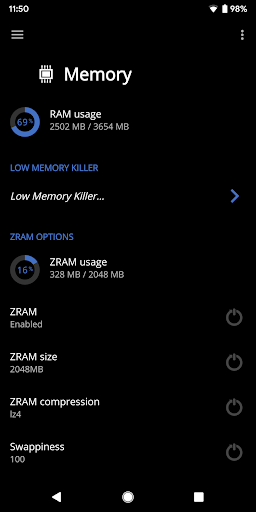
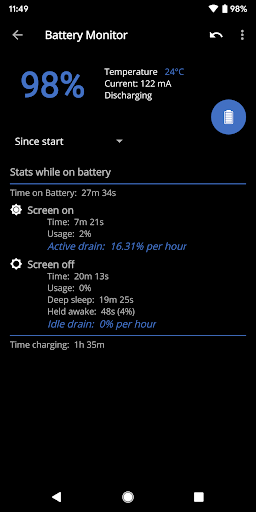
EX Kernel Manager (EXKM) is the ultimate root tool for backup and flashing kernels, tweaking color, sound, gestures and other kernel settings. EXKM gives you total control over your hardware with premium features and a simple and modern user interface. ** Your device must be ROOTED to fully use this app ** This app works with ALL devices and kernels. ElementalX is not required. ** Some advanced features such as wake gestures, color and sound control require a compatible custom kernel Dashboard: your homepage within the app, Dashboard summarizes your current settings and shows real-time CPU and GPU frequencies, temperatures, memory usage, uptime, deep sleep, battery level and temperature, governors, and i/o settings. Battery Monitor: the most accurate way to measure battery life. EXKM's Battery Monitor is designed to show battery statistics that you can use to optimize battery life scientifically. EXKM Battery Monitor measures % battery use per hour and gives separate statistics for screen off (idle drain) and screen on (active drain). It automatically measures only when the battery is discharging so you never have to remember to reset the stats or create markers. Script Manager: easily create, share , edit, execute and test shell scripts (requires SuperSU or Magisk) Flash and Backup: save and restore kernel and recovery backups, flash any boot.img, recovery zip, Magisk module or AnyKernel zip. Import custom kernel JSON configs CPU Settings: easily create, share and load CPU governor profiles for maximum battery life. Adjust max frequency, min frequency, CPU governor, CPU boost, hotplugging, thermals and voltage (if supported by kernel/hardware) Graphics Settings: Max frequency, min frequency, GPU governor and more. Advanced Color Control: RGB controls, saturation, value, contrast, hue and K-Lapse. Save, load and share custom profiles. (requires kernel support) Wake Gestures: sweep2wake, doubletap2wake, sweep2sleep, haptic feedback, camera gesture, wake timeout and more (requires kernel support). Custom User Settings: This feature allows you to add any kernel setting you want. Kernel settings are located in the /proc and /sys directories. Navigate to the desired path and quickly and easily add the setting to the app where it can be changed on the fly or applied at boot. Plus you can easily import/export your custom settings and share with other users. Memory Settings: adjust zRAM, KSM, lowmemorykiller, and virtual memory settings Sound Control: adjust speaker, headphone and mic gain. Supports elementalx, fauxsound, franco sound control, and others (requires kernel support). CPU Times: Show CPU frequency usage and deep sleep, and optionally sort by most used frequencies. Update or Install ElementalX: Get notified and quickly download and install the ElementalX Kernel on supported devices. Many other settings: i/o scheduler, readahead kb, fsync, zRAM, KSM, USB fastcharge, TCP congestion algorithm, last kernel log, magnetic cover control, memory…
What EX Kernel Manager Is Used For
EX Kernel Manager is a tools app for Android phones that appears to be designed for advanced device tuning, especially on rooted devices. Based on the metadata, it is commonly used to manage kernel-related settings, review hardware status, and save or restore kernel backups. The app’s dashboard may help users monitor CPU and GPU frequencies, temperatures, memory use, battery level, and other system details in one place.
It also appears to support tasks that go beyond basic system settings, such as adjusting CPU and GPU profiles, working with shell scripts, and flashing kernel- or recovery-related files. Several features depend on root access and, in some cases, a compatible custom kernel or Magisk/SuperSU support. The permissions listed, such as network access, startup behavior, vibration control, and preventing sleep, fit a utility that runs ongoing monitoring and system-management functions in the background. This type of app is generally aimed at experienced users who want fine-grained control over performance, battery behavior, gestures, or device-specific kernel options.
Common uses
- Monitor CPU, GPU, battery, memory, and temperature stats.
- Adjust kernel-related performance settings on rooted devices.
- Create or load CPU and GPU profiles for different use cases.
- Back up or restore kernel and recovery files.
- Run or test shell scripts with root support tools.
- Use wake gesture and color-control features when supported by the kernel.
- Track battery drain patterns for deeper battery analysis.
App Details
Package:
flar2.exkernelmanager
Developer:
flar2
Version:
6.04
Updated:
Aug 26, 2024
Min Android:
4.2
Age Rating:
Everyone
Contains Ads:
No
In-App Purchases:
No
Official Listing
-
Official listing available on
Google Play
-
Package name:
flar2.exkernelmanager
-
Age rating:
Everyone
Related Tools Apps
Productivity
•
IFTTT, Inc
Increase productivity and save time with Android, home, and business automation
Version Varies with device
32.9 MB
⭐ 3.20
10,000,000+ installs
How to Download EX Kernel Manager
If this app is not hosted directly on APKApps official link,
then for the safest and most up-to-date version, install it from its official Google Play listing.