GPS Speedometer - Odometer App icon

Phone

GPS Speedometer - Odometer App

Maps & Navigation Tech 4 All Apps ⭐ 4.00 10,000,000+
Version 2.8.1 8.5 MB Everyone

Screenshots

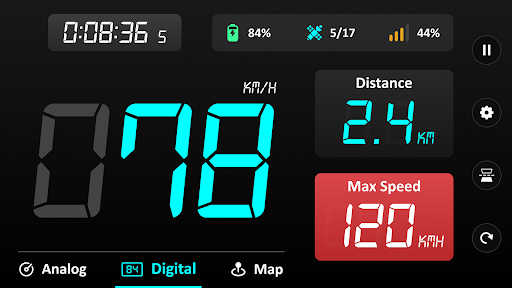
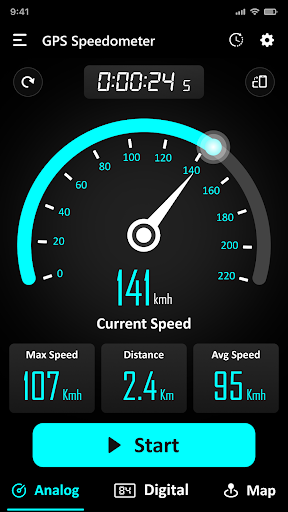
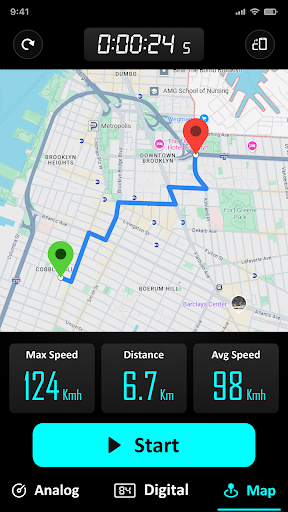
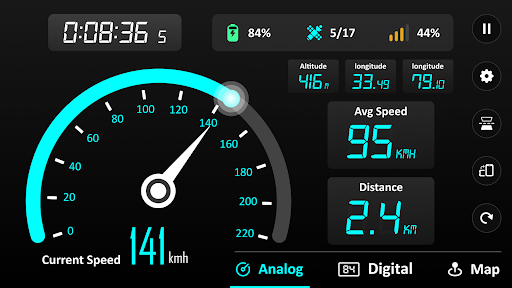
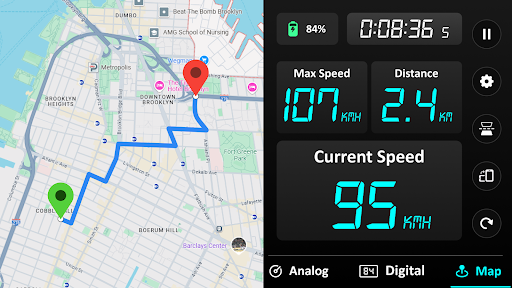
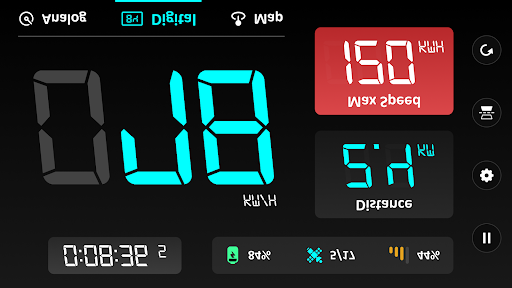
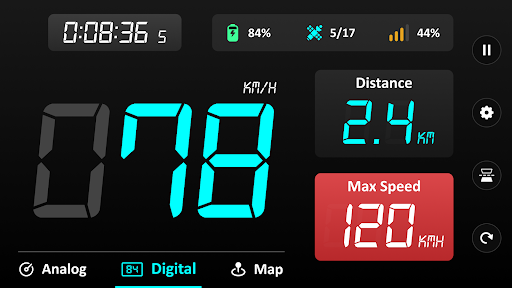
GPS Speedometer - Odometer App screenshot
Permissions Explained 18 permissions requested View details

This app requests 18 permissions. The table below explains what each permission may allow and what users should review before installing.

Status Permission What it means Why it may be used User safety note
Common View network status android.permission.ACCESS_NETWORK_STATE Allows the app to check whether the device is connected to Wi-Fi, mobile data, or another network. Often used to avoid loading content when offline or to adjust loading based on connection quality. Generally low risk by itself.
ℹ️ Review Foreground Service android.permission.FOREGROUND_SERVICE This is an Android permission or app-specific permission requested by the app. The app may use this permission for features related to its category, device support, background behavior, storage, connectivity, or system integration. Review this permission before installing, especially if it does not match the app’s expected purpose.
ℹ️ Review Access Background Location android.permission.ACCESS_BACKGROUND_LOCATION This is an Android permission or app-specific permission requested by the app. The app may use this permission for features related to its category, device support, background behavior, storage, connectivity, or system integration. Review this permission before installing, especially if it does not match the app’s expected purpose.
Common Internet access android.permission.INTERNET Allows the app to open network connections and communicate with online services. Commonly used for streaming, syncing, login, ads, analytics, downloads, cloud features, and app updates. Common permission. Review the app’s behavior if it does not appear to need online access.
⚠️ Sensitive Approximate location android.permission.ACCESS_COARSE_LOCATION Allows the app to access an approximate device location. Used for weather, local content, regional features, nearby services, or location-based settings. Sensitive permission. Review whether the app needs location access.
⚠️ Sensitive Precise location android.permission.ACCESS_FINE_LOCATION Allows the app to access the device’s precise location when granted by the user. Used for maps, navigation, local recommendations, weather, rideshare, nearby devices, or location-based content. Sensitive permission. Grant only when location access matches the app’s purpose.
ℹ️ Review System Alert Window android.permission.SYSTEM_ALERT_WINDOW This is an Android permission or app-specific permission requested by the app. The app may use this permission for features related to its category, device support, background behavior, storage, connectivity, or system integration. Review this permission before installing, especially if it does not match the app’s expected purpose.
ℹ️ Review Foreground Service Location android.permission.FOREGROUND_SERVICE_LOCATION This is an Android permission or app-specific permission requested by the app. The app may use this permission for features related to its category, device support, background behavior, storage, connectivity, or system integration. Review this permission before installing, especially if it does not match the app’s expected purpose.
ℹ️ Review Vending Billing com.android.vending.BILLING This is an Android permission or app-specific permission requested by the app. The app may use this permission for features related to its category, device support, background behavior, storage, connectivity, or system integration. Review this permission before installing, especially if it does not match the app’s expected purpose.
ℹ️ Review Send notifications android.permission.POST_NOTIFICATIONS Allows the app to send notifications to the device. Used for alerts, reminders, messages, account activity, updates, or media controls. Review notification settings if the app sends too many alerts.
Common Vibration control android.permission.VIBRATE Allows the app to control device vibration. Used for notifications, alerts, haptic feedback, timers, alarms, or game feedback. Generally low risk by itself.
ℹ️ Review Keep device awake android.permission.WAKE_LOCK Allows the app to prevent the device from sleeping while a task is running. Used for media playback, downloads, navigation, alarms, calls, or long-running background tasks. Review battery usage if the app keeps the device awake too often.
ℹ️ Review Finsky Permission Bind Get Install Referrer Service com.google.android.finsky.permission.BIND_GET_INSTALL_REFERRER_SERVICE This is an Android permission or app-specific permission requested by the app. The app may use this permission for features related to its category, device support, background behavior, storage, connectivity, or system integration. Review this permission before installing, especially if it does not match the app’s expected purpose.
ℹ️ Review C2dm Permission Receive com.google.android.c2dm.permission.RECEIVE This is an Android permission or app-specific permission requested by the app. The app may use this permission for features related to its category, device support, background behavior, storage, connectivity, or system integration. Review this permission before installing, especially if it does not match the app’s expected purpose.
ℹ️ Review Gms Permission Ad Id com.google.android.gms.permission.AD_ID This is an Android permission or app-specific permission requested by the app. The app may use this permission for features related to its category, device support, background behavior, storage, connectivity, or system integration. Review this permission before installing, especially if it does not match the app’s expected purpose.
ℹ️ Review Access Adservices Ad Id android.permission.ACCESS_ADSERVICES_AD_ID This is an Android permission or app-specific permission requested by the app. The app may use this permission for features related to its category, device support, background behavior, storage, connectivity, or system integration. Review this permission before installing, especially if it does not match the app’s expected purpose.
ℹ️ Review Access Adservices Attribution android.permission.ACCESS_ADSERVICES_ATTRIBUTION This is an Android permission or app-specific permission requested by the app. The app may use this permission for features related to its category, device support, background behavior, storage, connectivity, or system integration. Review this permission before installing, especially if it does not match the app’s expected purpose.
ℹ️ Review Access Adservices Topics android.permission.ACCESS_ADSERVICES_TOPICS This is an Android permission or app-specific permission requested by the app. The app may use this permission for features related to its category, device support, background behavior, storage, connectivity, or system integration. Review this permission before installing, especially if it does not match the app’s expected purpose.

About GPS Speedometer - Odometer App

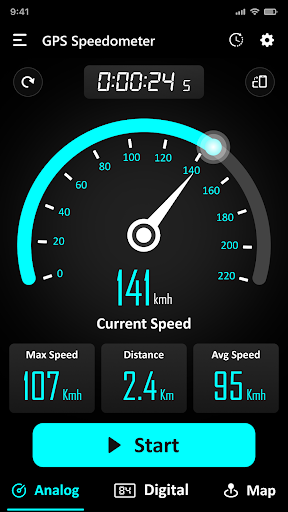
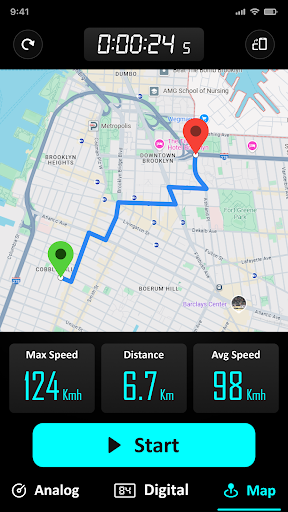
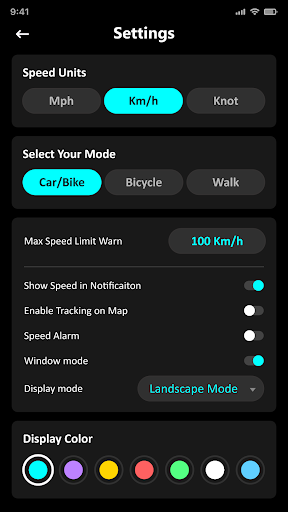
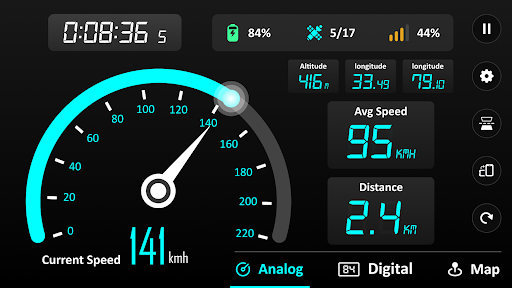
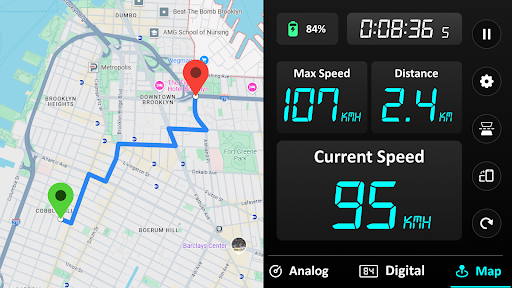
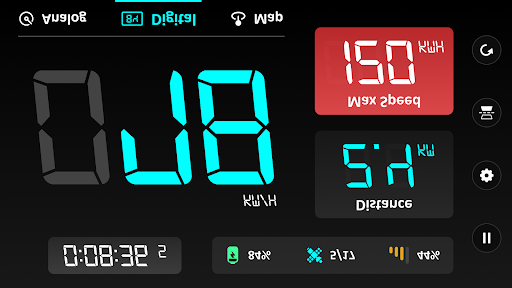
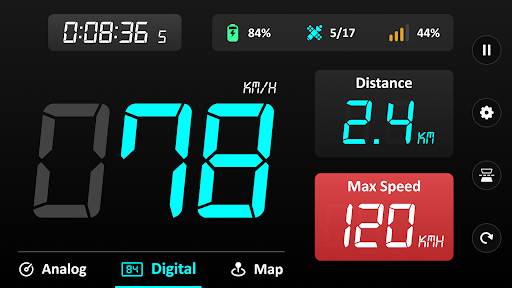
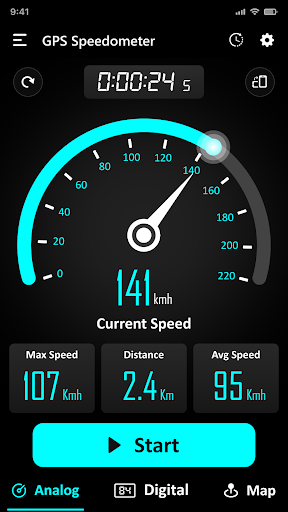
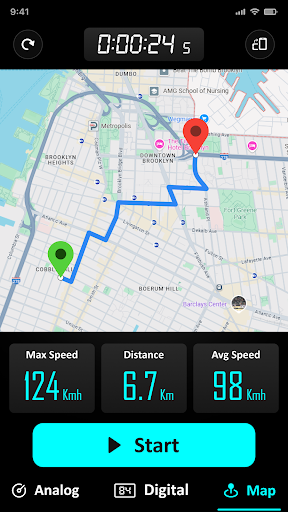
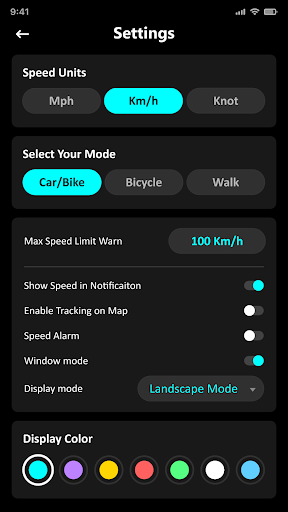
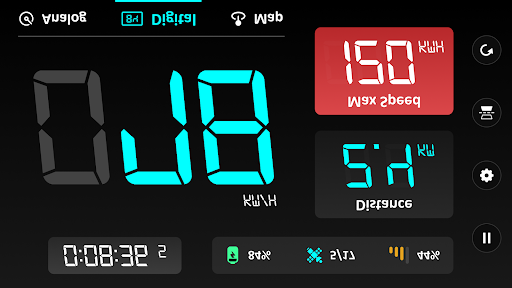
GPS Speedometer & Odometer 🚗🚆 Take control of your speed and distance tracking with GPS Speedometer—the ultimate GPS speed test app for drivers, bikers, and train travelers. Track your journey in real-time, whether you're commuting, on a road trip, or exploring by bike, and ensure a safer, smarter travel experience. Why Choose GPS Speedometer? 🌍 🚀 Real-Time Speed Tracker: Accurately measure your speed with instant updates, whether you're driving, cycling, or on a train. Track your speed in real-time for safer journeys. 📏 Accurate Speed Odometer: Measure every mile with a reliable speed odometer and mile tracker for detailed trip analysis. ⚠️ Speed Limit Alerts: Set a speed limit, and get notified with vibrations, voice alerts, or alarms if you exceed it. Monitor your GPS speed test and stay within safe limits. 🌐 Universal Compatibility: Perfect for cars, motorcycles, bicycles, and trains, with seamless GPS navigation for all your journeys. 🔋 Battery Efficiency: Optimized for minimal battery usage, even during extended trips, keeping your GPS and distance tracker working smoothly. 🛤️ Route History & Insights: Access past trips, track your mileage, and visualize routes on the map with optional tracking. Features that Elevate Your Journey: 🚗🚆✨ 🎨 Customizable Dashboard: Choose from multiple themes and layouts to suit your style. 📍 Digital & Analog Modes: View your speed limit and distance in digital or analog formats, just like a real car speedometer. 🕒 HUD Display Mode: Project your speed onto your windshield for safer, distraction-free driving. 📉 Speed Tracker Statistics: Monitor real-time, average, and maximum speed, as well as detailed travel time and mileage. 🌍 Offline Mode: Continue speed tracker and distance without an internet connection, ideal for remote areas or train rides. 🔄 Flexible Speed Units: Switch between kilometers per hour (km/h), miles per hour (mph tracker), and knots. 📱 Widgets & Mini Display: Use the app as a floating window or widget over other apps for seamless multitasking. 📅 Detailed Travel History: Keep a record of all your trips with starting and ending points, total mileage, and more. 🧩 Multi-Orientation Support: Use the app in portrait or landscape mode, tailored to your preferences. 🛡️ Intuitive Safety Features: Alerts help ensure safe driving, while the battery-friendly design supports long journeys. Speed Odometer Perfect for: 🎯 🚗 Car Drivers: Speed test kilometers per hour (km/h), miles per hour (mph tracker) car speedometer, mileage, and routes during commutes and road trips. 🚆 Train Passengers: Speed tracker, distance, and locations in real-time. 🏍️ Cyclists & Motorcyclists: Track speed limit, routes, and performance on two wheels, cycle and bike speedometer. 🚶‍♂️ Walkers & Runners: Measure pace, distance, and time for workouts or casual strolls. 🚢 Sailors & Flyers: Measure velocity across various modes of travel, including sailing and flying. Start Your Journey with GPS Speedometer App 🚀 Download the best free…

What GPS Speedometer - Odometer App Is Used For

GPS Speedometer - Odometer App appears to be a phone app for tracking travel speed, distance, and trip statistics using GPS. Based on the metadata, it is commonly used by drivers, cyclists, and other travelers who want a live readout of speed and an odometer-style distance log during a trip. Its Maps & Navigation category and location permissions suggest it is meant for real-time movement tracking rather than route planning or turn-by-turn navigation.

The app may also be useful when users want speed-limit alerts, trip history, and different display styles such as digital, analog, or HUD mode. Background and foreground location permissions indicate it may continue collecting location-based data while a trip is active, and the alert permissions fit features like vibration or on-screen notifications. This makes it more suited to active travel use on a phone, including commuting, road trips, bike rides, and similar journeys where speed and mileage monitoring matter.

Because it includes ads and in-app purchases, some features may be supported by monetization in the app. The metadata also suggests optional offline use and widget or floating-window style display, which can help when checking speed without constantly opening the full app.

Common uses

  • Track current speed during driving, cycling, or other travel
  • Measure trip distance and mileage like an odometer
  • Receive alerts if speed goes above a set limit
  • Review past trips and basic travel statistics
  • Switch between digital, analog, and HUD-style displays
  • Use on a phone while commuting or on road trips
  • Monitor location-based movement with GPS
Best for:
drivers cyclists commuters trip tracking phone app

App Details

Package:
gps.speedometer.digihud.odometer
Developer:
Tech 4 All Apps
Version:
2.8.1
Updated:
Jan 22, 2026
Min Android:
6.0
Age Rating:
Everyone
Contains Ads:
Yes
In-App Purchases:
Yes

Official Listing

  • Official listing available on Google Play
  • Package name: gps.speedometer.digihud.odometer
  • Age rating: Everyone

Explore More

Browse more apps in Maps & Navigation or explore the Phone hub .

Related Maps & Navigation Apps

Radarbot: Radar Detector, GPS icon

Radarbot: Radar Detector, GPS

Maps & Navigation Radarbot Company

Speedcam alerts and navigation. 100% Legal and Reliable. Never pay another fine!

Version Varies with device 61.4 MB ⭐ 4.10 50,000,000+ installs
Bikemap: Cycling Tracker & GPS icon

Bikemap: Cycling Tracker & GPS

Maps & Navigation Bikemap GmbH

Bike navigation and route collection with millions of cycling routes worldwide.

Version Varies with device 62.9 MB ⭐ 4.20 5,000,000+ installs

How to Download GPS Speedometer - Odometer App

If this app is not hosted directly on APKApps official link, then for the safest and most up-to-date version, install it from its official Google Play listing.