Hub Video Downloader icon

Phone

Hub Video Downloader

Video Players & Editors DOSA Apps ⭐ 4.70 5,000,000+
Version 3.1.2.2 Everyone

Screenshots

Hub Video Downloader screenshot
Permissions Explained 8 permissions requested View details

This app requests 8 permissions. The table below explains what each permission may allow and what users should review before installing.

Status Permission What it means Why it may be used User safety note
ℹ️ Review View Wi Fi Connections view Wi-Fi connections This is an Android permission or app-specific permission requested by the app. The app may use this permission for features related to its category, device support, background behavior, storage, connectivity, or system integration. Review this permission before installing, especially if it does not match the app’s expected purpose.
ℹ️ Review View Network Connections view network connections This is an Android permission or app-specific permission requested by the app. The app may use this permission for features related to its category, device support, background behavior, storage, connectivity, or system integration. Review this permission before installing, especially if it does not match the app’s expected purpose.
ℹ️ Review Full Network Access full network access This is an Android permission or app-specific permission requested by the app. The app may use this permission for features related to its category, device support, background behavior, storage, connectivity, or system integration. Review this permission before installing, especially if it does not match the app’s expected purpose.
ℹ️ Review Control Vibration control vibration This is an Android permission or app-specific permission requested by the app. The app may use this permission for features related to its category, device support, background behavior, storage, connectivity, or system integration. Review this permission before installing, especially if it does not match the app’s expected purpose.
ℹ️ Review Prevent Device From Sleeping prevent device from sleeping This is an Android permission or app-specific permission requested by the app. The app may use this permission for features related to its category, device support, background behavior, storage, connectivity, or system integration. Review this permission before installing, especially if it does not match the app’s expected purpose.
ℹ️ Review Install Shortcuts install shortcuts This is an Android permission or app-specific permission requested by the app. The app may use this permission for features related to its category, device support, background behavior, storage, connectivity, or system integration. Review this permission before installing, especially if it does not match the app’s expected purpose.
ℹ️ Review Google Play License Check Google Play license check This is an Android permission or app-specific permission requested by the app. The app may use this permission for features related to its category, device support, background behavior, storage, connectivity, or system integration. Review this permission before installing, especially if it does not match the app’s expected purpose.
ℹ️ Review Receive Data From Internet receive data from Internet This is an Android permission or app-specific permission requested by the app. The app may use this permission for features related to its category, device support, background behavior, storage, connectivity, or system integration. Review this permission before installing, especially if it does not match the app’s expected purpose.

About Hub Video Downloader

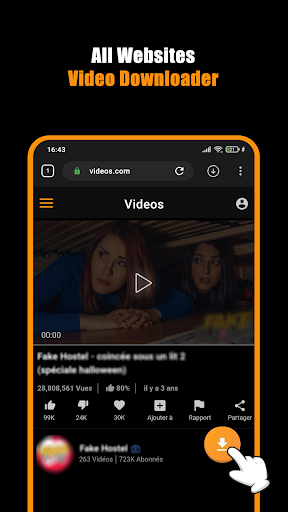
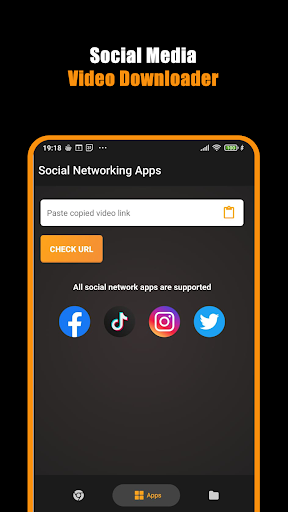
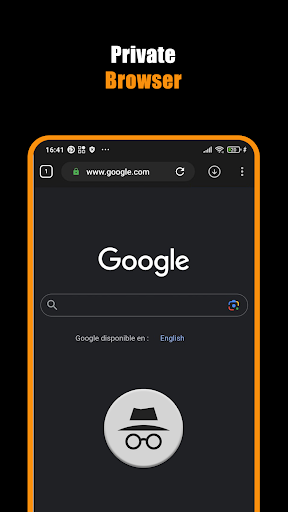
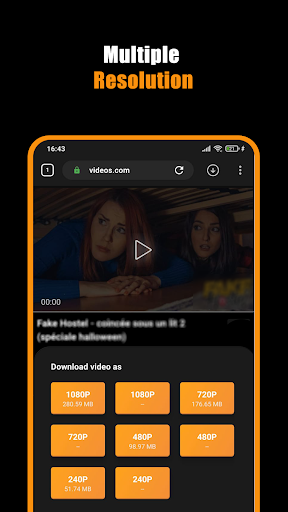
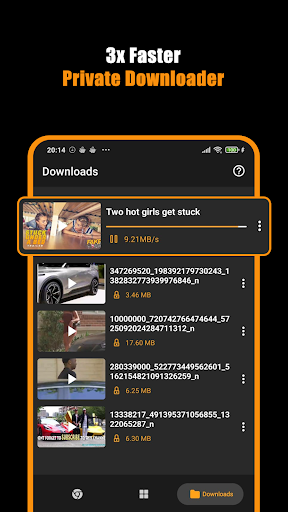
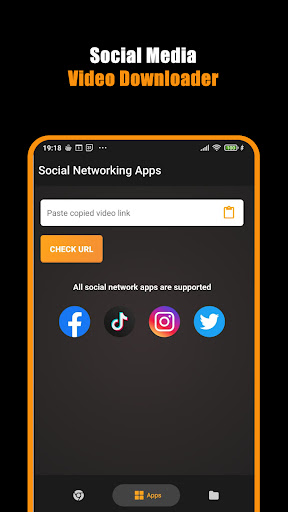
Save Hub: All Video Downloader Browser – Download Videos Fast & Keep it Private! Want to save videos, movies, and files to your device without sharing your data? The Save Hub: All Video Downloader Browser has you covered. Its smart built-in browser and cutting-edge tools let you pull web content onto your device in total lack of prying eyes. Getting your hands on HD videos or using the Private Downloader App you trust has never been simpler or faster. The HD Downloader From Websites app runs super smoothly and lets you pause, resume, or keep downloads going in the background. That means your favorite movies and videos are one single tap away, whenever you want them. 📄 Why You’ll Love Save Hub: All Video Downloader Browser:📄 📥 Automatically spot and grab videos the moment you visit a site; 📥 Browse with a Private Downloader App that offers unlimited tabs; 📥 Enjoy unlimited downloading with the built-in Movie Downloader: All Video Saver; 📥 Surf the web in the built-in Private Browser for better security; 📥 Experience lightning-fast downloads with the Download Hub tool; 📥 Save HD videos in 2K and 4K directly from websites; 📥 Keep downloads running in the background with pause, resume, and cancel at your fingertips; 📥 Automatically store videos straight to your gallery for super-easy access. Your All-in-One Instant Download Solution! With Save Hub: All Video Downloader Browser, multitasking your downloads is a breeze. This handy tool kicks multiple files into gear, so you save time. The built-in Download Hub Tool keeps everything flowing, even with movies that want to drag. Get Download Videos: Private Browser Downloader to snag the highest video quality every single time, no exceptions. Your Private Playground:🔒 Don’t want prying eyes? The built-in private browser has you covered. Surf, stream, and save while it blocks pesky sites. All your downloads and searches vanish the moment you close the app. Bookmark must-see sites so they're a one-click-job later, and use Download Videos: Private Browser Downloader to re-open them at a blink. Quick Downloads, No Hassles:🎬 From a 30-second clip to the latest blockbuster, Movie Downloader: All Video Saver gets it done fast. Press play, hit download, and pick the quality that fits your screen. The HD Downloader From Websites setting makes every frame pop, so your movies look theatre-fresh. Ultimate Download Control:⚡ Juggling several downloads at the same time? The Download Videos: Private Browser Downloader lets you pause, resume, or stop files anytime you want. Thanks to Save Hub: All Video Downloader Browser, everything lands in your gallery neat and tidy, ready to binge in seconds. Quick Steps to Begin:📲 1. Open the private browser; 2. Play the video you want; 3. Tap the download icon; 4. Pick the quality you need and let the Movie Downloader: All Video Saver handle it. Start Downloading With Confidence Today! Seize control over your videos using Save Hub: All Video Downloader Browser. Looking for a…

What Hub Video Downloader Is Used For

Hub Video Downloader appears to be a phone app built for browsing websites and saving online video content to the device. Based on the metadata, it combines a private browser with download tools, so common use cases may include opening web pages, detecting playable media, and storing files for offline access. Its category in Video Players & Editors also suggests it is meant for handling video-focused content rather than general file management.

The listed permissions fit a network-based downloader: it needs full network access to load web pages and fetch content, and permission to prevent the device from sleeping can help keep downloads running in the background. Mentions of pause, resume, and background downloading suggest it may be used when someone wants to manage larger downloads from websites without staying on the screen the whole time. The app description also references saving items to the gallery, which implies it may be used for media access on a phone after download.

In practice, this type of app is commonly used for saving clips, videos, or other web media for later viewing, especially when users want a browser and downloader in one place. The private-browsing emphasis indicates it may also appeal to people who prefer browsing with less visible history on the device.

Common uses

  • Browse websites and look for downloadable video content
  • Save online videos or clips to the phone for offline access
  • Pause, resume, or continue downloads in the background
  • Use the built-in browser to handle web pages and media links
  • Store downloaded media in the gallery for easier viewing
  • Manage multiple downloads from one app interface
  • Use private browsing features when you want less visible browsing history
Best for:
phone users video downloads private browsing offline viewing media saving

App Details

Package:
hub.browser.video.downloader.saver
Developer:
DOSA Apps
Version:
3.1.2.2
Updated:
Mar 30, 2026
Min Android:
8.0
Age Rating:
Everyone
Contains Ads:
Yes
In-App Purchases:
Yes

Official Listing

  • Official listing available on Google Play
  • Package name: hub.browser.video.downloader.saver
  • Age rating: Everyone

Explore More

Browse more apps in Video Players & Editors or explore the Phone hub .

Related Video Players & Editors Apps

UC Browser-Safe, Fast, Private icon

UC Browser-Safe, Fast, Private

Communication UCWeb Singapore Pte. Ltd.

Provides a smooth experience while surfing, downloading files or watching videos

Version Varies with device 69.4 MB ⭐ 4.40 1,000,000,000+ installs
Proxy Browser icon

Proxy Browser

Tools DS tools

Protect your privacy with the Web Proxy Browser

Version 4.2 RC1 27.1 MB ⭐ 3.94 100,000,000+ installs
Ullu icon

Ullu

Entertainment ULLU Digital Ltd

Ullu is a subscription based video on demand (VOD) service.

Version 2.9.925 55.8 MB ⭐ 3.73 10,000,000+ installs

How to Download Hub Video Downloader

If this app is not hosted directly on APKApps official link, then for the safest and most up-to-date version, install it from its official Google Play listing.