lPlayer - Offline Video Player icon

Phone

lPlayer - Offline Video Player

Video Players & Editors snap game team ⭐ 3.90 10,000,000+
Version 2.5.1 Everyone

Screenshots

lPlayer - Offline Video Player screenshot
Permissions Explained 7 permissions requested View details

This app requests 7 permissions. The table below explains what each permission may allow and what users should review before installing.

Status Permission What it means Why it may be used User safety note
ℹ️ Review Read The Contents Of Your Usb Storage read the contents of your USB storage This is an Android permission or app-specific permission requested by the app. The app may use this permission for features related to its category, device support, background behavior, storage, connectivity, or system integration. Review this permission before installing, especially if it does not match the app’s expected purpose.
ℹ️ Review View Wi Fi Connections view Wi-Fi connections This is an Android permission or app-specific permission requested by the app. The app may use this permission for features related to its category, device support, background behavior, storage, connectivity, or system integration. Review this permission before installing, especially if it does not match the app’s expected purpose.
ℹ️ Review View Network Connections view network connections This is an Android permission or app-specific permission requested by the app. The app may use this permission for features related to its category, device support, background behavior, storage, connectivity, or system integration. Review this permission before installing, especially if it does not match the app’s expected purpose.
ℹ️ Review Full Network Access full network access This is an Android permission or app-specific permission requested by the app. The app may use this permission for features related to its category, device support, background behavior, storage, connectivity, or system integration. Review this permission before installing, especially if it does not match the app’s expected purpose.
ℹ️ Review Control Vibration control vibration This is an Android permission or app-specific permission requested by the app. The app may use this permission for features related to its category, device support, background behavior, storage, connectivity, or system integration. Review this permission before installing, especially if it does not match the app’s expected purpose.
ℹ️ Review Prevent Device From Sleeping prevent device from sleeping This is an Android permission or app-specific permission requested by the app. The app may use this permission for features related to its category, device support, background behavior, storage, connectivity, or system integration. Review this permission before installing, especially if it does not match the app’s expected purpose.
ℹ️ Review Receive Data From Internet receive data from Internet This is an Android permission or app-specific permission requested by the app. The app may use this permission for features related to its category, device support, background behavior, storage, connectivity, or system integration. Review this permission before installing, especially if it does not match the app’s expected purpose.

About lPlayer - Offline Video Player

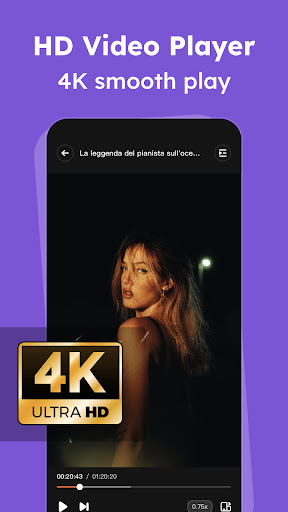
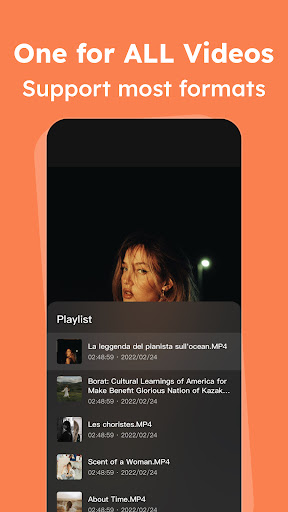
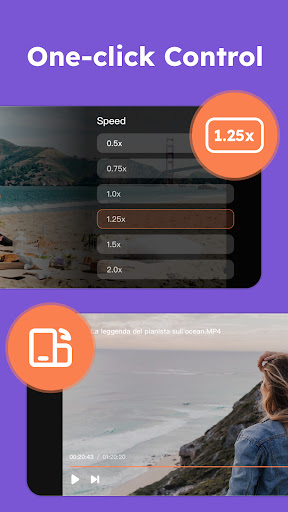
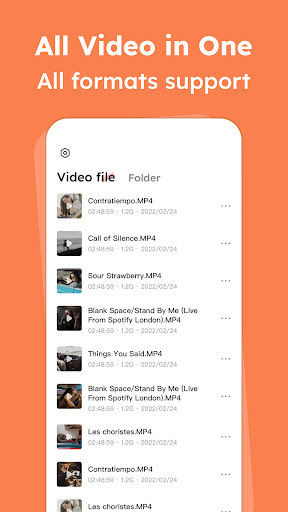
lPlayer is a powerful offline video player. Supports 4K/Ultra HD video files and enjoys high-definition playback experience. 1. Powerful video player Almost all formats of video players are in this one application: mkv, mp4, avi, flv, mpg, wmv, 4k video... 2. Control suggestions Easy-to-understand controls and the ability to change playback speed, brightness, and volume with simple gesture controls. SUBSCRIPTION: You can subscribe to upgrade to premium features - Premium version offers: No Ads: No interruptions to music and videos (no ads) - Purchasable items: Weekly, Yearly, "Lifetime" (non-subscription) The specific price is subject to the ipa price, such as the Yearly Premium: 6.99 USD - Your payment will be charged to your Google Play Account at confirmation of purchase - Subscription automatically renews unless auto-renew is turned off at least 24-hours before the end of the current period - Accounts will be charged for renewal within 24 hours prior to the end of the current period and the renewal fee will be determined - Subscriptions may be managed by the user and auto-renewal may be turned off by going to the user's Account Settings after purchase - When you cancel your subscription, your subscription will remain active until the end of the subscription period. Auto-renewal will be disabled, but current subscriptions will not be refunded. - Any unused portion of a free trial period (if offered) will be forfeited when the user purchases a subscription to that publication (if applicable) Read our Privacy Policy:https://lplayerapp.com/privacy/ Read our Terms of Use: https://lplayerapp.com/terms/

What lPlayer - Offline Video Player Is Used For

lPlayer - Offline Video Player appears to be a phone app for watching video files stored on the device rather than streaming from the internet. Based on the metadata, it is designed for local playback and supports common formats such as MKV, MP4, AVI, FLV, MPG, WMV, and 4K video files. That makes it a practical choice for people who keep downloaded or transferred videos on their phone and want a dedicated player for them.

The listed controls suggest it may be useful for everyday viewing adjustments like changing playback speed, brightness, and volume with gesture-based controls. Its storage permission points to accessing videos saved on USB storage or internal storage, while network-related permissions and the presence of ads or subscriptions may relate to app services, updates, or premium features rather than core offline playback. Because it is labeled as a phone app, it appears aimed primarily at mobile viewing on Android phones.

Common uses

  • Play locally stored offline video files
  • Open common video formats such as MKV and MP4
  • Watch 4K or Ultra HD video files
  • Adjust playback speed, brightness, and volume
  • Use gesture controls for basic viewing actions
  • Access videos saved on device storage or USB storage
  • Upgrade to premium features such as ad removal
Best for:
offline viewing phone app video playback gesture controls 4K video files

App Details

Package:
iplayer.and.new.com
Developer:
snap game team
Version:
2.5.1
Updated:
Mar 20, 2026
Min Android:
6.0
Age Rating:
Everyone
Contains Ads:
Yes
In-App Purchases:
Yes

Official Listing

  • Official listing available on Google Play
  • Package name: iplayer.and.new.com
  • Age rating: Everyone

Explore More

Browse more apps in Video Players & Editors or explore the Phone hub .

Related Video Players & Editors Apps

CapCut - Video Editor icon

CapCut - Video Editor

Video Players & Editors Bytedance Pte. Ltd.

Popular short-form video editor for Android creators.

Version 17.2.0 78.2 MB ⭐ 3.40 1,000,000,000+ installs
Kwai - Cool Video & Social Fun icon

Kwai - Cool Video & Social Fun

Video Players & Editors Joyo Technology Pte Ltd

Watch and share trending short videos, meet new friends and have fun.

Version 13.2.40.544103 239.5 MB ⭐ 4.00 500,000,000+ installs
KineMaster - Video Editor icon

KineMaster - Video Editor

Video Players & Editors KineMaster, Video Editor Experts Group

KineMaster, Your Ultimate Video Editor!

Version 8.1.4.36338.GP 148.4 MB ⭐ 4.40 500,000,000+ installs
VivaVideo - Video Cut & Editor icon

VivaVideo - Video Cut & Editor

Video Players & Editors QuVideo Inc. Video Editor & Video Maker App

Sora 2 Compatible Video Editor: Powerful AI Auto-Edits & Trendy Filters in 60s

Version 9.34.0 138.6 MB ⭐ 4.30 500,000,000+ installs
VLC for Android icon

VLC for Android

Video Players & Editors Videolabs

Popular open-source media player for Android.

Version Varies with device 27.4 MB ⭐ 4.10 100M+ installs
Screen Recorder - XRecorder icon

Screen Recorder - XRecorder

Video Players & Editors InShot Inc.

Screen recorder with audio to take live videos & Screenshot in high quality!

Version 2.5.0.1 29.4 MB ⭐ 4.70 100,000,000+ installs

How to Download lPlayer - Offline Video Player

If this app is not hosted directly on APKApps official link, then for the safest and most up-to-date version, install it from its official Google Play listing.