Video Converter Pro icon

Phone

Video Converter Pro

Tools VidSoftLab ⭐ 4.60 10,000+
Version 0.2.72 Everyone

Screenshots

Video Converter Pro screenshot
Permissions Explained 8 permissions requested View details

This app requests 8 permissions. The table below explains what each permission may allow and what users should review before installing.

Status Permission What it means Why it may be used User safety note
ℹ️ Review Read The Contents Of Your Usb Storage read the contents of your USB storage This is an Android permission or app-specific permission requested by the app. The app may use this permission for features related to its category, device support, background behavior, storage, connectivity, or system integration. Review this permission before installing, especially if it does not match the app’s expected purpose.
ℹ️ Review Modify Or Delete The Contents Of Your Usb Storage modify or delete the contents of your USB storage This is an Android permission or app-specific permission requested by the app. The app may use this permission for features related to its category, device support, background behavior, storage, connectivity, or system integration. Review this permission before installing, especially if it does not match the app’s expected purpose.
ℹ️ Review View Wi Fi Connections view Wi-Fi connections This is an Android permission or app-specific permission requested by the app. The app may use this permission for features related to its category, device support, background behavior, storage, connectivity, or system integration. Review this permission before installing, especially if it does not match the app’s expected purpose.
ℹ️ Review View Network Connections view network connections This is an Android permission or app-specific permission requested by the app. The app may use this permission for features related to its category, device support, background behavior, storage, connectivity, or system integration. Review this permission before installing, especially if it does not match the app’s expected purpose.
ℹ️ Review Full Network Access full network access This is an Android permission or app-specific permission requested by the app. The app may use this permission for features related to its category, device support, background behavior, storage, connectivity, or system integration. Review this permission before installing, especially if it does not match the app’s expected purpose.
ℹ️ Review Control Vibration control vibration This is an Android permission or app-specific permission requested by the app. The app may use this permission for features related to its category, device support, background behavior, storage, connectivity, or system integration. Review this permission before installing, especially if it does not match the app’s expected purpose.
ℹ️ Review Prevent Device From Sleeping prevent device from sleeping This is an Android permission or app-specific permission requested by the app. The app may use this permission for features related to its category, device support, background behavior, storage, connectivity, or system integration. Review this permission before installing, especially if it does not match the app’s expected purpose.
ℹ️ Review Google Play License Check Google Play license check This is an Android permission or app-specific permission requested by the app. The app may use this permission for features related to its category, device support, background behavior, storage, connectivity, or system integration. Review this permission before installing, especially if it does not match the app’s expected purpose.

About Video Converter Pro

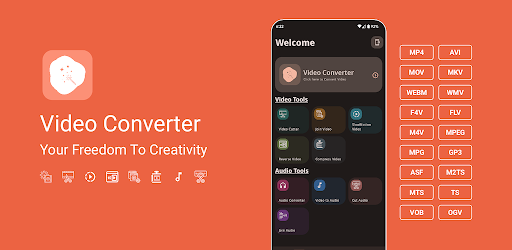
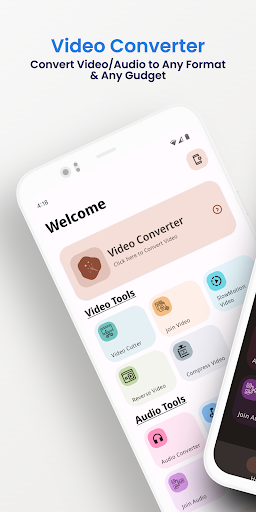
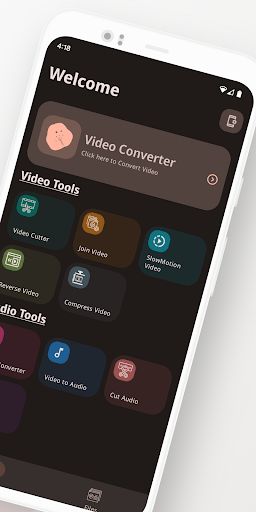
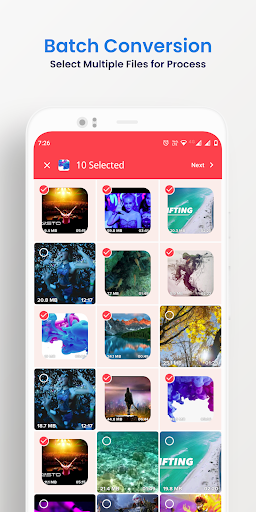
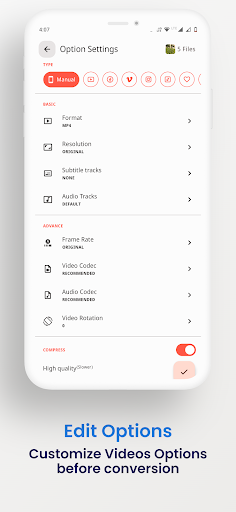
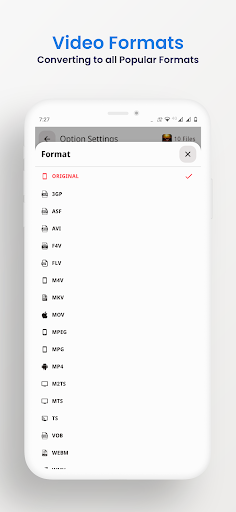
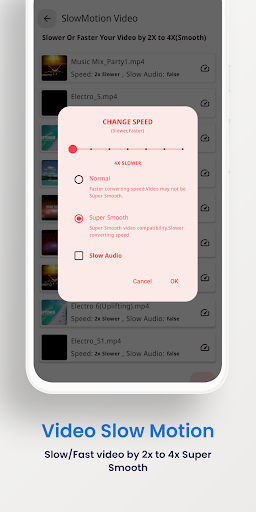
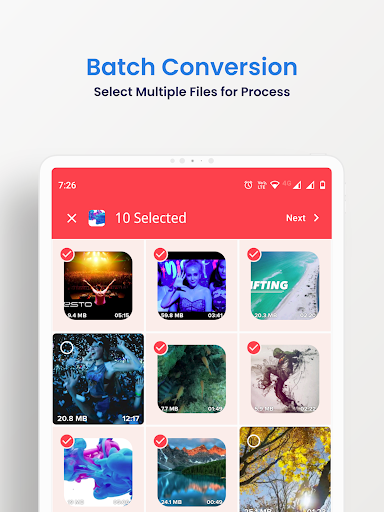
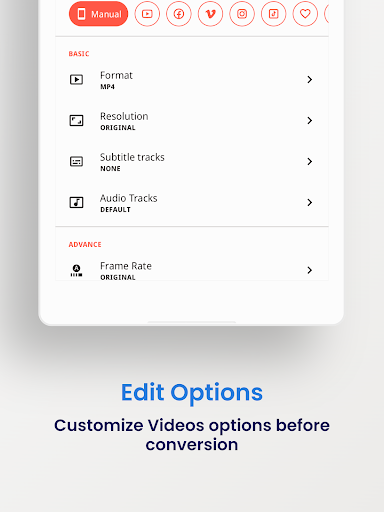
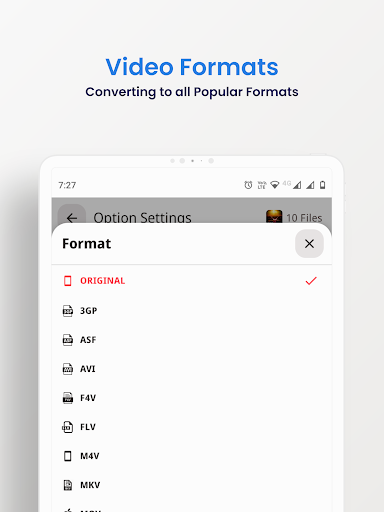
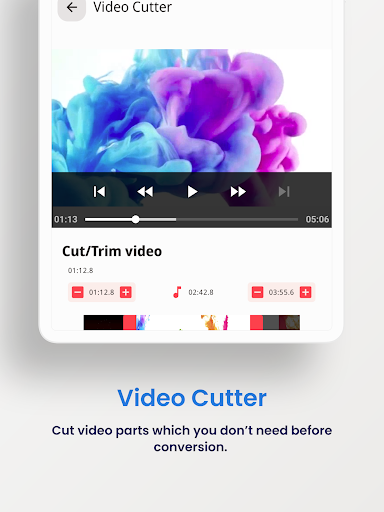
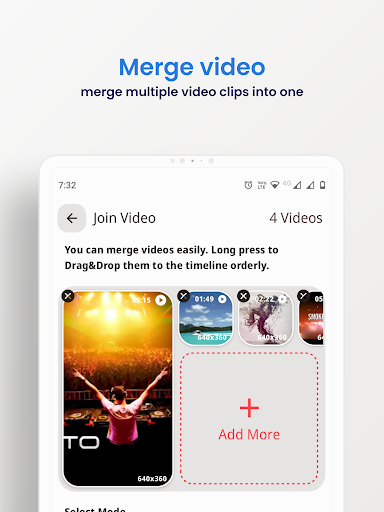
The Ultimate Video Toolbox — Convert, Compress, Edit & Share 📱 VidSoftLab Video Converter & Editor Pro — The all-in-one app to effortlessly convert, compress, and edit your videos. Instantly convert, edit, and compress your videos and audio in all major formats—with batch support and a powerful, intuitive interface. 🚀 Why Choose VidSoftLab Video Converter & Editor Pro? • ⚡ Super-fast HD & 4K video conversion. • 🔄 Convert any format: MP4, MKV, AVI, FLV, MOV, WebM, 3GP, WMV, H264, H265 & more. • 🔊 Extract and convert audio: MP3, M4A, AAC, FLAC, OGG, WAV, AC3. • ✂️ Advanced editing: Trim, cut, merge, crop, reverse, slow motion & rotation. • 📦 Smart compression: Shrink file size with minimal quality loss using H264/H265 (HEVC) codecs. • 🎵 Audio tools: Audio converter, cutter, and merger. • ✨ Intuitive & User-Friendly Interface: Enjoy a smooth and easy experience. • 🎨 Dynamic themes: Light, Dark & System Default. • 🌐 Multilingual: Supports 50+ languages. 🎬 Top Features: 🔁 Video Converter Convert videos to all popular formats with support for custom: • Resolution (240p to 4K or custom) • Frame Rate (FPS) • Bitrate (CBR & VBR) • Audio/Subtitles: Add or replace tracks & subs (SRT, VTT, etc.) 🎥 Video Editor Tools • Trim & Cut: Select specific start/end times with millisecond precision. • Merge: Join multiple clips seamlessly. • Reverse: Rewind any scene in seconds. • Slow Motion: Smooth playback up to 4X slower or faster. • Crop & Rotate: Full control over aspect ratio and orientation. • Intro/Outro Maker: Add branding or creative intros for videos. 📉 Video Compressor • Compress large video files using H264/H265 (HEVC) codecs. • Set target file size and bitrate to save space without quality loss. 🎵 Audio Converter & Editor • Convert audio to MP3, M4A, AAC, FLAC, OGG, OPUS & more. • Trim Audio: Precise trimming with preview. • Merge Audio: Combine audio files of any format. • Edit metadata (Title, Artist, Genre), adjust volume/speed. 🧰 Batch Processing & Offline Mode • Queue and convert multiple files at once with full editing support. • 100% offline—no internet required. 🔧 Advanced Settings • Custom Encoding: Constant/Variable Bitrate support • Channel Selection: Mono/Stereo options • Sample Rates: 8kHz to 48kHz • Codec Options: h264, mpeg4, vp9, aac, mp3, flac & more 🌟 Designed for Everyone: • Clean, modern interface with Light & Dark mode • Available in 50+ languages. • Compatible with 200+ Android devices. 📩 Need Help or Have Ideas? Email us at: [email protected] ⚠️ Notes This app uses open-source code from FFMPEG. 🏆 Ideal For: YouTubers, video editors, vloggers, music enthusiasts, students, and professionals who want a fast, flexible, and feature-rich multimedia toolbox on the go.

What Video Converter Pro Is Used For

Video Converter Pro appears to be a phone-based tools app for working with video and audio files. Based on the metadata, people commonly use it to convert media into different formats, reduce file size, and make basic edits before sharing or saving files on the device. It is positioned as an all-in-one media utility rather than a viewing app or a social app.

The app’s listed capabilities suggest it may be useful when you need to trim clips, merge multiple videos, rotate or crop footage, adjust playback speed, or extract audio from a video. It also mentions batch processing, which means it may help users handle more than one file at a time. Because the permissions include storage access, it likely needs permission to read, modify, and save media files on your phone or USB storage. Network permissions are listed too, though the metadata does not make it clear whether they are needed for core conversion features or app-related checks.

Common uses

  • Convert video files to common formats such as MP4, MKV, AVI, MOV, and WebM
  • Compress large videos to reduce storage use on a phone
  • Trim, cut, merge, crop, rotate, or reverse clips before sharing
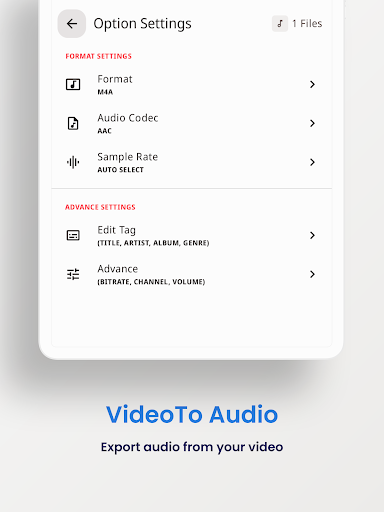
  • Extract audio from video and convert audio files between supported formats
  • Process multiple media files in a batch instead of one at a time
  • Adjust settings like resolution, frame rate, bitrate, and subtitles
  • Work with media files offline according to the app description
Best for:
phone users video editing tasks media conversion file compression audio extraction

App Details

Package:
jaineel.videoconvertor.pro
Category:
Tools
Developer:
VidSoftLab
Version:
0.2.72
Updated:
Nov 1, 2025
Min Android:
7.0
Age Rating:
Everyone
Contains Ads:
No
In-App Purchases:
No

Official Listing

  • Official listing available on Google Play
  • Package name: jaineel.videoconvertor.pro
  • Age rating: Everyone

Explore More

Browse more apps in Tools or explore the Phone hub .

Related Tools Apps

GoPro Quik: Video Editor icon

GoPro Quik: Video Editor

Video Players & Editors GoPro

Auto video maker with music & exclusive filters. Video editing made simple.

Version Varies with device 296.3 MB ⭐ 4.50 50,000,000+ installs
LightCut icon

LightCut

Video Players & Editors LightCut Inc.

Pro video editor & vlog maker, video templates: edit videos in minutes

Version 4.87.6 104.7 MB ⭐ 4.71 1,000,000+ installs
BeatSync icon

BeatSync

Video Players & Editors KineMaster, Video Editor Experts Group

A must-have for Reels, Shorts, and TikTok! Easy & free to make great videos now!

Version 4.0.174 139.9 MB ⭐ 4.33 5,000,000+ installs

How to Download Video Converter Pro

If this app is not hosted directly on APKApps official link, then for the safest and most up-to-date version, install it from its official Google Play listing.