About Sound Analyzer
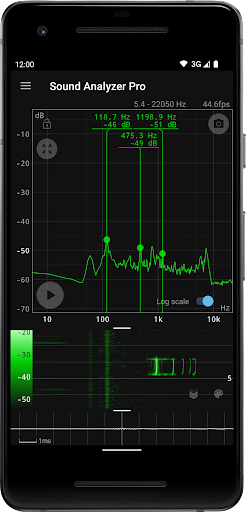
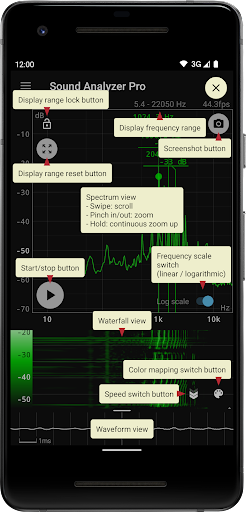
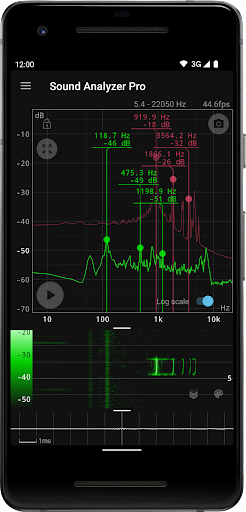
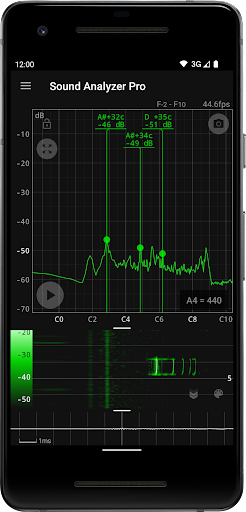
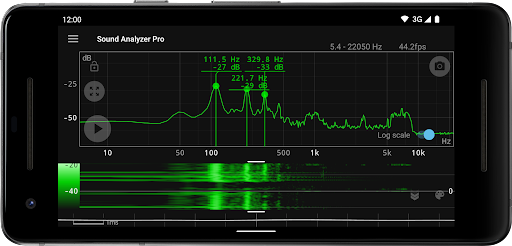
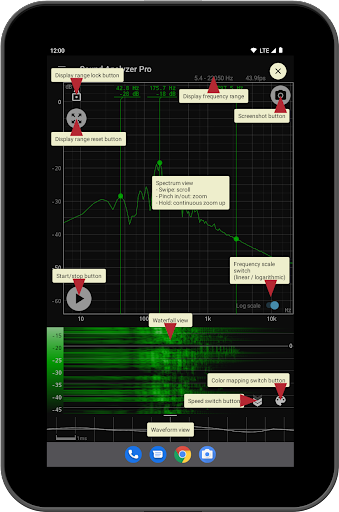
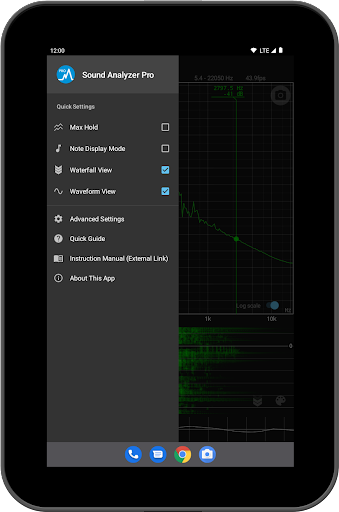
Sound Analyzer is an application for analyzing audio signals using only a mobile device. Its main function is to display frequency (Hz) and amplitude (dB) spectra in real time, but it can also be used to display changes in spectra over time (waterfall view) and to display waveforms (waveform view) at the same time. The frequency measurement accuracy of the Sound Analyzer is very high, and in a relatively low-noise environment, the measurement error is generally within 0.1 Hz. (when measured with default settings) Main Functions - Peak frequency display function (displays the frequency [Hz] and amplitude [dB] of prominent spectral components in real time) - Change of display range by touch operation - Switchable frequency axis scale between logarithmic and linear scale - Max hold function - Waterfall view (displays spectral changes over time) - Waveform view (displays sound waveforms) - Note display mode (displays pitch in terms of A to G♯ note names and error [cents]) - Screenshot function (with timer) - No advertisements About High Frequency Spectrum The app allows the highest frequency setting to be raised to 96 kHz, but settings above 22.05 kHz are primarily for high-performance devices, not for general-purpose devices. In most devices on the market today, data in the high frequency range above about 22 kHz is filtered out. Since it is not possible to acquire data in the removed range even with a higher setting value, it is normal for the spectrum in this range to contain only weak noise of less than -60 dB. However, depending on the model, larger noise due to filter processing may appear at certain frequencies such as 48 kHz and 96 kHz.
What Sound Analyzer Is Used For
Sound Analyzer is a phone app for viewing and measuring audio signals in real time. Based on the metadata, it is commonly used to display frequency and amplitude spectra, track changes over time with a waterfall view, and show the waveform of incoming sound. It also includes a note display mode, so it may be useful for identifying pitch in musical tones or checking how close a note is to a target frequency.
Because the app requests microphone access, its main use appears to depend on recording live audio from the device’s surroundings or another sound source. The USB storage permissions suggest it can save or manage screenshots or related files on device storage. The app’s measurement-focused features, such as peak frequency display, max hold, and adjustable frequency scales, make it relevant for basic audio analysis, tuning checks, and troubleshooting sound behavior on a mobile device, especially when a portable tool is preferred over desktop software.
Common uses
- View real-time frequency and amplitude spectra from live audio
- Inspect waveform and waterfall displays for changing sound patterns
- Check peak frequencies for basic audio analysis or tuning
- Use note display mode to relate tones to musical pitch names
- Capture screenshots of analyzer views for later reference
- Adjust display range and frequency scale to fit different signal types
- Analyze audio directly on a phone without needing a separate hardware setup
App Details
Package:
jp.nokubi.nobapp.soundanalyzer
Developer:
nobapp
Version:
1.16.0
Updated:
Sep 11, 2025
Min Android:
6.0
Age Rating:
Everyone
Contains Ads:
No
In-App Purchases:
No
Official Listing
-
Official listing available on
Google Play
-
Package name:
jp.nokubi.nobapp.soundanalyzer
-
Age rating:
Everyone
Related Music & Audio Apps
Music & Audio
•
n-Track
Version 10.5.46
⭐ 4.60
10,000+ installs
Music & Audio
•
SoundHound Inc.
Music discovery, identification, & voice-controlled player with 300M+ downloads!
Version 7.1.0
29.9 MB
⭐ 1.31
500,000+ installs
How to Download Sound Analyzer
If this app is not hosted directly on APKApps official link,
then for the safest and most up-to-date version, install it from its official Google Play listing.