Wingman: AI Dating Coach icon

Phone

Wingman: AI Dating Coach

Dating Wingman Technologies Inc. ⭐ 4.30 50,000+
Version 1.0.66 Teen

Screenshots

Wingman: AI Dating Coach screenshot
Permissions Explained 12 permissions requested View details

This app requests 12 permissions. The table below explains what each permission may allow and what users should review before installing.

Status Permission What it means Why it may be used User safety note
ℹ️ Review Read The Contents Of Your Usb Storage read the contents of your USB storage This is an Android permission or app-specific permission requested by the app. The app may use this permission for features related to its category, device support, background behavior, storage, connectivity, or system integration. Review this permission before installing, especially if it does not match the app’s expected purpose.
ℹ️ Review Modify Or Delete The Contents Of Your Usb Storage modify or delete the contents of your USB storage This is an Android permission or app-specific permission requested by the app. The app may use this permission for features related to its category, device support, background behavior, storage, connectivity, or system integration. Review this permission before installing, especially if it does not match the app’s expected purpose.
ℹ️ Review Take Pictures And Videos take pictures and videos This is an Android permission or app-specific permission requested by the app. The app may use this permission for features related to its category, device support, background behavior, storage, connectivity, or system integration. Review this permission before installing, especially if it does not match the app’s expected purpose.
ℹ️ Review Record Audio record audio This is an Android permission or app-specific permission requested by the app. The app may use this permission for features related to its category, device support, background behavior, storage, connectivity, or system integration. Review this permission before installing, especially if it does not match the app’s expected purpose.
ℹ️ Review View Wi Fi Connections view Wi-Fi connections This is an Android permission or app-specific permission requested by the app. The app may use this permission for features related to its category, device support, background behavior, storage, connectivity, or system integration. Review this permission before installing, especially if it does not match the app’s expected purpose.
ℹ️ Review View Network Connections view network connections This is an Android permission or app-specific permission requested by the app. The app may use this permission for features related to its category, device support, background behavior, storage, connectivity, or system integration. Review this permission before installing, especially if it does not match the app’s expected purpose.
ℹ️ Review Full Network Access full network access This is an Android permission or app-specific permission requested by the app. The app may use this permission for features related to its category, device support, background behavior, storage, connectivity, or system integration. Review this permission before installing, especially if it does not match the app’s expected purpose.
ℹ️ Review Run At Startup run at startup This is an Android permission or app-specific permission requested by the app. The app may use this permission for features related to its category, device support, background behavior, storage, connectivity, or system integration. Review this permission before installing, especially if it does not match the app’s expected purpose.
ℹ️ Review Draw Over Other Apps draw over other apps This is an Android permission or app-specific permission requested by the app. The app may use this permission for features related to its category, device support, background behavior, storage, connectivity, or system integration. Review this permission before installing, especially if it does not match the app’s expected purpose.
ℹ️ Review Control Vibration control vibration This is an Android permission or app-specific permission requested by the app. The app may use this permission for features related to its category, device support, background behavior, storage, connectivity, or system integration. Review this permission before installing, especially if it does not match the app’s expected purpose.
ℹ️ Review Prevent Device From Sleeping prevent device from sleeping This is an Android permission or app-specific permission requested by the app. The app may use this permission for features related to its category, device support, background behavior, storage, connectivity, or system integration. Review this permission before installing, especially if it does not match the app’s expected purpose.
ℹ️ Review Receive Data From Internet receive data from Internet This is an Android permission or app-specific permission requested by the app. The app may use this permission for features related to its category, device support, background behavior, storage, connectivity, or system integration. Review this permission before installing, especially if it does not match the app’s expected purpose.

About Wingman: AI Dating Coach

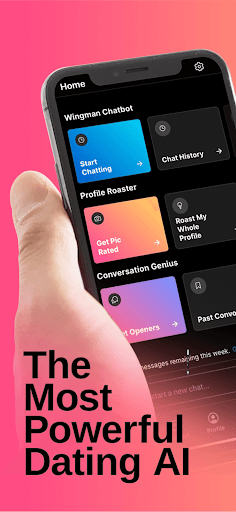
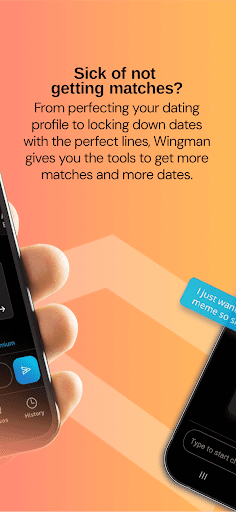
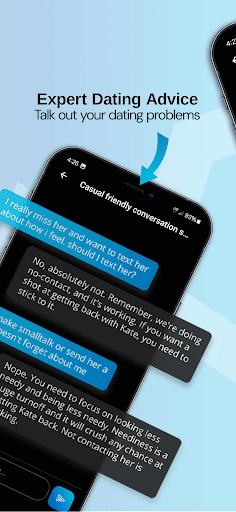
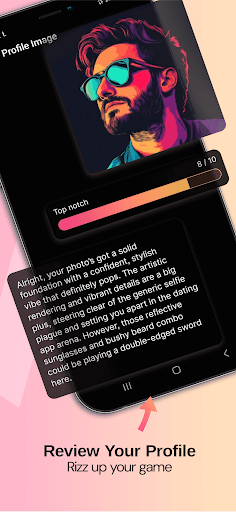
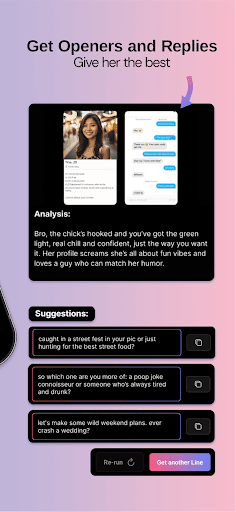
WHAT IS WINGMAN? Wingman is the ultimate AI-powered dating coach designed to help you optimize your dating profile, navigate conversations, and boost your dating success both on apps and in real life. Whether you're stuck on what to say or want more matches, Wingman’s got your back. WHAT'S IT FOR? From helping you craft the perfect profile to providing personalized, straight-to-the-point advice for your chats, Wingman takes the guesswork out of dating. Need conversation starters? Unsure of how to respond? Wingman is here to help with real, uncensored advice. WHERE CAN I USE IT? Anywhere! Wingman works seamlessly with any dating app, from Tinder to Bumble to Hinge, and even in your real-life dating scenarios. HOW DOES IT WORK? 1. Profile Roaster: Upload your profile pics for individual ratings and receive expert critiques to optimize your profile and attract more matches. 2. Uncensored AI Chatbot: Ask your most pressing questions and get honest, direct answers for any dating dilemma. 3. Conversation Helper: Upload screenshots of chats with your matches, and Wingman will analyze the conversation to give you personalized advice on what to say next. WHAT'S IN IT FOR YOU? More matches. More dates. More girls chasing you. Confident decision-making. Wingman takes you from guessing to knowing, helping you make smarter moves in your dating life. WHY DOES WINGMAN EXIST? Dating shouldn’t be a mystery. Wingman was created to give you the tools you need to succeed with bold, practical advice—whether you’re looking to maximize matches, improve your conversations, or get the honest truth about your dating life.

What Wingman: AI Dating Coach Is Used For

Wingman: AI Dating Coach appears to be a phone app for people who want help with online dating profiles and conversations. Based on the metadata, it focuses on giving AI-driven feedback for dating apps and real-life dating situations, such as improving profile photos, refining profile text, and deciding what to say in chats.

The app may be used as a dating assistant for common tasks like reviewing screenshots of conversations, generating response ideas, and offering direct advice about dating choices. Since it can take pictures and videos, record audio, and access the internet, it appears designed to let users upload or share content for analysis and then receive guidance. Its use on a phone suggests it is meant for quick, on-the-go help while using dating apps or preparing for dates.

Because the app lists network access and startup-related permissions, it likely supports frequent online interaction and background availability. In practical terms, it may be useful for users who want structured feedback on their dating profile, help breaking awkward chat moments, or a second opinion before replying in a match conversation.

Common uses

  • Review dating profile photos and get feedback
  • Help improve profile text for dating apps
  • Suggest reply ideas for chat conversations
  • Analyze screenshots of match conversations
  • Offer dating advice for app-based and in-person situations
  • Use on a phone for quick, mobile-first guidance
Best for:
Dating app users Profile improvement Chat help Phone users Conversation planning

App Details

Package:
live.wingman.mobile
Category:
Dating
Developer:
Wingman Technologies Inc.
Version:
1.0.66
Updated:
Nov 16, 2025
Min Android:
7.0
Age Rating:
Teen
Contains Ads:
No
In-App Purchases:
Yes

Official Listing

  • Official listing available on Google Play
  • Package name: live.wingman.mobile
  • Age rating: Teen

Explore More

Browse more apps in Dating or explore the Phone hub .

Related Dating Apps

Tinder Dating App: Chat & Date icon

Tinder Dating App: Chat & Date

Dating Tinder LLC

The dating app for adults to match singles online, meet people & make friends

Version 17.9.0 211.6 MB ⭐ 3.80 500,000,000+ installs
Badoo Dating App: Meet & Date icon

Badoo Dating App: Meet & Date

Dating Badoo

Chat and date or make friends! Meeting people is easier than other dating apps.

Version 5.459.2 50.4 MB ⭐ 4.00 100,000,000+ installs
happn: dating app icon

happn: dating app

Dating happn

happn is the real-life dating app where you date and meet people!

Version 2026.6.0 67.8 MB ⭐ 4.00 100,000,000+ installs
Bumble Dating App: Meet & Date icon

Bumble Dating App: Meet & Date

Dating Bumble Holding Limited

Dating app to meet new people, chat and date with singles IRL or make friends.

Version 5.459.0 27.5 MB ⭐ 3.80 100,000,000+ installs
Dating and Chat - SweetMeet icon

Dating and Chat - SweetMeet

Dating SweetMeet

Lonely people from your city, find friends and love. Meet & Date with singles.

Version 1.20.277 109.0 MB ⭐ 4.20 100,000,000+ installs
Skout - Meet, Chat, Go Live icon

Skout - Meet, Chat, Go Live

Dating Skout Inc.

Dating app for chats and dates. Stream on Live. Meet singles. Enjoy flirts.

Version 222.1 201.7 MB ⭐ 4.00 50,000,000+ installs

How to Download Wingman: AI Dating Coach

If this app is not hosted directly on APKApps official link, then for the safest and most up-to-date version, install it from its official Google Play listing.