Business Calendar Pro icon

Phone

Business Calendar Pro

Productivity Appgenix Software ⭐ 4.20 500,000+
Version 1.6.1.5 Everyone

Screenshots

Business Calendar Pro screenshot
Permissions Explained 9 permissions requested View details

This app requests 9 permissions. The table below explains what each permission may allow and what users should review before installing.

Status Permission What it means Why it may be used User safety note
ℹ️ Review Read Calendar Events Plus Confidential Information read calendar events plus confidential information This is an Android permission or app-specific permission requested by the app. The app may use this permission for features related to its category, device support, background behavior, storage, connectivity, or system integration. Review this permission before installing, especially if it does not match the app’s expected purpose.
ℹ️ Review Add Or Modify Calendar Events And Send Email To Guests Without Owners' Knowledge add or modify calendar events and send email to guests without owners' knowledge This is an Android permission or app-specific permission requested by the app. The app may use this permission for features related to its category, device support, background behavior, storage, connectivity, or system integration. Review this permission before installing, especially if it does not match the app’s expected purpose.
ℹ️ Review Read Your Contacts read your contacts This is an Android permission or app-specific permission requested by the app. The app may use this permission for features related to its category, device support, background behavior, storage, connectivity, or system integration. Review this permission before installing, especially if it does not match the app’s expected purpose.
ℹ️ Review Read The Contents Of Your Usb Storage read the contents of your USB storage This is an Android permission or app-specific permission requested by the app. The app may use this permission for features related to its category, device support, background behavior, storage, connectivity, or system integration. Review this permission before installing, especially if it does not match the app’s expected purpose.
ℹ️ Review Modify Or Delete The Contents Of Your Usb Storage modify or delete the contents of your USB storage This is an Android permission or app-specific permission requested by the app. The app may use this permission for features related to its category, device support, background behavior, storage, connectivity, or system integration. Review this permission before installing, especially if it does not match the app’s expected purpose.
ℹ️ Review Control Vibration control vibration This is an Android permission or app-specific permission requested by the app. The app may use this permission for features related to its category, device support, background behavior, storage, connectivity, or system integration. Review this permission before installing, especially if it does not match the app’s expected purpose.
ℹ️ Review Prevent Device From Sleeping prevent device from sleeping This is an Android permission or app-specific permission requested by the app. The app may use this permission for features related to its category, device support, background behavior, storage, connectivity, or system integration. Review this permission before installing, especially if it does not match the app’s expected purpose.
ℹ️ Review Google Play License Check Google Play license check This is an Android permission or app-specific permission requested by the app. The app may use this permission for features related to its category, device support, background behavior, storage, connectivity, or system integration. Review this permission before installing, especially if it does not match the app’s expected purpose.
ℹ️ Review Read Sync Statistics read sync statistics This is an Android permission or app-specific permission requested by the app. The app may use this permission for features related to its category, device support, background behavior, storage, connectivity, or system integration. Review this permission before installing, especially if it does not match the app’s expected purpose.

About Business Calendar Pro

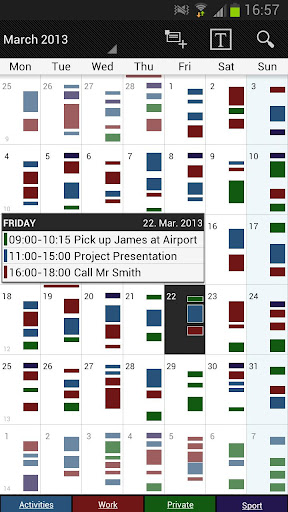
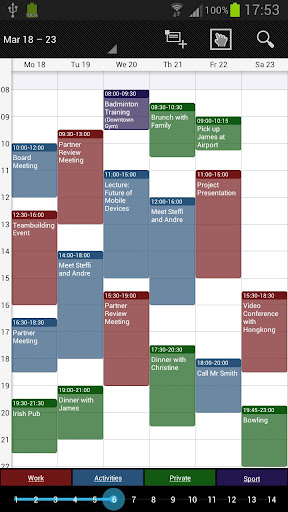
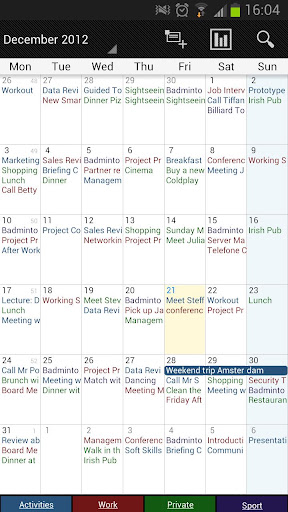
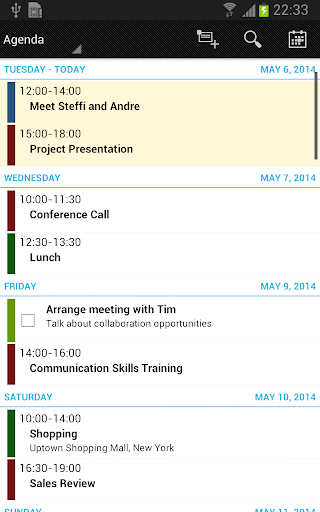
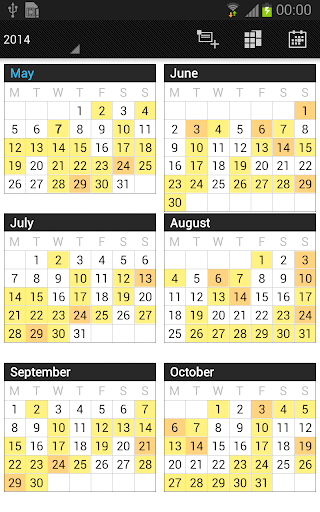
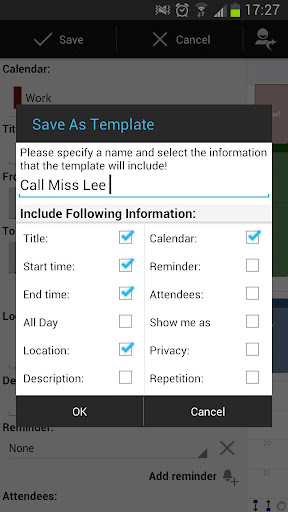
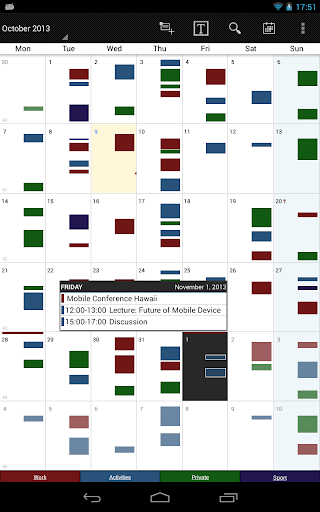
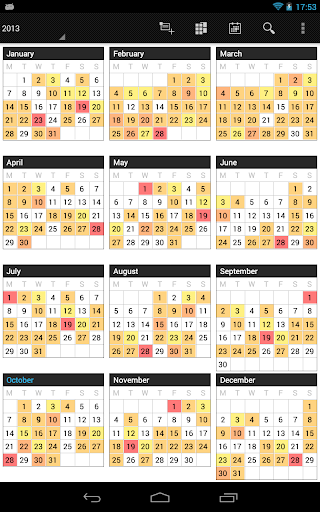
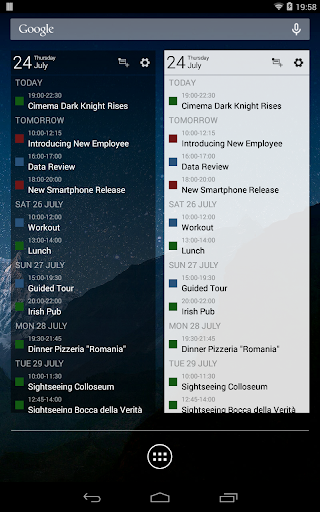
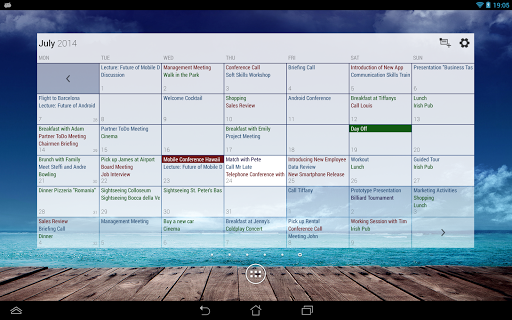
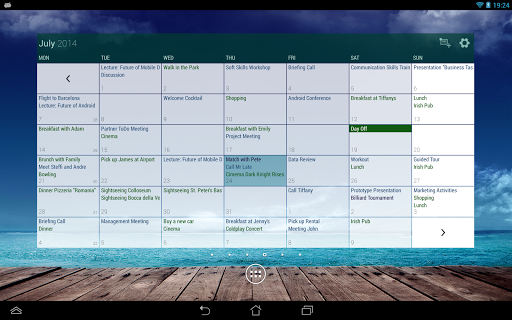
Business Calendar Pro has everything you need in a calendar app: It provides an excellent overview of your appointments, it’s easy to use and it gives you powerful tools to create and manipulate your events. ★ "Our favorite calendar app on Android, due to its flexibility and ease of use." - Lifehacker 01/2014 ★ ★ "One of the best Calendar Apps for 2014" - FastCompany ★ Features ▪ Quick Day View: for a fast overview of all events of the day ▪ Favorite Bar: for direct access to all your calendars ▪ smooth scroll and zoom: for better, intuitive interaction Customization down to the last detail ▪ adapt all views & widgets to your liking ▪ individual reminders with vibration, sounds, repetitions, intervals, LED ▪ adjustable font sizes for the app & widgets Details ▪ month, week, day, agenda and event view ▪ color-coded year view ▪ scroll- and zoomable multi-day view (1-14 days) ▪ easy switching between timeline bars and event titles in month view ▪ search function ▪ sync your events with Google Calendar, Microsoft Outlook, Exchange etc. using the Android calendar synchronization ▪ professional widgets for month, week, agenda and day view ▪ intuitive handling: just move your finger over some days of interest in month view to open them in multi-day view ▪ many options for recurrent events (e.g. an event that takes place every other week on Tuesday and Thursday) ▪ birthday calendar ▪ context-sensitive help system to optimize your workflow Additional features in this pro version ▪ manage contacts: link contacts to your events ▪ customizable templates: create your own templates for new events ▪ multi-selection: delete, move or copy multiple events at once ▪ drag&drop: move and copy events easily in the multi-day view ▪ tasks add-on: use the integrated task-management tool to sync with Google Tasks & Toodledo ▪ notifications: comprehensive reminder functionality ▪ app theming: light and dark theme for the app ▪ advanced widgets: set colors, font sizes and individual calendars ▪ import & export: quickly import or export all your calendars in .ics format We also offer a free, ad-supported version of Business Calendar, which we kindly advise you to test for the functionality and the general workflow of the app! We hope that in the long term the pro version result as indispensable for you if you use your mobile calendar regularly.

What Business Calendar Pro Is Used For

Business Calendar Pro is a productivity app built around calendar and schedule management on Android phones. Based on the metadata, it appears designed for people who want a more detailed way to view appointments, organize events, and switch between month, week, day, agenda, and multi-day layouts. Its focus on quick day overview, widgets, and customizable views suggests it is commonly used as a daily planning tool for work, personal schedules, and recurring commitments.

The app also appears to be useful for users who sync calendars from services such as Google Calendar, Outlook, or Exchange through Android calendar synchronization. The listed permissions support that role: access to calendar data is needed for reading and editing events, while contact access may be used for linking people to appointments. Features such as reminders, vibration, and event notifications suggest it may help users keep track of meetings, birthdays, and repeating tasks, especially when they need flexible reminder settings and fast event editing.

Common uses

  • View appointments in month, week, day, agenda, and multi-day formats
  • Create and edit calendar events with recurring schedules
  • Set reminders with sound, vibration, and repeat options
  • Sync calendar data through Android calendar synchronization
  • Link contacts to events for easier event details
  • Use widgets for at-a-glance schedule checking
  • Import or export calendars in .ics format
Best for:
busy schedules calendar power users phone planning work appointments widget-based tracking

App Details

Package:
mikado.bizcalpro
Category:
Productivity
Developer:
Appgenix Software
Version:
1.6.1.5
Updated:
Aug 27, 2025
Min Android:
4.1
Age Rating:
Everyone
Contains Ads:
No
In-App Purchases:
No

Official Listing

  • Official listing available on Google Play
  • Package name: mikado.bizcalpro
  • Age rating: Everyone

Explore More

Browse more apps in Productivity or explore the Phone hub .

Related Productivity Apps

Inkpad Notepad & To do list icon

Inkpad Notepad & To do list

Productivity Workpail

Inkpad Notepad - Easy notepad to write text notes, to-do notes, shopping notes

Version Varies with device 34.7 MB ⭐ 4.60 10,000,000+ installs
DigiCal icon

DigiCal

Productivity Digibites

Schedule your agenda with the #1 calendar app & month widget for Google Calendar

Version 2.3.0 17.4 MB ⭐ 4.49 10,000,000+ installs
Week Planner icon

Week Planner

Business Digital Legal Tech S.R.L.

Visual calendar & to do list. Reminders, schedules and plans!

Version 7.99.3 75.1 MB ⭐ 4.30 5,000,000+ installs

How to Download Business Calendar Pro

If this app is not hosted directly on APKApps official link, then for the safest and most up-to-date version, install it from its official Google Play listing.