Lower Brightness Pro icon

Phone

Lower Brightness Pro

Tools Wormhole Space ⭐ 4.30 10,000+
Version Varies with device Everyone

Screenshots

Lower Brightness Pro screenshot
Permissions Explained 6 permissions requested View details

This app requests 6 permissions. The table below explains what each permission may allow and what users should review before installing.

Status Permission What it means Why it may be used User safety note
ℹ️ Review View Network Connections view network connections This is an Android permission or app-specific permission requested by the app. The app may use this permission for features related to its category, device support, background behavior, storage, connectivity, or system integration. Review this permission before installing, especially if it does not match the app’s expected purpose.
ℹ️ Review Full Network Access full network access This is an Android permission or app-specific permission requested by the app. The app may use this permission for features related to its category, device support, background behavior, storage, connectivity, or system integration. Review this permission before installing, especially if it does not match the app’s expected purpose.
ℹ️ Review Run At Startup run at startup This is an Android permission or app-specific permission requested by the app. The app may use this permission for features related to its category, device support, background behavior, storage, connectivity, or system integration. Review this permission before installing, especially if it does not match the app’s expected purpose.
ℹ️ Review Draw Over Other Apps draw over other apps This is an Android permission or app-specific permission requested by the app. The app may use this permission for features related to its category, device support, background behavior, storage, connectivity, or system integration. Review this permission before installing, especially if it does not match the app’s expected purpose.
ℹ️ Review Prevent Device From Sleeping prevent device from sleeping This is an Android permission or app-specific permission requested by the app. The app may use this permission for features related to its category, device support, background behavior, storage, connectivity, or system integration. Review this permission before installing, especially if it does not match the app’s expected purpose.
ℹ️ Review Receive Data From Internet receive data from Internet This is an Android permission or app-specific permission requested by the app. The app may use this permission for features related to its category, device support, background behavior, storage, connectivity, or system integration. Review this permission before installing, especially if it does not match the app’s expected purpose.

About Lower Brightness Pro

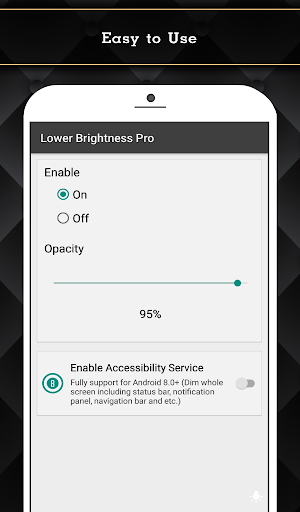
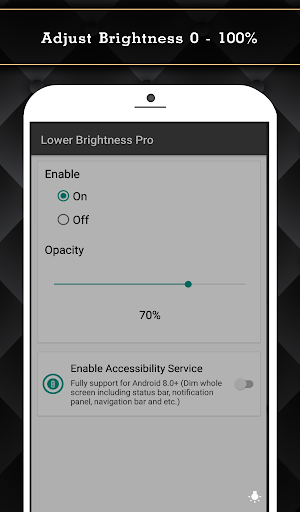
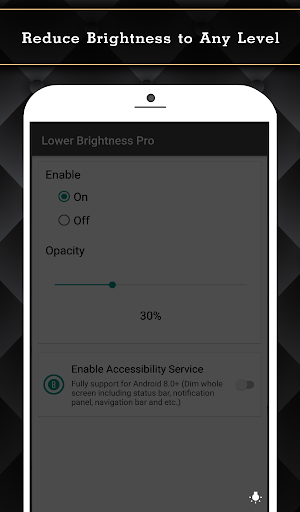
Have you ever set the screen brightness to the lowest but it still so bright? If you feel the screen is so bright and you want to reduce it. You need this application called "Lower Brightness". "Lower Brightness" application helps you reduce brightness to any level. You can set brightness level from 0% to 100% by just opening the application and choose brightness level you want. Features - Reduce screen brightness below the system minimum brightness - Easy to use. Just enable and set the percent of brightness level (0-100%) - Auto start after reboot - Easy to use. Just choose percent of brightness you want to set. - Small size of application. - Also support devices that have the navigation bar on the screen.(home/back button at the bottom of the screen) - Ask for permission in android 6.0+ This Pro version included: - Ads free. - Turn on/off and adjust brightness via notification.(Able to clear notification when service is turned off.) - Widget on home screen with ability to control brightness. - Fully support for Android 8.0+ (Dim whole screen including status bar, notification panel, navigation bar and etc.) - Quick Setting Tiles for Android 7.0+ Accessibility Service Usage Lower Brightness Pro requires accessibility service permission in order to enable core functionality. The application will not read the sensitive data and any content on your screen. In addition, the application will not collect and share the data from accessibility service with any third-party. By enabling the service, the application will be able to dim whole screen including status bar, notification panel, navigation bar and etc. If you disable the accessibility service, the main features cannot work properly.

What Lower Brightness Pro Is Used For

Lower Brightness Pro appears to be a screen-dimming utility for Android phones. Based on the metadata, it is commonly used when the built-in brightness control still feels too bright, especially in dark rooms or at night. The app may let users reduce screen brightness below the normal system minimum by setting a percentage level from 0% to 100%.

Common uses

  • Lower the display brightness beyond the standard Android minimum
  • Adjust brightness quickly from the app interface
  • Use notification controls to turn dimming on or off
  • Place a home screen widget for faster access
  • Use quick settings tiles on supported Android versions
  • Keep brightness settings active after reboot
  • Dim the full screen, including bars and navigation areas on supported devices
Best for:
Night use Phone users Quick brightness control Home screen widget users Accessibility-focused dimming

App Details

Package:
nu.lower.brightness.pro
Category:
Tools
Developer:
Wormhole Space
Version:
Varies with device
Updated:
Jun 20, 2024
Min Android:
Varies with device
Age Rating:
Everyone
Contains Ads:
No
In-App Purchases:
No

Official Listing

  • Official listing available on Google Play
  • Package name: nu.lower.brightness.pro
  • Age rating: Everyone

Explore More

Browse more apps in Tools or explore the Phone hub .

Related Tools Apps

ZUMIMALL icon

ZUMIMALL

Business Shenzhen Junan Technology Co., Ltd

Version 6.0.1 ⭐ 4.60 100,000+ installs

How to Download Lower Brightness Pro

If this app is not hosted directly on APKApps official link, then for the safest and most up-to-date version, install it from its official Google Play listing.