About VirtualDJ Remote
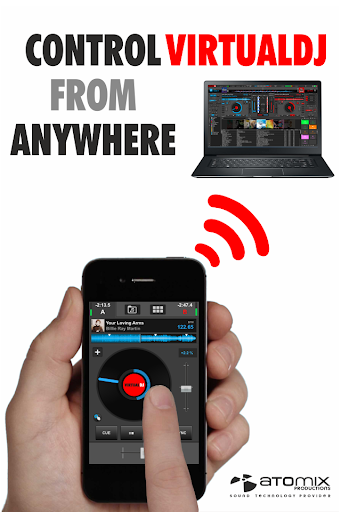
Mix with Virtual DJ directly from your phone or tablet ! Whether you want to use your tablet as a virtual scratch turntable, or just want to step away from the booth for a moment but still continue to monitor the mix from your phone, or even want to mix the whole gig wirelessly from your tablet while the computer plugged to your sound system delivers the beats, the VirtualDJ Remote application gives you full freedom to operate VirtualDJ over a WIFI connection. IMPORTANT NOTICE: this application needs to connect to the software VirtualDJ running on a PC or Mac computer. The VirtualDJ software is available for FREE on www.virtualdj.com. Please make sure you are running an up to date build as features in newer remote builds may require newer VirtualDJ builds too. SIMPLE WIRELESS SETUP: VirtualDJ Remote and VirtualDJ Software connect over a simple Wifi connection. If you are already using a wifi network, the connection will be done automatically. Otherwise, you can easily create an ad-hoc wifi network, and enter the device IP address in the VirtualDJ software for immediate connection. EASY AUDIO CONFIGURATION: The audio is being played by the computer, so you just need to plug your audio system to your computer, no need to carry audio wires to your tablet/phone. SUPPORT THE FULL POWER OF VIRTUALDJ: VirtualDJ is the most used DJ software, with more than 100,000,000 users, and has been used reliably by professional DJs all over the world for the past 10 years. It features almost everything a DJ can need, from beat mixing, effects, song suggestions, samplers, video mixing, etc. MAXIMUM VERSATILITY: The interface and functionalities of the VirtualDJ Remote can be completely tailored to your exact needs, by using new Skins. The Skin format is compatible with the popular VirtualDJ’s skin SDK, and thousands of users are working on creating skins to fit every needs. You can download their creations, or easily create one by yourself. Anything is possible, from a full-featured sampler pad, an effect table, a turntable emulator, a complete controller, or whatever else your imagination and need will come up with. YOU CAN DO MORE: - Mix music videos and plug your computer to a projector to get the video out - Broadcast your mix live on Internet radios - Record your sessions on your computer - Get personalized advice on what to play next with LiveFeedback - Mix with 3, 4, 6, or how many decks you want simultaneously (up to 99)
What VirtualDJ Remote Is Used For
VirtualDJ Remote appears to be a companion app for controlling VirtualDJ from a phone or tablet over Wi‑Fi. Based on the metadata, it is meant for DJs who want to start, monitor, and adjust a mix without staying at the computer, while the audio itself still plays through the PC or Mac connected to the sound system.
The app is likely used in live DJ setups where quick access to transport controls, scratching, effects, samplers, or other mixing functions is useful. The description also suggests it can be customized with different skins, so it may suit users who want a simple remote layout or a more controller-like interface. Because it requests full network access and Bluetooth pairing, it is designed for device-to-computer communication and possibly broader wireless control in a performance context. The “prevent device from sleeping” permission may help keep the remote available during a set.
Common use cases may include stepping away from the booth while still monitoring playback, using a tablet as a touch-based turntable surface, or handling parts of a set wirelessly when a computer is already connected to speakers.
Common uses
- Control VirtualDJ from a phone or tablet over Wi‑Fi
- Monitor and manage a mix while away from the computer
- Use a tablet as a scratch turntable or touch controller
- Access remote mixing tools for live DJ performance workflows
- Keep the device awake during longer sessions
- Customize the interface with different skins or layouts
- Use it as a companion app with VirtualDJ on PC or Mac
App Details
Package:
org.atomixproductions.VirtualDJRemote
Developer:
Atomix Productions America Inc
Version:
8.0.60
Updated:
Aug 24, 2025
Min Android:
8.0
Age Rating:
Everyone
Contains Ads:
No
In-App Purchases:
No
Official Listing
-
Official listing available on
Google Play
-
Package name:
org.atomixproductions.VirtualDJRemote
-
Age rating:
Everyone
Related Video Players & Editors Apps
Video Players & Editors
•
Joyo Technology Pte Ltd
Watch and share trending short videos, meet new friends and have fun.
Version 13.2.40.544103
239.5 MB
⭐ 4.00
500,000,000+ installs
Video Players & Editors
•
KineMaster, Video Editor Experts Group
KineMaster, Your Ultimate Video Editor!
Version 8.1.4.36338.GP
148.4 MB
⭐ 4.40
500,000,000+ installs
Video Players & Editors
•
QuVideo Inc. Video Editor & Video Maker App
Sora 2 Compatible Video Editor: Powerful AI Auto-Edits & Trendy Filters in 60s
Version 9.34.0
138.6 MB
⭐ 4.30
500,000,000+ installs
Video Players & Editors
•
Videolabs
Popular open-source media player for Android.
Version Varies with device
27.4 MB
⭐ 4.10
100M+ installs
Video Players & Editors
•
InShot Inc.
Screen recorder with audio to take live videos & Screenshot in high quality!
Version 2.5.0.1
29.4 MB
⭐ 4.70
100,000,000+ installs
Video Players & Editors
•
VIDEOSHOW Video Editor & Maker & AI Chat Generator
Al Video Generator: Photo to Video, Edit Video with Effects, Music, Auto Caption
Version 11.0.3.3
51.8 MB
⭐ 4.50
100,000,000+ installs
How to Download VirtualDJ Remote
If this app is not hosted directly on APKApps official link,
then for the safest and most up-to-date version, install it from its official Google Play listing.