Multi Timer icon

Phone

Multi Timer

Tools Catfantom ⭐ 4.70 10,000+
Version 4.9.1 Everyone

Screenshots

Multi Timer screenshot
Permissions Explained 8 permissions requested View details

This app requests 8 permissions. The table below explains what each permission may allow and what users should review before installing.

Status Permission What it means Why it may be used User safety note
ℹ️ Review Read The Contents Of Your Usb Storage read the contents of your USB storage This is an Android permission or app-specific permission requested by the app. The app may use this permission for features related to its category, device support, background behavior, storage, connectivity, or system integration. Review this permission before installing, especially if it does not match the app’s expected purpose.
ℹ️ Review View Network Connections view network connections This is an Android permission or app-specific permission requested by the app. The app may use this permission for features related to its category, device support, background behavior, storage, connectivity, or system integration. Review this permission before installing, especially if it does not match the app’s expected purpose.
ℹ️ Review Disable Your Screen Lock disable your screen lock This is an Android permission or app-specific permission requested by the app. The app may use this permission for features related to its category, device support, background behavior, storage, connectivity, or system integration. Review this permission before installing, especially if it does not match the app’s expected purpose.
ℹ️ Review Full Network Access full network access This is an Android permission or app-specific permission requested by the app. The app may use this permission for features related to its category, device support, background behavior, storage, connectivity, or system integration. Review this permission before installing, especially if it does not match the app’s expected purpose.
ℹ️ Review Run At Startup run at startup This is an Android permission or app-specific permission requested by the app. The app may use this permission for features related to its category, device support, background behavior, storage, connectivity, or system integration. Review this permission before installing, especially if it does not match the app’s expected purpose.
ℹ️ Review Control Vibration control vibration This is an Android permission or app-specific permission requested by the app. The app may use this permission for features related to its category, device support, background behavior, storage, connectivity, or system integration. Review this permission before installing, especially if it does not match the app’s expected purpose.
ℹ️ Review Prevent Device From Sleeping prevent device from sleeping This is an Android permission or app-specific permission requested by the app. The app may use this permission for features related to its category, device support, background behavior, storage, connectivity, or system integration. Review this permission before installing, especially if it does not match the app’s expected purpose.
ℹ️ Review Install Shortcuts install shortcuts This is an Android permission or app-specific permission requested by the app. The app may use this permission for features related to its category, device support, background behavior, storage, connectivity, or system integration. Review this permission before installing, especially if it does not match the app’s expected purpose.

About Multi Timer

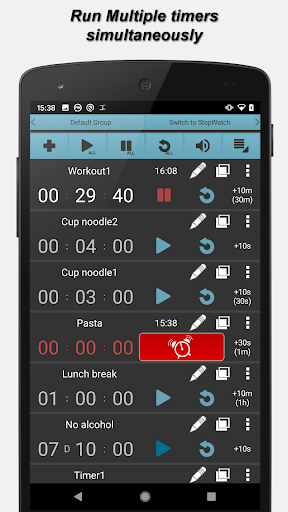
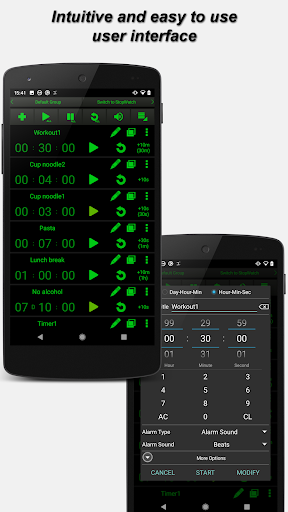
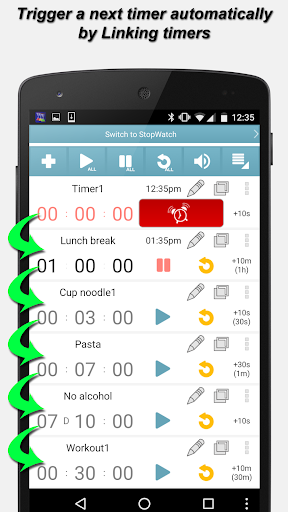
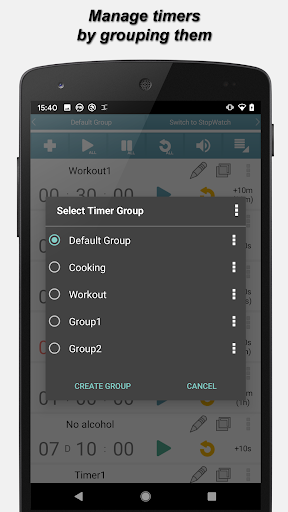
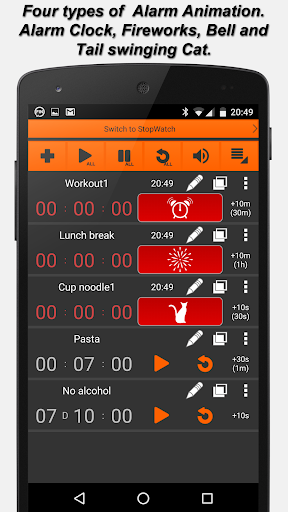
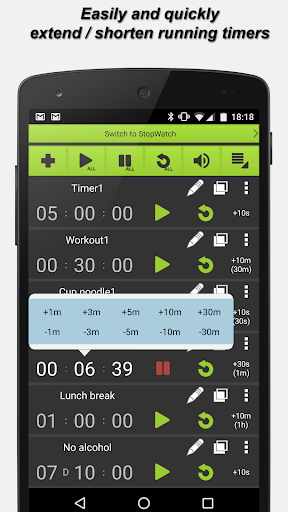
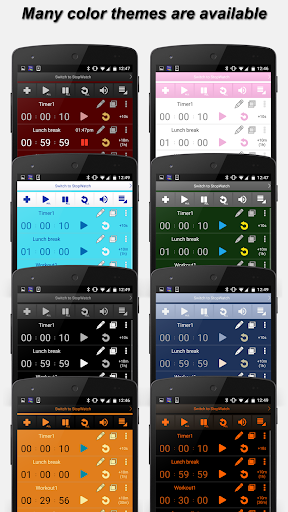
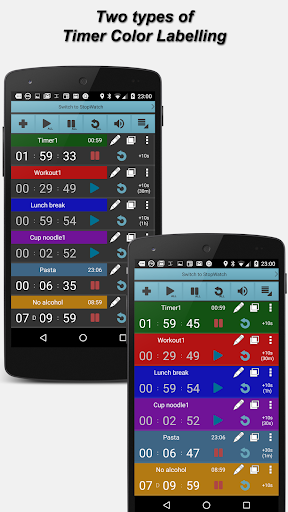
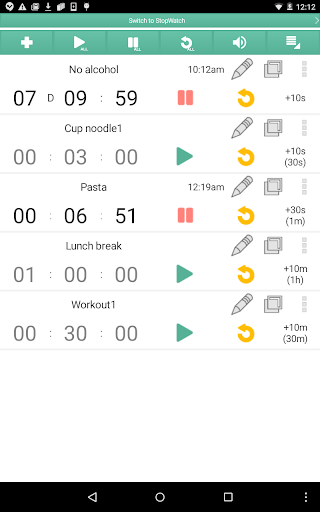
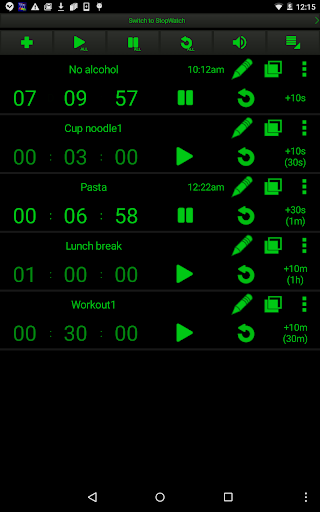
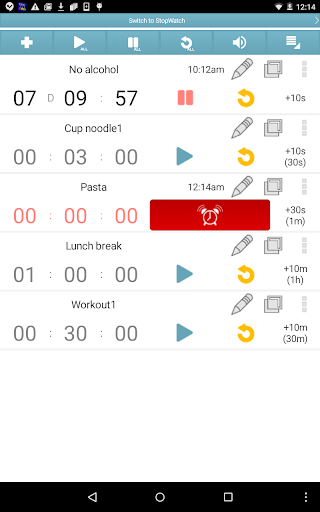
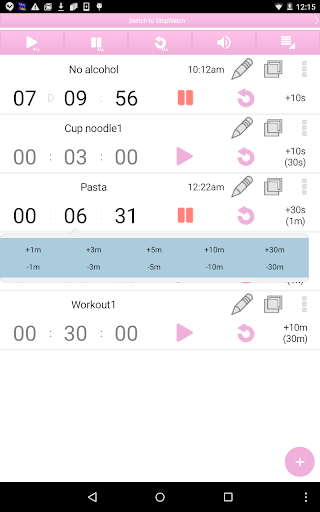
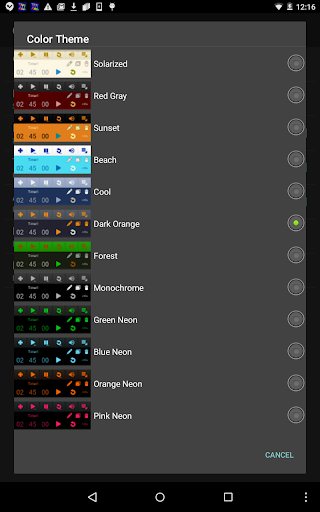
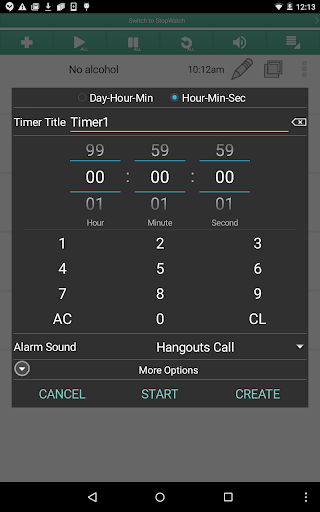
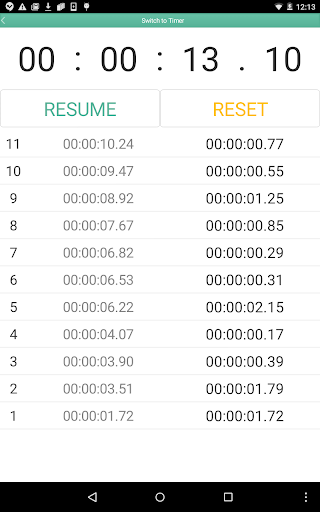
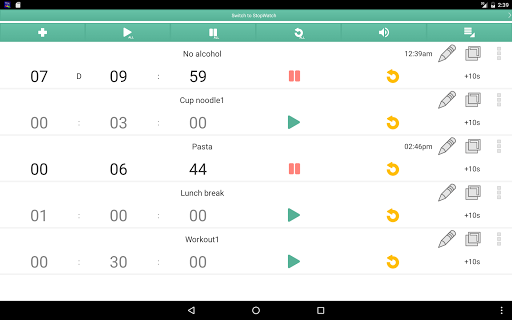
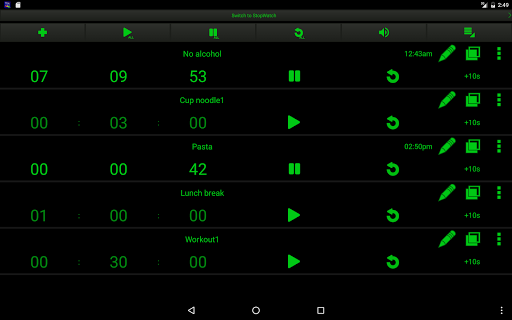
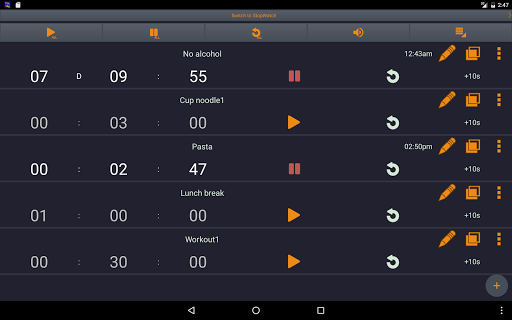
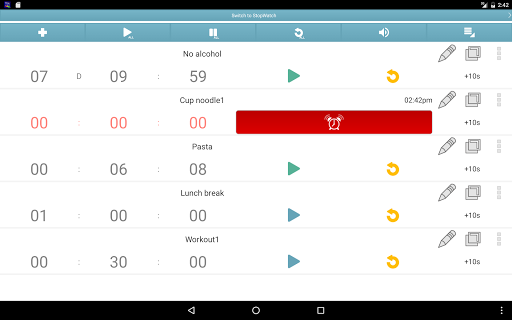
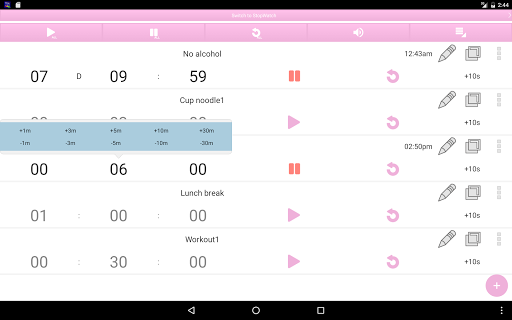
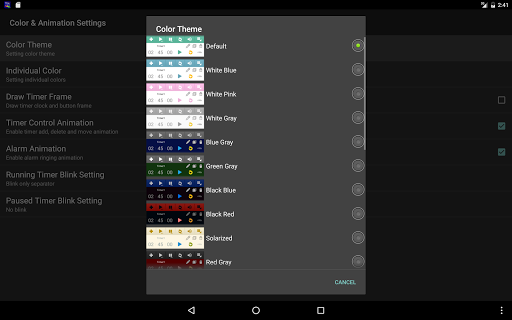
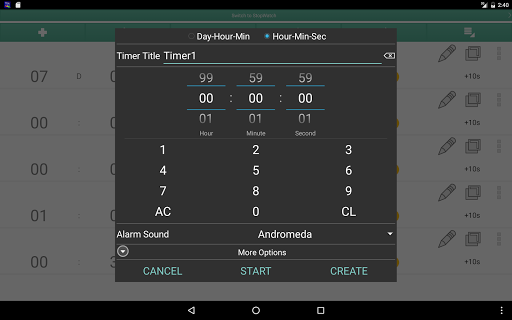
Multi Timer is a simple, reliable and most customizable timer & stopwatch application. It can run many timers at once or separately. Very useful in many situations, such as cooking, sports, games and etc. ✔ Reusable timers with many parameters Each timer can have different name, alarm sound, length, color label, vibration on/ off and alarm animation including a cute tail swinging cat alarm animation. ✔ Intuitive and easy to use user interface The application is desinged to use easily and quickly. ✔Grouping timers Each timer Groups can have up to 100 timers and max 30 timer groups can be created. ✔ Run in the background The application doesn't need to be running foreground. Once timers start, the application wakes up even after rebooting your phone when time is up. It's possible to show just notifications instead of bringing the application to front when time is up. ✔ Timer linkage Timers can be linked. The linked timer will auto start when the linking timer finishes. Linking a timer group and starting all the timers in the group is possible as well. ✔ Text To Speech (Voice Alarm) Each timer can have different voice alarm of free text. Reading out timer title, end time and timer note are supported. ✔ Many color themes 24 color themes are available. You can even change colors of individual parts including notification icon colors. ✔ Timer color labeling Each timer can be color-labeled. ✔ Super customizable So many things are customizable. Font size, what buttons to hide/show, many notification related settings, alarm animations, bringing the application to front or not when alarm and more. ✔ Useful sorting functions Timers can be sorted by remaining time, elapsed time, etc in real time automatically or manually. ✔ Fixed number keypad allows for entering timer time quickly The number keypad on the timer creation window allows you to enter timer time very quickly. ✔ Other features • Auto repeat timers (1 to infinite) • Single stopwatch • Enable/ disable timers • Timer Note for individual timers • Super flexible timer title (several dynamic parameters can be used within the title) • Four types of alarm animation. Alarm clock, bell, fireworks, bell and tail swinging cat • Display expected end time or remaining time in Notification • Import/ export timers and application settings • Notify when timers end or alarms end • Timer Event History • Expanding time of active timers easily (by quick menu, single tap and double taps) • Display elapsed time, expected end time and original timer time • Manual sort or real time auto sorting • Support Cloud backup so that setting and timers will be recovered upon device change • Four different sizes of fonts and button are selectable • Possible to select buttons to show and hide • Initial focus position and focus shift direction of time fields on Timer Creation Window are selectable • No advertisements for the paid version There is a free version of the app with Ads as well. Multi Timer Free…

What Multi Timer Is Used For

Multi Timer appears to be a timer and stopwatch utility for Android phones. Based on the metadata, it is commonly used when a person needs to track several countdowns at the same time, rather than relying on a single timer. That may make it useful in everyday situations like cooking, exercise routines, study sessions, games, or any task where multiple time intervals need to be managed separately.

The app also seems designed for users who want more control over how timers behave and how alerts are shown. The metadata mentions customizable labels, sounds, vibration, voice alarms, color themes, and timer grouping, which suggests it may suit people who like organizing timers by task or category. Permissions such as running at startup, preventing sleep, and vibration control fit a timer app that can alert you in the background when time is up. It also appears to support notifications and post-reboot timing behavior, which is relevant if you want reminders to continue without keeping the app open.

Overall, this is the kind of app someone might use for practical time management on a phone, especially when multiple reminders or repeating countdowns are needed.

Common uses

  • Start several timers at once for different tasks
  • Use it for cooking, workouts, study blocks, or games
  • Set repeating timers for recurring time-based routines
  • Organize timers into groups for easier management
  • Choose custom alarms, vibration, and voice alerts
  • Track a single stopwatch along with countdown timers
  • Let timers alert in the background via notifications
Best for:
Multi-timer tracking Phone users Cooking and routines Custom alerts Task timing

App Details

Package:
org.catfantom.multitimer
Category:
Tools
Developer:
Catfantom
Version:
4.9.1
Updated:
Mar 30, 2026
Min Android:
5.0
Age Rating:
Everyone
Contains Ads:
No
In-App Purchases:
No

Official Listing

  • Official listing available on Google Play
  • Package name: org.catfantom.multitimer
  • Age rating: Everyone

Explore More

Browse more apps in Tools or explore the Phone hub .

Related Tools Apps

Turbo VPN - Secure VPN Proxy icon

Turbo VPN - Secure VPN Proxy

Tools Innovative Connecting

Enjoy fast streaming, secure & private internet with super unlimited VPN Turbo

Version 4.2.9.8 25.3 MB ⭐ 4.70 100,000,000+ installs
AVG AntiVirus & Security icon

AVG AntiVirus & Security

Tools AVG Mobile

Scam & Malware protection, Virus Cleaner, Hack Alerts, App Locker, Photo Vault

Version 26.6.0 56.3 MB ⭐ 4.60 100,000,000+ installs
Avast Antivirus & Security icon

Avast Antivirus & Security

Tools Avast Software

Android Mobile Security with Antivirus, Virus cleaner, App Lock & Phone cleaner

Version 26.2.3.260318122 56.8 MB ⭐ 4.60 100,000,000+ installs
F-Secure Mobile Security icon

F-Secure Mobile Security

Tools F-Secure Corporation

Antivirus, Virus Cleaner & Malware Scan | Mobile Security & Hacker Protection

Version 10.57-ff32089 17.9 MB ⭐ 4.20 100,000,000+ installs
TeraBox: 1TB Cloud & AI Space icon

TeraBox: 1TB Cloud & AI Space

Tools Flextech Inc.

Get 1TB Cloud Storage Space with One-Click. Unlock AI Tools in One Smart Space.

Version 4.13.7 112.7 MB ⭐ 4.40 100,000,000+ installs
Secure VPN-Safer Internet icon

Secure VPN-Safer Internet

Tools Secure Signal Inc.

Access favorite websites and apps more securely on the go.

Version 4.3.11 5.6 MB ⭐ 4.70 100,000,000+ installs

How to Download Multi Timer

If this app is not hosted directly on APKApps official link, then for the safest and most up-to-date version, install it from its official Google Play listing.