About Cut and Paste Photo Editor
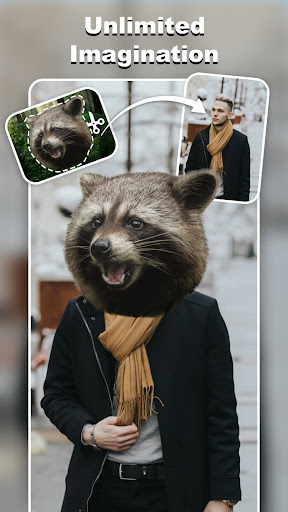
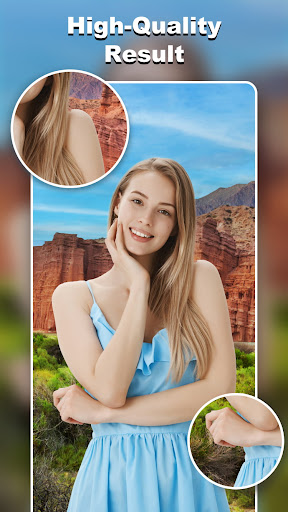
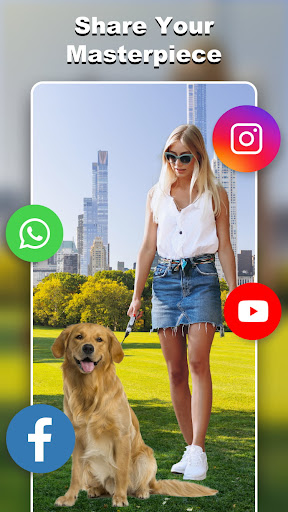
🔥 Cut and Paste Photos: Effortless Cut and Paste Experience 🔥 Looking for a super app to cut and paste objects? Meet our AI-powered product: Cut and Paste — designed to make editing simple, fast, fun, and stress-free! All you need is 2✌️steps: ✅ Cut what you need ✅ Paste where you want With just a few taps, you are freely cut and paste any images to create stunning photo collages! You can easily create high-quality cutout, face swap, remove background and more! 🎭 Fun Face Swap 🎭 Want cool headshots? With just one selfie, our AI Photo Generator transforms you into countless AI art styles. Go for a professional profile 👨💼, a futuristic cyberpunk vibe 🧑🚀, a fairy-tale aesthetic 🎀, an athletic look 🏋️, or a retro vintage shot 📸 — the possibilities are endless! ✂️ Magic cutting ✂️ Multiple tools provided: background eraser, lasso, smooth, repair, auto-cut, magic cut... Cut and Paste Photos give you the easiest way to cut out any objects! You can cut out any objects you want (people👭, trees🌲, cars🚗), or remove unwanted elements, erase background in seconds… All you need is a simple touch with your fingers. Whether it's the smart auto tool or manual eraser, everything works with precision — delivering a pixel-level cut every time. 💯 Smooth pasting 💯 Cutting is for pasting, now it's time to paste your cutout anywhere you like and merge multiple elements to create funny photos with your imagination! You can paste your dog in the sky, move a traffic light under the sea, swap faces with pop stars... As a powerful photo editor, Cut and Paste Photos can seamlessly merge various elements. And feel free to adjust your result, change the color, add a neon background, flip your cutout, make multiple copies, or delete anything unperfect to make everything right — all edits are smooth with no pixel damage. 🌟 Online Background Library 🌟 Unlimited ready-to-use backgrounds at your fingertips! Whether you want a scenic view, an artistic touch, or a clean studio backdrop, we’ve got it all. Just pick and apply—transform your photos in seconds without any hassle! ✨ Dive into Template Fun! ✨ Exciting news! We’ve prepared a wide range of ready-made templates perfect for instant use. Whether you’re capturing summer vibes 🍹, group or family photos 🏡, creative sparks 🤩, or designing wedding invites 👰, just drag and drop your cutouts to make magic happen. Empower your inner content creator! Use our versatile designs as a free poster maker for events, a banner maker for your social media channels, or to craft professional business cards that stand out. It’s fast, easy, and stunning! 🎨 Colorful Decorations Make your photos pop with cute, stylish stickers! 🌈 From fun comic headgear to festive touches, we’ve got it all! 🛒 E-commerce Ready! 🛒 Selling online? Our AI-powered background remover makes product photo editing a breeze! Create professional-looking images with clean backgrounds in seconds. Perfect for platforms like Amazon, eBay, Shopify, and Etsy — helping your products…
What Cut and Paste Photo Editor Is Used For
Based on the metadata, Cut and Paste Photo Editor appears to be a mobile photography app for cutting objects out of images and placing them into new scenes. It may be used to remove backgrounds, isolate people or items, and combine multiple photos into collages or edited compositions. The description also suggests tools for face swapping and AI-style portrait effects, so it seems aimed at casual photo editing and creative image manipulation on a phone.
The app’s permissions point to common editing and sharing needs: access to USB storage for reading and saving images, network access for online features, and the ability to prevent sleep while editing. Because it includes an online background library and template-based editing, it may suit users who want quick edits without starting from scratch. As a phone app in the Photography category, it appears best for everyday image editing, social media-style photo changes, and simple visual experiments rather than professional desktop-style workflows.
Common uses
- Cut out subjects or objects from photos
- Remove or replace image backgrounds
- Create photo collages and composite images
- Swap faces or make playful edited pictures
- Use templates and background options for quick edits
- Save and manage edited images on the device
- Try AI-style portrait or art transformations
App Details
Package:
photoeditor.backgrounderaser.cutandpastephotos
Developer:
Daily Joy Studio
Version:
2.1.3
Updated:
Mar 12, 2026
Min Android:
9
Age Rating:
Teen
Contains Ads:
Yes
In-App Purchases:
Yes
Official Listing
-
Official listing available on
Google Play
-
Package name:
photoeditor.backgrounderaser.cutandpastephotos
-
Age rating:
Teen
Related Photography Apps
Photography
•
Photo Editor & Collage Maker
Pic collage maker & background eraser: 1000+ layout, grid, filter, sticker, text
Version 2.37.201
19.2 MB
⭐ 4.90
100,000,000+ installs
Photography
•
Photo Editor & Collage Maker
Photo editor & BG eraser – Remove background, auto cutout & make PNG images.
Version 2.311.96
27.0 MB
⭐ 4.80
50,000,000+ installs
Photography
•
Maxlabs Photo Editor
Version 5.8.4
⭐ 4.70
10,000,000+ installs
Art & Design
•
Pixelcut Inc
Remove Background, Magic Eraser, Photo Enhancer, Story Templates, Collage Maker
Version 0.9.42
95.6 MB
⭐ 4.20
10,000,000+ installs
Photography
•
InShot Inc.
One-tap remove objects, logos, text & more with AI Retouch photo editor & eraser
Version 1.172.38
21.1 MB
⭐ 4.71
10,000,000+ installs
How to Download Cut and Paste Photo Editor
If this app is not hosted directly on APKApps official link,
then for the safest and most up-to-date version, install it from its official Google Play listing.