

About Mega Plugin for Solid Explorer
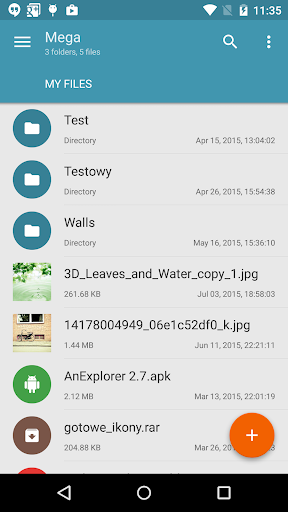
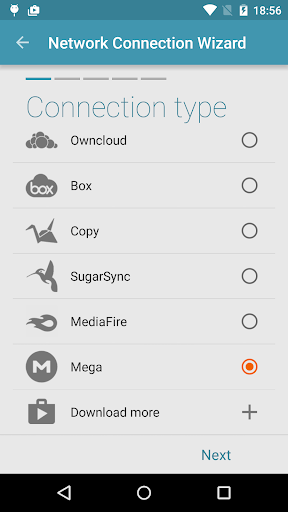
This is a plugin for Solid Explorer, which lets you connect to your Mega account. You can do pretty much everything: - copy, move, rename and view files - download and upload files - stream music and videos In order to connect to Mega, follow these steps: 1. Tap the + button 2. Choose "Cloud connection" 3. Select Mega option 4. Enter you login and password 5. Tap connect. Tap again to open your cloud drive.
What Mega Plugin for Solid Explorer Is Used For
Mega Plugin for Solid Explorer appears to be an add-on for the Solid Explorer file manager rather than a standalone cloud app. Based on the metadata, it is used to connect your MEGA account to Solid Explorer so you can browse cloud files from the same interface you use for local storage. That makes it useful for people who manage files across device storage and cloud storage in one place.
Common uses may include copying, moving, renaming, viewing, downloading, and uploading files stored in MEGA. The description also mentions streaming music and videos, so it may be used as a cloud access layer for media playback without first saving everything to the device. The permission for full network access fits this kind of cloud connection, since the plugin needs to communicate with online storage services. Because it is a plugin, it is most relevant on phones where Solid Explorer is already installed and used for file management.
Common uses may include copying, moving, renaming, viewing, downloading, and uploading files stored in MEGA. The description also mentions streaming music and videos, so it may be used as a cloud access layer for media playback without first saving everything to the device. The permission for full network access fits this kind of cloud connection, since the plugin needs to communicate with online storage services. Because it is a plugin, it is most relevant on phones where Solid Explorer is already installed and used for file management.
Common uses
- Connects Solid Explorer to a MEGA cloud account
- Lets you browse cloud files inside the file manager
- May support file actions like copy, move, rename, and view
- Can upload or download files between device and cloud
- May be used to stream music and videos stored in MEGA
- Works as an extension rather than a standalone app
- Depends on network access for cloud connection and syncing tasks
App Details
Package:
pl.solidexplorer.plugins.mega
pl.solidexplorer.plugins.mega
Category:
Productivity
Productivity
Developer:
NeatBytes
NeatBytes
Version:
1.1.8
1.1.8
Updated:
Jun 5, 2025
Jun 5, 2025
Min Android:
4.4
4.4
Age Rating:
Everyone
Everyone
Contains Ads:
No
No
In-App Purchases:
No
No
Official Listing
- Official listing available on Google Play
- Package name: pl.solidexplorer.plugins.mega
- Age rating: Everyone
Explore More
Browse more apps in Productivity or explore the Phone hub .
Related Productivity Apps

ASTRO File Manager
Organize your files and manage your cloud storage with ASTRO File Manager
Version 8.13.5
10.8 MB
⭐ 4.07
50,000,000+ installs
How to Download Mega Plugin for Solid Explorer
If this app is not hosted directly on APKApps official link, then for the safest and most up-to-date version, install it from its official Google Play listing.