Resume Builder - CV Engineer icon

Phone

Resume Builder - CV Engineer

Business Matt Callery ⭐ 4.60 5,000,000+

Get job interviews with our AI resume maker | A library of CV templates & advice

Version 18.01.57 7.4 MB Everyone

Screenshots

Resume Builder - CV Engineer screenshot
Permissions Explained 14 permissions requested View details

This app requests 14 permissions. The table below explains what each permission may allow and what users should review before installing.

Status Permission What it means Why it may be used User safety note
Common View network status android.permission.ACCESS_NETWORK_STATE Allows the app to check whether the device is connected to Wi-Fi, mobile data, or another network. Often used to avoid loading content when offline or to adjust loading based on connection quality. Generally low risk by itself.
Common Internet access android.permission.INTERNET Allows the app to open network connections and communicate with online services. Commonly used for streaming, syncing, login, ads, analytics, downloads, cloud features, and app updates. Common permission. Review the app’s behavior if it does not appear to need online access.
ℹ️ Review Keep device awake android.permission.WAKE_LOCK Allows the app to prevent the device from sleeping while a task is running. Used for media playback, downloads, navigation, alarms, calls, or long-running background tasks. Review battery usage if the app keeps the device awake too often.
Common Vibration control android.permission.VIBRATE Allows the app to control device vibration. Used for notifications, alerts, haptic feedback, timers, alarms, or game feedback. Generally low risk by itself.
⚠️ Sensitive Read external storage android.permission.READ_EXTERNAL_STORAGE Allows the app to read files from shared device storage. Used by media players, file managers, backup apps, editors, upload tools, and document apps. Sensitive permission. Review carefully if the app does not need access to files or media.
ℹ️ Review Gms Permission Ad Id com.google.android.gms.permission.AD_ID This is an Android permission or app-specific permission requested by the app. The app may use this permission for features related to its category, device support, background behavior, storage, connectivity, or system integration. Review this permission before installing, especially if it does not match the app’s expected purpose.
ℹ️ Review Access Adservices Ad Id android.permission.ACCESS_ADSERVICES_AD_ID This is an Android permission or app-specific permission requested by the app. The app may use this permission for features related to its category, device support, background behavior, storage, connectivity, or system integration. Review this permission before installing, especially if it does not match the app’s expected purpose.
ℹ️ Review Access Adservices Attribution android.permission.ACCESS_ADSERVICES_ATTRIBUTION This is an Android permission or app-specific permission requested by the app. The app may use this permission for features related to its category, device support, background behavior, storage, connectivity, or system integration. Review this permission before installing, especially if it does not match the app’s expected purpose.
ℹ️ Review Access Adservices Topics android.permission.ACCESS_ADSERVICES_TOPICS This is an Android permission or app-specific permission requested by the app. The app may use this permission for features related to its category, device support, background behavior, storage, connectivity, or system integration. Review this permission before installing, especially if it does not match the app’s expected purpose.
ℹ️ Review Finsky Permission Bind Get Install Referrer Service com.google.android.finsky.permission.BIND_GET_INSTALL_REFERRER_SERVICE This is an Android permission or app-specific permission requested by the app. The app may use this permission for features related to its category, device support, background behavior, storage, connectivity, or system integration. Review this permission before installing, especially if it does not match the app’s expected purpose.
ℹ️ Review Providers Gsf Permission Read Gservices com.google.android.providers.gsf.permission.READ_GSERVICES This is an Android permission or app-specific permission requested by the app. The app may use this permission for features related to its category, device support, background behavior, storage, connectivity, or system integration. Review this permission before installing, especially if it does not match the app’s expected purpose.
ℹ️ Review Vending Billing com.android.vending.BILLING This is an Android permission or app-specific permission requested by the app. The app may use this permission for features related to its category, device support, background behavior, storage, connectivity, or system integration. Review this permission before installing, especially if it does not match the app’s expected purpose.
ℹ️ Review Foreground Service android.permission.FOREGROUND_SERVICE This is an Android permission or app-specific permission requested by the app. The app may use this permission for features related to its category, device support, background behavior, storage, connectivity, or system integration. Review this permission before installing, especially if it does not match the app’s expected purpose.
ℹ️ Review Sampson Cvbuilder Dynamic Receiver Not Exported Permission sampson.cvbuilder.DYNAMIC_RECEIVER_NOT_EXPORTED_PERMISSION This is an Android permission or app-specific permission requested by the app. The app may use this permission for features related to its category, device support, background behavior, storage, connectivity, or system integration. Review this permission before installing, especially if it does not match the app’s expected purpose.

About Resume Builder - CV Engineer

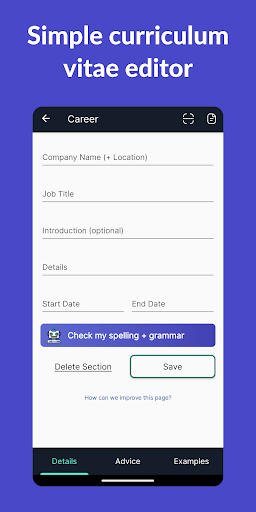
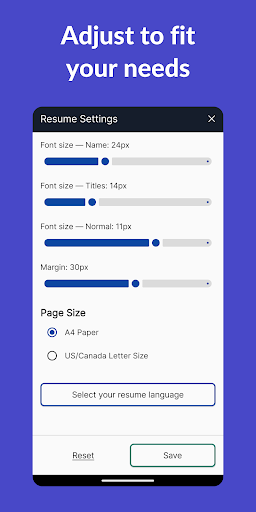
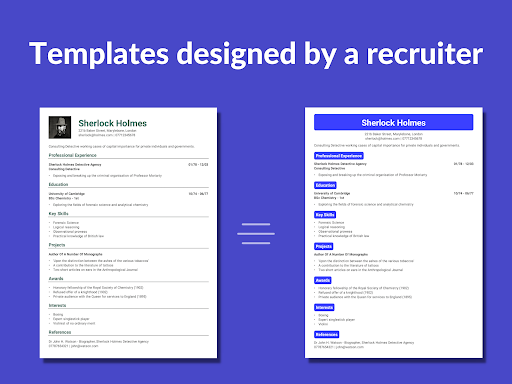
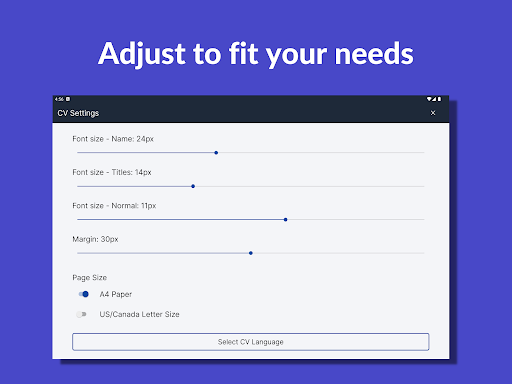
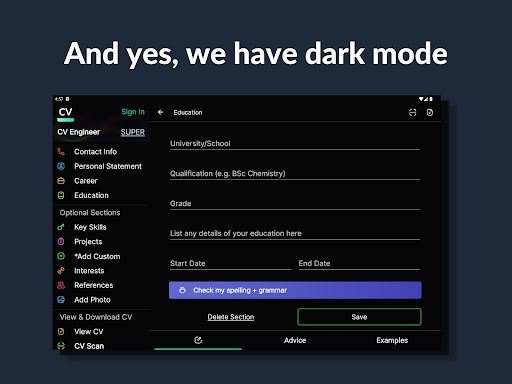
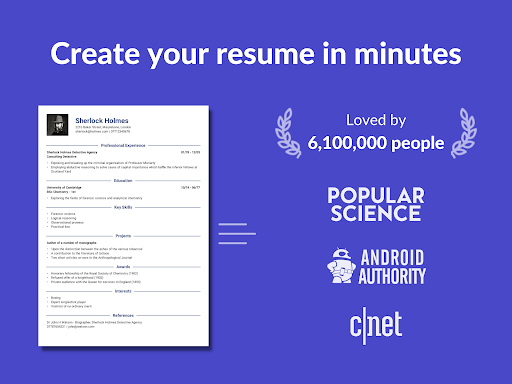
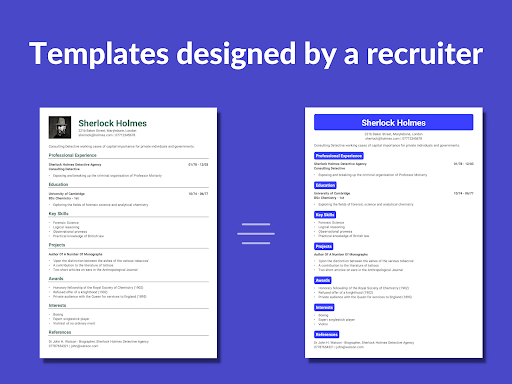
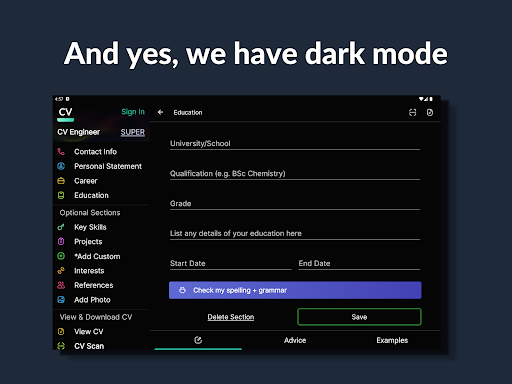
Looking for a free resume builder app? CV Engineer is a simple way to build a PDF resume for your job applications. Featuring helpful examples, advice, and resume templates. All written by a professional recruiter. We ensure you have the perfect CV to impress employers. - Featured on the Play Store in 21 countries - 6,100,000 people have used CV Engineer to help build their resume and find work HOW DOES IT WORKS? Getting started is easy. Choose a professional CV template and then fill it with your information. That's it! We provide examples to help you along the way. FEATURES: Professional CV templates Choose from a selection of resume templates designed by a recruiter. They’re formatted to make your CV easy for hiring managers to read. AI Assistant Use our AI Assistant to help rewrite your CV sections according to best practices. Spelling and grammar correction included. Easy resume editing options and CV writing tools Quickly write and edit your CV. Our resume builder handles the formatting. Use bullet points to present your experience in an easy-to-read format. Create your own custom CV sections Quickly add sections to your resume with custom titles. Perfect if you have experience that doesn’t fit into traditional CV sections. Step-by-step advice on how to write each resume section Advice from a professional recruiter on how to write each section of your CV. Make your resume easy to read for hiring managers and avoid common mistakes. Example CV sections to give you ideas Looking for inspiration? We have examples for each CV section to give you intelligent ideas on what to include. Example resume sections for healthcare, nursing, construction, data science, programming, students, graduates, executives, and sales managers. Our intelligent resume creator can help regardless of your profession! Resume formatting options - font size, margins Format your CV by changing font sizes and margins. This helps to fit your experience onto 1 or 2 pages (the recommended length for a curriculum vitae). Download and share your new PDF resume Easily download and share your CV in PDF format. Save to your device or Google Drive. Share as an attachment via email. Send your curriculum vitae to your contacts for feedback. Add your photo to your CV Upload a professional headshot and add it to your curriculum vitae with our resume creator. Write your resume in another language Want to write a CV in another language? Our resume editor supports English, Spanish, German, French, Indonesian, Italian, Polish, Portuguese, and Turkish. Interview questions and example answers Once you’ve created your resume with our CV maker and applied for jobs, the next step is the interview. We have interview questions and example answers. Dark mode Use our genius CV maker without straining your eyes. CV Engineer makes it easy to create and send resumes. Our resume builder produces a professionally formatted curriculum vitae using your choice of template. WHY WE BUILT CV ENGINEER A…

What Resume Builder - CV Engineer Is Used For

Resume Builder - CV Engineer appears to be a phone app for creating and editing CVs or resumes for job applications. Based on the metadata, it is designed to help users choose a template, enter work history and skills, and format the result into a polished PDF document that can be shared or saved. Its business category and resume-focused description suggest it is commonly used when applying for jobs, updating a current CV, or putting together a first resume.

The app also seems aimed at helping with the writing process itself, not just layout. The metadata mentions examples, section-by-section advice, grammar and spelling correction, and AI-assisted rewriting, which may be useful for people who want help improving how their experience is presented. Permissions such as internet access and storage access are consistent with downloading content, syncing, or exporting the finished resume, while billing and ads indicate it may include monetized features. It may be especially useful on a phone for quick edits, template selection, and exporting a resume before sending it by email or saving it to cloud storage.

Common uses

  • Build a resume or CV from a template
  • Edit job history, education, and skills sections
  • Use examples and advice to shape resume content
  • Rewrite or polish sections with AI-assisted tools
  • Format the CV for a PDF download or shareable file
  • Save the finished resume to device storage or Google Drive
  • Make quick updates on a phone before applying for jobs
Best for:
job seekers resume writing CV editing phone app PDF export

App Details

Package:
sampson.cvbuilder
Category:
Business
Developer:
Matt Callery
Version:
18.01.57
Updated:
Mar 29, 2026
Min Android:
7.0
Age Rating:
Everyone
Contains Ads:
Yes
In-App Purchases:
Yes

Official Listing

  • Official listing available on Google Play
  • Package name: sampson.cvbuilder
  • Age rating: Everyone

Explore More

Browse more apps in Business or explore the Phone hub .

Related Business Apps

LinkedIn: Community & Network icon

LinkedIn: Community & Network

Business LinkedIn

Smarter career moves start here. AI job alerts, insights & the right tools.

Version 4.1.1185.1 90.3 MB ⭐ 4.10 1,000,000,000+ installs
Zoom Workplace icon

Zoom Workplace

Business zoom.com
Version Varies with device 181.9 MB ⭐ 4.10 1,000,000,000+ installs
Microsoft Teams icon

Microsoft Teams

Business Microsoft Corporation

Chat, meet, and collaborate to achieve more together, all in one place on Teams

Version 1416/1.0.0.2026044202 346.8 MB ⭐ 4.70 500,000,000+ installs
Adobe Scan AI PDF Scanner, OCR icon

Adobe Scan AI PDF Scanner, OCR

Business Adobe

Scan and save to multiple files types like PDF, Microsoft Word, JPEG and more.

Version Varies with device 79.3 MB ⭐ 4.70 100,000,000+ installs
File Commander Manager & Vault icon

File Commander Manager & Vault

Business MobiSystems

File manager | Explorer for cloud storage files & folders | Hide private photos.

Version Varies with device 23.1 MB ⭐ 4.20 100,000,000+ installs

How to Download Resume Builder - CV Engineer

If this app is not hosted directly on APKApps official link, then for the safest and most up-to-date version, install it from its official Google Play listing.