About VRTV VR Video Player
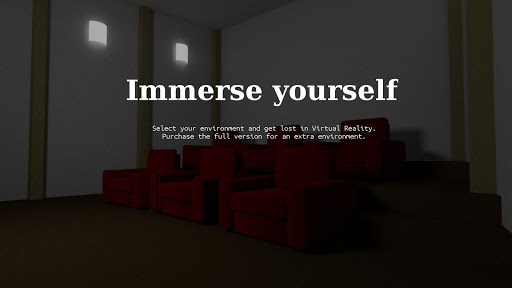
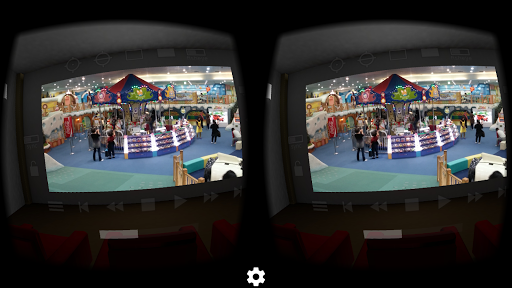
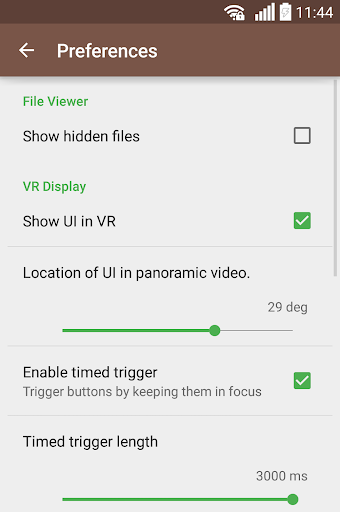
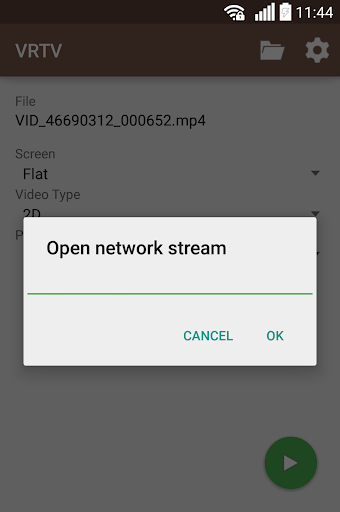
Watch your favorite 2D and 3D videos in VR with VRTV VR Video Player and a Cardboard compatible headset! VRTV features beautiful virtual environments and is the ONLY VR video player that supports watching together with a friend in full synchronised play. VTRV VR Video Player has great support for all common 3D/2D formats and modes including 180, 220, 270 and 360 panoramas and fisheye objective projection. VRTV VR Video Player features: - Synchronization feature! Enjoy watching a movie together with another Cardboard friend! - Subtitles in SRT format, with full support for RTL languages, Unicode characters and automatic encoding detection. - Configurable subtitle size. - Immersive virtual environments. Watch in your own home theater, or in a crafty cave. - Player controls in a great VR UI. - Next/Previous media buttons to switch between videos. - Fully configurable gamepad and keyboard controls. - Supports 3D and 2D movies in a variety of formats: Side by side (SBS), Over and Under (OU, Top and Bottom), Panoramic video in 180 (Dome), 220, 270 and 360 degrees. Also supports fisheye projection videos. - Simple material design. - Uses the latest Cardboard SDK with less drift. - Headset configuration from within the app. Supports several different head trackers, find the one that works best with your phone and eliminate drift. - Streaming files over a network. Open a stream from VRTV or use your favourite browser of file explorer to open streams in VRTV VR Video Player. - Static video mode. For long movies, lock the video in place right in front of you. VR Button guide: - Below screen: Open file browser and Play controls - Left of screen: Subtitle on/off, text size, Sync on/off and Screen lock. Read more about Sync below! - Top of screen: Re-center with timer, SDK re-center (keep horizon level), Screen-type switch, Video type switch (2D/3D Side By Side, 3D Over/Under), and fisheye projection toggle. - Right of screen: Screen size and volume Synchronization instructions: - Synchronization is a feature that keeps a movie in sync between two devices. To enable sync, first set up the IP of the device you wish to sync with in Settings/General, where you can also find the IP of your own device. Do this on both phones so they have each others IP configured. - Select a video to play. If it's a local video it must be present on both devices. - In the VR UI, click the "sync" button on both devices to enable synchronization. - On one of the devices, start the video by pressing the play button. After a small delay, the movie will start playing synchronized on both devices. Seeking and network play is supported! Feature suggestions and bug reports are always welcome! Permission usage: NFC, WRITE_EXTERNAL_STORAGE : Used by the Cardboard SDK to set up and save your headset configuration. ACCESS_WIFI_STATE: Used for finding the IP of your device and displaying it in the Sync settings, to help set up synchronized play with another device. INTERNET…
What VRTV VR Video Player Is Used For
VRTV VR Video Player appears to be a media player focused on watching 2D and 3D videos in a VR headset, especially Cardboard-compatible setups. Based on the metadata, it is commonly used for playing local or streamed video files in immersive virtual environments, with support for different video layouts such as side-by-side, over-under, and panoramic formats. Because it is in the Video Players & Editors category and is listed as a phone app, it is mainly meant for mobile viewing rather than general desktop-style editing.
The app also appears to be useful for viewers who want subtitle support and configurable playback controls while in VR. The listed permissions suggest it may need access to storage for opening video files and network access for streaming media over Wi‑Fi or the internet. The synchronization feature suggests a use case where two people can watch the same video in sync on separate devices, which may be relevant for shared viewing with another headset user. It also includes options for headset configuration, re-centering, and controller input, which points to hands-on VR playback management rather than basic video playback.
Common uses
- Watch 2D and 3D videos in a VR headset
- Play common 3D layouts such as side-by-side and over-under
- View 180, 220, 270, and 360 degree video formats
- Load video files from device storage or network streams
- Use subtitles while watching in VR
- Adjust headset and playback controls for VR viewing
- Sync playback between two devices for shared watching
App Details
Package:
se.chai.vrtv
Developer:
Chai Software
Version:
3.6.1
Updated:
Oct 31, 2024
Min Android:
4.4
Age Rating:
Everyone
Contains Ads:
No
In-App Purchases:
No
Official Listing
-
Official listing available on
Google Play
-
Package name:
se.chai.vrtv
-
Age rating:
Everyone
Related Video Players & Editors Apps
Video Players & Editors
•
Joyo Technology Pte Ltd
Watch and share trending short videos, meet new friends and have fun.
Version 13.2.40.544103
239.5 MB
⭐ 4.00
500,000,000+ installs
Video Players & Editors
•
KineMaster, Video Editor Experts Group
KineMaster, Your Ultimate Video Editor!
Version 8.1.4.36338.GP
148.4 MB
⭐ 4.40
500,000,000+ installs
Video Players & Editors
•
QuVideo Inc. Video Editor & Video Maker App
Sora 2 Compatible Video Editor: Powerful AI Auto-Edits & Trendy Filters in 60s
Version 9.34.0
138.6 MB
⭐ 4.30
500,000,000+ installs
Video Players & Editors
•
Videolabs
Popular open-source media player for Android.
Version Varies with device
27.4 MB
⭐ 4.10
100M+ installs
Video Players & Editors
•
InShot Inc.
Screen recorder with audio to take live videos & Screenshot in high quality!
Version 2.5.0.1
29.4 MB
⭐ 4.70
100,000,000+ installs
Video Players & Editors
•
VIDEOSHOW Video Editor & Maker & AI Chat Generator
Al Video Generator: Photo to Video, Edit Video with Effects, Music, Auto Caption
Version 11.0.3.3
51.8 MB
⭐ 4.50
100,000,000+ installs
How to Download VRTV VR Video Player
If this app is not hosted directly on APKApps official link,
then for the safest and most up-to-date version, install it from its official Google Play listing.