About KSW-ToolKit 3
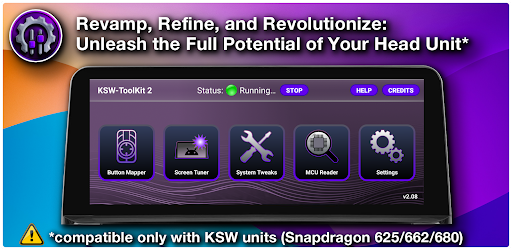
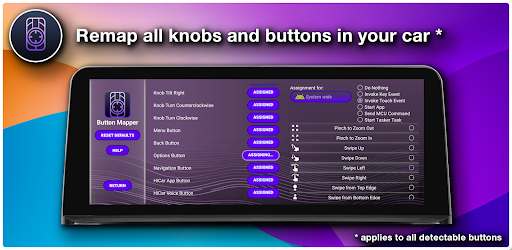
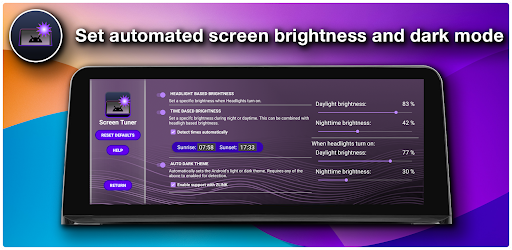
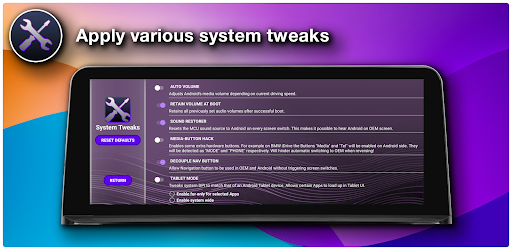
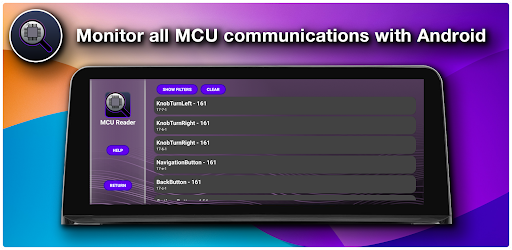
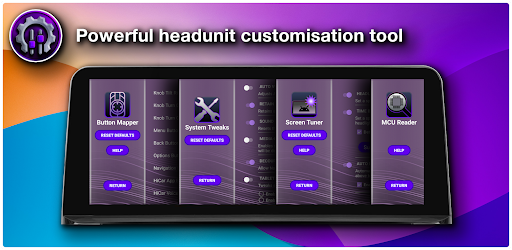
Welcome to KSW-ToolKit, your ultimate solution for optimizing your Aftermarket Android Head Unit experience! Unlock the full potential of your device with our comprehensive suite of features tailored specifically for Snapdragon 625, 662, or 680 devices running Android 10 or higher. With KSW-ToolKit, you can seamlessly remap all detectable knobs and buttons in your car, while also speeding up and improving controller inputs. Whether you want to map buttons for individual apps or invoke specific Android keypresses, touch inputs, or even MCU commands, KSW-ToolKit has you covered. Stay in control and monitor the MCU's communication with Android effortlessly. Our intuitive interface allows you to automate screen brightness based on daytime or enabled headlights, ensuring optimal visibility at all times. Plus, with automated dark theme with ZLink support, your driving experience will be both stylish and functional. But that's not all - KSW-ToolKit offers a plethora of additional system tweaks to enhance your user experience. From app-individual Tablet mode to Sound Restorer, Auto Volume, Decoupled Navigation Button, and more, we provide the tools you need to tailor your device to your preferences. Experience the power of customization and optimization with KSW-ToolKit. Download now and take control of your Aftermarket Android Head Unit like never before!
What KSW-ToolKit 3 Is Used For
KSW-ToolKit 3 appears to be a utility app for aftermarket Android head units used in cars, especially devices based on Snapdragon 625, 662, or 680 hardware running Android 10 or later. Based on the metadata, it is commonly used to customize how a car’s head unit responds to physical controls, such as remapping knobs and buttons, adjusting controller input behavior, and assigning actions like Android keypresses, touch inputs, or MCU commands.
It also appears to focus on day-to-day driving convenience and system tuning. The app may be used to automate screen brightness based on daytime conditions or headlights, switch to a dark theme with ZLink support, and adjust audio or navigation-related behavior. Because it requests permissions such as overlay display, network access, log data, and preventing sleep, it may be intended to interact closely with the system and monitor device behavior while running on a phone-based automotive setup.
Common uses
- Remapping steering-wheel, knob, or button inputs on supported head units
- Assigning app-specific actions or system keypresses to controls
- Automating screen brightness and display behavior for driving conditions
- Adjusting dark theme behavior and ZLink-related display options
- Tuning audio and navigation button behavior on compatible devices
- Monitoring MCU communication with Android on supported systems
- Applying additional system tweaks for aftermarket head unit use
App Details
Package:
tech.snaggle.ksw_toolkit
Developer:
SnaggleTech
Version:
Varies with device
Min Android:
Varies with device
Age Rating:
Everyone
Contains Ads:
No
In-App Purchases:
Yes
Official Listing
-
Official listing available on
Google Play
-
Package name:
tech.snaggle.ksw_toolkit
-
Age rating:
Everyone
Related Auto & Vehicles Apps
Auto & Vehicles
•
CAR SCANNER LLC
Trip computer+car diagnostic tool with widest variety of features and dashboard!
Version 2.1.3
77.2 MB
⭐ 4.70
10,000,000+ installs
Auto & Vehicles
•
Appwest Limited
Find radar, speed camera, flight tracker. Use hud, location tracker, speedometer
Version 5.37.2
55.7 MB
⭐ 4.10
10,000,000+ installs
Auto & Vehicles
•
Infocar Co., Ltd.
Infocar is a smart vehicle management app
Version 2.29.1
49.3 MB
⭐ 3.90
10,000,000+ installs
Auto & Vehicles
•
Outils OBD Facile
Measure Torque and be your own mechanic with an ELM 327 OBD2 car code reader.
Version 3.84.1158
45.5 MB
⭐ 4.30
5,000,000+ installs
Auto & Vehicles
•
Naz Digital
Version 1.7.3
⭐ 4.00
5,000,000+ installs
Auto & Vehicles
•
Sygic.
Car management, gas prices, consumption, expenses, mileage log, GPS tracker
Version 9.20.1
21.0 MB
⭐ 4.30
5,000,000+ installs
How to Download KSW-ToolKit 3
If this app is not hosted directly on APKApps official link,
then for the safest and most up-to-date version, install it from its official Google Play listing.