






About Pupil Distance PD Glasses & VR
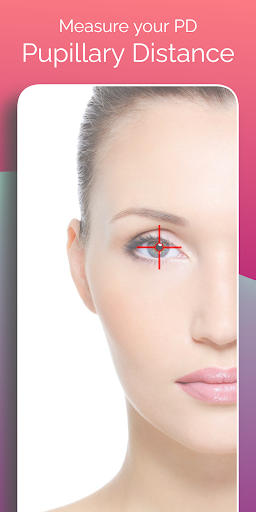
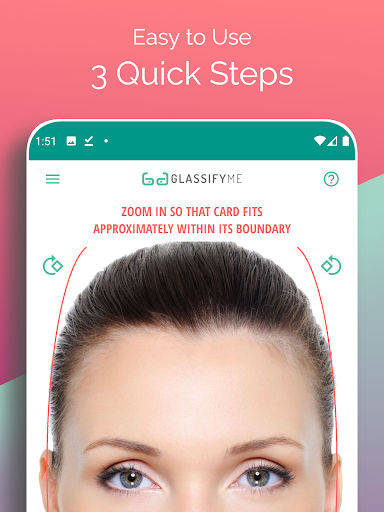
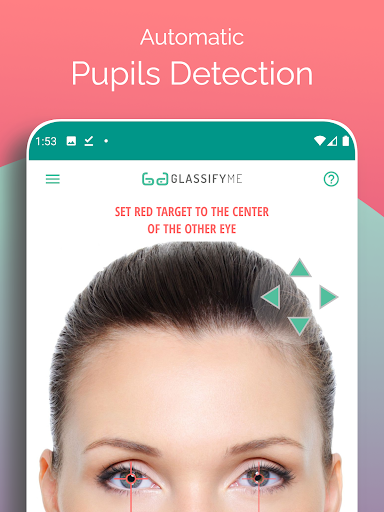
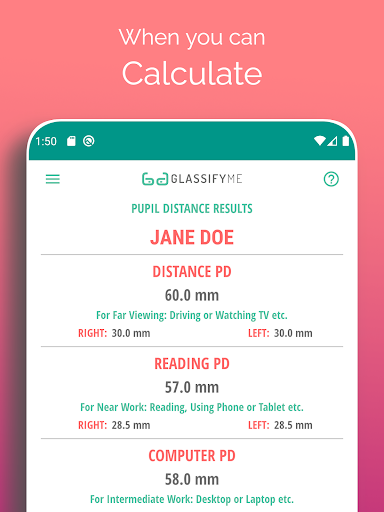
#1 Top Ranked App for measuring Pupillary Distance also known as PD. PD Meter App by GlassifyMe is the perfect tool to measure your Pupillary Distance (PD) quickly and accurately. Simply take a picture holding a standard sized card with the magnetic strip facing the camera and let us do the rest. Note: Using a credit card is NOT required, nor recommended. Please use a points or rewards card. The card is only used for the purpose of reference sizing. What is PD? PD, short for Pupillary Distance, is the distance between the center of your pupils in millimeters. This measurement is important during the manufacturing of your prescription glasses to ensure you get proper vision. This measurement is also needed for your VR (Virtual Reality) headsets. Why PD Meter App? • Measure your Distance and Reading PD in 3 quick steps • Automatically detects your eyes and pupils • Advanced algorithm that calculates and gives precise results • Take a selfie, ask a friend to take your picture, or import photo from gallery. ** Watch the full video tutorial at https://youtu.be/eIuSNoEZWig
What Pupil Distance PD Glasses & VR Is Used For
Pupil Distance PD Glasses & VR appears to be a phone app for measuring pupillary distance, often called PD, which is the space between the centers of the pupils in millimeters. Based on the metadata, people may use it when ordering prescription glasses so the lens alignment can be matched to their eyes. It also mentions VR headsets, so it may be useful for users who want to check a PD measurement for virtual reality device fit or setup.
The app description suggests a photo-based workflow: the user takes a selfie or imports a photo while holding a standard-sized card for scale reference. That means the app likely depends on the camera and may also use storage access for importing images from the gallery. The permissions list includes camera, storage, network access, and flashlight control, which fits an app that captures images, processes them, and may connect online for support or licensing checks. It is best understood as a measurement tool rather than a general health app.
The app description suggests a photo-based workflow: the user takes a selfie or imports a photo while holding a standard-sized card for scale reference. That means the app likely depends on the camera and may also use storage access for importing images from the gallery. The permissions list includes camera, storage, network access, and flashlight control, which fits an app that captures images, processes them, and may connect online for support or licensing checks. It is best understood as a measurement tool rather than a general health app.
Common uses
- Measure pupillary distance for eyeglass ordering
- Check distance and reading PD values
- Use a selfie or a photo taken by another person
- Import an existing photo from the gallery
- Use a standard-sized card as a reference for scaling
- Estimate PD for VR headset-related setup
- Work as a phone-based measurement tool
App Details
Package:
techpositive.glassifyme
techpositive.glassifyme
Category:
Health & Fitness
Health & Fitness
Developer:
Tech+Beyond
Tech+Beyond
Version:
1.7.3
1.7.3
Updated:
Aug 15, 2024
Aug 15, 2024
Min Android:
6.0
6.0
Age Rating:
Everyone
Everyone
Contains Ads:
No
No
In-App Purchases:
No
No
Official Listing
- Official listing available on Google Play
- Package name: techpositive.glassifyme
- Age rating: Everyone
Explore More
Browse more apps in Health & Fitness or explore the Phone hub .
Related Health & Fitness Apps
How to Download Pupil Distance PD Glasses & VR
If this app is not hosted directly on APKApps official link, then for the safest and most up-to-date version, install it from its official Google Play listing.