About SmartCast - USB Screen Share
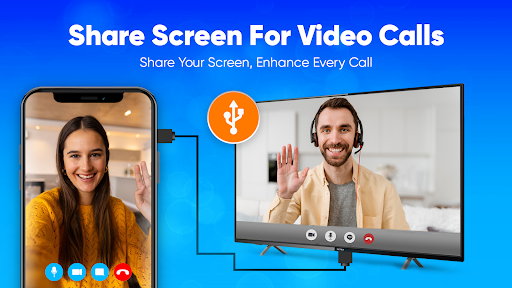
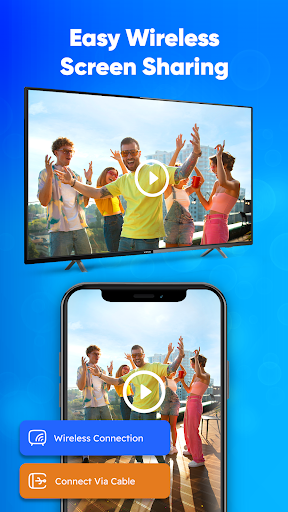
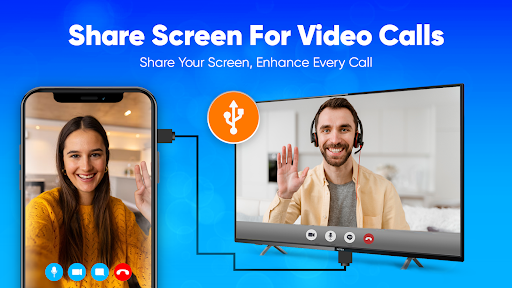
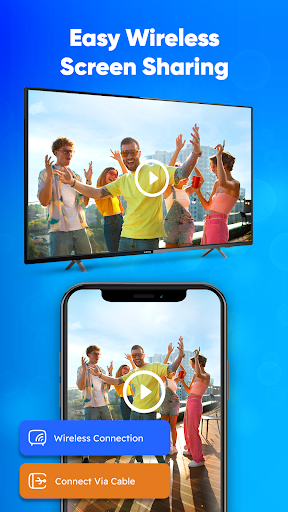
USB Screen Sharing – Cast Phone to TV Easily Enjoy your favorite content on a bigger screen with USB Screen Share. This screen mirroring app allows you to connect your phone to your Smart TV using a USB cable or wirelessly without needing Wi-Fi. Whether you're streaming videos, sharing photos, or giving presentations, casting your phone screen to TV has never been easier. Connect via USB or Wireless With this TV USB connection app, you can connect your mobile to TV using USB, HDMI, or wireless connection. No extra tools or Wi-Fi are required. Use mobile phone cables or USB tethering to start screen sharing instantly. It supports USB projection and USB output for smooth playback on Smart TVs. Mirror Your Phone Screen Mirror phone to TV and enjoy high-quality content display with our screen cast features. Share screen for videos, apps, or even games directly to your TV. The USB mirror function ensures stable, lag-free screen display using your existing phone connector. Easy Screen Sharing Whether it’s a family photo slideshow or streaming your favorite show, SmartCast and screen share functions let you display content effortlessly. This viewer tool supports both wired and wireless screen sharing. Use it as a phone projector for larger screen entertainment. Compatible with Most TVs USB Screen Cast supports Smart TVs with HDMI or USB input. It acts as a TV USB connector that offers broad compatibility. No need for external devices—just connect your phone and start casting. Top Features USB screen cast without Wi-Fi Screen mirroring via cable or wireless USB driver-free connection Fast screen share for TV apps and videos Smart TV cast with USB or cableless options Easy setup, no advanced steps Supports display mirroring and phone screen display Works as a screenshare and wirecast tool Transform your screen sharing experience with a fast, easy, and reliable connection between your mobile and TV using USB Screen Share.
What SmartCast - USB Screen Share Is Used For
SmartCast - USB Screen Share appears to be a phone app for mirroring an Android device’s display to a TV or other larger screen. Based on the metadata, it may be used to show videos, photos, apps, or games on a Smart TV using a USB cable, HDMI connection, or wireless method, with the goal of making phone content easier to view on a bigger display.
The app’s permissions and description suggest it relies on network access for some features, while the “prevent device from sleeping” permission may help keep screen sharing sessions active during playback or presentations. Because it is listed as a Personalization app, it seems oriented toward display and screen-sharing use rather than file management or media editing. It may be most relevant for people who want a simple phone-to-TV viewing setup without needing extra hardware or a separate streaming device.
Common uses
- Mirror a phone screen to a TV for larger viewing
- Display photos, videos, apps, or games on a bigger screen
- Use USB, HDMI, or wireless connection options when available
- Keep playback or sharing sessions active during longer viewing
- Set up phone-to-TV sharing for home use or basic presentations
- Work with Smart TVs that support HDMI or USB input
App Details
Package:
usbscreenshare.phonetotv.usbconnector.phonetotvusb.hdmi.smartcast
Developer:
SwiftBiz Apps
Version:
Varies with device
Min Android:
Varies with device
Age Rating:
Everyone
Contains Ads:
Yes
In-App Purchases:
Yes
Official Listing
-
Official listing available on
Google Play
-
Package name:
usbscreenshare.phonetotv.usbconnector.phonetotvusb.hdmi.smartcast
-
Age rating:
Everyone
Related Personalization Apps
Business
•
Shenzhen Junan Technology Co., Ltd
Version 6.0.1
⭐ 4.60
100,000+ installs
Lifestyle
•
Nest Labs Inc.
Your home in your hand
Version 5.76.0.8
79.4 MB
⭐ 3.85
10,000,000+ installs
How to Download SmartCast - USB Screen Share
If this app is not hosted directly on APKApps official link,
then for the safest and most up-to-date version, install it from its official Google Play listing.