Weather - Live Radar & Widgets icon

Phone

Weather - Live Radar & Widgets

Weather 1 Bit ⭐ 4.90 100+
Version 1.01.9 Everyone

Screenshots

Weather - Live Radar & Widgets screenshot
Permissions Explained 11 permissions requested View details

This app requests 11 permissions. The table below explains what each permission may allow and what users should review before installing.

Status Permission What it means Why it may be used User safety note
ℹ️ Review Approximate Location (network Based) approximate location (network-based) This is an Android permission or app-specific permission requested by the app. The app may use this permission for features related to its category, device support, background behavior, storage, connectivity, or system integration. Review this permission before installing, especially if it does not match the app’s expected purpose.
ℹ️ Review Precise Location (gps And Network Based) precise location (GPS and network-based) This is an Android permission or app-specific permission requested by the app. The app may use this permission for features related to its category, device support, background behavior, storage, connectivity, or system integration. Review this permission before installing, especially if it does not match the app’s expected purpose.
ℹ️ Review View Wi Fi Connections view Wi-Fi connections This is an Android permission or app-specific permission requested by the app. The app may use this permission for features related to its category, device support, background behavior, storage, connectivity, or system integration. Review this permission before installing, especially if it does not match the app’s expected purpose.
ℹ️ Review View Network Connections view network connections This is an Android permission or app-specific permission requested by the app. The app may use this permission for features related to its category, device support, background behavior, storage, connectivity, or system integration. Review this permission before installing, especially if it does not match the app’s expected purpose.
ℹ️ Review Full Network Access full network access This is an Android permission or app-specific permission requested by the app. The app may use this permission for features related to its category, device support, background behavior, storage, connectivity, or system integration. Review this permission before installing, especially if it does not match the app’s expected purpose.
ℹ️ Review Run At Startup run at startup This is an Android permission or app-specific permission requested by the app. The app may use this permission for features related to its category, device support, background behavior, storage, connectivity, or system integration. Review this permission before installing, especially if it does not match the app’s expected purpose.
ℹ️ Review Set Wallpaper set wallpaper This is an Android permission or app-specific permission requested by the app. The app may use this permission for features related to its category, device support, background behavior, storage, connectivity, or system integration. Review this permission before installing, especially if it does not match the app’s expected purpose.
ℹ️ Review Draw Over Other Apps draw over other apps This is an Android permission or app-specific permission requested by the app. The app may use this permission for features related to its category, device support, background behavior, storage, connectivity, or system integration. Review this permission before installing, especially if it does not match the app’s expected purpose.
ℹ️ Review Prevent Device From Sleeping prevent device from sleeping This is an Android permission or app-specific permission requested by the app. The app may use this permission for features related to its category, device support, background behavior, storage, connectivity, or system integration. Review this permission before installing, especially if it does not match the app’s expected purpose.
ℹ️ Review Set An Alarm set an alarm This is an Android permission or app-specific permission requested by the app. The app may use this permission for features related to its category, device support, background behavior, storage, connectivity, or system integration. Review this permission before installing, especially if it does not match the app’s expected purpose.
ℹ️ Review Google Play License Check Google Play license check This is an Android permission or app-specific permission requested by the app. The app may use this permission for features related to its category, device support, background behavior, storage, connectivity, or system integration. Review this permission before installing, especially if it does not match the app’s expected purpose.

About Weather - Live Radar & Widgets

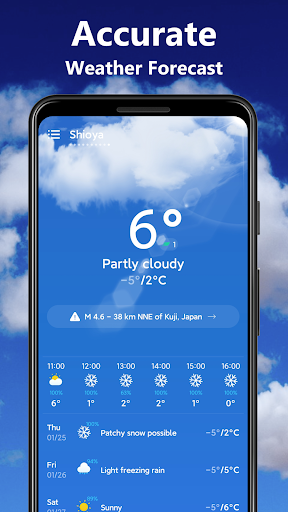
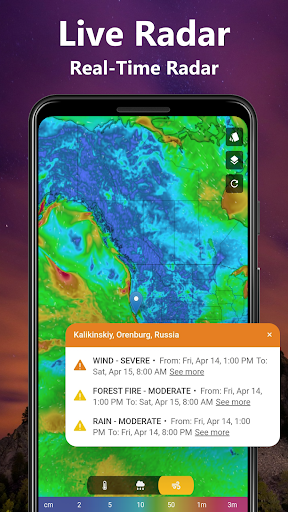
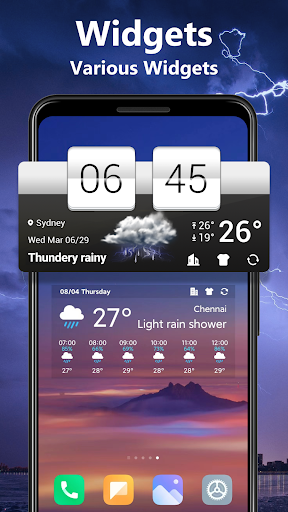
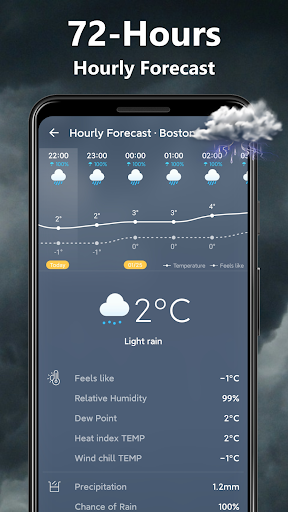
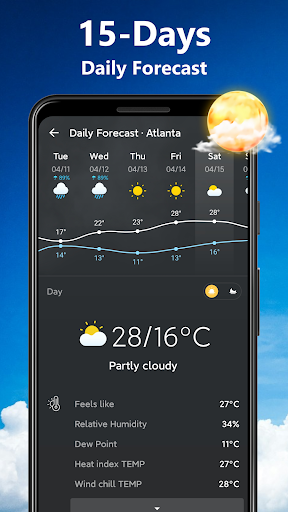
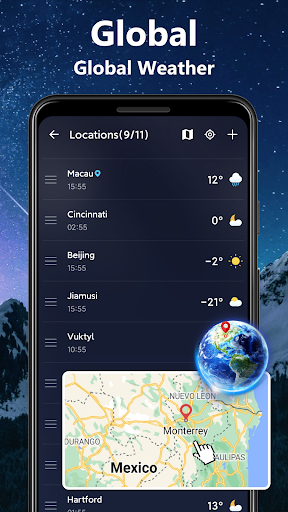
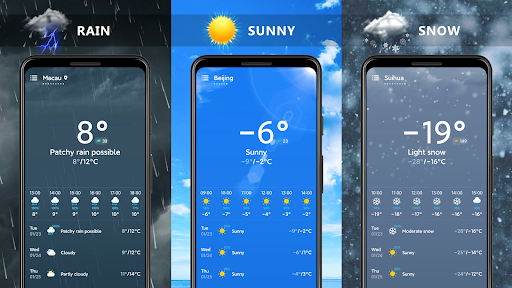
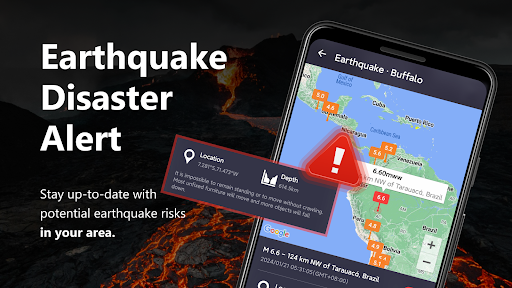
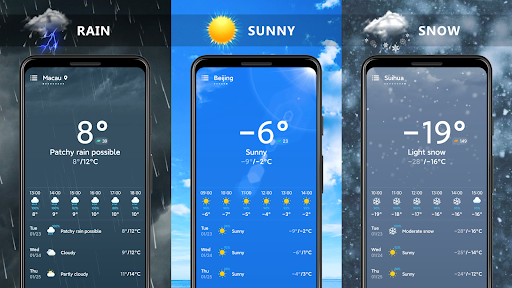
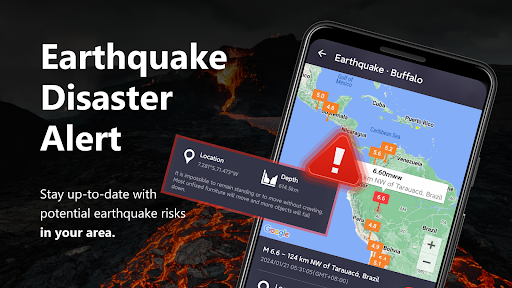
This weather app(ForecasterX) can provide you with accurate and detailed weather forecast information, live weather radar and various styles of weather widgets. ☔️⛅️ See realistic sun rays for clear days, rain, snow or thunderstorm weather animations, the moon’s glow and the stars at night, shooting stars, moving clouds and many more weather animations.☀️ ❄️ Prepare for your day with accurate current conditions, chance of precipitation, hourly and daily forecasts.💯💯 Real weather information - Display the real-time temperature and weather type. 72-Hours weather forecast information - Master the Hourly dynamics, calmly prepare for travel. 14-Days weather forecast information - Master the daily dynamics, prepare for your per day. Accurate and detailed weather information - You can get not only temperature information, but also feels like, humidity, visibility, Dew Point, UV index, air pressure, wind speed, sunrise and sunset, moonrise and moonset. Extreme weather alert - Receive early warnings about severe weather conditions. Stay ahead of any potential disasters by taking necessary precautions. Weather radar map - Track weather patterns using the local and live weather radar. View the radar map under different conditions to anticipate any approaching storms or changes in weather. Weather Widgets - The application contains various exquisite widget styles, you can choose your favorite style and appearance to beautify your desktop. Weather notification bar - There are different styles of weather notification bars, and they are updated in real-time. You don't need to open the weather app or go back to the desktop to check the weather. Global Weather - This accurate weather app allows you to add global cities to the list and get real-time local weather forecast information. No matter where you are, you can bring this weather app! Earthquakes - Stay prepared for seismic events by checking earthquake forecasts through your weather app. This will allow you to stay up-to-date with potential earthquake risks in your area. Download this weather app, no matter where you are, the weather app can provide you with accurate and detailed weather forecast information, including hourly, daily and weekly weather forecasts. You can also view detailed local and global weather reports in the app. discover weather changes anytime, anywhere. Weather information at your fingertips.✨ ✨

What Weather - Live Radar & Widgets Is Used For

Weather - Live Radar & Widgets appears to be a phone weather app for checking current conditions and planning around changing weather. Based on the metadata, it may be used to view real-time temperature, hourly and daily forecasts, precipitation chances, and broader weather details such as humidity, wind, UV index, sunrise and sunset times, and air pressure. The app also mentions live radar, which suggests it can help users follow nearby weather systems and possible storm movement.

The app may be especially useful for people who want weather information on their home screen, since it includes widgets and notification bar updates. It also references severe weather alerts, global city forecasts, and earthquake-related information, so it appears aimed at everyday weather monitoring as well as travel planning and checking conditions in multiple locations. Permissions like precise and approximate location, network access, and startup behavior are consistent with an app that updates weather for the user’s current area and refreshes data in the background.

Common uses

  • Check current local weather conditions
  • View hourly and 14-day forecasts
  • Follow live radar for weather movement
  • Use home screen widgets for quick updates
  • Review details like humidity, wind, and UV index
  • Track weather for multiple cities
  • Receive weather-related alerts and notifications
Best for:
Daily weather checks Home screen widgets Travel planning Storm monitoring Multi-city weather

App Details

Package:
weather.weatherforcast.accuweather.weatherchannel.platinum
Category:
Weather
Developer:
1 Bit
Version:
1.01.9
Updated:
Aug 21, 2024
Min Android:
7.0
Age Rating:
Everyone
Contains Ads:
No
In-App Purchases:
No

Official Listing

  • Official listing available on Google Play
  • Package name: weather.weatherforcast.accuweather.weatherchannel.platinum
  • Age rating: Everyone

Explore More

Browse more apps in Weather or explore the Phone hub .

Related Weather Apps

Weather Live icon

Weather Live

Weather Nuts Mobile Inc.
Version 1.4.0 ⭐ 4.60 1,000+ installs

How to Download Weather - Live Radar & Widgets

If this app is not hosted directly on APKApps official link, then for the safest and most up-to-date version, install it from its official Google Play listing.