AI Photo Enhancer - Evoke icon

Phone

AI Photo Enhancer - Evoke

Photography Guru AI Lab ⭐ 4.40 1,000,000+
Version 3.4.2-26011560 Teen

Screenshots

AI Photo Enhancer - Evoke screenshot
Permissions Explained 11 permissions requested View details

This app requests 11 permissions. The table below explains what each permission may allow and what users should review before installing.

Status Permission What it means Why it may be used User safety note
ℹ️ Review Read Phone Status And Identity read phone status and identity This is an Android permission or app-specific permission requested by the app. The app may use this permission for features related to its category, device support, background behavior, storage, connectivity, or system integration. Review this permission before installing, especially if it does not match the app’s expected purpose.
ℹ️ Review Read The Contents Of Your Usb Storage read the contents of your USB storage This is an Android permission or app-specific permission requested by the app. The app may use this permission for features related to its category, device support, background behavior, storage, connectivity, or system integration. Review this permission before installing, especially if it does not match the app’s expected purpose.
ℹ️ Review Modify Or Delete The Contents Of Your Usb Storage modify or delete the contents of your USB storage This is an Android permission or app-specific permission requested by the app. The app may use this permission for features related to its category, device support, background behavior, storage, connectivity, or system integration. Review this permission before installing, especially if it does not match the app’s expected purpose.
ℹ️ Review Take Pictures And Videos take pictures and videos This is an Android permission or app-specific permission requested by the app. The app may use this permission for features related to its category, device support, background behavior, storage, connectivity, or system integration. Review this permission before installing, especially if it does not match the app’s expected purpose.
ℹ️ Review View Wi Fi Connections view Wi-Fi connections This is an Android permission or app-specific permission requested by the app. The app may use this permission for features related to its category, device support, background behavior, storage, connectivity, or system integration. Review this permission before installing, especially if it does not match the app’s expected purpose.
ℹ️ Review View Network Connections view network connections This is an Android permission or app-specific permission requested by the app. The app may use this permission for features related to its category, device support, background behavior, storage, connectivity, or system integration. Review this permission before installing, especially if it does not match the app’s expected purpose.
ℹ️ Review Full Network Access full network access This is an Android permission or app-specific permission requested by the app. The app may use this permission for features related to its category, device support, background behavior, storage, connectivity, or system integration. Review this permission before installing, especially if it does not match the app’s expected purpose.
ℹ️ Review Control Vibration control vibration This is an Android permission or app-specific permission requested by the app. The app may use this permission for features related to its category, device support, background behavior, storage, connectivity, or system integration. Review this permission before installing, especially if it does not match the app’s expected purpose.
ℹ️ Review Prevent Device From Sleeping prevent device from sleeping This is an Android permission or app-specific permission requested by the app. The app may use this permission for features related to its category, device support, background behavior, storage, connectivity, or system integration. Review this permission before installing, especially if it does not match the app’s expected purpose.
ℹ️ Review Read Google Service Configuration read Google service configuration This is an Android permission or app-specific permission requested by the app. The app may use this permission for features related to its category, device support, background behavior, storage, connectivity, or system integration. Review this permission before installing, especially if it does not match the app’s expected purpose.
ℹ️ Review Receive Data From Internet receive data from Internet This is an Android permission or app-specific permission requested by the app. The app may use this permission for features related to its category, device support, background behavior, storage, connectivity, or system integration. Review this permission before installing, especially if it does not match the app’s expected purpose.

About AI Photo Enhancer - Evoke

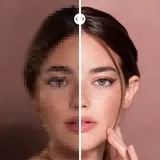
Revive your old photos with the best AI photo enhancer: Evoke - AI Photo Enhancer! 🥰 Powered by Gemini 2.5 Flash Image, our app delivers high-quality image generation with consistent details and reliable character preservation. No matter whether your photos are black-and-white, yellowed, faded, scratched, blurred, or wrinkled, this AI photo enhancer app, will instantly fix them to be clearer than ever!✨ Beyond bringing old photos back to life, we also support AI video generation. With advanced models like Veo 3, Sora 2 setting new benchmarks, we make photo-to-video creation effortless, fun, and uniquely personal. Please rest assured, we are not exaggerating. Your enhanced photos will instantly become high-definition, vivid, and colorful as if you just witnessed and experienced that precious moment with Evoke - AI Photo Enhancer. Inspired by cutting-edge models, we focus on making photo-to-video creation fun, intuitive, and personal. The app leverages Google's Gemini 2.5 Flash Image (Nano Banana) model to ensure consistency, clarity, and a natural generation experience. If you use Evoke - AI Photo Enhancer, you will definitely be satisfied with the enhanced photos and give them a wow. 🌟Key Features🌟 Advanced AI Technology This photo enhancer app has the most advanced and cutting-edge AI technology. Evoke - AI Photo Enhancer will perform intelligent recognition, especially for human faces. The super algorithm will make the ultimate high-definition restoration. Its fast, powerful, and efficient working ability will complete the enhancement in the blink of an eye. Enhance Quickly restore and unblur all details in photos and make them clearer than ever. Every strand of hair and every part of the skin will be delicately restored, let alone hair accessories, earrings, necklaces, clothing, and backgrounds. Perfectly restore the moment of real shooting with 1 click with Evoke - AI Photo Enhancer. Colorize Bring back the life to your black-and-white photos. The colorization feature of Evoke - AI Photo Enhancer will magically add color to your nostalgic images, giving them a fresh and vivid look. Relive your cherished family memories with a burst of color. Descratch Restore your wrinkled and scratched photos with our advanced descratch feature. The AI algorithms of Evoke - AI Photo Enhancer will intelligently repair any imperfections, ensuring that your old photos regain their original charm. AI Portraits Have you ever wondered if there might be a parallel universe where you have a divergent life? You may have a different gender, job, body shape, age, and life experience. Now you can find out with Evoke - AI Photo Enhancer! Simply choose your desired theme, submit your photo, and wait for the powerful AI to generate fun portraits, bringing your wildest dreams to life. Experience the fun of seeing yourself as a stunning bride, a gentleman in a tailored suit, a pregnant woman, a professional doctor, a bodybuilder, and other interesting roles! 💡How to Use💡 1…

What AI Photo Enhancer - Evoke Is Used For

AI Photo Enhancer - Evoke is a photography app that appears to focus on improving and transforming images on a phone. Based on the metadata, people may use it to restore old or low-quality photos, reduce blur, colorize black-and-white pictures, and make faded or scratched images look clearer. The app also mentions AI-generated image enhancement, so it seems aimed at users who want quick visual cleanup and refresh of personal photos.

The description also suggests some related creative tools beyond still images, including photo-to-video generation. That may make it useful for creating short, more animated versions of photos or experimenting with AI-driven media edits. Because the app requests storage, camera, and network permissions, it likely needs access to your device files for editing, may use the camera for capturing new images, and may connect to online services to process content. It is a phone app, so it appears intended for everyday mobile photo editing rather than a desktop workflow.

Common uses

  • Restore old, faded, or scratched photos
  • Enhance blurry or low-detail images
  • Colorize black-and-white pictures
  • Edit personal photos on a phone
  • Create AI-based photo-to-video content
  • Use storage access to open and save image files
  • Use camera access for taking or importing new photos
Best for:
photo restoration AI image editing mobile photo tools family photo cleanup creative media edits

App Details

Package:
ai.photo.enhancer.ig.tiktok.editor.remini.pixelup.hd.free
Category:
Photography
Developer:
Guru AI Lab
Version:
3.4.2-26011560
Updated:
Mar 27, 2026
Min Android:
7.0
Age Rating:
Teen
Contains Ads:
Yes
In-App Purchases:
Yes

Official Listing

  • Official listing available on Google Play
  • Package name: ai.photo.enhancer.ig.tiktok.editor.remini.pixelup.hd.free
  • Age rating: Teen

Explore More

Browse more apps in Photography or explore the Phone hub .

Related Photography Apps

Pixlr AI Photo & Video Editor icon

Pixlr AI Photo & Video Editor

Photography Pixlr Pte Ltd

AI Photo Retouch & Image Generation. Express Collage Design and Editing.

Version 3.8.3 74.7 MB ⭐ 4.10 100,000,000+ installs
Photo Studio: Photo Editor App icon

Photo Studio: Photo Editor App

Photography KVADGroup App Studio

Magic eraser photo editor filter! Profile picture maker! Blend photos Live photo

Version 2.10.1.4917 32.9 MB ⭐ 4.70 50,000,000+ installs
Lightleap by Lightricks icon

Lightleap by Lightricks

Photography Lightricks Ltd.

Retouch, sharpen, blur, add gradients, apply instant presets, filters & effects

Version 1.6.1 110.3 MB ⭐ 4.00 10,000,000+ installs
PhotoApp - AI Photo Enhancer icon

PhotoApp - AI Photo Enhancer

Photography ScaleUp

Enhance photo quality with AI Photo Enhancer. Restore & unblur old photos.

Version 2.9.5 101.6 MB ⭐ 4.20 10,000,000+ installs

How to Download AI Photo Enhancer - Evoke

If this app is not hosted directly on APKApps official link, then for the safest and most up-to-date version, install it from its official Google Play listing.