About Magic DosBox
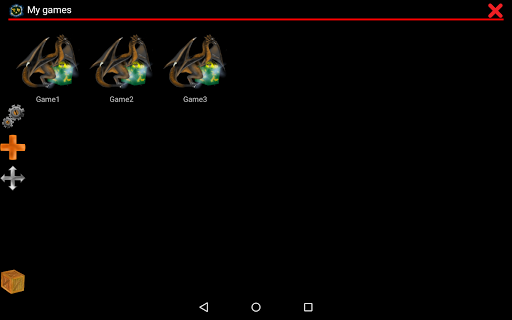
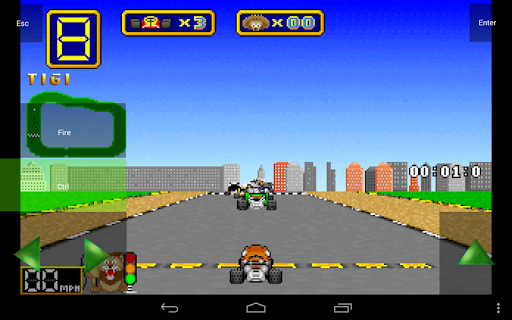
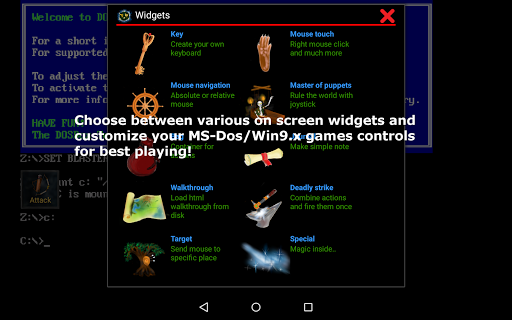
A highly optimized and fast DOSBox port for Android with unique control system for playing anywhere you are without need of external hardware. Play favorite DOS and Windows games with full mouse, keyboard, sound and gamepad support with friends through IPX network. It was originally developed by DOSBOX team and allows you to run games and applications for DOS platform. This port is highly optimized for touch devices. The main focus is to play your old games anywhere where you don't have external hardware with you. This is donated version, it has all widgets to disposition and without limit on number of games in collection. Please visit our website for widgets and other documentation. It helps you with start. You can find there info how to add game to collection, how to create on screen buttons or virtual dpad and how to style them. Features : - game collection, every game profile can be highly customizable - possibility to create game shortcut on desktop - export/import/duplicate profile with whole designed layout. Serves for sharing layouts between friends - multi-language support (slovak, english, german, russian, french) - 10 types of various on-screen widgets/buttons with dozens settings (3 widgets in free version) - On-screen widgets : Key, Mouse, Absolute and relative switch, Dpad, Widgets grouping widget, Notes, Walkthrough, Combo, and more … - various modes, main are design mode and play mode - unlimited number of on-screen widgets/buttons with custom image, text, background image and custom position on screen. Text and Image inside widget can be resized and positioned by your needs - dozens painted images and background images for widgets styling. Possibility to add your own - absolute and relative mouse - support for samsung stylus include its button - support for x360 joystick, nvidia shield controller and other external gamepads - support for physical mouse - support for sound blaster and pc speaker - mappable swipes gestures - longpress, double tap, two-point gestures - support for *.iso, *.gog, *.inst and *cue ogg support - in-game screenshots with gallery. Useful if you need something remember in adventure or rpg - fast emulation with plenty optimizations - orientation lock to landscape or portrait - resizable screen with custom position - support for networking - IPX and serial modem. - forum and website - support for android 4.0+ Magic Dosbox is dosbox port for android. It is result of hard work.You can look at our website imejl.sk for more information. It is still under development, but can help you to orientate. Please refer to home page for details and GPL Please note : Games are not included. It is emulator which can run your own dos games. Screenshots are used to show Magic Dosbox abilities and functionality only in truthful and non-deceptive manner !! The screenshots shown here reflect some of the numerous features and functions of MagicDosbox. The games shown there are copyrighted by 3D Realms and Cauldron and we use the…
What Magic DosBox Is Used For
Magic DosBox appears to be a DOSBox-based app for running classic DOS programs and games on Android phones. Based on the metadata, it is mainly used to play older PC games on touch devices without needing external hardware, while still supporting mouse, keyboard-style input, gamepads, and sound options. Its tools-oriented category and phone-focused design suggest it is meant for people who want portable access to retro DOS titles and DOS applications.
The app also seems to be built around custom control layouts. The description mentions on-screen widgets, profile customization, shortcuts, and import/export options, which suggests users may set up different control schemes for different games. Permissions such as USB storage access and network access fit this use case because the app may need to load game files from storage and support features like shared play over IPX network. It also includes options that appear useful for touch play, such as swipe gestures, virtual D-pad controls, and stylus or external controller support.
Common uses may include organizing a library of DOS games, creating per-game control profiles, and launching games from shortcuts. It may also be used for adventure or RPG titles where custom buttons, screenshots, and walkthrough notes can help during play.
Common uses
- Run DOS games and DOS applications on an Android phone
- Create custom touch controls for different games
- Use a gamepad, mouse, or stylus when available
- Organize a collection of individual game profiles
- Save and share control layouts or profile setups
- Access game files from USB storage
- Support network play features such as IPX connections
App Details
Package:
bruenor.magicbox
Developer:
Bruenor
Version:
1.0.104
Updated:
Oct 26, 2025
Min Android:
6.0
Age Rating:
Everyone
Contains Ads:
No
In-App Purchases:
No
Official Listing
-
Official listing available on
Google Play
-
Package name:
bruenor.magicbox
-
Age rating:
Everyone
Related Tools Apps
Business
•
MobiSystems
Version 14.4.51693
⭐ 4.50
1,000,000+ installs
Tools
•
SkillDevs SC
Version 3.27.1
⭐ 4.30
500,000+ installs
How to Download Magic DosBox
If this app is not hosted directly on APKApps official link,
then for the safest and most up-to-date version, install it from its official Google Play listing.