Sketchbook icon

Phone

Sketchbook

Art & Design Sketchbook ⭐ 4.00 100,000,000+
Version Varies with device 41.2 MB Everyone

Screenshots

Sketchbook screenshot
Permissions Explained 10 permissions requested View details

This app requests 10 permissions. The table below explains what each permission may allow and what users should review before installing.

Status Permission What it means Why it may be used User safety note
⚠️ Sensitive Modify external storage android.permission.WRITE_EXTERNAL_STORAGE Allows the app to write or modify files in shared device storage. Used for saving downloads, media files, exports, edited documents, backups, or cached content. Sensitive permission. Make sure file access matches the app’s purpose.
⚠️ Sensitive Read phone state android.permission.READ_PHONE_STATE Allows the app to access phone status and device-related information. Used for call handling, carrier services, device identification, account security, or playback interruption handling. Sensitive permission. Review whether the app has a clear phone-related reason.
Common Internet access android.permission.INTERNET Allows the app to open network connections and communicate with online services. Commonly used for streaming, syncing, login, ads, analytics, downloads, cloud features, and app updates. Common permission. Review the app’s behavior if it does not appear to need online access.
ℹ️ Review Access Wifi State android.permission.ACCESS_WIFI_STATE This is an Android permission or app-specific permission requested by the app. The app may use this permission for features related to its category, device support, background behavior, storage, connectivity, or system integration. Review this permission before installing, especially if it does not match the app’s expected purpose.
Common View network status android.permission.ACCESS_NETWORK_STATE Allows the app to check whether the device is connected to Wi-Fi, mobile data, or another network. Often used to avoid loading content when offline or to adjust loading based on connection quality. Generally low risk by itself.
ℹ️ Review Keep device awake android.permission.WAKE_LOCK Allows the app to prevent the device from sleeping while a task is running. Used for media playback, downloads, navigation, alarms, calls, or long-running background tasks. Review battery usage if the app keeps the device awake too often.
ℹ️ Review System Alert Window android.permission.SYSTEM_ALERT_WINDOW This is an Android permission or app-specific permission requested by the app. The app may use this permission for features related to its category, device support, background behavior, storage, connectivity, or system integration. Review this permission before installing, especially if it does not match the app’s expected purpose.
⚠️ Sensitive Read external storage android.permission.READ_EXTERNAL_STORAGE Allows the app to read files from shared device storage. Used by media players, file managers, backup apps, editors, upload tools, and document apps. Sensitive permission. Review carefully if the app does not need access to files or media.
⚠️ Sensitive Approximate location android.permission.ACCESS_COARSE_LOCATION Allows the app to access an approximate device location. Used for weather, local content, regional features, nearby services, or location-based settings. Sensitive permission. Review whether the app needs location access.
⚠️ Sensitive Precise location android.permission.ACCESS_FINE_LOCATION Allows the app to access the device’s precise location when granted by the user. Used for maps, navigation, local recommendations, weather, rideshare, nearby devices, or location-based content. Sensitive permission. Grant only when location access matches the app’s purpose.

About Sketchbook

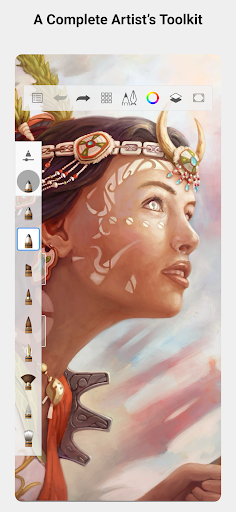
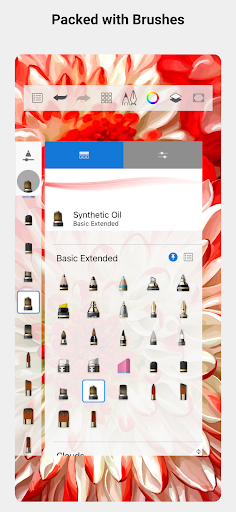
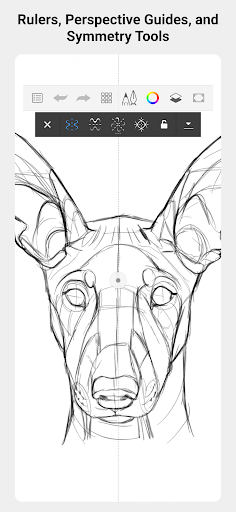
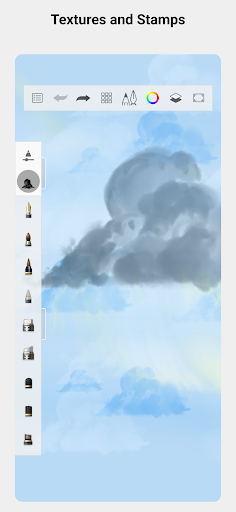
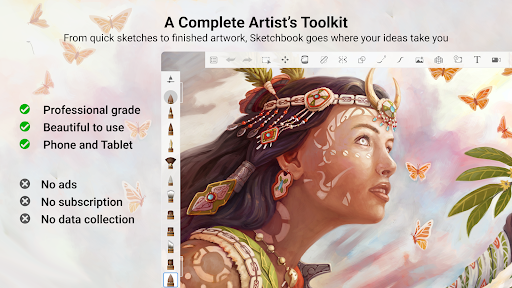
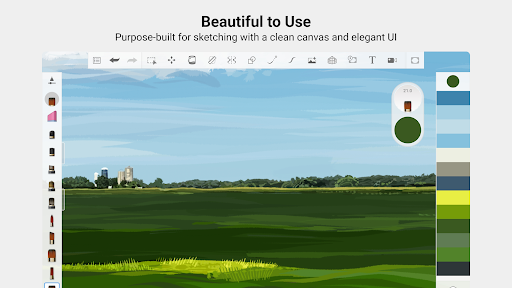
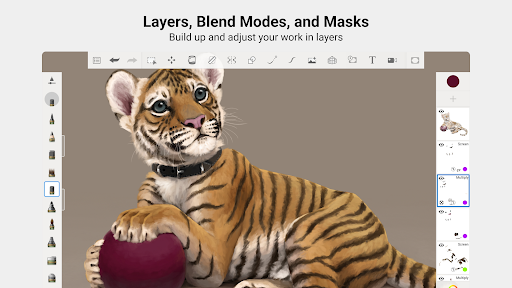
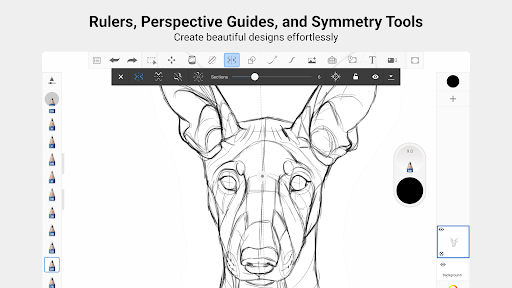
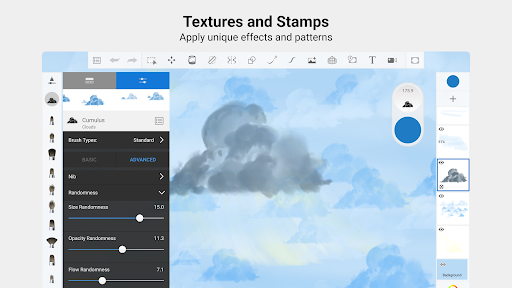
From quick sketches to fully finished artwork, Sketchbook goes where your creativity takes you. Sketchbook is an award-winning sketching, painting, and drawing app for anyone who loves to draw. Artists and illustrators love Sketchbook for its professional-grade feature set and highly customizable tools. Everyone loves Sketchbook for its elegant interface and natural drawing experience, free of distractions so you can focus on capturing and expressing your ideas. • A full complement of brush types: pencils markers, airbrushes, smear and more that look and feel just like their physical counterparts • Brushes are highly customizable so you can create just the look you want • Guides, rulers and stroke tools support precision when you need it • Layers with a full complement of blend modes deliver the flexibility to build up and explore drawings and color • Purpose-built for sketching, the interface is clean and unobtrusive so you can focus on drawing

What Sketchbook Is Used For

Sketchbook appears to be a drawing and painting app for creating artwork on an Android phone. Based on the metadata, it is commonly used for quick sketches, more detailed illustrations, and finished digital art, with tools that support both casual doodling and more deliberate creative work.

The app description suggests a focus on a clean drawing workspace with brushes that mimic traditional media, customizable tools, rulers, guides, stroke tools, and layer support. Those features may make it useful for artists, illustrators, and anyone who wants to sketch ideas directly on a touchscreen device. The phone app format also points to use on the go, such as capturing concepts, editing drawings, or practicing art from a mobile device.

The listed permissions include storage access, which likely relates to saving and opening artwork files, and network-related permissions, which may support app services or updates. Because location and phone-state permissions are also listed, users may want to review permission prompts carefully and only allow what seems necessary for their use case.

Common uses

  • Create quick sketches and concept art on a phone
  • Draw finished illustrations with brushes and layers
  • Use rulers, guides, and stroke tools for cleaner lines
  • Customize brush behavior for different drawing styles
  • Save, open, and manage artwork files on device storage
  • Work in a distraction-free interface for focused drawing
Best for:
Digital artists Illustrators Sketching on phone Layer-based drawing Touchscreen art

App Details

Package:
com.adsk.sketchbook
Category:
Art & Design
Developer:
Sketchbook
Version:
Varies with device
Updated:
Dec 8, 2025
Min Android:
Varies with device
Age Rating:
Everyone
Contains Ads:
No
In-App Purchases:
Yes

Official Listing

  • Official listing available on Google Play
  • Package name: com.adsk.sketchbook
  • Age rating: Everyone

Explore More

Browse more apps in Art & Design or explore the Phone hub .

Related Art & Design Apps

Canva: AI Photo & Video Editor icon

Canva: AI Photo & Video Editor

Art & Design Canva

Graphic design and content creation app for mobile.

Version 2.354.1 43.1 MB ⭐ 4.80 500,000,000+ installs
ibis Paint X icon

ibis Paint X

Art & Design ibis inc.
Version 14.0.0 ⭐ 4.50 100,000,000+ installs
Crafto icon

Crafto

Art & Design Kutumb App

Get quotes with your name and photos daily

Version 10.6.4 168.5 MB ⭐ 4.60 100,000,000+ installs
Adobe Express: AI Photo, Video icon

Adobe Express: AI Photo, Video

Art & Design Adobe

AI-powered photo & video creation—fast, fun, and effortless with Quick Actions

Version 30.0.0 99.6 MB ⭐ 4.60 100,000,000+ installs
FlipaClip: Draw 2D Animation icon

FlipaClip: Draw 2D Animation

Art & Design Visual Blasters LLC

Kickstart your animation journey in a few moments!

Version 4.2.25 25.4 MB ⭐ 4.40 50,000,000+ installs

How to Download Sketchbook

If this app is not hosted directly on APKApps official link, then for the safest and most up-to-date version, install it from its official Google Play listing.