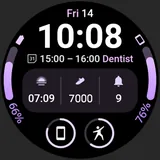
InfoBlock 2 Watch Face icon

Phone

InfoBlock 2 Watch Face

Productivity amoledwatchfaces™ ⭐ 4.60 10,000+
Version Varies with device Everyone

Screenshots

InfoBlock 2 Watch Face screenshot
Permissions Explained 1 permission requested View details

This app requests 1 permission. The table below explains what each permission may allow and what users should review before installing.

Status Permission What it means Why it may be used User safety note
ℹ️ Review Google Play License Check Google Play license check This is an Android permission or app-specific permission requested by the app. The app may use this permission for features related to its category, device support, background behavior, storage, connectivity, or system integration. Review this permission before installing, especially if it does not match the app’s expected purpose.

About InfoBlock 2 Watch Face

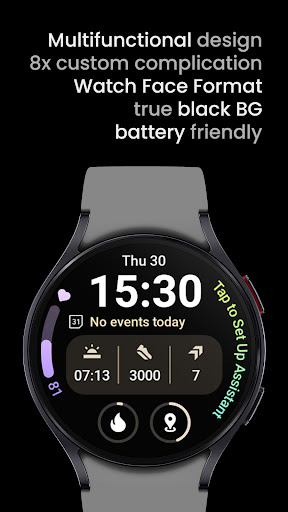
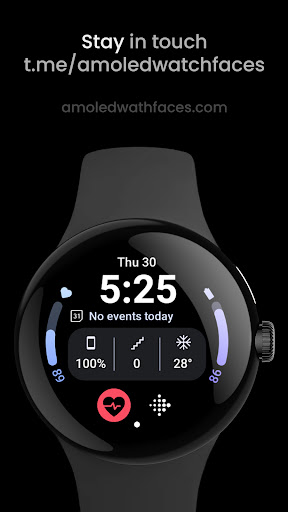
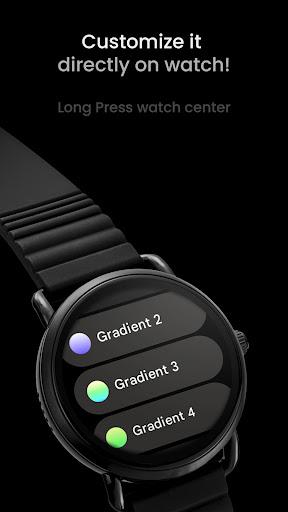
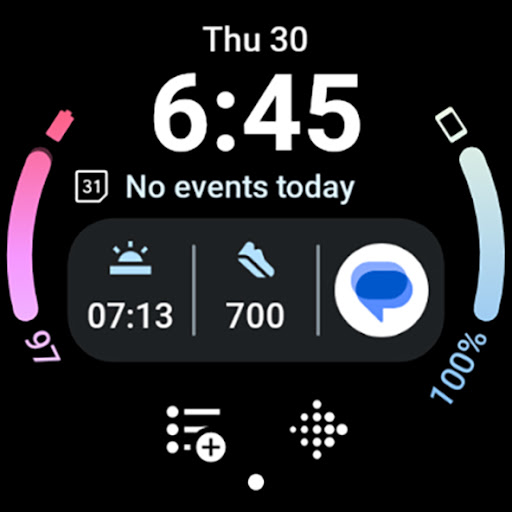
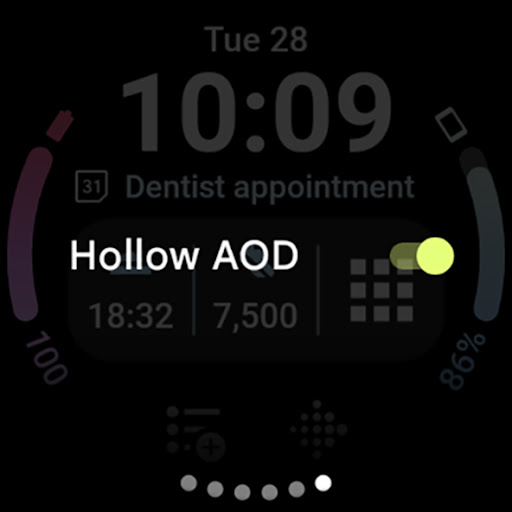
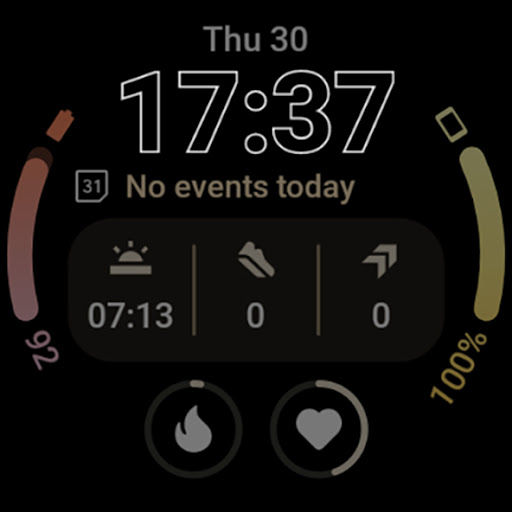
Only for Wear OS 4+ devices Powered by Watch Face Format amoledwatchfaces.com BUY ONE GET ONE OFFER! amoledwatchfaces.com/bogo CUSTOM COMPLICATION APPS amoledwatchfaces.com/apps FEATURES • Watch Face Format 1 • blinking colon effect • custom complications with different types • unique ambient mode with low OPR & adaptive color • PNGQuant optimized layers > battery friendly • true black background • high resolution • beautiful color themes & gradients • make it your own • phone notifications support* * requires Phone Battery Complication app https://play.google.com/store/apps/details?id=com.weartools.phonebattcomp USER CONFIGURATIONS • Theme (30x) • Gradient Slot 1 (Gradient - 15x) • Gradient Slot 2 (Gradient - 15x) • AOD (Style - 2x) • Custom Complication (8x) • Hollow AOD (Toggle) Installation and troubleshooting guide amoledwatchfaces.com/guide Please send any issues reports or help requests to our support address [email protected] Join our Telegram group for live support and discussion t.me/amoledwatchfaces Newsletter amoledwatchfaces.com/contact#newsletter amoledwatchfaces™ - Awf

What InfoBlock 2 Watch Face Is Used For

InfoBlock 2 Watch Face appears to be a customizable watch face app for Wear OS 4+ devices. Based on the metadata, it is used to change the look and layout of a compatible smartwatch display, with options for themes, gradients, ambient display styles, and custom complications. The title and description suggest it is aimed at users who want a more personalized watch face rather than a general phone productivity tool.

Common uses may include showing time, date, and selected complication data in a clean layout on the watch screen. The listed phone notifications support suggests it may also surface notification-related information on the watch when paired with the required companion app. Since it uses watch face format features and complication settings, it appears most relevant on Wear OS watches and is less about standalone phone use. The single listed permission is Google Play license check, which is typical for app validation and does not indicate any extra device access beyond app licensing.

Common uses

  • Customize a Wear OS watch face layout and style
  • Select from multiple themes and gradient options
  • Add supported complications to show watch data
  • Use ambient mode settings for always-on display behavior
  • Adjust the look for a darker, true-black background
  • Display phone notification-related info with the companion app
  • Personalize the watch face for everyday smartwatch use
Best for:
wear os users smartwatch customization watch face personalization complication display always-on display users

App Details

Package:
com.amoledwatchfaces.infoblock2
Category:
Productivity
Developer:
amoledwatchfaces™
Version:
Varies with device
Updated:
Aug 2, 2025
Min Android:
Varies with device
Age Rating:
Everyone
Contains Ads:
No
In-App Purchases:
No

Official Listing

  • Official listing available on Google Play
  • Package name: com.amoledwatchfaces.infoblock2
  • Age rating: Everyone

Explore More

Browse more apps in Productivity or explore the Phone hub .

Related Productivity Apps

Microsoft OneDrive icon

Microsoft OneDrive

Productivity Microsoft Corporation

Securely save and share your favorite memories and files across your devices.

Version Varies with device 89.8 MB ⭐ 4.60 5,000,000,000+ installs
Google One icon

Google One

Productivity Google LLC

Cloud storage, automatic phone backup, and more.

Version 1.302.885140631 25.5 MB ⭐ 4.10 1,000,000,000+ installs
Microsoft Word: Edit Documents icon

Microsoft Word: Edit Documents

Productivity Microsoft Corporation

Craft your story with formatting and grammar tools to ensure it’s right, always

Version Varies with device 120.4 MB ⭐ 4.80 1,000,000,000+ installs
Microsoft Excel: Spreadsheets icon

Microsoft Excel: Spreadsheets

Productivity Microsoft Corporation

Use powerful, industry-leading AI tools to generate visual charts from any data

Version Varies with device 230.4 MB ⭐ 4.80 1,000,000,000+ installs
Microsoft PowerPoint icon

Microsoft PowerPoint

Productivity Microsoft Corporation

Seamlessly integrate data and reports to build your presentation to impress

Version Varies with device 226.3 MB ⭐ 4.80 1,000,000,000+ installs
Microsoft Outlook icon

Microsoft Outlook

Productivity Microsoft Corporation

Stay on top of multiple accounts with emails, calendars & contacts in one place

Version 5.2611.0 106.4 MB ⭐ 4.40 1,000,000,000+ installs

How to Download InfoBlock 2 Watch Face

If this app is not hosted directly on APKApps official link, then for the safest and most up-to-date version, install it from its official Google Play listing.