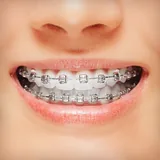
Braces icon

Phone

Braces

Photography Hairstyle Photo Apps ⭐ 3.10 10,000,000+

Braces photo, add brackets on photo! braces app that look real, Braces Camera

Version 2.1.8 68.7 MB

Screenshots

No screenshots available yet.

Permissions Explained 7 permissions requested View details

This app requests 7 permissions. The table below explains what each permission may allow and what users should review before installing.

Status Permission What it means Why it may be used User safety note
Common Internet access android.permission.INTERNET Allows the app to open network connections and communicate with online services. Commonly used for streaming, syncing, login, ads, analytics, downloads, cloud features, and app updates. Common permission. Review the app’s behavior if it does not appear to need online access.
Common View network status android.permission.ACCESS_NETWORK_STATE Allows the app to check whether the device is connected to Wi-Fi, mobile data, or another network. Often used to avoid loading content when offline or to adjust loading based on connection quality. Generally low risk by itself.
ℹ️ Review Read Media Images android.permission.READ_MEDIA_IMAGES This is an Android permission or app-specific permission requested by the app. The app may use this permission for features related to its category, device support, background behavior, storage, connectivity, or system integration. Review this permission before installing, especially if it does not match the app’s expected purpose.
⚠️ Sensitive Modify external storage android.permission.WRITE_EXTERNAL_STORAGE Allows the app to write or modify files in shared device storage. Used for saving downloads, media files, exports, edited documents, backups, or cached content. Sensitive permission. Make sure file access matches the app’s purpose.
ℹ️ Review Access Wifi State android.permission.ACCESS_WIFI_STATE This is an Android permission or app-specific permission requested by the app. The app may use this permission for features related to its category, device support, background behavior, storage, connectivity, or system integration. Review this permission before installing, especially if it does not match the app’s expected purpose.
ℹ️ Review Vending Billing com.android.vending.BILLING This is an Android permission or app-specific permission requested by the app. The app may use this permission for features related to its category, device support, background behavior, storage, connectivity, or system integration. Review this permission before installing, especially if it does not match the app’s expected purpose.
⚠️ Sensitive Read external storage android.permission.READ_EXTERNAL_STORAGE Allows the app to read files from shared device storage. Used by media players, file managers, backup apps, editors, upload tools, and document apps. Sensitive permission. Review carefully if the app does not need access to files or media.

About Braces

Braces photo, add brackets on photo! braces app that look real, Braces Camera

What Braces Is Used For

Braces is a photography app for phones that appears to focus on adding braces or bracket-style effects to photos. Based on the metadata, it may be used by people who want to preview a braces look on a selfie or portrait image without editing through a more complex photo editor. The app title, category, and short description suggest a simple image-based tool rather than a broad camera suite.

Because it requests access to photos and external storage, the app likely works with images already on the device and may let users load, edit, and save pictures after applying its effect. Its internet and network permissions suggest it may also connect online for app functions or content, though the metadata does not show the exact features. This makes it most relevant for casual photo editing on an Android phone, especially for users looking for a focused visual overlay app.

Common uses

  • Add braces-style effects to selfie or portrait photos
  • Edit images stored on the device
  • Preview a braces look on existing photos
  • Save edited images back to storage
  • Use a simple photo tool instead of a full editor
  • Best suited for phone-based photo editing
Best for:
Selfie edits Photo overlays Phone users Casual editing Portrait images

App Details

Package:
com.best.photo.app.braces
Category:
Photography
Developer:
Hairstyle Photo Apps
Version:
2.1.8
Contains Ads:
No
In-App Purchases:
No

Official Listing

  • Package name: com.best.photo.app.braces

Explore More

Browse more apps in Photography or explore the Phone hub .

Related Photography Apps

Picsart AI Photo Editor, Video icon

Picsart AI Photo Editor, Video

Photography PicsArt, Inc.

Remove and swap backgrounds in your photos and remove unwanted objects

Version 29.5.13 34.1 MB ⭐ 4.00 1,000,000,000+ installs
Video Editor & Maker - InShot icon

Video Editor & Maker - InShot

Photography InShot Video Editor

AI video editor with music! Edit video with effects, slideshow & slow motion

Version 2.196.1529 80.1 MB ⭐ 4.80 500,000,000+ installs
B612 AI Photo&Video Editor icon

B612 AI Photo&Video Editor

Photography SNOW Corporation

Meet trendy effects, filters, and stickers!

Version Varies with device 144.8 MB ⭐ 4.10 500,000,000+ installs
FaceApp: Perfect Face Editor icon

FaceApp: Perfect Face Editor

Photography FaceApp Technology Ltd

Natural Beauty, Selfie Retouch

Version Varies with device 84.1 MB ⭐ 4.30 500,000,000+ installs
Remini - AI Photo Enhancer icon

Remini - AI Photo Enhancer

Photography Bending Spoons

Create AI Photos, Improve and restore quality of blurry, old or damaged pics.

Version 3.7.1301.202520348 52.8 MB ⭐ 4.10 500,000,000+ installs
BeautyPlus-Selfie Photo Editor icon

BeautyPlus-Selfie Photo Editor

Photography PIXOCIAL TECHNOLOGY (SINGAPORE) PTE. LTD.

Snap perfect selfies every time. AI Auto-beautification for that flawless look.

Version 7.33.1 269.4 MB ⭐ 4.60 500,000,000+ installs

How to Download Braces

If this app is not hosted directly on APKApps official link, then for the safest and most up-to-date version, install it from its official Google Play listing.