Chess for Kids - Play & Learn icon

Phone

Chess for Kids - Play & Learn

Board Chess.com ⭐ 4.70 1,000,000+

Learn to play chess with our ChessKid app & enjoy fun chess games with friends

Version Varies with device 47.2 MB Everyone

Screenshots

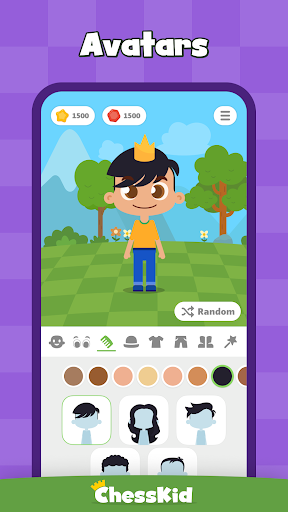
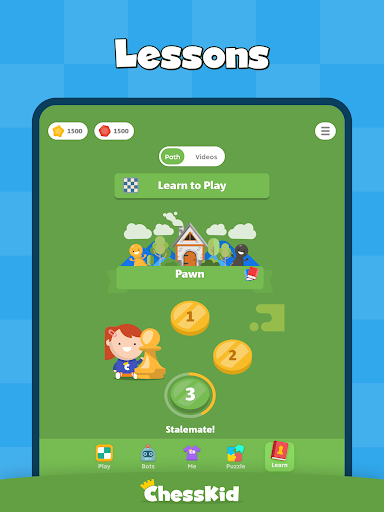
Chess for Kids - Play & Learn screenshot
Permissions Explained 11 permissions requested View details

This app requests 11 permissions. The table below explains what each permission may allow and what users should review before installing.

Status Permission What it means Why it may be used User safety note
Common Internet access android.permission.INTERNET Allows the app to open network connections and communicate with online services. Commonly used for streaming, syncing, login, ads, analytics, downloads, cloud features, and app updates. Common permission. Review the app’s behavior if it does not appear to need online access.
Common View network status android.permission.ACCESS_NETWORK_STATE Allows the app to check whether the device is connected to Wi-Fi, mobile data, or another network. Often used to avoid loading content when offline or to adjust loading based on connection quality. Generally low risk by itself.
ℹ️ Review Permission C2d Message .permission.C2D_MESSAGE This is an Android permission or app-specific permission requested by the app. The app may use this permission for features related to its category, device support, background behavior, storage, connectivity, or system integration. Review this permission before installing, especially if it does not match the app’s expected purpose.
ℹ️ Review Keep device awake android.permission.WAKE_LOCK Allows the app to prevent the device from sleeping while a task is running. Used for media playback, downloads, navigation, alarms, calls, or long-running background tasks. Review battery usage if the app keeps the device awake too often.
ℹ️ Review Send notifications android.permission.POST_NOTIFICATIONS Allows the app to send notifications to the device. Used for alerts, reminders, messages, account activity, updates, or media controls. Review notification settings if the app sends too many alerts.
ℹ️ Review C2dm Permission Receive com.google.android.c2dm.permission.RECEIVE This is an Android permission or app-specific permission requested by the app. The app may use this permission for features related to its category, device support, background behavior, storage, connectivity, or system integration. Review this permission before installing, especially if it does not match the app’s expected purpose.
ℹ️ Review Receive Boot Completed android.permission.RECEIVE_BOOT_COMPLETED This is an Android permission or app-specific permission requested by the app. The app may use this permission for features related to its category, device support, background behavior, storage, connectivity, or system integration. Review this permission before installing, especially if it does not match the app’s expected purpose.
ℹ️ Review Foreground Service android.permission.FOREGROUND_SERVICE This is an Android permission or app-specific permission requested by the app. The app may use this permission for features related to its category, device support, background behavior, storage, connectivity, or system integration. Review this permission before installing, especially if it does not match the app’s expected purpose.
ℹ️ Review Finsky Permission Bind Get Install Referrer Service com.google.android.finsky.permission.BIND_GET_INSTALL_REFERRER_SERVICE This is an Android permission or app-specific permission requested by the app. The app may use this permission for features related to its category, device support, background behavior, storage, connectivity, or system integration. Review this permission before installing, especially if it does not match the app’s expected purpose.
ℹ️ Review Com Chesskid Dynamic Receiver Not Exported Permission com.chesskid.DYNAMIC_RECEIVER_NOT_EXPORTED_PERMISSION This is an Android permission or app-specific permission requested by the app. The app may use this permission for features related to its category, device support, background behavior, storage, connectivity, or system integration. Review this permission before installing, especially if it does not match the app’s expected purpose.
ℹ️ Review Vending Billing com.android.vending.BILLING This is an Android permission or app-specific permission requested by the app. The app may use this permission for features related to its category, device support, background behavior, storage, connectivity, or system integration. Review this permission before installing, especially if it does not match the app’s expected purpose.

About Chess for Kids - Play & Learn

Learn to play chess with our beginner-friendly ChessKid app. Enjoy free chess games online and offline. Play with friends or challenge the bots and play against a computer! Play chess the fun way with the ultimate chess app for kids — and for parents and coaches too! Learn both basic rules of the games and advanced strategies of the world's greatest brain games, all with an app that is AD-FREE and 100% SAFE for kids. Learn valuable chess moves from self-teaching chess tutorials. CHESS ONLINE FOR FREE: - Play as many chess games as you want free of charge or join tournaments to compete with thousands of other chess players from all over the globe. Enjoy multiple player vs. player modes: - Play chess against your friends - Slow and fast chess games It is up to you to decide. Test your skill against other kids or battle against our funny chess bots! CHESS COMMUNITY - Chess for kids is much more than just an app. It is your chance to play with kids from around the world and join an amazing community of more than 50,000 players enjoying ChessKid games every month. - Over 500,000 games are played each month by more than 200,000 active Chesskid users. PLAY CHESS ONLINE AND OFFLINE AGAINST THE COMPUTER - Meet 10 funny bots perfect for all skill levels and suitable beginning players. They become your best playmates on your way to mastering chess strategies and tactics. Playing chess against a computer is a great way to practice your chess moves. CHESS PUZZLES - Sharpen your tactical skills and have fun with over 350,000 tricky puzzles. - Solve up to three chess puzzles games per day completely for free. Our puzzles help you become a chess pro in no time. CHESS LESSONS - Improve your game with amazing, kid-friendly chess coaching videos on rules and basics, strategy, tactics, endgames and much more. - Learn chess tactics from grandmasters and enjoy playing with our amazing FunMasterMike’s tutorials. He loves teaching and wants to share his knowledge with you. - Learn from the best chess tutorials. Strengthen your skills with a crash course on how to deliver checkmate and become an unbeatable player. Playing chess games is completely free and unlimited for all players on the apps and website. Puzzles and videos are unlimited for Gold members. Kids can only chat in games with their parents; no other free chat is allowed. They cannot make friends with anyone without explicit parental permission. Parents have full control over kids’ accounts. ABOUT CHESSKID: ChessKid is built by Chess.com - #1 in chess online. ChessKid is the #1 scholastic chess app. ChessKid is trusted by over 2,000 schools and 3 million kids worldwide. Facebook: http://www.facebook.com/ChessKidcom Twitter: http://twitter.com/chesskidcom

What Chess for Kids - Play & Learn Is Used For

Chess for Kids - Play & Learn appears to be a phone app for learning and playing chess in a kid-friendly format. Based on the metadata, it is commonly used by children, parents, and coaches who want a beginner-focused way to practice chess rules, tactics, and strategy through lessons, puzzles, and matches against other players or computer bots.

The app may be useful for both casual play and structured learning. Its permissions and online features suggest it can support internet-based gameplay, tournaments, notifications, and background updates. The mention of offline play also suggests it can be used for practice without a live connection, which may help when learning moves, solving puzzles, or playing against bots on a mobile device.

Because it is a board game app with a strong learning focus, users may turn to it for step-by-step chess instruction, daily puzzle practice, friendly matches, and age-appropriate skill building. It appears designed for regular phone use rather than a large-screen or TV-first experience.

Common uses

  • Practice chess basics and rules in a beginner-friendly format
  • Play against computer bots to build skills at your own pace
  • Challenge friends or other players in online chess matches
  • Work through chess puzzles to improve tactics and pattern recognition
  • Use lessons and coaching videos to learn strategy and endgames
  • Join tournaments or community play when connected to the internet
  • Play offline for practice without relying on live opponents
Best for:
kids learning chess beginner players family use chess practice phone app

App Details

Package:
com.chesskid
Category:
Board
Developer:
Chess.com
Version:
Varies with device
Updated:
Mar 27, 2026
Min Android:
Varies with device
Age Rating:
Everyone
Contains Ads:
No
In-App Purchases:
Yes

Official Listing

  • Official listing available on Google Play
  • Package name: com.chesskid
  • Age rating: Everyone

Explore More

Browse more apps in Board or explore the Phone hub .

Related Board Apps

Chess Pro icon

Chess Pro

Board AI Factory Limited
Version 4.18 ⭐ 4.80 100,000+ installs

How to Download Chess for Kids - Play & Learn

If this app is not hosted directly on APKApps official link, then for the safest and most up-to-date version, install it from its official Google Play listing.