LightMeter icon

Phone

LightMeter

Photography David Quiles ⭐ 4.20 100,000+
Version 1.7.3 Everyone

Screenshots

LightMeter screenshot
Permissions Explained 3 permissions requested View details

This app requests 3 permissions. The table below explains what each permission may allow and what users should review before installing.

Status Permission What it means Why it may be used User safety note
ℹ️ Review Take Pictures And Videos take pictures and videos This is an Android permission or app-specific permission requested by the app. The app may use this permission for features related to its category, device support, background behavior, storage, connectivity, or system integration. Review this permission before installing, especially if it does not match the app’s expected purpose.
ℹ️ Review Control Vibration control vibration This is an Android permission or app-specific permission requested by the app. The app may use this permission for features related to its category, device support, background behavior, storage, connectivity, or system integration. Review this permission before installing, especially if it does not match the app’s expected purpose.
ℹ️ Review Google Play License Check Google Play license check This is an Android permission or app-specific permission requested by the app. The app may use this permission for features related to its category, device support, background behavior, storage, connectivity, or system integration. Review this permission before installing, especially if it does not match the app’s expected purpose.

About LightMeter

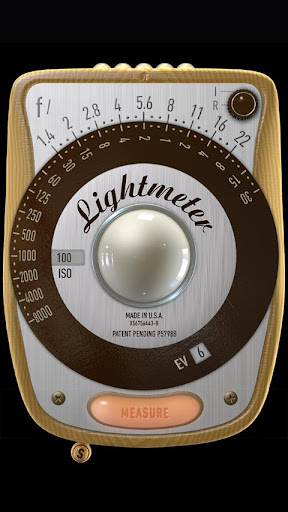
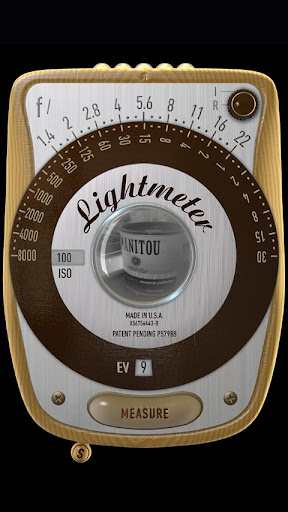
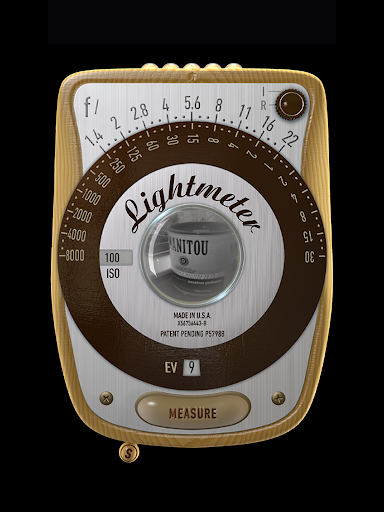
I created this app for photographers who shoot film and want a simple, reliable light meter in their pocket. For the price of a soda, you support hundreds of hours of independent development. ⚠️ Note: The performance of any phone light meter depends on the device hardware. Results may vary. LightMeter includes two metering modes: • Reflected light (uses the camera, limited device compatibility) • Incident light (uses the light sensor, works on most devices) Features: • ISO range from 3 to 6400 • Incident light metering • Reflected light metering (device dependent) • Low light warning • Optional EXIF and sensor information • Calibration settings • Vibration feedback on measure/hold • Hold function for incident readings • Alternative ISO selector • State and ISO memory • Spot metering (if supported by camera zoom) Thanks for your support. Looking for the PRO version? → Get myLightMeter PRO: https://play.google.com/store/apps/details?id=com.dq.mylightmeterpro For help, contact: [email protected] (Spanish & English)

What LightMeter Is Used For

LightMeter appears to be a photography tool designed for film photographers who need quick exposure readings on a phone. Based on the metadata, it is used to measure light levels and help choose camera settings such as ISO and exposure values before taking a shot. That makes it useful on location, especially when working without a dedicated handheld meter.

The app includes both incident and reflected metering modes. Incident metering uses the device’s light sensor and should work on most phones, while reflected metering uses the camera and may depend on device compatibility. The permission to take pictures and videos fits that camera-based measurement mode, and vibration feedback may help confirm a reading without needing to keep the screen open. Calibration, low-light warnings, EXIF/sensor information, and ISO memory suggest it may be intended for more careful, repeatable exposure work rather than casual photography.

Since this is a phone app, it seems best suited for use directly on a smartphone during shoots, especially for users shooting film or anyone who wants a simple meter carried in a pocket. Results may vary by device hardware, so the app’s usefulness can depend on whether your phone has a compatible camera and light sensor.

Common uses

  • Measure light for film photography and manual exposure work
  • Use incident metering with the phone’s light sensor on many devices
  • Try reflected metering when the device camera is compatible
  • Check low-light scenes and adjust exposure before shooting
  • Store or recall ISO and state settings for repeated readings
  • Use vibration feedback for quick measure-and-hold workflows
  • Review optional EXIF and sensor details for more context
Best for:
film photographers manual exposure phone light meter on-location shooting camera app users

App Details

Package:
com.dq.fotometroNa
Category:
Photography
Developer:
David Quiles
Version:
1.7.3
Updated:
Mar 31, 2026
Min Android:
6.0
Age Rating:
Everyone
Contains Ads:
No
In-App Purchases:
No

Official Listing

  • Official listing available on Google Play
  • Package name: com.dq.fotometroNa
  • Age rating: Everyone

Explore More

Browse more apps in Photography or explore the Phone hub .

Related Photography Apps

Picsart AI Photo Editor, Video icon

Picsart AI Photo Editor, Video

Photography PicsArt, Inc.

Remove and swap backgrounds in your photos and remove unwanted objects

Version 29.5.13 34.1 MB ⭐ 4.00 1,000,000,000+ installs
Video Editor & Maker - InShot icon

Video Editor & Maker - InShot

Photography InShot Video Editor

AI video editor with music! Edit video with effects, slideshow & slow motion

Version 2.196.1529 80.1 MB ⭐ 4.80 500,000,000+ installs
B612 AI Photo&Video Editor icon

B612 AI Photo&Video Editor

Photography SNOW Corporation

Meet trendy effects, filters, and stickers!

Version Varies with device 144.8 MB ⭐ 4.10 500,000,000+ installs
FaceApp: Perfect Face Editor icon

FaceApp: Perfect Face Editor

Photography FaceApp Technology Ltd

Natural Beauty, Selfie Retouch

Version Varies with device 84.1 MB ⭐ 4.30 500,000,000+ installs
Remini - AI Photo Enhancer icon

Remini - AI Photo Enhancer

Photography Bending Spoons

Create AI Photos, Improve and restore quality of blurry, old or damaged pics.

Version 3.7.1301.202520348 52.8 MB ⭐ 4.10 500,000,000+ installs
BeautyPlus-Selfie Photo Editor icon

BeautyPlus-Selfie Photo Editor

Photography PIXOCIAL TECHNOLOGY (SINGAPORE) PTE. LTD.

Snap perfect selfies every time. AI Auto-beautification for that flawless look.

Version 7.33.1 269.4 MB ⭐ 4.60 500,000,000+ installs

How to Download LightMeter

If this app is not hosted directly on APKApps official link, then for the safest and most up-to-date version, install it from its official Google Play listing.