Shopping list — Lister icon

Phone

Shopping list — Lister

Shopping Lister Studios ⭐ 4.00 1,000,000+
Version Varies with device 17.6 MB Everyone

Screenshots

Shopping list — Lister screenshot
Permissions Explained 9 permissions requested View details

This app requests 9 permissions. The table below explains what each permission may allow and what users should review before installing.

Status Permission What it means Why it may be used User safety note
Common Vibration control android.permission.VIBRATE Allows the app to control device vibration. Used for notifications, alerts, haptic feedback, timers, alarms, or game feedback. Generally low risk by itself.
Common Internet access android.permission.INTERNET Allows the app to open network connections and communicate with online services. Commonly used for streaming, syncing, login, ads, analytics, downloads, cloud features, and app updates. Common permission. Review the app’s behavior if it does not appear to need online access.
Common View network status android.permission.ACCESS_NETWORK_STATE Allows the app to check whether the device is connected to Wi-Fi, mobile data, or another network. Often used to avoid loading content when offline or to adjust loading based on connection quality. Generally low risk by itself.
⚠️ Sensitive Modify external storage android.permission.WRITE_EXTERNAL_STORAGE Allows the app to write or modify files in shared device storage. Used for saving downloads, media files, exports, edited documents, backups, or cached content. Sensitive permission. Make sure file access matches the app’s purpose.
ℹ️ Review Vending Billing com.android.vending.BILLING This is an Android permission or app-specific permission requested by the app. The app may use this permission for features related to its category, device support, background behavior, storage, connectivity, or system integration. Review this permission before installing, especially if it does not match the app’s expected purpose.
ℹ️ Review Keep device awake android.permission.WAKE_LOCK Allows the app to prevent the device from sleeping while a task is running. Used for media playback, downloads, navigation, alarms, calls, or long-running background tasks. Review battery usage if the app keeps the device awake too often.
ℹ️ Review C2dm Permission Receive com.google.android.c2dm.permission.RECEIVE This is an Android permission or app-specific permission requested by the app. The app may use this permission for features related to its category, device support, background behavior, storage, connectivity, or system integration. Review this permission before installing, especially if it does not match the app’s expected purpose.
ℹ️ Review Com Dramaproductions Einkaufen5 Permission C2d Message com.DramaProductions.Einkaufen5.permission.C2D_MESSAGE This is an Android permission or app-specific permission requested by the app. The app may use this permission for features related to its category, device support, background behavior, storage, connectivity, or system integration. Review this permission before installing, especially if it does not match the app’s expected purpose.
⚠️ Sensitive Read external storage android.permission.READ_EXTERNAL_STORAGE Allows the app to read files from shared device storage. Used by media players, file managers, backup apps, editors, upload tools, and document apps. Sensitive permission. Review carefully if the app does not need access to files or media.

About Shopping list — Lister

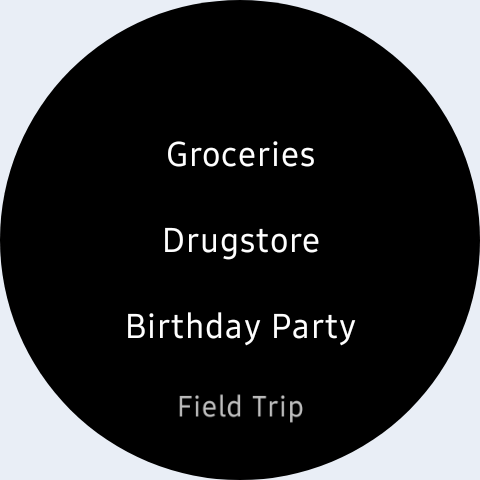
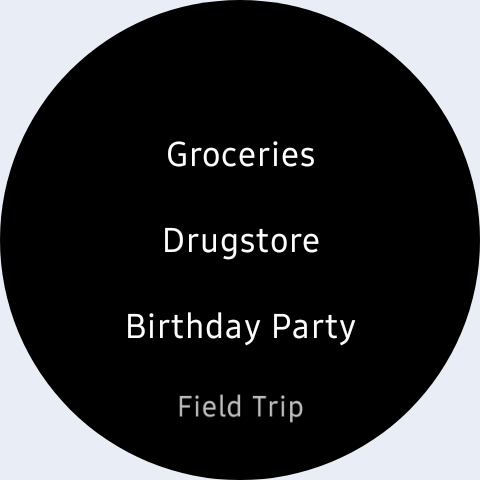
The synchronization keeps your lists up-to-date across multiple devices. In addition, you can create groups for different events, create multiple lists per group and invite multiple members. E.g. for family, roommates, office, wedding, vacation, party planning, etc. To briefly clarify, each group has its own chat with picture and text messages. Helpful if you don't know which shampoo to buy? Or who will bring the barbecue charcoal after Max has cancelled at short notice? With the group chat you can rely on the fact that the messages are sent to all group members. You don't have to create a group in WhatsApp first. Or worry about whether everyone is on WhatsApp? Or Facebook Messenger, Telegram or Viber. Here's how you can create long lists quickly: (see picture #3) • Suggested items from your master list appear after you type two letters. Click on it to add the desired item. • Select items from the master list and add them with one click. • Create a shopping list of items you buy regularly, select all items with one click and add them to the preferred list. Display shopping lists either categorized, alphabetically sorted or manually sorted (see picture #4). Each shopping list can have its own sorting. In the supermarket you do not have to scroll the list, because if you sort the items into categories and set the category order for the supermarket, the items will appear one after the other as you go through the supermarket. Crossed-off items and whole categories are placed at the end of the list (see picture #5). Create recipes with ingredients, directions and pictures. With a few clicks you can add all ingredients to a shopping list (see picture #6). Add pictures to items to always buy the right shampoo, cat food or coffee. Do you still have something to do? Write it down in the task lists. There are 4 different designs including Dark theme, 4 font sizes and 6 fonts to choose from. Additional features: • If necessary you can edit the master list (including categories, units, stores) in the management menu • The shopping mode enlarges the lines and makes it easier to cross off items in the supermarket • Reminders • Barcode scanner • Resolve inputs with quantity and price, e.g. 500g tomatoes 2.99 • Edit all items of a shopping list in a single view • Customize layout in settings, e.g. hide/show progress bar, hyphens, select single-line layout • Available on Wear OS • and much more! Convinced? Try it out! If you have any questions, please contact support by email at [email protected].

What Shopping list — Lister Is Used For

Shopping list — Lister appears to be a phone app for organizing shopping, household, and shared planning lists. Based on the metadata, it is commonly used to build grocery lists, keep recurring items in a master list, and sort entries by category, alphabetically, or manually. The app also seems designed for situations where several people need to coordinate the same list, such as family shopping, roommates, office supplies, or event planning.

The metadata suggests it may be useful beyond basic shopping because it includes grouped lists, a group chat with picture and text messages, recipes with ingredients, task lists, reminders, and a barcode scanner. Its permission set, including internet access, storage access, notifications, and billing, is consistent with syncing data across devices, sending updates, saving content like images, and supporting in-app purchases. On a phone, the app appears aimed at quick list entry in stores and at home, with features like shopping mode and item pictures helping users track what to buy and what has already been checked off.

Common uses

  • Create and manage shopping lists for groceries and everyday purchases
  • Share lists across multiple devices so groups can stay in sync
  • Coordinate purchases with family, roommates, office teams, or event groups
  • Use categorized or sorted lists to follow a store layout more easily
  • Save recurring items in a master list for faster list creation
  • Attach recipes, task items, reminders, and product pictures when needed
  • Scan barcodes or use shopping mode to handle items during store visits
Best for:
shared shopping lists grocery planning household coordination phone app task and reminder lists family or group use

App Details

Package:
com.DramaProductions.Einkaufen5
Category:
Shopping
Developer:
Lister Studios
Version:
Varies with device
Updated:
Mar 12, 2026
Min Android:
8.0
Age Rating:
Everyone
Contains Ads:
Yes
In-App Purchases:
Yes

Official Listing

  • Official listing available on Google Play
  • Package name: com.DramaProductions.Einkaufen5
  • Age rating: Everyone

Explore More

Browse more apps in Shopping or explore the Phone hub .

Related Shopping Apps

Amazon Shopping icon

Amazon Shopping

Shopping Amazon Mobile LLC

Browse, search & buy millions of products right from your Android device.

Version 32.6.0.100 67.5 MB ⭐ 4.40 1,000,000,000+ installs
OfferUp - Shop. Buy. Sell. icon

OfferUp - Shop. Buy. Sell.

Shopping OfferUp Inc.

Buy & sell local items. Find amazing deals. Join the largest mobile marketplace!

Version 2026.13.1 90.8 MB ⭐ 4.40 50,000,000+ installs
السوق المفتوح - OpenSooq icon

السوق المفتوح - OpenSooq

Shopping OpenSooq FZ-LLC

Cars, Real Estate, Electronics,and Jobs in your country. More than 60M Downloads

Version 12.1.01 53.4 MB ⭐ 4.60 10,000,000+ installs
Shpock: Buy & Sell Marketplace icon

Shpock: Buy & Sell Marketplace

Shopping Shpock

Buying & selling nearby. From fashion to electronics. Local, easy, secondhand.

Version 9.20.1 26.7 MB ⭐ 2.80 10,000,000+ installs
Méliuz: Cashback e Nota Fiscal icon

Méliuz: Cashback e Nota Fiscal

Shopping Méliuz

Earn money back with Méliuz Nota Fiscal and cashback in online stores

Version 7.193.1 61.2 MB ⭐ 4.60 10,000,000+ installs
Carousell: Sell and Buy icon

Carousell: Sell and Buy

Shopping Carousell

Buy and sell fashion & luxury items, electronics, home services, cars or houses

Version 2.447.7 52.7 MB ⭐ 4.10 10,000,000+ installs

How to Download Shopping list — Lister

If this app is not hosted directly on APKApps official link, then for the safest and most up-to-date version, install it from its official Google Play listing.