About aDStretch
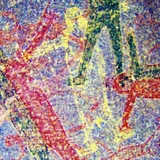
DStretch is a program for the PC and Mac that is used by rock art researchers to make faint rock art visible. This is a version for Android intended to be used in the field at a rock art site. Eight enhancements are provided together with settings that can adjust strength and saturation of the enhancements. Enhancements can be applied to a photo from the camera or from the gallery. The enhancements can be saved. For ease of use you can designate a default enhancement (I recommend CRGB) that is automatically applied when an image is loaded. The enhancements are: CRGB, YRD, YRE, RGB0: good for red pigments. YDT, YRD, YWE: general purpose. YDT, YBK, YYE: good for yellows. See DStretch.com for more information on DStretch and the enhancements. In addition to choosing the default enhancement, you can use the menu to set: Scale. This is the strength of the enhancement. Saturation. This controls the saturation of the enhancement. Set to 0 for grayscale, 1.0 for normal. MPixel Limit. Android phones can have memory problems with large images. Set this to a low value to avoid crashes, to a high value to get higher resolution for enhancements. Output Directory. This is where the saved enhancements will be put. Toggle Diagnostics. Turn on to get diagnostic information.
What aDStretch Is Used For
aDStretch appears to be a field-oriented photography tool for rock art researchers and other users working with faint surface imagery. Based on the metadata, it is used to enhance photos so subtle markings in rock art may become easier to see, especially when working directly at a site with an Android phone.
The app can apply several enhancement modes to images taken with the camera or loaded from the gallery, and it lets users adjust strength and saturation to change how the result looks. The storage permissions suggest it may save edited outputs to a chosen directory and read image files from device or USB storage. The camera permission indicates it can capture new photos for immediate enhancement, while the large-image memory setting appears useful when handling higher-resolution field images on phones.
Common uses
- Enhancing photographs of rock art in the field
- Adjusting image strength and saturation for different results
- Loading photos from the camera or gallery for processing
- Saving enhanced images to a chosen output folder
- Using a default enhancement for faster repeated work
- Managing larger images with a memory limit setting
- Capturing new photos before applying enhancement
App Details
Package:
com.dstretch.androiddstretch
Developer:
Jon Harman
Version:
1.33
Updated:
Jul 6, 2025
Min Android:
5.0
Age Rating:
Everyone
Contains Ads:
No
In-App Purchases:
No
Official Listing
-
Official listing available on
Google Play
-
Package name:
com.dstretch.androiddstretch
-
Age rating:
Everyone
Related Photography Apps
Photography
•
PicsArt, Inc.
Remove and swap backgrounds in your photos and remove unwanted objects
Version 29.5.13
34.1 MB
⭐ 4.00
1,000,000,000+ installs
Photography
•
InShot Video Editor
AI video editor with music! Edit video with effects, slideshow & slow motion
Version 2.196.1529
80.1 MB
⭐ 4.80
500,000,000+ installs
Photography
•
SNOW Corporation
Meet trendy effects, filters, and stickers!
Version Varies with device
144.8 MB
⭐ 4.10
500,000,000+ installs
Photography
•
FaceApp Technology Ltd
Natural Beauty, Selfie Retouch
Version Varies with device
84.1 MB
⭐ 4.30
500,000,000+ installs
Photography
•
Bending Spoons
Create AI Photos, Improve and restore quality of blurry, old or damaged pics.
Version 3.7.1301.202520348
52.8 MB
⭐ 4.10
500,000,000+ installs
Photography
•
PIXOCIAL TECHNOLOGY (SINGAPORE) PTE. LTD.
Snap perfect selfies every time. AI Auto-beautification for that flawless look.
Version 7.33.1
269.4 MB
⭐ 4.60
500,000,000+ installs
How to Download aDStretch
If this app is not hosted directly on APKApps official link,
then for the safest and most up-to-date version, install it from its official Google Play listing.