Fotor–AI Photo Editor&Enhancer icon

Phone

Fotor–AI Photo Editor&Enhancer

Photography AI Art Photo Editor | Everimaging Ltd. ⭐ 4.30 10,000,000+
Version 8.1.12.0 29.3 MB Teen

Screenshots

Fotor–AI Photo Editor&Enhancer screenshot
Permissions Explained 13 permissions requested View details

This app requests 13 permissions. The table below explains what each permission may allow and what users should review before installing.

Status Permission What it means Why it may be used User safety note
Common Internet access android.permission.INTERNET Allows the app to open network connections and communicate with online services. Commonly used for streaming, syncing, login, ads, analytics, downloads, cloud features, and app updates. Common permission. Review the app’s behavior if it does not appear to need online access.
⚠️ Sensitive Modify external storage android.permission.WRITE_EXTERNAL_STORAGE Allows the app to write or modify files in shared device storage. Used for saving downloads, media files, exports, edited documents, backups, or cached content. Sensitive permission. Make sure file access matches the app’s purpose.
Common View network status android.permission.ACCESS_NETWORK_STATE Allows the app to check whether the device is connected to Wi-Fi, mobile data, or another network. Often used to avoid loading content when offline or to adjust loading based on connection quality. Generally low risk by itself.
ℹ️ Review Access Wifi State android.permission.ACCESS_WIFI_STATE This is an Android permission or app-specific permission requested by the app. The app may use this permission for features related to its category, device support, background behavior, storage, connectivity, or system integration. Review this permission before installing, especially if it does not match the app’s expected purpose.
⚠️ Sensitive Read phone state android.permission.READ_PHONE_STATE Allows the app to access phone status and device-related information. Used for call handling, carrier services, device identification, account security, or playback interruption handling. Sensitive permission. Review whether the app has a clear phone-related reason.
⚠️ Sensitive Camera access android.permission.CAMERA Allows the app to use the device camera. Used for QR scanning, taking photos, video calls, document capture, AR features, or profile images. Sensitive permission. Grant only when camera features are expected.
⚠️ Sensitive Precise location android.permission.ACCESS_FINE_LOCATION Allows the app to access the device’s precise location when granted by the user. Used for maps, navigation, local recommendations, weather, rideshare, nearby devices, or location-based content. Sensitive permission. Grant only when location access matches the app’s purpose.
ℹ️ Review Vending Billing com.android.vending.BILLING This is an Android permission or app-specific permission requested by the app. The app may use this permission for features related to its category, device support, background behavior, storage, connectivity, or system integration. Review this permission before installing, especially if it does not match the app’s expected purpose.
ℹ️ Review C2dm Permission Receive com.google.android.c2dm.permission.RECEIVE This is an Android permission or app-specific permission requested by the app. The app may use this permission for features related to its category, device support, background behavior, storage, connectivity, or system integration. Review this permission before installing, especially if it does not match the app’s expected purpose.
ℹ️ Review Keep device awake android.permission.WAKE_LOCK Allows the app to prevent the device from sleeping while a task is running. Used for media playback, downloads, navigation, alarms, calls, or long-running background tasks. Review battery usage if the app keeps the device awake too often.
ℹ️ Review Com Everimaging Photoeffectstudio Permission Pollmsg com.everimaging.photoeffectstudio.permission.POLLMSG This is an Android permission or app-specific permission requested by the app. The app may use this permission for features related to its category, device support, background behavior, storage, connectivity, or system integration. Review this permission before installing, especially if it does not match the app’s expected purpose.
ℹ️ Review Com Everimaging Photoeffectstudio Permission Module Changed Reciver com.everimaging.photoeffectstudio.permission.MODULE_CHANGED_RECIVER This is an Android permission or app-specific permission requested by the app. The app may use this permission for features related to its category, device support, background behavior, storage, connectivity, or system integration. Review this permission before installing, especially if it does not match the app’s expected purpose.
⚠️ Sensitive Read external storage android.permission.READ_EXTERNAL_STORAGE Allows the app to read files from shared device storage. Used by media players, file managers, backup apps, editors, upload tools, and document apps. Sensitive permission. Review carefully if the app does not need access to files or media.

About Fotor–AI Photo Editor&Enhancer

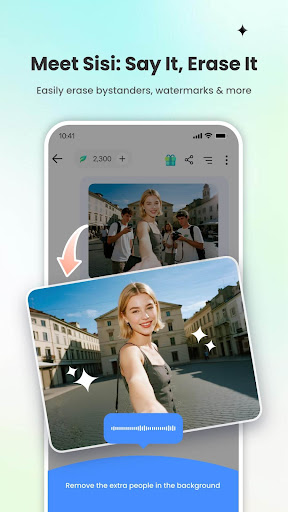
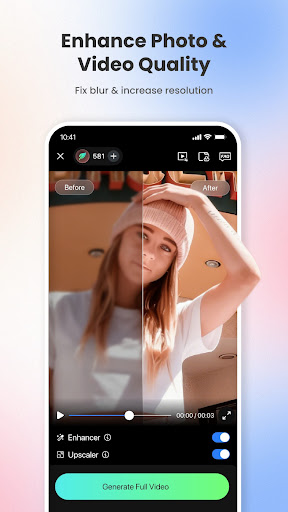
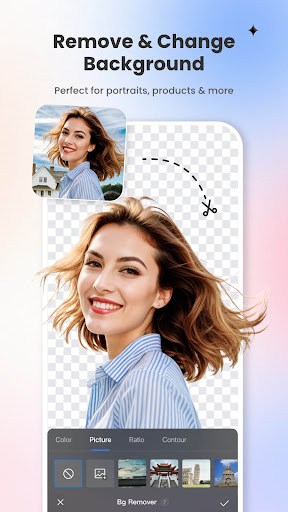
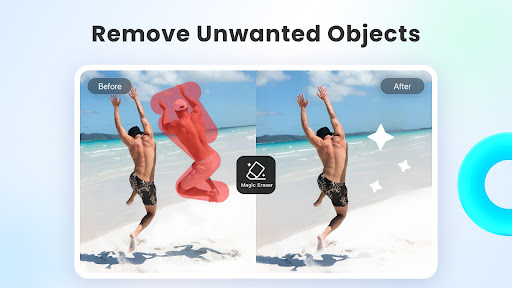
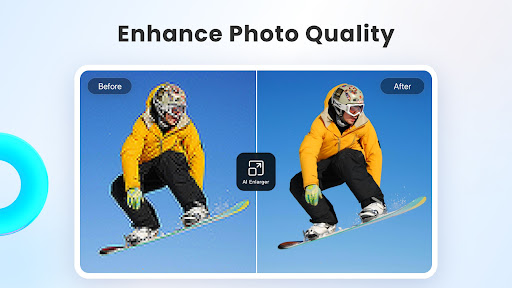
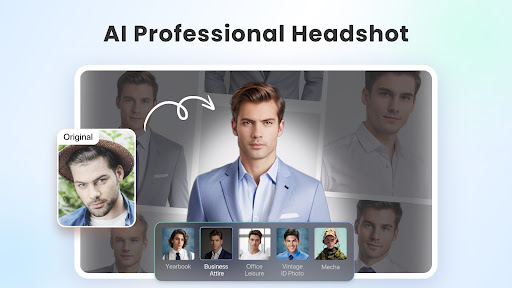
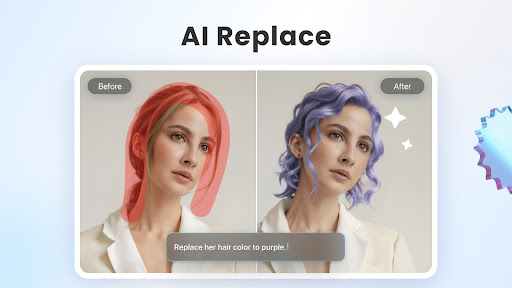
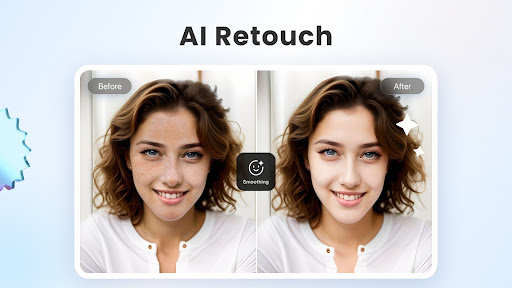
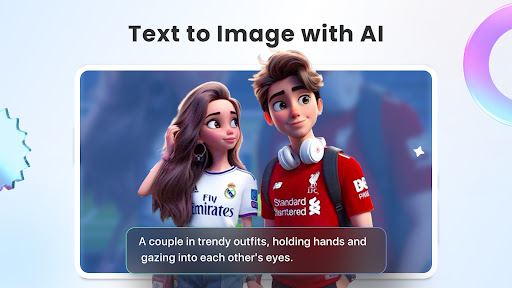
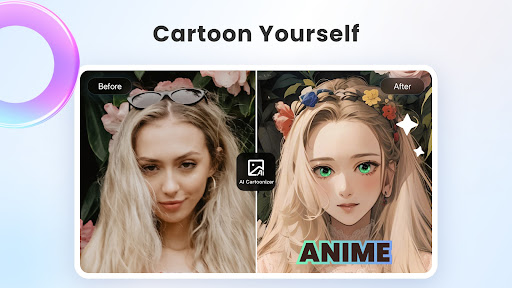
Photo editing used to be a task. Now it's just a talk. With Fotor, editing is easier than ever. Fotor is your all-in-one AI photo editing toolbox, now featuring the new AI Agent. Just upload a photo and say or type what you want—Fotor's smart Agent understands your commands and applies multiple edits at once, saving you time and effort. Whether you're a creator, a photo enthusiast, or just having fun, Fotor makes editing smarter, faster, and more creative than ever. In the Fotor App, you can: ‒ Use the AI Photo Enhancer to instantly sharpen blurry photos, fix grainy or low-resolution images, and bring back lost details automatically. This powerful photo enhancer tool boosts image quality and makes every shot look sharp, vivid, and professional—no manual editing required. The photo enhancer makes it easy to get stunning results with just one tap. ‒ Effortlessly remove unwanted elements from photos and videos—like bystanders, watermarks, or buildings—using the Magic Eraser for photos and Video Eraser for videos, all without sacrificing quality. Perfect for anyone with no editing experience. ‒ Use the BG Remover to extract subjects from your images with one click, allowing you to replace the background and create highly personalized photos. The AI background eraser makes it easy to achieve professional-looking results. ‒ Use AI Retouch to achieve flawless skin. Enjoy natural and delicate skin smoothing and blemish removal to effortlessly create a refined appearance. ‒ Use the AI Headshot Generator to create PFPs and avatars for LinkedIn and other social media platforms. The headshot generator ensures high-quality results that rival professional studios. ‒ Turn text into stunning images! Just describe what you want, like “a magician baking bread in the kitchen,” then choose a style, and transform your ideas into reality in seconds. ‒ Instantly convert your text prompts into videos with an AI video generator, creating studio-quality videos without any watermarks. Just enter your text or upload an image, choose a style, and get a polished video. ‒ Use trendy 3D Cartoon and AI art effects to easily transform your selfies into vibrant cartoon comics. Explore more features of Fotor and unleash your creativity with this AI photo editor. AI Tools: ‒ Instantly change hairstyles, and colors with AI Hairstyle to find your best style. ‒ Extend photo subjects and backgrounds with AI Expand to fit different sizes and achieve a balanced effect. ‒ Restore and colorize old family photos, turning them into vibrant, high-definition images. Photo Editor: ‒ Use unique photo filters to set the mood and captivate. ‒ Adjust brightness, clarity, contrast, saturation, curves, hue, and grain. The Fotor Pro subscription fee is charged weekly, monthly, or yearly. The fees for the Fotor Pro plan are paid following purchase confirmation. The subscription will automatically renew on expiry unless the automatic renewal is turned off at least 24 hours before the expiry of the…

What Fotor–AI Photo Editor&Enhancer Is Used For

Fotor–AI Photo Editor&Enhancer appears to be a photography app for editing and enhancing photos on a phone. Based on the metadata, it is commonly used for quick image cleanup and creative edits, especially when someone wants to improve photo quality without doing everything manually. Its AI-focused tools suggest it may be useful for users who want fast edits from a text prompt or one-click enhancement.

The listed features point to common use cases such as sharpening blurry images, reducing noise, removing unwanted objects, changing backgrounds, and retouching portraits. It also appears to support AI-generated headshots, text-to-image creation, and image-to-video style content, which makes it relevant for social posts, profile pictures, and content creation. Permissions like camera and storage access fit an app that captures, imports, edits, and saves media files, while internet access suggests cloud-based or online AI processing may be involved.

Common uses

  • Enhancing blurry, grainy, or low-resolution photos
  • Removing people, objects, or watermarks from images or videos
  • Changing or replacing photo backgrounds
  • Retouching portraits and smoothing skin
  • Creating AI headshots, avatars, or profile images
  • Generating images or videos from text prompts
  • Editing and saving photos on a phone using camera or storage access
Best for:
photo editing ai image tools portrait retouching social media content phone app

App Details

Package:
com.everimaging.photoeffectstudio
Category:
Photography
Developer:
AI Art Photo Editor | Everimaging Ltd.
Version:
8.1.12.0
Updated:
Mar 26, 2026
Min Android:
7.0
Age Rating:
Teen
Contains Ads:
Yes
In-App Purchases:
Yes

Official Listing

  • Official listing available on Google Play
  • Package name: com.everimaging.photoeffectstudio
  • Age rating: Teen

Explore More

Browse more apps in Photography or explore the Phone hub .

Related Photography Apps

BeautyPlus-Selfie Photo Editor icon

BeautyPlus-Selfie Photo Editor

Photography PIXOCIAL TECHNOLOGY (SINGAPORE) PTE. LTD.

Snap perfect selfies every time. AI Auto-beautification for that flawless look.

Version 7.33.1 269.4 MB ⭐ 4.60 500,000,000+ installs
AI Photo Editor - Polish icon

AI Photo Editor - Polish

Photography InShot Inc.

Photo editor with 100+ filters, AI enhancer, Pic collage maker, AI art generator

Version 1.732.252 27.6 MB ⭐ 4.80 100,000,000+ installs
Photoroom: AI Photo Editor icon

Photoroom: AI Photo Editor

Photography Photoroom AI Photo Editor

Design with AI: Remove backgrounds, edit photos, retouch images, create logos.

Version 2026.14.02 167.9 MB ⭐ 4.70 100,000,000+ installs
AI Photo Editor - Lumii icon

AI Photo Editor - Lumii

Photography InShot Video Editor

AI Photo Editor with 100+ Filters, Effects! Remove BG, Retouch & Photo Enhancer.

Version 2.016.194 32.8 MB ⭐ 4.80 100,000,000+ installs
Airbrush: Face & Photo Editor icon

Airbrush: Face & Photo Editor

Photography PIXOCIAL TECHNOLOGY (SINGAPORE) PTE. LTD.

Change hairstyle, whiten teeth, smooth skin, reshape body & erase acne

Version 8.5.0 292.5 MB ⭐ 4.00 50,000,000+ installs
AI Retouch - Remove Objects icon

AI Retouch - Remove Objects

Photography InShot Inc.

One-tap remove objects, logos, text & more with AI Retouch photo editor & eraser

Version 1.172.38 21.1 MB ⭐ 4.71 10,000,000+ installs

How to Download Fotor–AI Photo Editor&Enhancer

If this app is not hosted directly on APKApps official link, then for the safest and most up-to-date version, install it from its official Google Play listing.