Thunder VPN - Fast, Safe VPN icon

Phone

Thunder VPN - Fast, Safe VPN

Tools Secure Signal Inc. ⭐ 4.80 100,000,000+

Lightning fast VPN, connect to the world in 1 second

Version 5.3.17 6.0 MB Everyone

Screenshots

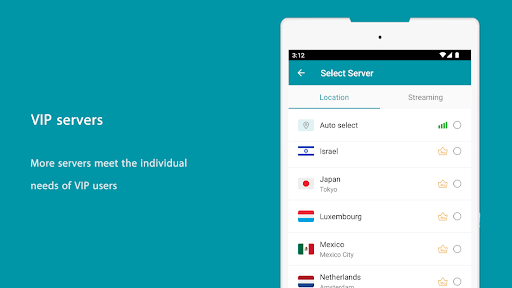
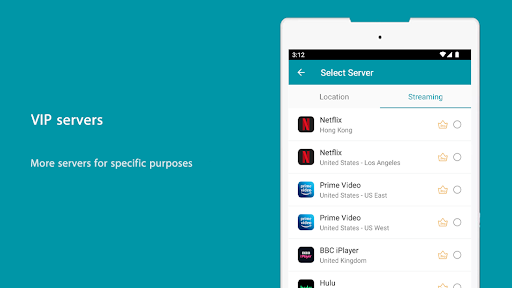
Thunder VPN - Fast, Safe VPN screenshot
Permissions Explained 15 permissions requested View details

This app requests 15 permissions. The table below explains what each permission may allow and what users should review before installing.

Status Permission What it means Why it may be used User safety note
Common Internet access android.permission.INTERNET Allows the app to open network connections and communicate with online services. Commonly used for streaming, syncing, login, ads, analytics, downloads, cloud features, and app updates. Common permission. Review the app’s behavior if it does not appear to need online access.
Common View network status android.permission.ACCESS_NETWORK_STATE Allows the app to check whether the device is connected to Wi-Fi, mobile data, or another network. Often used to avoid loading content when offline or to adjust loading based on connection quality. Generally low risk by itself.
ℹ️ Review Keep device awake android.permission.WAKE_LOCK Allows the app to prevent the device from sleeping while a task is running. Used for media playback, downloads, navigation, alarms, calls, or long-running background tasks. Review battery usage if the app keeps the device awake too often.
ℹ️ Review Send notifications android.permission.POST_NOTIFICATIONS Allows the app to send notifications to the device. Used for alerts, reminders, messages, account activity, updates, or media controls. Review notification settings if the app sends too many alerts.
ℹ️ Review Access Wifi State android.permission.ACCESS_WIFI_STATE This is an Android permission or app-specific permission requested by the app. The app may use this permission for features related to its category, device support, background behavior, storage, connectivity, or system integration. Review this permission before installing, especially if it does not match the app’s expected purpose.
ℹ️ Review Vending Billing com.android.vending.BILLING This is an Android permission or app-specific permission requested by the app. The app may use this permission for features related to its category, device support, background behavior, storage, connectivity, or system integration. Review this permission before installing, especially if it does not match the app’s expected purpose.
ℹ️ Review Gms Permission Ad Id com.google.android.gms.permission.AD_ID This is an Android permission or app-specific permission requested by the app. The app may use this permission for features related to its category, device support, background behavior, storage, connectivity, or system integration. Review this permission before installing, especially if it does not match the app’s expected purpose.
ℹ️ Review Request Ignore Battery Optimizations android.permission.REQUEST_IGNORE_BATTERY_OPTIMIZATIONS This is an Android permission or app-specific permission requested by the app. The app may use this permission for features related to its category, device support, background behavior, storage, connectivity, or system integration. Review this permission before installing, especially if it does not match the app’s expected purpose.
ℹ️ Review Query All Packages android.permission.QUERY_ALL_PACKAGES This is an Android permission or app-specific permission requested by the app. The app may use this permission for features related to its category, device support, background behavior, storage, connectivity, or system integration. Review this permission before installing, especially if it does not match the app’s expected purpose.
ℹ️ Review Access Adservices Ad Id android.permission.ACCESS_ADSERVICES_AD_ID This is an Android permission or app-specific permission requested by the app. The app may use this permission for features related to its category, device support, background behavior, storage, connectivity, or system integration. Review this permission before installing, especially if it does not match the app’s expected purpose.
ℹ️ Review Access Adservices Attribution android.permission.ACCESS_ADSERVICES_ATTRIBUTION This is an Android permission or app-specific permission requested by the app. The app may use this permission for features related to its category, device support, background behavior, storage, connectivity, or system integration. Review this permission before installing, especially if it does not match the app’s expected purpose.
ℹ️ Review Access Adservices Topics android.permission.ACCESS_ADSERVICES_TOPICS This is an Android permission or app-specific permission requested by the app. The app may use this permission for features related to its category, device support, background behavior, storage, connectivity, or system integration. Review this permission before installing, especially if it does not match the app’s expected purpose.
ℹ️ Review Finsky Permission Bind Get Install Referrer Service com.google.android.finsky.permission.BIND_GET_INSTALL_REFERRER_SERVICE This is an Android permission or app-specific permission requested by the app. The app may use this permission for features related to its category, device support, background behavior, storage, connectivity, or system integration. Review this permission before installing, especially if it does not match the app’s expected purpose.
ℹ️ Review Foreground Service android.permission.FOREGROUND_SERVICE This is an Android permission or app-specific permission requested by the app. The app may use this permission for features related to its category, device support, background behavior, storage, connectivity, or system integration. Review this permission before installing, especially if it does not match the app’s expected purpose.
ℹ️ Review Com Fast Free Unblock Thunder Vpn Dynamic Receiver Not Exported Permission com.fast.free.unblock.thunder.vpn.DYNAMIC_RECEIVER_NOT_EXPORTED_PERMISSION This is an Android permission or app-specific permission requested by the app. The app may use this permission for features related to its category, device support, background behavior, storage, connectivity, or system integration. Review this permission before installing, especially if it does not match the app’s expected purpose.

About Thunder VPN - Fast, Safe VPN

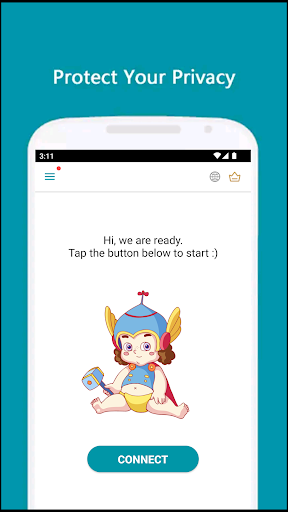
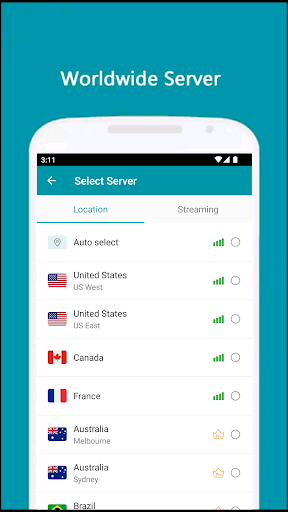
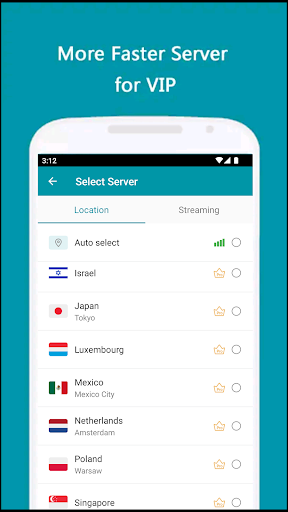
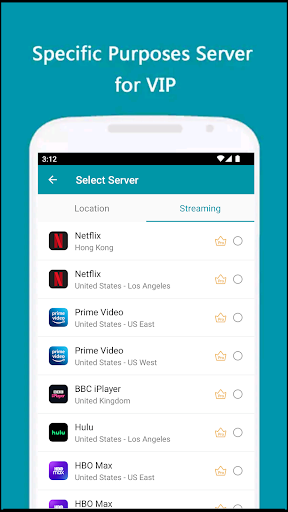
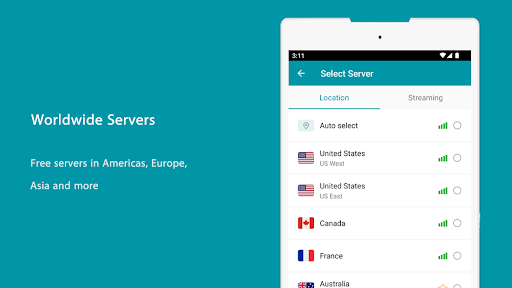
Thunder VPN is a lightning-fast app provide free VPN service. Not need any configuration, just simply click one button, you can access the Internet securely and anonymously. Thunder VPN encrypts your Internet connection so that third parties can’t track your online activity, making it more secure than a typical proxy, make your Internet's safety and security, especially when you using public free Wi-Fi. We have built a global VPN network included America, Europe and Asia, and expand to more country soon. Most servers are free to use, you can click the flag and change server as any times as you want. Why choose Thunder VPN? ✅ Large number of servers, high-speed bandwidth ✅ Choose apps which using VPN (Android 5.0+ required) ✅ Works with Wi-Fi, 5G, LTE/4G, 3G and all mobile data carriers ✅ Strict no-logging policy ✅ Smart choose server ✅ Well-designed UI, a few ADs ✅ No usage and time limit ✅ No registration or configuration required ✅ No additional permissions required ✅ Tiny size with high performance User privacy is very important to us. If you compare to other similar apps, you will find that our app has almost the fewest permission required and the smallest package size, which means that less sensitive information is collected and less uncontrollable risks from third-party code. This app is a very good choice for privacy. Download Thunder VPN, the world's fastest secure virtual private network, and enjoy it all! If Thunder VPN connect failed, don't worry, you can follow these steps to fix it: 1) Click the flag icon 2) Click the refresh button to check servers 3) Choose the fastest and most stable server to reconnect Hoping you suggestion and good rating to keep it growing and make it better :-) VPN related introduction A virtual private network (VPN) extends a private network across a public network, and enables users to send and receive data across shared or public networks as if their computing devices were directly connected to the private network. Applications running across the VPN may therefore benefit from the functionality, security, and management of the private network. Individual Internet users may secure their transactions with a VPN, to circumvent geo-restrictions and censorship, or to connect to proxy servers for the purpose of protecting personal identity and location. However, some Internet sites block access to known VPN technology to prevent the circumvention of their geo-restrictions. VPNs cannot make online connections completely anonymous, but they can usually increase privacy and security. To prevent disclosure of private information, VPNs typically allow only authenticated remote access using tunneling protocols and encryption techniques. Mobile virtual private networks are used in settings where an endpoint of the VPN is not fixed to a single IP address, but instead roams across various networks such as data networks from cellular carriers or between multiple Wi-Fi access points. Mobile VPNs have been widely used in…

What Thunder VPN - Fast, Safe VPN Is Used For

Thunder VPN appears to be a mobile VPN app for Android phones that is commonly used to route internet traffic through a remote server. Based on the metadata, people may use it to change their apparent network location, encrypt traffic on shared networks, or connect through one of the listed regional servers in America, Europe, or Asia. It is presented as a one-tap tool, so it may suit users who want a simple VPN without manual setup or advanced configuration.

The app’s network-related permissions, such as internet and Wi‑Fi access, fit a VPN’s normal role of managing device connectivity. Its description also mentions optional app selection for VPN use on Android 5.0+, which suggests it may support per-app routing on compatible devices. Because it includes ads and in-app purchases, it appears to follow a freemium model rather than a fully paid service. As with any VPN app, users would typically consider it when they want a phone-based privacy or connectivity tool for mobile data, Wi‑Fi, or public hotspots.

Common uses

  • Connects a phone to a VPN server with one tap
  • May help route traffic through different regions
  • Can be used on mobile data or Wi‑Fi networks
  • Appears suited to public Wi‑Fi use cases
  • May support per-app VPN selection on compatible Android versions
  • Includes a simple server-switching workflow
  • Fits users looking for a basic VPN tools app
Best for:
phone users vpn beginners public wifi users privacy tools simple setup

App Details

Package:
com.fast.free.unblock.thunder.vpn
Category:
Tools
Developer:
Secure Signal Inc.
Version:
5.3.17
Updated:
Mar 17, 2026
Min Android:
6.0
Age Rating:
Everyone
Contains Ads:
Yes
In-App Purchases:
Yes

Official Listing

  • Official listing available on Google Play
  • Package name: com.fast.free.unblock.thunder.vpn
  • Age rating: Everyone

Explore More

Browse more apps in Tools or explore the Phone hub .

Related Tools Apps

Turbo VPN - Secure VPN Proxy icon

Turbo VPN - Secure VPN Proxy

Tools Innovative Connecting

Enjoy fast streaming, secure & private internet with super unlimited VPN Turbo

Version 4.2.9.8 25.3 MB ⭐ 4.70 100,000,000+ installs
TunnelBear VPN icon

TunnelBear VPN

Tools TunnelBear, LLC

No data logging. No add-ons. Just privacy. Just protection

Version 4.9.4 12.5 MB ⭐ 3.70 10,000,000+ installs
1.1.1.1 icon

1.1.1.1

Tools Cloudflare, Inc.

A More Private Internet

Version 6.33 32.2 MB ⭐ 4.16 100,000,000+ installs

How to Download Thunder VPN - Fast, Safe VPN

If this app is not hosted directly on APKApps official link, then for the safest and most up-to-date version, install it from its official Google Play listing.