About Floor Vision AI: Room Flooring
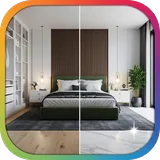
Floor Vision: AI Room Flooring Visualizer Transform your space with Floor Vision, the ultimate AI-powered flooring visualization app. Instantly preview how different flooring materials will look in your room — before making a purchase. Whether you're planning a home renovation or exploring design ideas, Floor Vision makes it easy to bring your vision to life. 📸 Snap or Upload Your Room Capture a photo of any room or upload one from your gallery. 🎨 Explore Flooring Options Try a wide range of pre-loaded flooring styles — from hardwood and laminate to marble, ceramic, and vinyl. 🤖 Smart AI Visualization Powered by cutting-edge AI, Floor Vision applies selected flooring materials to your room image with stunning realism. 🛠️ Custom Materials Upload your own flooring textures and see exactly how they’ll look in your space. 📁 Save & Manage Projects Save multiple rooms, compare designs, and revisit your favorite looks anytime. 💡 Perfect for Homeowners, Designers & Contractors Whether you're redecorating, designing for a client, or helping customers choose flooring, Floor Vision streamlines the decision-making process. Download Floor Vision today and reimagine your space — one floor at a time.
What Floor Vision AI: Room Flooring Is Used For
Floor Vision AI: Room Flooring appears to be a house and home app for previewing different flooring styles in a room before buying or installing them. Based on the metadata, it is used to help people visualize how materials such as hardwood, laminate, marble, ceramic, or vinyl may look in a specific space by applying them to a room photo.
The app may be useful during home renovation, interior design planning, or client presentations, especially on a phone where users can quickly snap a picture or upload one from their gallery. Its network permissions suggest it may need an internet connection for AI-based processing, project syncing, or downloading flooring options, while the license check permission indicates access may be tied to Play licensing rather than a fully offline workflow.
It also appears to support custom material uploads and saving multiple projects, which could help users compare design choices over time. That makes it relevant for homeowners, designers, and contractors who want a simple way to test flooring ideas before making a decision.
Common uses
- Preview flooring styles on a room photo
- Compare flooring options before purchase
- Test looks for renovation or redesign planning
- Upload custom flooring textures for a more tailored preview
- Save multiple room projects for later review
- Use on a phone for quick design checks
- Share or present flooring ideas to clients or household members
App Details
Package:
com.harmonitechnology.floorVisionAI
Developer:
Harmoni Technology
Version:
Varies with device
Min Android:
Varies with device
Age Rating:
Everyone
Contains Ads:
No
In-App Purchases:
Yes
Official Listing
-
Official listing available on
Google Play
-
Package name:
com.harmonitechnology.floorVisionAI
-
Age rating:
Everyone
Related House & Home Apps
House & Home
•
Houzz Inc.
Home Ideas | Renovation Advice | Local Pros. Go From Dream to Home with Houzz.
Version 24.4.22
259.4 MB
⭐ 4.69
10,000,000+ installs
How to Download Floor Vision AI: Room Flooring
If this app is not hosted directly on APKApps official link,
then for the safest and most up-to-date version, install it from its official Google Play listing.