Qibla Finder Compass 100% icon

Phone

Qibla Finder Compass 100%

Maps & Navigation CNT Interaktif Bilgi Tek. Yaz. San. ve Tic. A.S. ⭐ 4.40 10,000,000+

Find Qibla Directions & Salah Timings.

Version 3.8.5 33.7 MB Everyone

Screenshots

Qibla Finder Compass 100% screenshot
Permissions Explained 16 permissions requested View details

This app requests 16 permissions. The table below explains what each permission may allow and what users should review before installing.

Status Permission What it means Why it may be used User safety note
ℹ️ Review Foreground Service android.permission.FOREGROUND_SERVICE This is an Android permission or app-specific permission requested by the app. The app may use this permission for features related to its category, device support, background behavior, storage, connectivity, or system integration. Review this permission before installing, especially if it does not match the app’s expected purpose.
Common Internet access android.permission.INTERNET Allows the app to open network connections and communicate with online services. Commonly used for streaming, syncing, login, ads, analytics, downloads, cloud features, and app updates. Common permission. Review the app’s behavior if it does not appear to need online access.
Common View network status android.permission.ACCESS_NETWORK_STATE Allows the app to check whether the device is connected to Wi-Fi, mobile data, or another network. Often used to avoid loading content when offline or to adjust loading based on connection quality. Generally low risk by itself.
ℹ️ Review Vending Billing com.android.vending.BILLING This is an Android permission or app-specific permission requested by the app. The app may use this permission for features related to its category, device support, background behavior, storage, connectivity, or system integration. Review this permission before installing, especially if it does not match the app’s expected purpose.
⚠️ Sensitive Approximate location android.permission.ACCESS_COARSE_LOCATION Allows the app to access an approximate device location. Used for weather, local content, regional features, nearby services, or location-based settings. Sensitive permission. Review whether the app needs location access.
⚠️ Sensitive Precise location android.permission.ACCESS_FINE_LOCATION Allows the app to access the device’s precise location when granted by the user. Used for maps, navigation, local recommendations, weather, rideshare, nearby devices, or location-based content. Sensitive permission. Grant only when location access matches the app’s purpose.
Common Vibration control android.permission.VIBRATE Allows the app to control device vibration. Used for notifications, alerts, haptic feedback, timers, alarms, or game feedback. Generally low risk by itself.
ℹ️ Review Keep device awake android.permission.WAKE_LOCK Allows the app to prevent the device from sleeping while a task is running. Used for media playback, downloads, navigation, alarms, calls, or long-running background tasks. Review battery usage if the app keeps the device awake too often.
ℹ️ Review Send notifications android.permission.POST_NOTIFICATIONS Allows the app to send notifications to the device. Used for alerts, reminders, messages, account activity, updates, or media controls. Review notification settings if the app sends too many alerts.
ℹ️ Review C2dm Permission Receive com.google.android.c2dm.permission.RECEIVE This is an Android permission or app-specific permission requested by the app. The app may use this permission for features related to its category, device support, background behavior, storage, connectivity, or system integration. Review this permission before installing, especially if it does not match the app’s expected purpose.
ℹ️ Review Gms Permission Ad Id com.google.android.gms.permission.AD_ID This is an Android permission or app-specific permission requested by the app. The app may use this permission for features related to its category, device support, background behavior, storage, connectivity, or system integration. Review this permission before installing, especially if it does not match the app’s expected purpose.
ℹ️ Review Access Adservices Attribution android.permission.ACCESS_ADSERVICES_ATTRIBUTION This is an Android permission or app-specific permission requested by the app. The app may use this permission for features related to its category, device support, background behavior, storage, connectivity, or system integration. Review this permission before installing, especially if it does not match the app’s expected purpose.
ℹ️ Review Access Adservices Ad Id android.permission.ACCESS_ADSERVICES_AD_ID This is an Android permission or app-specific permission requested by the app. The app may use this permission for features related to its category, device support, background behavior, storage, connectivity, or system integration. Review this permission before installing, especially if it does not match the app’s expected purpose.
ℹ️ Review Finsky Permission Bind Get Install Referrer Service com.google.android.finsky.permission.BIND_GET_INSTALL_REFERRER_SERVICE This is an Android permission or app-specific permission requested by the app. The app may use this permission for features related to its category, device support, background behavior, storage, connectivity, or system integration. Review this permission before installing, especially if it does not match the app’s expected purpose.
ℹ️ Review Receive Boot Completed android.permission.RECEIVE_BOOT_COMPLETED This is an Android permission or app-specific permission requested by the app. The app may use this permission for features related to its category, device support, background behavior, storage, connectivity, or system integration. Review this permission before installing, especially if it does not match the app’s expected purpose.
ℹ️ Review Com Hundred Qibla Finder Dynamic Receiver Not Exported Permission com.hundred.qibla.finder.DYNAMIC_RECEIVER_NOT_EXPORTED_PERMISSION This is an Android permission or app-specific permission requested by the app. The app may use this permission for features related to its category, device support, background behavior, storage, connectivity, or system integration. Review this permission before installing, especially if it does not match the app’s expected purpose.

About Qibla Finder Compass 100%

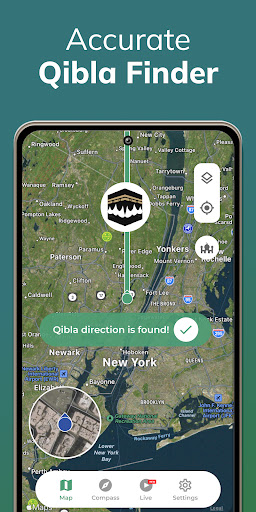
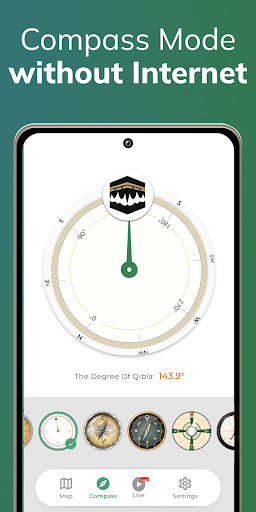
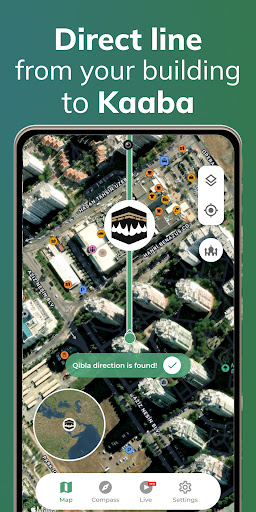
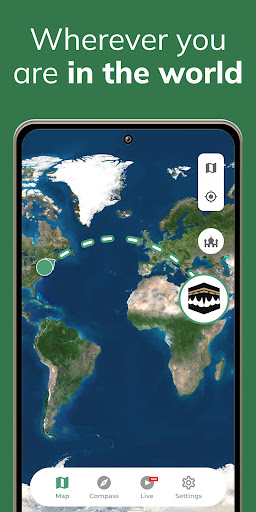
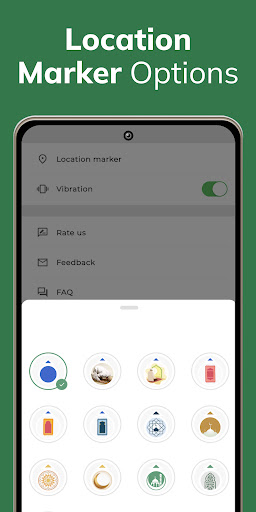
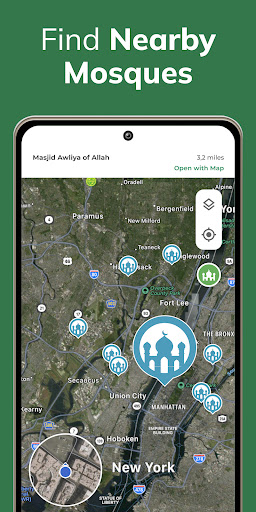
Find Qibla direction القبلة with 100% accuracy for your prayers. To find Qibla direction, you don't need an internet connection! Low-size app that shows 100% Qibla Direction worldwide. Simple & Smart Qibla compass. 100% Qibla Finder helps Muslims find the Kibla all over the world. The Qibla direction القبلة -direction of the Kaaba in Mecca (Makkah)- is indicated by an arrow on the map, so you can adjust your direction before you start your prayer using the Qibla Compass. Qibla Finder is one of the rules that every Muslim should pay attention to. With our app, you can find the prayer direction accurately wherever you are. So you can start the prayer without losing your location with the smart Qibla Compass. 100% Qibla Finder: Qibla Compass, Direction All Features ✓ You don't need the internet to see where Makkah is. Using its compass function, 100% Qibla Finder shows you where Mecca is located even offline. ✓ Your direction is located with precision thanks to the GPS function of the application. To find Qibla direction القبلة, your phone's GPS function must be working properly Qibla finder. ✓ You can re-detect your position with the "Find my position" function to be sure of the Kaaba. ✓ You can share 100% Qibla Compass on Facebook and other social networks with your friends. Additional features include: ✓ Select from various map or Qibla Compass modes to match your preferences and improve usability, whether you prefer a traditional compass view or a more detailed map-based interface. ✓ Customize your location marker to ensure greater accuracy and personalization, allowing you to adjust the marker's appearance and positioning for a more tailored experience. ✓ Locate the nearest mosques to your current location You should hold your phone on a flat surface and keep it away from electromagnetic fields and metallic objects. If necessary, you can manually rearrange your location by tapping the marker. To use the product, your phone must be away from magnetic fields. If there is too much of a magnetic field around, you might have trouble finding your way. The presence of a GPS jamming device around you can also affect steering. If you think you are not getting the correct result, you can try again at a time when there is no electronic device. However, you need to make sure that your phone is working properly. A problem with your phone can cause problems. Don't forget to activate Google GPS features. If you do not allow the location of the app, you may experience issues. So make sure you allow everything. You can also use our product as a compass. With the help of your phone's sensors, you will have used one of the most accurate compass apps. The compass features will work even if you are offline. We remind you that you must be sure that there is no electromagnetic field around you to avoid problems with the functions of the compass. To get the best results for القبلة Qibla direction, never forget the condition that you get the right result once. On your…

What Qibla Finder Compass 100% Is Used For

Qibla Finder Compass 100% appears to be a navigation-style app focused on helping Muslims determine the direction of the Qibla for الصلاة/prayer. Based on the metadata, it uses GPS and compass-related functions to estimate direction on a map or compass view, which may be useful when you are in an unfamiliar place or want a quick reference before praying.

The app also appears to include Salah timing support and nearby mosque location features, making it more than a simple compass. Since location permissions are listed, it likely depends on your phone’s current position to calculate direction and show relevant places nearby. The description also notes offline direction viewing, so some basic use may be possible without an internet connection, although location accuracy still depends on the device’s sensors and GPS.

Because this is a phone app in the Maps & Navigation category, it seems intended for everyday personal use while traveling, at home, or when visiting new areas. The permissions suggest it may handle notifications, background service activity, and network access, which can support reminders, updates, or map-related functions.

Common uses

  • Check the Qibla direction before starting prayer
  • View direction in compass or map-style layouts
  • Use GPS-based positioning to estimate your current location
  • Find nearby mosques around your area
  • Refer to Salah timing information for prayer planning
  • Use offline direction guidance when internet access is limited
  • Adjust or re-detect your position if the location seems off
Best for:
Prayer direction Muslim users Travel use Phone app Location-based lookup

App Details

Package:
com.hundred.qibla.finder
Developer:
CNT Interaktif Bilgi Tek. Yaz. San. ve Tic. A.S.
Version:
3.8.5
Updated:
Mar 21, 2026
Min Android:
6.0
Age Rating:
Everyone
Contains Ads:
Yes
In-App Purchases:
Yes

Official Listing

  • Official listing available on Google Play
  • Package name: com.hundred.qibla.finder
  • Age rating: Everyone

Explore More

Browse more apps in Maps & Navigation or explore the Phone hub .

Related Maps & Navigation Apps

Salatuk icon

Salatuk

Lifestyle Masarat App

Salatuk is your Muslim prayers Companion!

Version 3.6.21 32.1 MB ⭐ 4.62 50,000,000+ installs
Qibla Direction icon

Qibla Direction

Lifestyle 9D Muslim Apps - Quran, Qibla Direction & Prayers

Smart & Fast Qibla Finder Compass, Shows 100% accurate Qibla Direction worldwide

Version 2.7.22 30.4 MB ⭐ 3.85 10,000,000+ installs

How to Download Qibla Finder Compass 100%

If this app is not hosted directly on APKApps official link, then for the safest and most up-to-date version, install it from its official Google Play listing.