Frosthaven: Official Companion icon

Phone

Frosthaven: Official Companion

Board Lucky Duck Games ⭐ 4.20 5,000+
Version 1.4.8 Teen

Screenshots

Frosthaven: Official Companion screenshot
Permissions Explained 6 permissions requested View details

This app requests 6 permissions. The table below explains what each permission may allow and what users should review before installing.

Status Permission What it means Why it may be used User safety note
ℹ️ Review View Wi Fi Connections view Wi-Fi connections This is an Android permission or app-specific permission requested by the app. The app may use this permission for features related to its category, device support, background behavior, storage, connectivity, or system integration. Review this permission before installing, especially if it does not match the app’s expected purpose.
ℹ️ Review View Network Connections view network connections This is an Android permission or app-specific permission requested by the app. The app may use this permission for features related to its category, device support, background behavior, storage, connectivity, or system integration. Review this permission before installing, especially if it does not match the app’s expected purpose.
ℹ️ Review Allow Wi Fi Multicast Reception allow Wi-Fi Multicast reception This is an Android permission or app-specific permission requested by the app. The app may use this permission for features related to its category, device support, background behavior, storage, connectivity, or system integration. Review this permission before installing, especially if it does not match the app’s expected purpose.
ℹ️ Review Full Network Access full network access This is an Android permission or app-specific permission requested by the app. The app may use this permission for features related to its category, device support, background behavior, storage, connectivity, or system integration. Review this permission before installing, especially if it does not match the app’s expected purpose.
ℹ️ Review Prevent Device From Sleeping prevent device from sleeping This is an Android permission or app-specific permission requested by the app. The app may use this permission for features related to its category, device support, background behavior, storage, connectivity, or system integration. Review this permission before installing, especially if it does not match the app’s expected purpose.
ℹ️ Review Receive Data From Internet receive data from Internet This is an Android permission or app-specific permission requested by the app. The app may use this permission for features related to its category, device support, background behavior, storage, connectivity, or system integration. Review this permission before installing, especially if it does not match the app’s expected purpose.

About Frosthaven: Official Companion

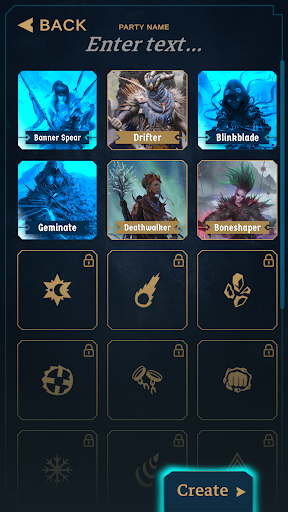
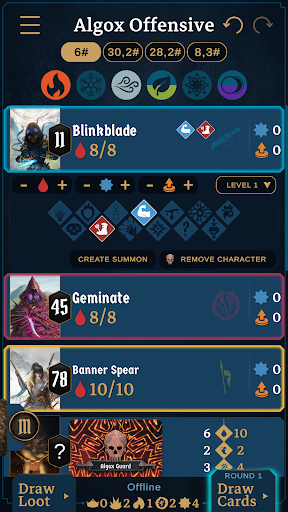
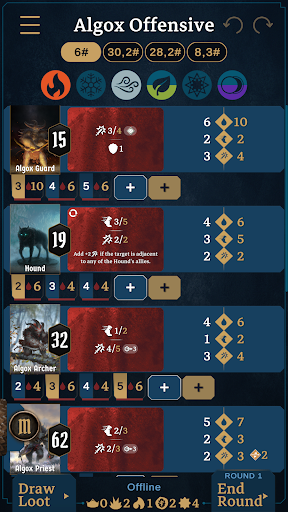
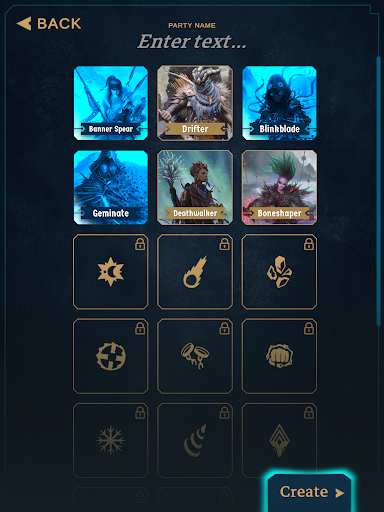
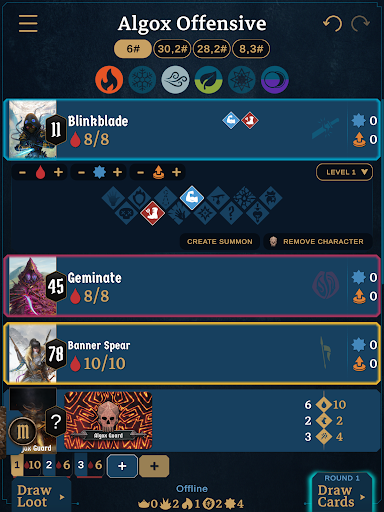
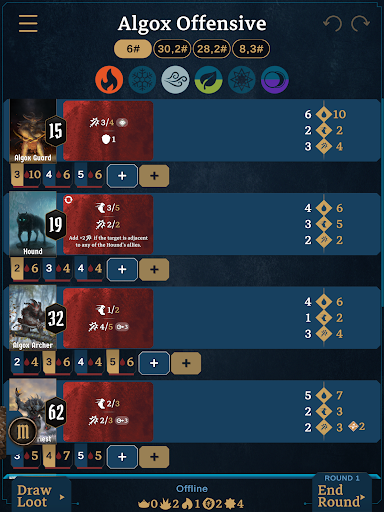
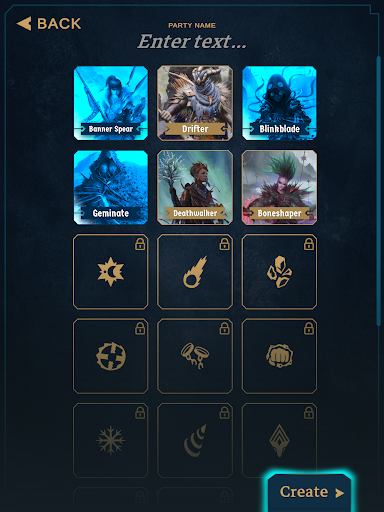
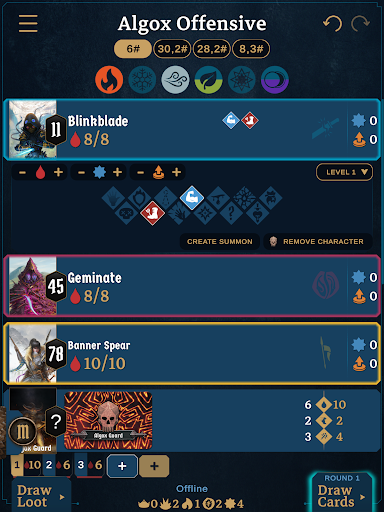
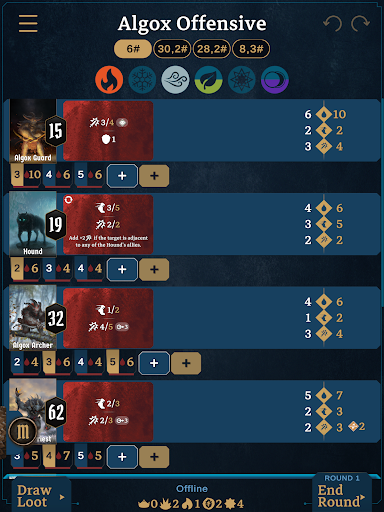
Frosthaven Companion is a companion application meant to lower the setup time and maintenance while playing Frosthaven. Some of its key features are: - Create multiple parties to maintain the state of multiple campaigns at once. - Allow for multiple devices to synchronize at the same time, allowing remote play, or everyone around the table to see all stats without sharing their device. - Choose which scenario the group wants to play, and the application will automatically set up all the monster stats, monster ability decks, and loot deck for that scenario. - Mark each scenario as started or completed, and track your progress. - The application supports opening sections in a scenario. Doing so will automatically instantiate the monsters (normal & elite) in that section. - At any point you can draw from the Monster or Ally Attack Modifier deck, or from an extra Boss deck. - Input the initiative of your heroes and draw Monster Ability cards for each of the monsters. Heroes and enemies will automatically be sorted by initiative, and the ability cards of each monster drawn and revealed. - Support for auto calculations of move and attack values on Monster Ability Cards. - Maintains the hp, xp, loot, and the various conditions of each of your heroes and monsters easily. - Create Summons from your Hero, and track their various statistics. - Create NPCs and set their name and hp, as well as their conditions. You can also input their initiative or snooze them. - Maintains the status of the 6 Elements. - Stop at any point, and resume your session in the state it was when you left. - Undo or redo any actions between each round. - If you do not want to input player initiatives, you can disable player initiative or even hide players. - If you do not want to play a pre-made scenario, create your own custom session by adding any monsters from the game. - The app takes into account the majority of the scenario and sections special cards and hp for monsters.

What Frosthaven: Official Companion Is Used For

Frosthaven: Official Companion appears to be a tabletop companion app for managing Frosthaven game sessions on a phone. Based on the metadata, it is commonly used to reduce manual setup and track the state of a campaign while players are in a scenario. It may help groups organize multiple parties, start or finish scenarios, and keep a session ready to resume later.

The app also seems designed for in-game reference and state tracking during play. It can automatically prepare scenario-specific monster data, loot decks, and ability draws, while also tracking hero and monster health, experience, conditions, summons, NPCs, and the six elements. The network permissions suggest it may support syncing across devices on a shared network, which can be useful for remote play or for showing the same session information around a table without passing one device around.

Common use cases include entering initiative, revealing monster cards, following scenario progress, and using undo/redo to correct actions between rounds. Because it is a companion app for a board game, it appears best suited for players who want a digital assistant during setup and gameplay rather than a standalone game experience.

Common uses

  • Manage Frosthaven scenario setup and progress
  • Track heroes, monsters, summons, and NPC status
  • Automatically handle monster ability draws and initiative sorting
  • Sync session information across multiple devices on a local network
  • Resume a campaign session after pausing or stopping
  • Create custom sessions with selected monsters
  • Use on a phone at the game table or for remote play
Best for:
Frosthaven players Tabletop groups Campaign tracking Remote play support Phone app

App Details

Package:
com.luckyduckgames.frosthaven
Category:
Board
Developer:
Lucky Duck Games
Version:
1.4.8
Updated:
Feb 5, 2026
Min Android:
7.1
Age Rating:
Teen
Contains Ads:
No
In-App Purchases:
No

Official Listing

  • Official listing available on Google Play
  • Package name: com.luckyduckgames.frosthaven
  • Age rating: Teen

Explore More

Browse more apps in Board or explore the Phone hub .

Related Board Apps

Just Euchre icon

Just Euchre

Card Gullesur Games
Version Varies with device ⭐ 0.00 50+ installs

How to Download Frosthaven: Official Companion

If this app is not hosted directly on APKApps official link, then for the safest and most up-to-date version, install it from its official Google Play listing.