Clue: Classic Edition icon

Phone

Clue: Classic Edition

Board Marmalade Game Studio ⭐ 4.60 1,000,000+
Version 2.16.1 Everyone 10+

Screenshots

Clue: Classic Edition screenshot
Permissions Explained 9 permissions requested View details

This app requests 9 permissions. The table below explains what each permission may allow and what users should review before installing.

Status Permission What it means Why it may be used User safety note
ℹ️ Review Read The Contents Of Your Usb Storage read the contents of your USB storage This is an Android permission or app-specific permission requested by the app. The app may use this permission for features related to its category, device support, background behavior, storage, connectivity, or system integration. Review this permission before installing, especially if it does not match the app’s expected purpose.
ℹ️ Review Modify Or Delete The Contents Of Your Usb Storage modify or delete the contents of your USB storage This is an Android permission or app-specific permission requested by the app. The app may use this permission for features related to its category, device support, background behavior, storage, connectivity, or system integration. Review this permission before installing, especially if it does not match the app’s expected purpose.
ℹ️ Review View Wi Fi Connections view Wi-Fi connections This is an Android permission or app-specific permission requested by the app. The app may use this permission for features related to its category, device support, background behavior, storage, connectivity, or system integration. Review this permission before installing, especially if it does not match the app’s expected purpose.
ℹ️ Review View Network Connections view network connections This is an Android permission or app-specific permission requested by the app. The app may use this permission for features related to its category, device support, background behavior, storage, connectivity, or system integration. Review this permission before installing, especially if it does not match the app’s expected purpose.
ℹ️ Review Allow Wi Fi Multicast Reception allow Wi-Fi Multicast reception This is an Android permission or app-specific permission requested by the app. The app may use this permission for features related to its category, device support, background behavior, storage, connectivity, or system integration. Review this permission before installing, especially if it does not match the app’s expected purpose.
ℹ️ Review Full Network Access full network access This is an Android permission or app-specific permission requested by the app. The app may use this permission for features related to its category, device support, background behavior, storage, connectivity, or system integration. Review this permission before installing, especially if it does not match the app’s expected purpose.
ℹ️ Review Control Vibration control vibration This is an Android permission or app-specific permission requested by the app. The app may use this permission for features related to its category, device support, background behavior, storage, connectivity, or system integration. Review this permission before installing, especially if it does not match the app’s expected purpose.
ℹ️ Review Prevent Device From Sleeping prevent device from sleeping This is an Android permission or app-specific permission requested by the app. The app may use this permission for features related to its category, device support, background behavior, storage, connectivity, or system integration. Review this permission before installing, especially if it does not match the app’s expected purpose.
ℹ️ Review Google Play License Check Google Play license check This is an Android permission or app-specific permission requested by the app. The app may use this permission for features related to its category, device support, background behavior, storage, connectivity, or system integration. Review this permission before installing, especially if it does not match the app’s expected purpose.

About Clue: Classic Edition

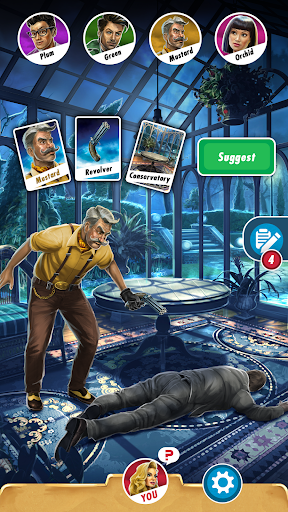
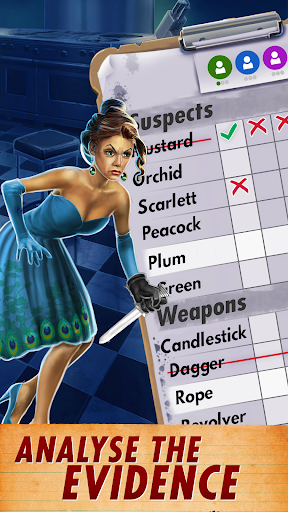
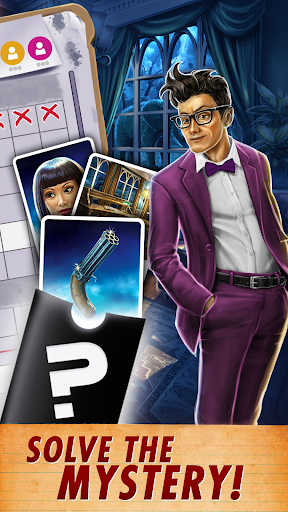
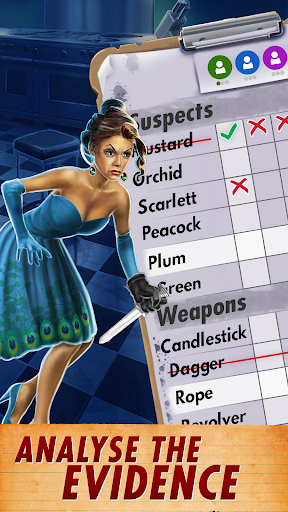
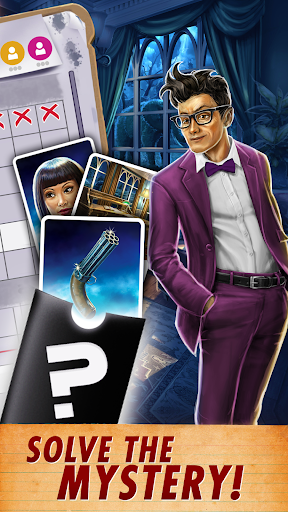
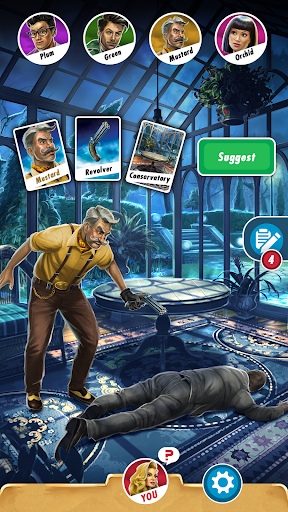
🔎🗡️ The original murder mystery invites you to a dinner party to die for… Step into the shoes of your favourite cast of classy criminal characters – Miss Scarlett, Colonel Mustard, Reverend Green, Professor Plum, Mrs Peacock and Dr Orchid – and explore the iconic rooms of the Tudor Mansion, rendered in stunning 3D like never before. Play against challenging AI opponents, or go online to challenge Clue fans from around the world. You can even set up a nostalgic games night with your friends and family in Private Multiplayer! Whodunit? With what weapon? Where? There’s six suspects, six weapons, nine rooms, and only one answer… HOW TO PLAY CLUE: CLASSIC EDITION: 1. Three cards are hidden away at the start of the game – these cards are the solution to the crime. 2. Each player gets three Clue Cards. These can’t be part of the solution, so they are automatically crossed off your clue sheet. 3. Roll the dice and move your token around the board. 4. If you choose to enter a room, you can make a suggestion. Pick who you think committed the crime, with what weapon and where. 5. Each player then takes it in turn to compare your suggestion against the cards they hold. If they have a card that features in your suggestion, they’ll tell you. 6. Cross off any cards other players have shown you and whittle down your list of suspects. 7. When you are ready, you can make an accusation! If your accusation is wrong, you’re out of the game! FEATURES - CROSS-PLATFORM MULTIPLAYER – Play with your friends and family on PC, mobile and Nintendo Switch. - ONLINE LEADERBOARDS – Outsmart fans around the world with weekly online leaderboards. - MULTIPLE MODES – Face up to six players in Online Multiplayer, or take on customisable AI suspects in Single Player Mode. - PRIVATE LOBBIES – Set up a family game night easily with the Play with Friends Mode. Catch the criminal! Play Clue: Classic Edition today!

What Clue: Classic Edition Is Used For

Clue: Classic Edition appears to be a digital version of the classic murder-mystery board game, designed for phone play. Based on the metadata, it is commonly used for turn-based deduction gameplay where players move through a mansion, question suspects, and narrow down the solution by tracking cards and clues. The app also supports single-player matches against AI, online multiplayer, and private games with friends or family, so it may suit both casual solo sessions and group game nights.

The permissions suggest the app may need network access for online play and leaderboards, plus storage access for saving game-related data on the device. The vibration and keep-awake permissions are typical for a game app and may help with feedback during play and keeping a match from pausing unexpectedly. Since this is a board game title, it is best understood as a strategy and deduction game rather than an action or arcade app.

Common uses

  • Play a digital version of the Clue/Cluedo-style mystery board game
  • Use deduction to track suspects, weapons, and rooms
  • Take turns against AI opponents in single-player mode
  • Join online matches with other players
  • Set up private games for friends or family
  • Use it as a casual turn-based game for short play sessions
  • Works as a phone-based board game app for on-the-go play
Best for:
Board game fans Mystery game players Family game nights Turn-based play Phone gaming

App Details

Package:
com.marmalade.cluedogame
Category:
Board
Developer:
Marmalade Game Studio
Version:
2.16.1
Updated:
Oct 20, 2025
Min Android:
5.1
Age Rating:
Everyone 10+
Contains Ads:
No
In-App Purchases:
Yes

Official Listing

  • Official listing available on Google Play
  • Package name: com.marmalade.cluedogame
  • Age rating: Everyone 10+

Explore More

Browse more apps in Board or explore the Phone hub .

Related Board Apps

MONOPOLY icon

MONOPOLY

Board Marmalade Game Studio
Version 1.15.15 ⭐ 4.10 1,000,000+ installs

How to Download Clue: Classic Edition

If this app is not hosted directly on APKApps official link, then for the safest and most up-to-date version, install it from its official Google Play listing.