About Animax: Animation Pro Creator
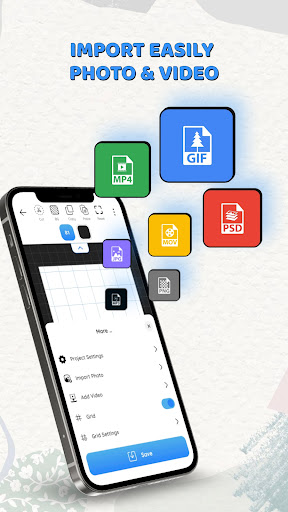
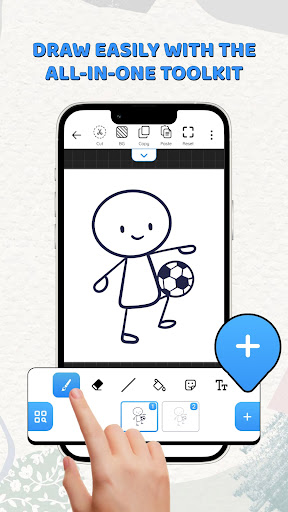
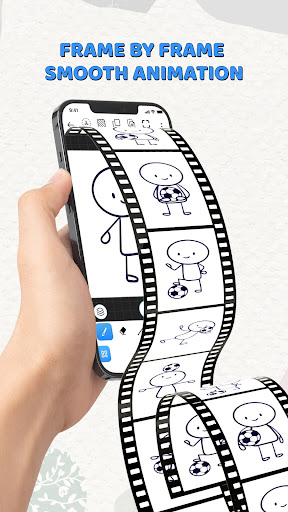
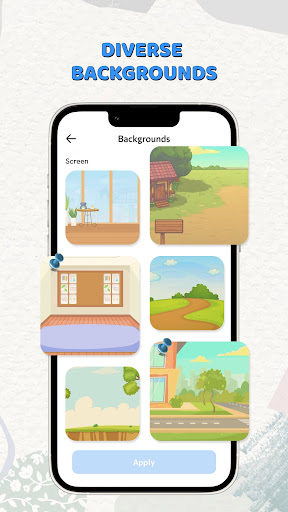
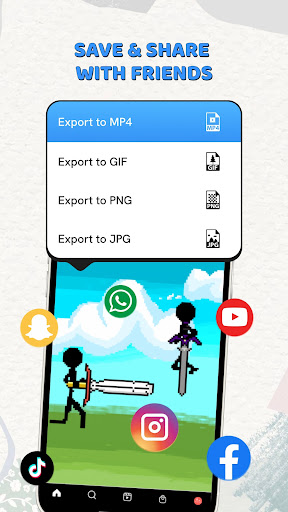
Unleash your creativity with Animax – the professional 2D animation maker and drawing studio built for artists, illustrators, and animators. Whether you want to draw 2D animation from scratch, create a simple flipbook, or produce a complex frame-by-frame masterpiece, Animax provides professional-grade tools on a flexible digital canvas. Tired of monthly subscriptions and intrusive, annoying ads that break your creative flow? Animax is a dedicated "Paid-to-Own" studio that puts the power of cartoon animation back in your hands with a 100% ad-free experience. WHY CHOOSE ANIMAX AS YOUR 2D ANIMATION CREATOR? Unlike other animation apps that clutter your screen with banners and pop-up videos, Animax is built for serious creators who demand a clean, distraction-free environment. One single purchase gives you full access to every feature – forever. • Zero Ads: Focus entirely on your art without interruptions. • No Subscriptions: Pay once, own it for life. No hidden monthly costs. • Professional Performance: Optimized for speed, precision, and reliability. CORE ANIMATION FEATURES: • Professional Timeline: Navigate your project with ease. Manage frames, duplicate, or reorder with simple touch gestures. • Advanced Onion Skinning: Customize your before and after frames to perfect your motion tracking and "in-betweening." • Unlimited Layers: Build depth in your scenes. Use multiple layers for backgrounds, characters, and effects without limitations. • Custom Frame Rates: Create smooth cinematic motion or classic hand-drawn styles with adjustable FPS (up to 30 FPS). PREMIUM DRAWING & SKETCH TOOLS: • Pro Brush Engine: A wide variety of brushes, pens, and pencils with pressure sensitivity support (optimized for Apple Pencil & Stylus). • Lasso & Transform: Quickly select, move, rotate, or scale your drawings across frames. • Color Palettes: Create and save custom color swatches for consistent character design. • Canvas Control: High-resolution canvases with zoom and rotate functionality for pixel-perfect detail. EXPORT & SHARING: • High-Quality Export: Save your work as MP4, GIF, or PNG Sequences. • No Watermarks: Your art is yours. Animax never adds watermarks to your exported videos. • Social Ready: Export in formats optimized for TikTok, Instagram, and YouTube. WHO IS ANIMAX FOR? • Indie Animators looking for a robust, ad-free mobile studio. • Storyboard Artists who need to quickly visualize sequences without distractions. • Students learning the principles of 2D animation and sketching. • Content Creators wanting to add unique hand-drawn elements to their videos. • Join the Animax community today and start making your drawings move! Animax: Professional Animation. Simplified.
What Animax: Animation Pro Creator Is Used For
Animax: Animation Pro Creator appears to be a 2D drawing and animation app for making frame-by-frame artwork on Android phones. Based on the metadata, it is commonly used for sketching characters, building simple flipbooks, and organizing animation frames on a timeline. The app name, category, and feature list suggest it is aimed at artists and illustrators who want a mobile workspace for creating cartoons or other hand-drawn motion projects.
It may also be useful for users who want more control over animation structure, since the metadata mentions onion skinning, layers, frame reordering, and custom frame rates. The storage permissions suggest it can read and save project files or exported media on device storage, while network access and a license check are consistent with app validation and possible online connectivity. It seems designed for a focused creative workflow rather than general drawing or casual editing.
Common use cases likely include drafting scene ideas, refining in-between frames, exporting animations as video or image sequences, and keeping artwork organized in a mobile studio setup. Because it is described as a phone app, it may be most convenient for touch-based drawing and quick animation work on the go.
Common uses
- Create frame-by-frame 2D animations
- Draw sketches and character art on a phone
- Use onion skinning to compare adjacent frames
- Organize scenes with layers and a timeline
- Export animations as MP4, GIF, or PNG sequences
- Save and manage project files in device storage
App Details
Package:
com.oliahstudio.drawanimationpro
Developer:
HALOTech
Version:
Varies with device
Min Android:
Varies with device
Age Rating:
Everyone
Contains Ads:
No
In-App Purchases:
No
Official Listing
-
Official listing available on
Google Play
-
Package name:
com.oliahstudio.drawanimationpro
-
Age rating:
Everyone
Related Art & Design Apps
Art & Design
•
Benlei Technology Co., LTD
Version 1.6.0
⭐ 2.50
5,000+ installs
Art & Design
•
Artflow Studio
Simple yet powerful sketch and paint application for artist of all ages
Version 2.9.31
20.1 MB
⭐ 3.44
5,000,000+ installs
Art & Design
•
PicsArt, Inc.
Create animations with stickers and frame-by-frame drawing tools!
Version 1.3.2
30.4 MB
⭐ 3.27
10,000,000+ installs
How to Download Animax: Animation Pro Creator
If this app is not hosted directly on APKApps official link,
then for the safest and most up-to-date version, install it from its official Google Play listing.