Plotagon Studio icon

Phone

Plotagon Studio

Video Players & Editors Plotagon ⭐ 4.80 100,000+
Version 1.6.0 Teen

Screenshots

Plotagon Studio screenshot
Permissions Explained 6 permissions requested View details

This app requests 6 permissions. The table below explains what each permission may allow and what users should review before installing.

Status Permission What it means Why it may be used User safety note
ℹ️ Review Read The Contents Of Your Usb Storage read the contents of your USB storage This is an Android permission or app-specific permission requested by the app. The app may use this permission for features related to its category, device support, background behavior, storage, connectivity, or system integration. Review this permission before installing, especially if it does not match the app’s expected purpose.
ℹ️ Review Modify Or Delete The Contents Of Your Usb Storage modify or delete the contents of your USB storage This is an Android permission or app-specific permission requested by the app. The app may use this permission for features related to its category, device support, background behavior, storage, connectivity, or system integration. Review this permission before installing, especially if it does not match the app’s expected purpose.
ℹ️ Review Record Audio record audio This is an Android permission or app-specific permission requested by the app. The app may use this permission for features related to its category, device support, background behavior, storage, connectivity, or system integration. Review this permission before installing, especially if it does not match the app’s expected purpose.
ℹ️ Review View Network Connections view network connections This is an Android permission or app-specific permission requested by the app. The app may use this permission for features related to its category, device support, background behavior, storage, connectivity, or system integration. Review this permission before installing, especially if it does not match the app’s expected purpose.
ℹ️ Review Full Network Access full network access This is an Android permission or app-specific permission requested by the app. The app may use this permission for features related to its category, device support, background behavior, storage, connectivity, or system integration. Review this permission before installing, especially if it does not match the app’s expected purpose.
ℹ️ Review Google Play License Check Google Play license check This is an Android permission or app-specific permission requested by the app. The app may use this permission for features related to its category, device support, background behavior, storage, connectivity, or system integration. Review this permission before installing, especially if it does not match the app’s expected purpose.

About Plotagon Studio

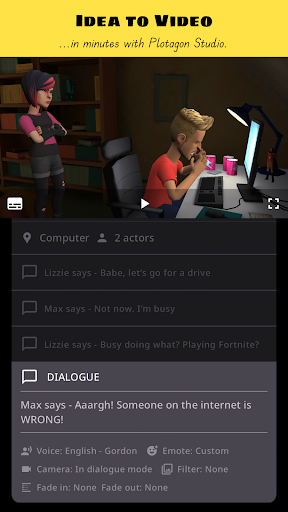
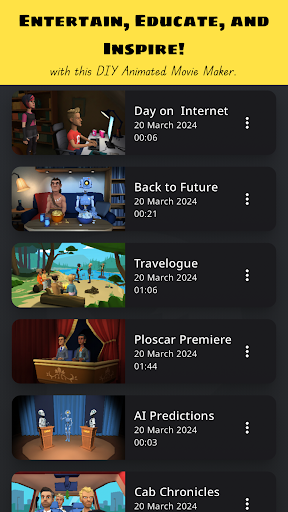
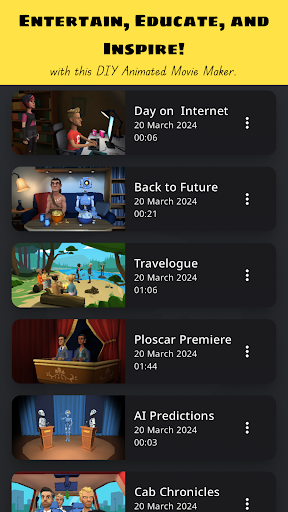
With this app, we aspire to enable anyone with an idea to effortlessly make professional-looking animated videos. Plotagon Studio comes with a rich library of visual content and creative tools to help bring your stories to life. Have you got an idea and wonder what to do next? Follow along:
 Step 1: Download this app, obviously!
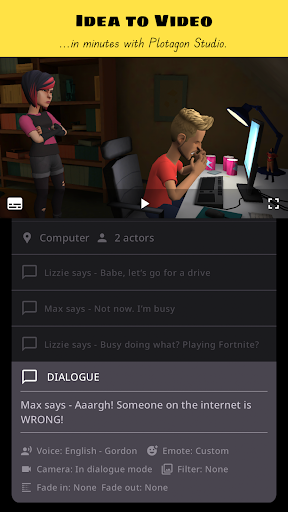
 Step 2: Start creating a Plot. Plots are intuitive storyboards that help you easily organize, preview, and develop your story.
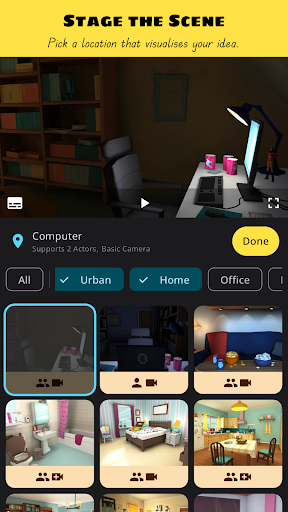
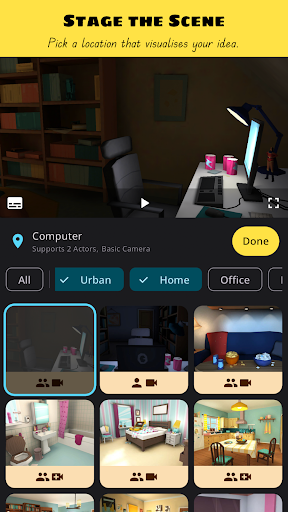
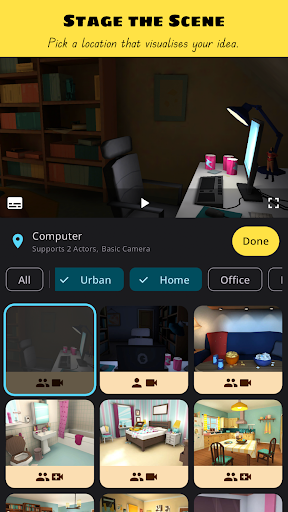
 Step 3: Pick a location that visualizes your story.
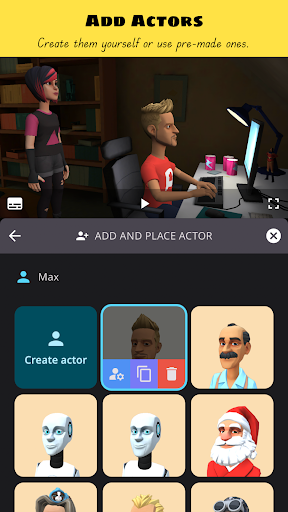
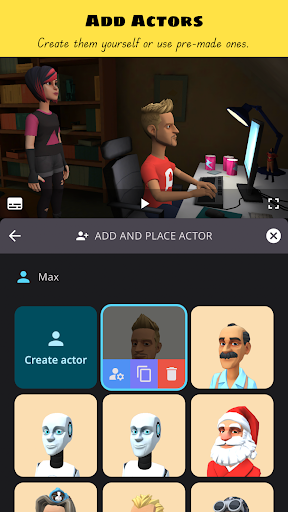
 Step 4: Add actors. Create them yourself or pick ones from our library.
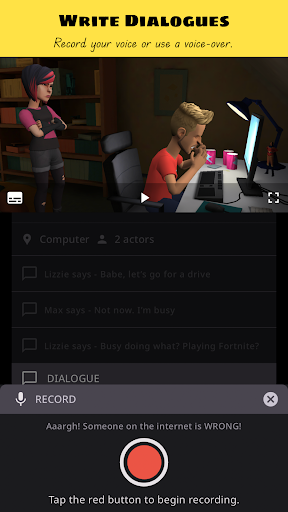
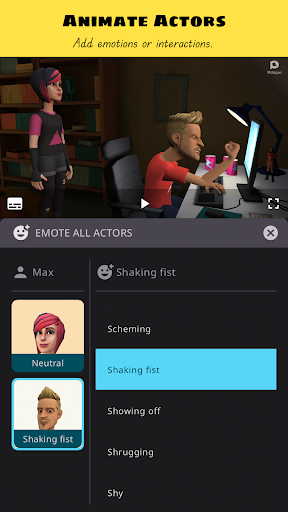
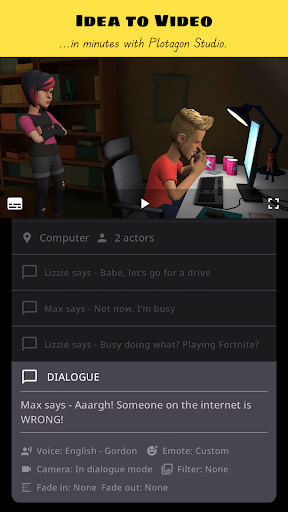
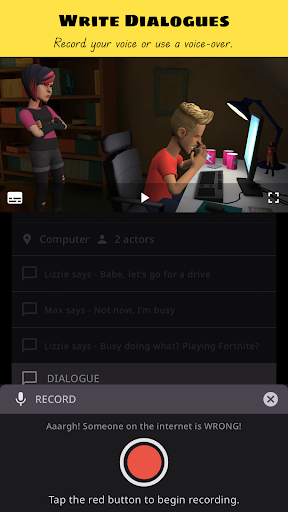
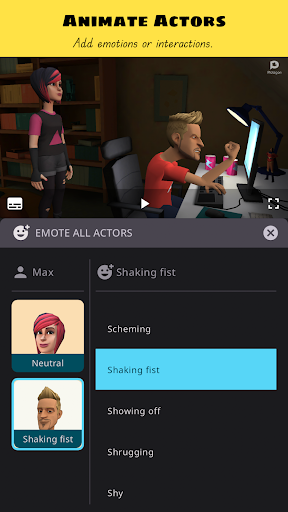
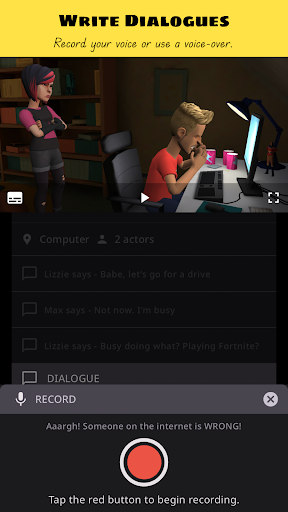
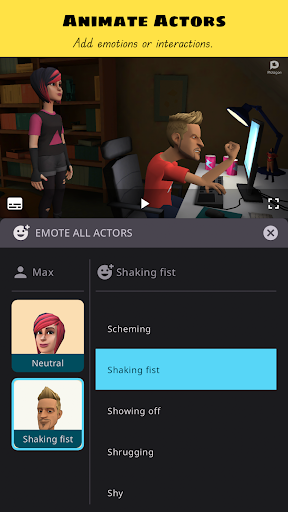
 Step 5: Write dialogues, record voice overs, give your actors emotions and actions, add audio effects.
 Step 6: Develop your story with our creative tools that allow you to be a video editor in-app. Change camera angles, apply fades and filters.
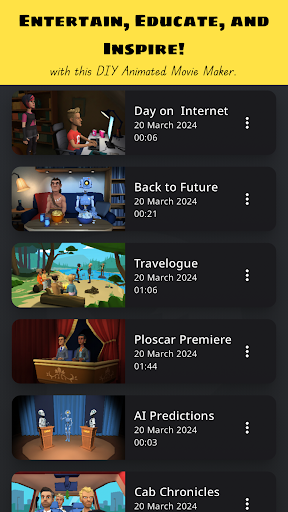
 Step 7: Save the Plot as a video file. Share your film masterpiece with friends, family, and on social media! That's it! Seven easy steps to becoming the next big content creator internet sensation!* Educate, entertain and inspire with the best DIY animated movie maker! *Disclaimer: Individual results may vary depending on the quality and virality of produced content! ;-) If you have read this far, we thank you for your attention. We also hope you are convinced that Plotagon Studio is worth your time. Give it a try and let us know what you think at [email protected]. Privacy Policy:
https://www.plotagon.com/v2/privacy-policy/
 Terms of Service:
https://www.plotagon.com/v2/terms-of-use/

What Plotagon Studio Is Used For

Plotagon Studio appears to be a mobile video creation app focused on making animated stories and short films. Based on the metadata, it is used to build a scene step by step: choose a location, add characters, write dialogue, and combine actions, emotions, and audio to shape an animated video. The app category, Video Players & Editors, also suggests it is meant for editing and assembling video content rather than simple playback.

Common use cases may include making explainer videos, classroom storytelling projects, social media clips, or personal animated scenes. The permission to record audio suggests users can add voice-overs or narration, while storage access points to saving project files and exporting finished videos. Network access may support account, content, or app-related online functions. Since it is a phone app, it is likely designed for on-the-go creative work on Android phones rather than large-screen editing workflows.

Common uses

  • Create animated videos from a storyboard-style workflow
  • Add characters, locations, dialogue, and visual actions
  • Record voice-overs and include sound effects
  • Adjust camera angles, fades, and filters while editing
  • Save projects as video files for sharing
  • Use on a phone for short-form creative storytelling
  • May suit users making educational or social media content
Best for:
animated stories phone editing voice-over projects creative storytelling short videos

App Details

Package:
com.plotagon.studio
Developer:
Plotagon
Version:
1.6.0
Updated:
Jan 22, 2026
Min Android:
9
Age Rating:
Teen
Contains Ads:
No
In-App Purchases:
Yes

Official Listing

  • Official listing available on Google Play
  • Package name: com.plotagon.studio
  • Age rating: Teen

Explore More

Browse more apps in Video Players & Editors or explore the Phone hub .

Related Video Players & Editors Apps

WOMBO Dream - AI Art Generator icon

WOMBO Dream - AI Art Generator

Art & Design Wombo Studios Inc

Dream up AI paintings & drawings. Generate unique pictures & cartoon art easily.

Version 7.0.8 39.7 MB ⭐ 3.70 10,000,000+ installs
Videoleap: AI Video Editor icon

Videoleap: AI Video Editor

Video Players & Editors Lightricks Ltd.

AI video generator, reel maker & movie creator. Enhance video quality with AI

Version 1.39.1 115.9 MB ⭐ 4.50 10,000,000+ installs
Video Translator & AI Captions icon

Video Translator & AI Captions

Video Players & Editors Blink by Vozo AI for Talking Videos

Auto add captions, avatar video, talking video, AI translator, AI photo generate

Version 5.12.1 47.4 MB ⭐ 4.50 1,000,000+ installs
AI Video Maker - Renderforest icon

AI Video Maker - Renderforest

Video Players & Editors Renderforest

Edit & cut media, add music, make AI videos, intros, outros, animations & more.

Version 5.8.0 136.4 MB ⭐ 4.00 1,000,000+ installs

How to Download Plotagon Studio

If this app is not hosted directly on APKApps official link, then for the safest and most up-to-date version, install it from its official Google Play listing.