Pulsar Music Player Pro icon

Phone

Pulsar Music Player Pro

Music & Audio Rhythm Software ⭐ 4.40 100,000+

Full featured mp3 and audio player with Chromecast and Android Auto support.

Version 1.13.11 2.9 MB Everyone

Screenshots

Pulsar Music Player Pro screenshot
Permissions Explained 7 permissions requested View details

This app requests 7 permissions. The table below explains what each permission may allow and what users should review before installing.

Status Permission What it means Why it may be used User safety note
Common Internet access android.permission.INTERNET Allows the app to open network connections and communicate with online services. Commonly used for streaming, syncing, login, ads, analytics, downloads, cloud features, and app updates. Common permission. Review the app’s behavior if it does not appear to need online access.
ℹ️ Review Keep device awake android.permission.WAKE_LOCK Allows the app to prevent the device from sleeping while a task is running. Used for media playback, downloads, navigation, alarms, calls, or long-running background tasks. Review battery usage if the app keeps the device awake too often.
Common View network status android.permission.ACCESS_NETWORK_STATE Allows the app to check whether the device is connected to Wi-Fi, mobile data, or another network. Often used to avoid loading content when offline or to adjust loading based on connection quality. Generally low risk by itself.
ℹ️ Review Access Wifi State android.permission.ACCESS_WIFI_STATE This is an Android permission or app-specific permission requested by the app. The app may use this permission for features related to its category, device support, background behavior, storage, connectivity, or system integration. Review this permission before installing, especially if it does not match the app’s expected purpose.
⚠️ Sensitive Modify external storage android.permission.WRITE_EXTERNAL_STORAGE Allows the app to write or modify files in shared device storage. Used for saving downloads, media files, exports, edited documents, backups, or cached content. Sensitive permission. Make sure file access matches the app’s purpose.
ℹ️ Review Write Settings android.permission.WRITE_SETTINGS This is an Android permission or app-specific permission requested by the app. The app may use this permission for features related to its category, device support, background behavior, storage, connectivity, or system integration. Review this permission before installing, especially if it does not match the app’s expected purpose.
⚠️ Sensitive Read external storage android.permission.READ_EXTERNAL_STORAGE Allows the app to read files from shared device storage. Used by media players, file managers, backup apps, editors, upload tools, and document apps. Sensitive permission. Review carefully if the app does not need access to files or media.

About Pulsar Music Player Pro

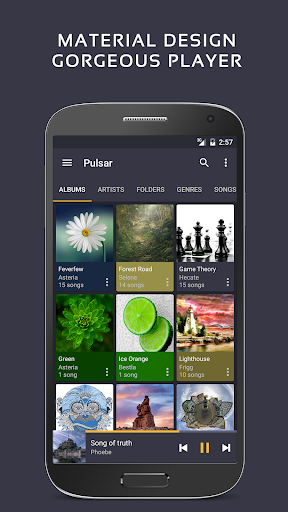
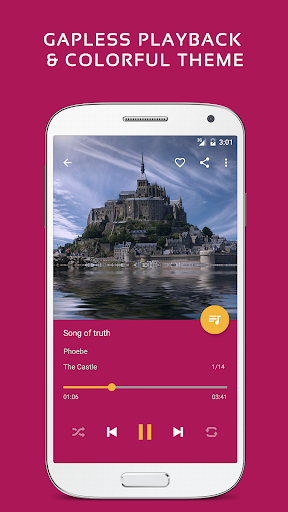
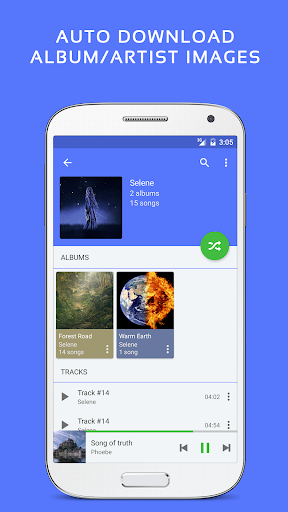
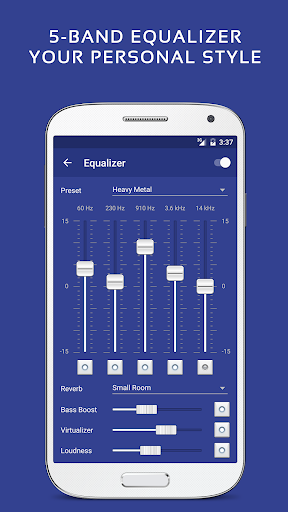
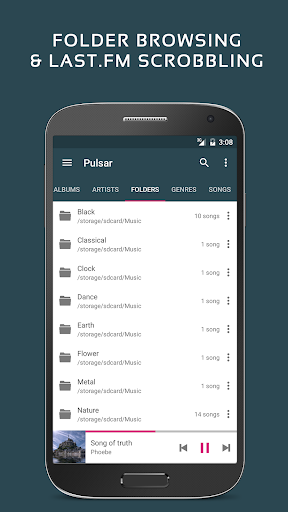
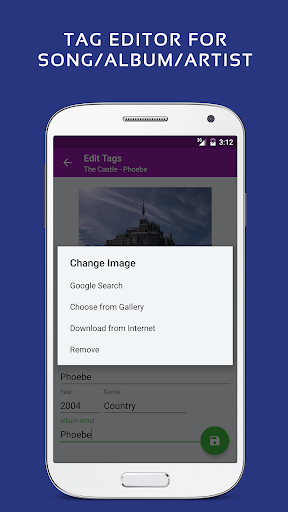
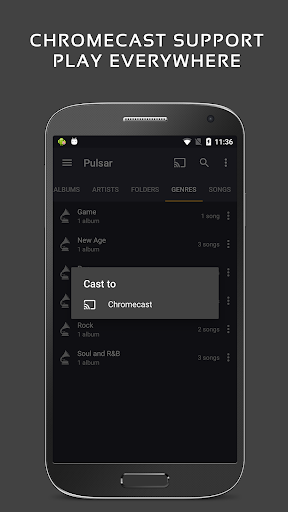
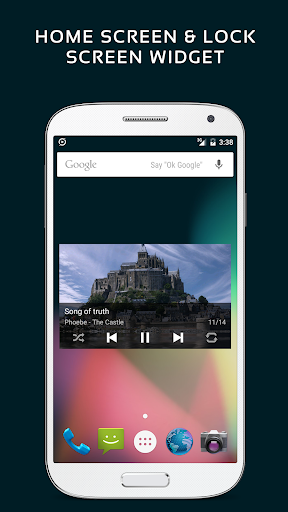
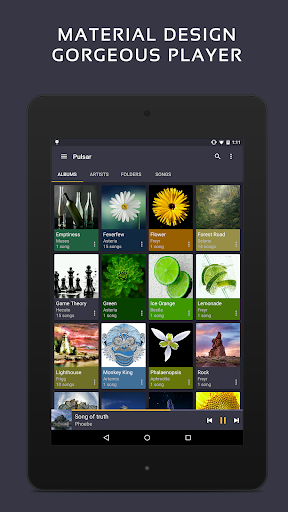
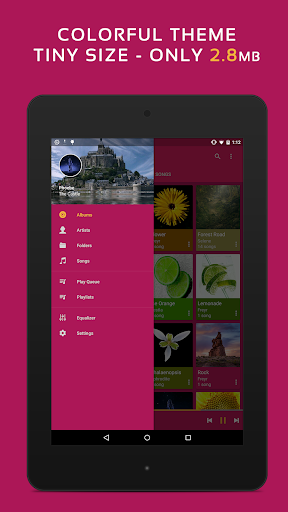
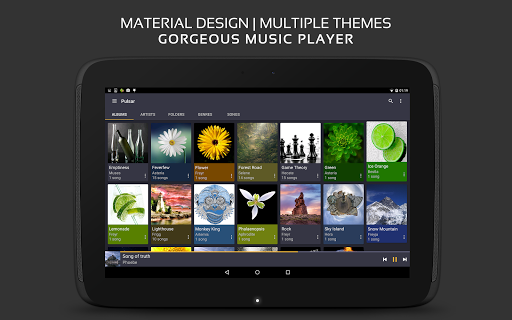
Pulsar Music Player has long been one of the best music players on Android. It is an offline audio player without advertisements. Its gorgeous user interface matches every single detail of the material design guidelines. Pulsar contains almost every necessary feature to fulfill all of your musical needs including: gapless playback, lyrics display, crossfade, play speed adjustment, tag editing, last.fm scrobbling, Chromecast, voice command, Android Auto, equalizer, music visualizer, audio balance, ReplayGain, sleep timer, etc. Pulsar is the ultimate music player on Android, with millions of downloads. Key Features: ✓ Gorgeous user interface and animation with material design. ✓ Manage and play music by album, artist, folder, and genre. ✓ Smart playlists with most played, recently played, and newly added tracks. ✓ Automatic sync missing album/artist images. ✓ Fast search across albums, artists, and songs. ✓ Resizable home screen widget. ✓ Gapless playback support. ✓ Play speed adjustment. ✓ Crossfade support. ✓ Replay gain volume normalization. ✓ Built-in metadata tag editor (mp3 and more). ✓ Display lyrics (embedded and lrc file). ✓ Music visualizer rendering. ✓ Chromecast (Google Cast) support. ✓ Google voice commands support. ✓ Android Auto support. ✓ Disable car auto play on Bluetooth. ✓ Sound balance adjustment. ✓ Last.fm scrobbling. ✓ Various colorful themes. ✓ Free of advertisements. ✓ Sleep timer. Pulsar Paid Version Vs. Free Version: Pulsar Music Player Pro is the premium version of Pulsar, which contains the following additional features: ✓ 16 extra themes. ✓ Theme customization. ✓ 5-band equalizer controller. ✓ 9 pre-built equalizer presets. ✓ Bass booster, reverb and more. Pulsar supports standard music file types including mp3, aac, flac, ogg, wav and etc. If you cannot find your music in Pulsar, please click the “rescan library” menu item from the action bar to rescan your device. The Pulsar music app has a complete online user manual, click here: https://rhmsoft.com/pulsar/help/help.html If you can help to translate this mp3 music player to your native language, or there is any mistake in current translation, please contact our email: [email protected]. If you run into any issues or have any suggestions while using this mp3 music player, please feel free to contact us: [email protected]. You can also share your comments to the Pulsar thread on xda-developers: http://forum.xda-developers.com/android/apps-games/app-pulsar-music-player-t3197336 Thanks for using Pulsar Music Player! Album and artist images used in the screenshots are licensed under Public Domain License: https://creativecommons.org/publicdomain/zero/1.0/

What Pulsar Music Player Pro Is Used For

Pulsar Music Player Pro appears to be a local music and audio playback app for Android phones. Based on the metadata, people commonly use it to organize and play songs stored on the device by album, artist, folder, or genre, with support for standard audio formats such as MP3, AAC, FLAC, OGG, and WAV. It may also be useful for users who want playback tools like gapless listening, crossfade, speed control, sleep timer, and lyrics display while managing an offline library.

The app’s Android Auto and Chromecast support suggest it may also fit situations where audio is played in the car or cast to another screen or speaker. The listed permissions, such as storage access and network access, align with reading local music files, updating artwork or metadata, and using online-related features like scrobbling or device syncing. Because it is a music player rather than a streaming service, it seems geared toward users who already have music on their phone and want more control over playback and library organization.

Common uses

  • Play music files stored on an Android phone
  • Browse an offline library by album, artist, folder, or genre
  • Use playback tools like gapless play, crossfade, and speed adjustment
  • Edit track metadata and view lyrics where available
  • Cast audio with Chromecast or use Android Auto in the car
  • Apply equalizer and sound balance controls in the Pro version
  • Set a sleep timer for listening before bed
Best for:
Offline music libraries Car audio listening Cast playback Audio customization Music organization

App Details

Package:
com.rhmsoft.pulsar.pro
Category:
Music & Audio
Developer:
Rhythm Software
Version:
1.13.11
Updated:
Mar 13, 2026
Min Android:
6.0
Age Rating:
Everyone
Contains Ads:
No
In-App Purchases:
No

Official Listing

  • Official listing available on Google Play
  • Package name: com.rhmsoft.pulsar.pro
  • Age rating: Everyone

Explore More

Browse more apps in Music & Audio or explore the Phone hub .

Related Music & Audio Apps

USB Audio Player PRO icon

USB Audio Player PRO

Music & Audio eXtream Software Development
Version 7.1.0.6 12.2 MB ⭐ 4.10 100,000+ installs
Pulsar icon

Pulsar

Music & Audio Rhythm Software

Full featured mp3 and audio player with Chromecast and Android Auto support.

Version 1.12.5 5.9 MB ⭐ 4.55 5,000,000+ installs
Shuttle icon

Shuttle

Music & Audio SimpleCity

🎵 Shuttle Music Player is the music player of choice for your Android device 🎵

Version 1.5.3-beta7 7.2 MB ⭐ 3.81 1,000,000+ installs

How to Download Pulsar Music Player Pro

If this app is not hosted directly on APKApps official link, then for the safest and most up-to-date version, install it from its official Google Play listing.