About Simple File Manager Pro
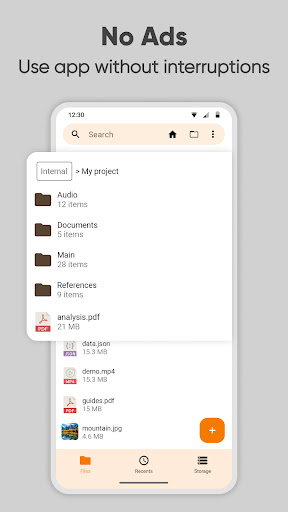
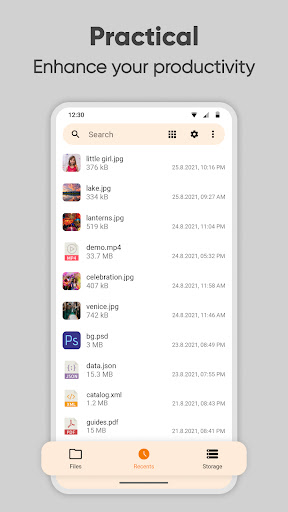
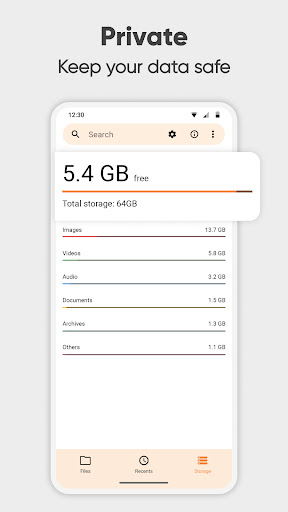
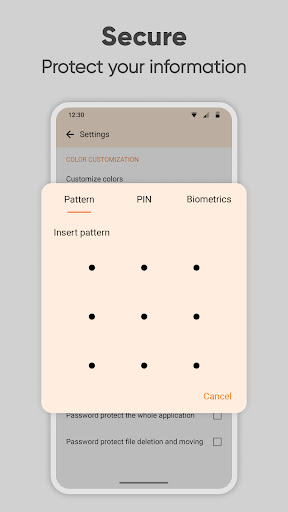
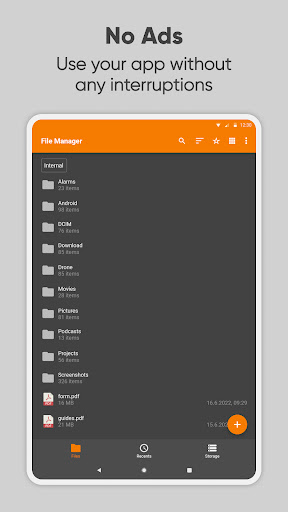
Simple File Manager is a super quick & professional file and folder manager for Android devices. Use Simple File Manager to easily compress, transfer & convert media files with a few clicks. It has all of the major file manager & folder management features, including customizing the home folder and selecting favorite folders for quick access. The file manager provides the whole pack of file manager features, including search, navigation, copy & paste, cut, delete, rename, decompress, transfer, download, organize & so on. Add, remove, or edit files, folders & apps according to your personal preferences. With this easy data organizer, you can organize and sort your mobile by various metrics and toggle between ascending and descending or using a folder specific sorting. To get a file or folder path quickly, you can easily select it by long-pressing and copying it in the clipboard. Simple File Manager makes organizing your mobile files, folders, and apps easy to save you both time & energy. With just a few clicks, you can also check file or folder properties, which shows various fields like the size, date of the last modification, or EXIF values like the creation date, camera model at photos, etc. This file organizer is absolutely secure, containing multiple powerful security-related functions, like password protecting hidden items, deleting or opening the whole app. You can choose between using a pattern, pin, or a biometric lock to keep your data private. The fingerprint permission is needed for locking either hidden item visibility, deleting files, or the whole app. Simple File Manager works without internet access, further guaranteeing your ultimate privacy. The File Manager can also clean up space and save your internal storage by compressing files & folders. This modern media file organizer supports fast browsing of root files, SD cards, and USB devices. File Manager also recognizes multiple file formats, including music, videos, images & documents. Use Simple File Manager to create handy desktop shortcuts for accessing your favorite items quickly. It contains a light file editor that you can use to print documents, edit them, or read easily using zoom gestures, whenever needed. Despite called Simple File Manager, it will help you manage & customize your files, folders & apps with just a few clicks. You can easily see your recent files and do a storage analysis too. You can use the built in Storage Analysis to have a quick overview about what files are taking up the most space and clean it up. It can function as a storage cleaner that will help empty some space on your device. It comes with material design and dark theme by default, provides great user experience for easy usage. The lack of internet access gives you more privacy, security and stability than other apps. Contains no ads or unnecessary permissions. It is fully opensource, provides customizable colors. Check out the full suite of Simple Tools here…
What Simple File Manager Pro Is Used For
Simple File Manager Pro appears to be a phone app for managing files and folders on Android devices. Based on the metadata, people commonly use it to browse storage, organize documents and media, rename or move items, and handle basic file actions such as copy, paste, delete, and search. It also seems suited to users who want quicker access to frequently used folders by setting favorites or customizing the home folder.
The app may also be used for storage maintenance and simple file handling tasks like compressing and decompressing folders, transferring files, and checking item details such as size, dates, or media metadata. Its support for USB storage suggests it can work with connected external storage, and the permission to read and modify USB contents aligns with that use case. Based on the description, it also includes options for hidden items and app-level locking, which may be relevant for users who want local privacy controls while managing files on their device.
Common uses
- Browse and manage files and folders on an Android phone
- Copy, move, rename, delete, and search stored items
- Organize media, documents, and downloads in one place
- Compress or decompress folders to help manage storage
- Access USB storage and manage connected files
- View file properties and basic media metadata
- Set favorite folders or shortcuts for quicker access
App Details
Package:
com.simplemobiletools.filemanager.pro
Developer:
Simple Mobile Tool
Version:
6.16.1
Updated:
Sep 19, 2023
Min Android:
6.0
Age Rating:
Everyone
Contains Ads:
No
In-App Purchases:
No
Official Listing
-
Official listing available on
Google Play
-
Package name:
com.simplemobiletools.filemanager.pro
-
Age rating:
Everyone
Related Tools Apps
Photography
•
Simple Mobile Tool
Version 6.28.1
⭐ 4.40
1,000,000+ installs
Tools
•
ST Pulse
Organize your files and manage your cloud storage with ASTRO File Manager
Version 8.13.5
10.8 MB
⭐ 4.07
50,000,000+ installs
Productivity
•
Speed Software
Fast, lightweight and easy to use file manager.
Version 3.12.3
4.1 MB
⭐ 4.00
10,000,000+ installs
Tools
•
C. Ghisler
Android version of the desktop file manager Total Commander (www.ghisler.com).
Version 3.50d
2.7 MB
⭐ 3.94
10,000,000+ installs
How to Download Simple File Manager Pro
If this app is not hosted directly on APKApps official link,
then for the safest and most up-to-date version, install it from its official Google Play listing.