Squid: Take Notes, Markup PDFs icon

Phone

Squid: Take Notes, Markup PDFs

Productivity Steadfast Innovation, LLC ⭐ 4.10 10,000,000+

All News. All Perspectives. One App. Over 20,000 sources. 60 countries.

Version Varies with device 29.1 MB Everyone

Screenshots

Squid: Take Notes, Markup PDFs screenshot
Permissions Explained 15 permissions requested View details

This app requests 15 permissions. The table below explains what each permission may allow and what users should review before installing.

Status Permission What it means Why it may be used User safety note
ℹ️ Review Vending Billing com.android.vending.BILLING This is an Android permission or app-specific permission requested by the app. The app may use this permission for features related to its category, device support, background behavior, storage, connectivity, or system integration. Review this permission before installing, especially if it does not match the app’s expected purpose.
⚠️ Sensitive Modify external storage android.permission.WRITE_EXTERNAL_STORAGE Allows the app to write or modify files in shared device storage. Used for saving downloads, media files, exports, edited documents, backups, or cached content. Sensitive permission. Make sure file access matches the app’s purpose.
ℹ️ Review Use Credentials android.permission.USE_CREDENTIALS This is an Android permission or app-specific permission requested by the app. The app may use this permission for features related to its category, device support, background behavior, storage, connectivity, or system integration. Review this permission before installing, especially if it does not match the app’s expected purpose.
Common Internet access android.permission.INTERNET Allows the app to open network connections and communicate with online services. Commonly used for streaming, syncing, login, ads, analytics, downloads, cloud features, and app updates. Common permission. Review the app’s behavior if it does not appear to need online access.
ℹ️ Review Receive Boot Completed android.permission.RECEIVE_BOOT_COMPLETED This is an Android permission or app-specific permission requested by the app. The app may use this permission for features related to its category, device support, background behavior, storage, connectivity, or system integration. Review this permission before installing, especially if it does not match the app’s expected purpose.
Common View network status android.permission.ACCESS_NETWORK_STATE Allows the app to check whether the device is connected to Wi-Fi, mobile data, or another network. Often used to avoid loading content when offline or to adjust loading based on connection quality. Generally low risk by itself.
ℹ️ Review Access Wifi State android.permission.ACCESS_WIFI_STATE This is an Android permission or app-specific permission requested by the app. The app may use this permission for features related to its category, device support, background behavior, storage, connectivity, or system integration. Review this permission before installing, especially if it does not match the app’s expected purpose.
ℹ️ Review Send notifications android.permission.POST_NOTIFICATIONS Allows the app to send notifications to the device. Used for alerts, reminders, messages, account activity, updates, or media controls. Review notification settings if the app sends too many alerts.
ℹ️ Review Keep device awake android.permission.WAKE_LOCK Allows the app to prevent the device from sleeping while a task is running. Used for media playback, downloads, navigation, alarms, calls, or long-running background tasks. Review battery usage if the app keeps the device awake too often.
ℹ️ Review Access Adservices Attribution android.permission.ACCESS_ADSERVICES_ATTRIBUTION This is an Android permission or app-specific permission requested by the app. The app may use this permission for features related to its category, device support, background behavior, storage, connectivity, or system integration. Review this permission before installing, especially if it does not match the app’s expected purpose.
ℹ️ Review Access Adservices Ad Id android.permission.ACCESS_ADSERVICES_AD_ID This is an Android permission or app-specific permission requested by the app. The app may use this permission for features related to its category, device support, background behavior, storage, connectivity, or system integration. Review this permission before installing, especially if it does not match the app’s expected purpose.
ℹ️ Review Finsky Permission Bind Get Install Referrer Service com.google.android.finsky.permission.BIND_GET_INSTALL_REFERRER_SERVICE This is an Android permission or app-specific permission requested by the app. The app may use this permission for features related to its category, device support, background behavior, storage, connectivity, or system integration. Review this permission before installing, especially if it does not match the app’s expected purpose.
ℹ️ Review Foreground Service android.permission.FOREGROUND_SERVICE This is an Android permission or app-specific permission requested by the app. The app may use this permission for features related to its category, device support, background behavior, storage, connectivity, or system integration. Review this permission before installing, especially if it does not match the app’s expected purpose.
ℹ️ Review Com Steadfastinnovation Android Projectpapyrus Dynamic Receiver Not Exported Permission com.steadfastinnovation.android.projectpapyrus.DYNAMIC_RECEIVER_NOT_EXPORTED_PERMISSION This is an Android permission or app-specific permission requested by the app. The app may use this permission for features related to its category, device support, background behavior, storage, connectivity, or system integration. Review this permission before installing, especially if it does not match the app’s expected purpose.
⚠️ Sensitive Read external storage android.permission.READ_EXTERNAL_STORAGE Allows the app to read files from shared device storage. Used by media players, file managers, backup apps, editors, upload tools, and document apps. Sensitive permission. Review carefully if the app does not need access to files or media.

About Squid: Take Notes, Markup PDFs

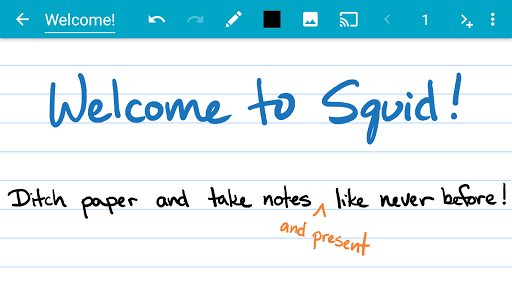
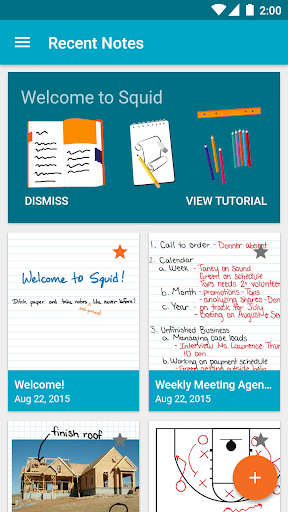
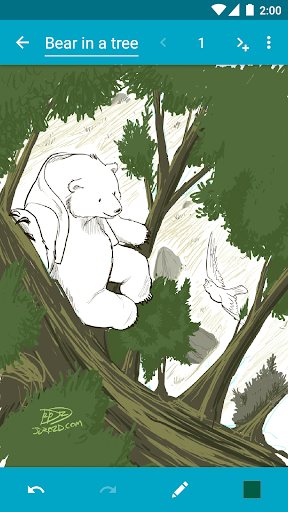
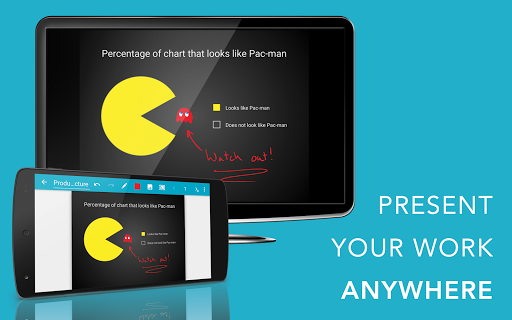
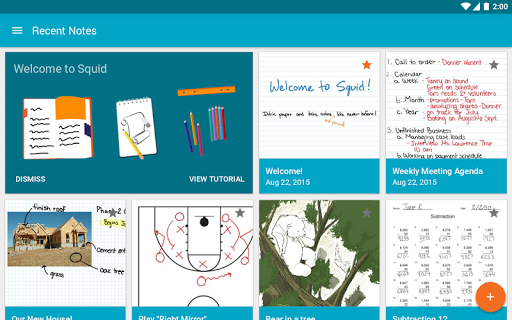
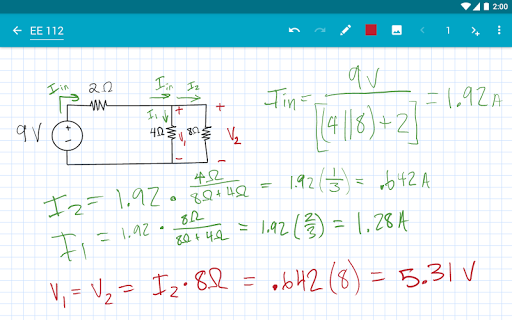
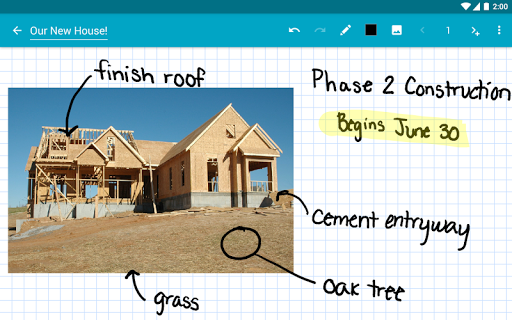
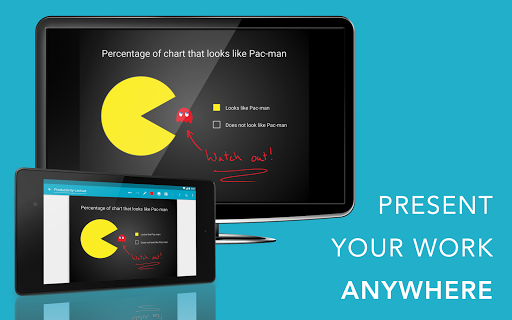
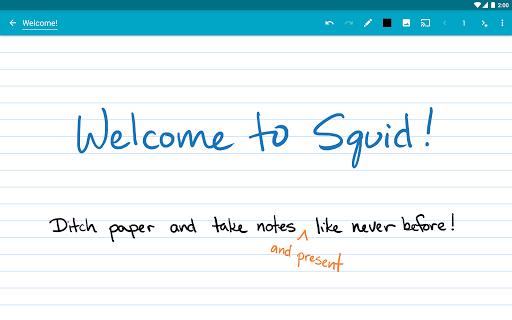
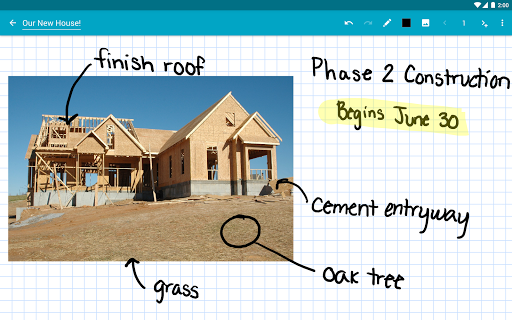
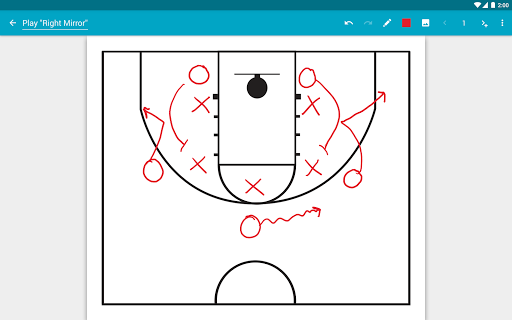
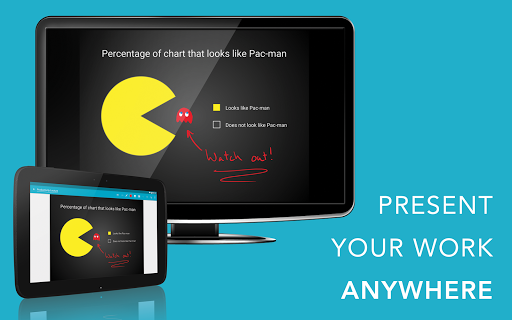
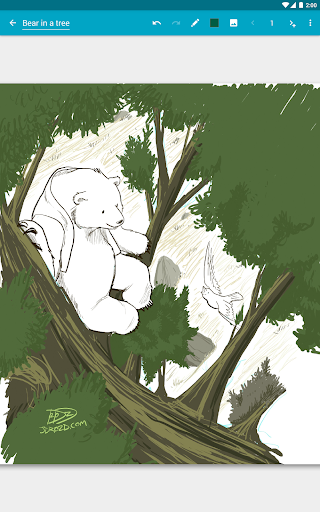
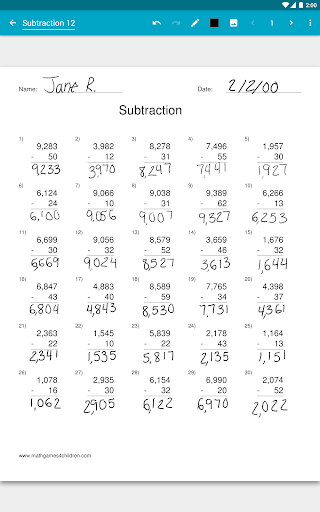
Transform your note-taking experience with Squid! For over 12 years, Squid has been a trusted app with over 12 million installs, helping users replace paper, save money, and reduce waste. Write just like you would on paper on your Android tablet, phone, or Chromebook! ✨ Key Features: • ✍️ Natural Writing: Seamlessly write with a pen and erase with your finger on active pen enabled devices like Samsung devices with S Pen. Use your finger or capacitive stylus on other devices. • ⚡ Low Latency Ink: Enjoy a seamless and responsive writing experience with support for low latency ink¹. • 🔒 Private: Notes are stored on your device and are completely private. No account or sign-in required. Backup your notes to your desired location. • 📝 PDF Markup: Easily annotate PDFs, fill out forms, edit/grade papers, and sign documents. • 🧰 Versatile Tools: Use any color pen or highlighter, import images, draw shapes, and add typed text. • 📁 Organize: Select, copy/paste, and move content between pages and notes. Place notes in folders to stay organized. • 📊 Presentations: Turn your device into a virtual whiteboard and cast your notes to a TV/projector. • 📤 Export: Export notes as PDFs, images, or Squid Note format and share or store in the cloud. • 💰 Save: Reduce stationery costs and replace paper notebooks with Squid for eco-friendly note-taking! 🏆 Awards/Recognition: • 🌟 Featured App and Editors' Choice in Google Play • 📈 Category Honorable Mention for Productivity in the Samsung Galaxy Note S Pen App Challenge • 🎉 Popular Choice Award in the Dual Screen App Challenge 👑 Squid Premium: • Premium paper backgrounds: math, engineering, music, sports, planning, & more • Import and markup PDFs • Additional tools: highlighter, true eraser, shapes, text • Backup/restore and bulk export notes as PDFs to Google Drive, Dropbox, or Box 🛠️ Base Features: • Vector graphics engine keeps your notes beautiful at any zoom level and on any device • Various paper backgrounds (blank, ruled, graph) and sizes (infinite, letter, A4) • Erase entire letters or words quickly with the stroke eraser • Undo/redo, select, move, and resize • Change color and weight of selected items • Cut, copy, and paste items between notes • Two-finger scroll, pinch-to-zoom, and double tap for quick zoom • Sort and organize notes and folders • Import, crop, and resize images • Export notes to PDF, PNG, JPEG, or Squid Note format • Share notes via email, Google Drive, Evernote, etc. • Multi-Window support (take notes while watching a video) • Shortcuts to create new notes or open folders • Dark theme 🎓 Google Workspace for Education customers can purchase Squid Premium in bulk at https://squidnotes.com/edu 🐞 If you encounter any bugs, please email us at [email protected] with a description. 💡 We would love to hear your feedback or feature requests at https://idea.squidnotes.com ¹Low latency ink is available now on Chromebooks and coming soon to Android devices. 🎯 Increase your productivity and unleash your…

What Squid Is Used For

Squid appears to be a note-taking and document-markup app for Android phones, tablets, and Chromebooks. Based on the metadata, people commonly use it to write handwritten notes, sketch ideas, and organize pages in digital notebooks instead of paper. It may be especially useful for users who prefer stylus input, since the description mentions support for pen-enabled devices and low-latency ink on compatible hardware.

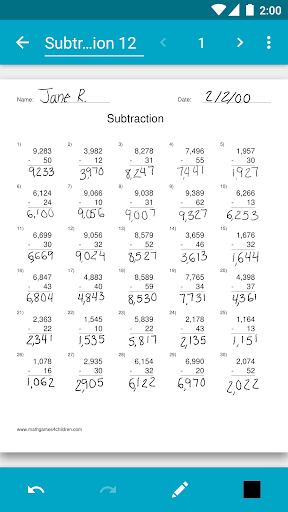
The app also seems designed for working with PDFs and other documents. Common use cases may include annotating PDFs, filling out forms, marking up papers, signing documents, and presenting notes as a virtual whiteboard. The storage-related permissions suggest it can read and write files on the device, which fits with importing, exporting, backing up, and moving note content between local storage and cloud locations. Based on the metadata, it is a productivity app focused on handwritten and visual note workflows rather than typed-only note taking.

Common uses

  • Write handwritten notes on a phone, tablet, or Chromebook
  • Annotate PDFs, forms, and class or work documents
  • Use a stylus or finger for sketching, highlighting, and editing
  • Organize notes into folders and move content between pages
  • Export notes as PDFs, images, or Squid note files
  • Use the app like a digital whiteboard for presentations
  • Back up or store notes through external file locations or cloud services
Best for:
handwritten notes pdf markup stylus users students document review digital whiteboard

App Details

Package:
com.steadfastinnovation.android.projectpapyrus
Category:
Productivity
Developer:
Steadfast Innovation, LLC
Version:
Varies with device
Updated:
Feb 1, 2026
Min Android:
Varies with device
Age Rating:
Everyone
Contains Ads:
No
In-App Purchases:
Yes

Official Listing

  • Official listing available on Google Play
  • Package name: com.steadfastinnovation.android.projectpapyrus
  • Age rating: Everyone

Explore More

Browse more apps in Productivity or explore the Phone hub .

Related Productivity Apps

Microsoft OneDrive icon

Microsoft OneDrive

Productivity Microsoft Corporation

Securely save and share your favorite memories and files across your devices.

Version Varies with device 89.8 MB ⭐ 4.60 5,000,000,000+ installs
Google One icon

Google One

Productivity Google LLC

Cloud storage, automatic phone backup, and more.

Version 1.302.885140631 25.5 MB ⭐ 4.10 1,000,000,000+ installs
Microsoft Word: Edit Documents icon

Microsoft Word: Edit Documents

Productivity Microsoft Corporation

Craft your story with formatting and grammar tools to ensure it’s right, always

Version Varies with device 120.4 MB ⭐ 4.80 1,000,000,000+ installs
Microsoft Excel: Spreadsheets icon

Microsoft Excel: Spreadsheets

Productivity Microsoft Corporation

Use powerful, industry-leading AI tools to generate visual charts from any data

Version Varies with device 230.4 MB ⭐ 4.80 1,000,000,000+ installs
Microsoft PowerPoint icon

Microsoft PowerPoint

Productivity Microsoft Corporation

Seamlessly integrate data and reports to build your presentation to impress

Version Varies with device 226.3 MB ⭐ 4.80 1,000,000,000+ installs
Microsoft Outlook icon

Microsoft Outlook

Productivity Microsoft Corporation

Stay on top of multiple accounts with emails, calendars & contacts in one place

Version 5.2611.0 106.4 MB ⭐ 4.40 1,000,000,000+ installs

How to Download Squid: Take Notes, Markup PDFs

If this app is not hosted directly on APKApps official link, then for the safest and most up-to-date version, install it from its official Google Play listing.