Mirror - Fullscreen Mirror App icon

Phone

Mirror - Fullscreen Mirror App

Beauty Studio 360 Apps ⭐ 4.60 1,000,000+
Version 1.4.3 Everyone

Screenshots

Mirror - Fullscreen Mirror App screenshot
Permissions Explained 9 permissions requested View details

This app requests 9 permissions. The table below explains what each permission may allow and what users should review before installing.

Status Permission What it means Why it may be used User safety note
ℹ️ Review Read The Contents Of Your Usb Storage read the contents of your USB storage This is an Android permission or app-specific permission requested by the app. The app may use this permission for features related to its category, device support, background behavior, storage, connectivity, or system integration. Review this permission before installing, especially if it does not match the app’s expected purpose.
ℹ️ Review Modify Or Delete The Contents Of Your Usb Storage modify or delete the contents of your USB storage This is an Android permission or app-specific permission requested by the app. The app may use this permission for features related to its category, device support, background behavior, storage, connectivity, or system integration. Review this permission before installing, especially if it does not match the app’s expected purpose.
ℹ️ Review Take Pictures And Videos take pictures and videos This is an Android permission or app-specific permission requested by the app. The app may use this permission for features related to its category, device support, background behavior, storage, connectivity, or system integration. Review this permission before installing, especially if it does not match the app’s expected purpose.
ℹ️ Review View Network Connections view network connections This is an Android permission or app-specific permission requested by the app. The app may use this permission for features related to its category, device support, background behavior, storage, connectivity, or system integration. Review this permission before installing, especially if it does not match the app’s expected purpose.
ℹ️ Review Full Network Access full network access This is an Android permission or app-specific permission requested by the app. The app may use this permission for features related to its category, device support, background behavior, storage, connectivity, or system integration. Review this permission before installing, especially if it does not match the app’s expected purpose.
ℹ️ Review Reorder Running Apps reorder running apps This is an Android permission or app-specific permission requested by the app. The app may use this permission for features related to its category, device support, background behavior, storage, connectivity, or system integration. Review this permission before installing, especially if it does not match the app’s expected purpose.
ℹ️ Review Control Vibration control vibration This is an Android permission or app-specific permission requested by the app. The app may use this permission for features related to its category, device support, background behavior, storage, connectivity, or system integration. Review this permission before installing, especially if it does not match the app’s expected purpose.
ℹ️ Review Prevent Device From Sleeping prevent device from sleeping This is an Android permission or app-specific permission requested by the app. The app may use this permission for features related to its category, device support, background behavior, storage, connectivity, or system integration. Review this permission before installing, especially if it does not match the app’s expected purpose.
ℹ️ Review Google Play License Check Google Play license check This is an Android permission or app-specific permission requested by the app. The app may use this permission for features related to its category, device support, background behavior, storage, connectivity, or system integration. Review this permission before installing, especially if it does not match the app’s expected purpose.

About Mirror - Fullscreen Mirror App

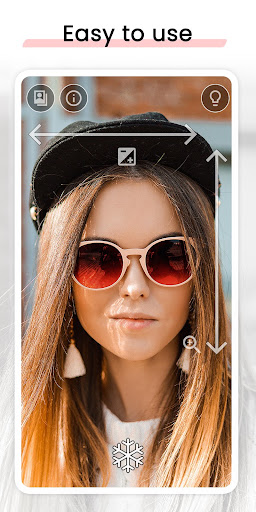
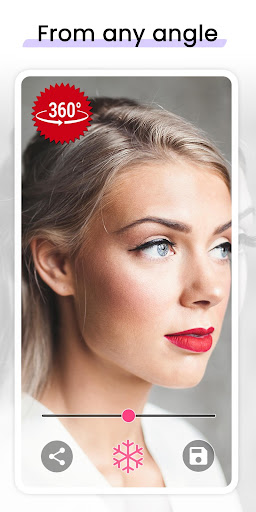
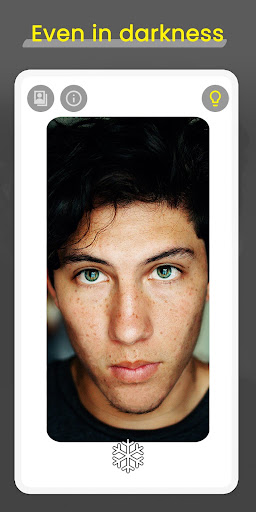
Check your look on the go with Mirror. Stop trying different mirror apps, this is the app you were looking for. It's a simple and lightweight mirror app with all the features you need. What makes Mirror better than other mirror apps? • 360 º mirror. Unique feature to record yourself from different angles. • Lighting frame. Perfect for low light situations, see yourself even in total darkness. • Zoom and exposure gesture controls. Quick and easy adjustments. • Freeze image to avoid taking unnecessary pictures. • Share or save your best selfies and video selfies. • Super clear image • Quick settings tile to open the mirror quickly. Why is Mirror better than just using the camera? ✔ Better visibility ✔ No need to change between front and back camera ✔ Lighting frame for low light situations ✔ Freeze image without having to take a picture ✔ One finger gesture to control zoom and exposure ✔ 360º Mirror, which makes this even better than a real Mirror We care about our users, we focus on providing the best user experience. Mirror will show you how a well-thought app can make the difference. We work hard to make our users happy. If you have any suggestions or you are having any problem with Mirror please don't hesitate to contact us. Good app reviews help to get to more people and to keep working on the apps. If you find this app useful, please show us some love in the play store! ⭐⭐⭐⭐⭐ Don't forget to try the 360º Mirror functionality. Tap start and turn your head to both sides (or move the device around you), to see yourself from different angles. Much better than a simple mirror.

What Mirror - Fullscreen Mirror App Is Used For

Mirror - Fullscreen Mirror App appears to be a utility app for using your phone as a mirror. Based on the metadata, people would commonly use it to check their appearance on the go, adjust how their face or surroundings are shown on screen, and quickly open a front-facing mirror view without switching camera modes. The app is listed in the Beauty category, which fits its main purpose as a personal appearance and self-check tool.

The metadata also suggests several practical controls that may be useful in everyday use, such as zoom and exposure adjustments, a freeze-image option, and a lighting frame for dim environments. It also mentions a 360-degree mirror mode, which may let users view themselves from different angles. Permissions like camera access, storage access, and network access are consistent with saving or sharing images and with app functionality that may rely on online checks or ads. This app is mainly a phone utility rather than a camera app for broad photo editing or content creation.

Common uses

  • Quickly check your appearance before leaving home
  • Use the front-facing screen as a simple handheld mirror
  • Adjust zoom and exposure with gestures
  • Freeze the image when you want a steady view
  • View yourself in low light with the lighting frame
  • Save or share mirror selfies or video selfies
  • Use the quick settings tile for faster access
Best for:
Everyday appearance checks Quick selfie setup Low-light mirror use Phone utility users Simple camera mirror use

App Details

Package:
com.studio360apps.mirror
Category:
Beauty
Developer:
Studio 360 Apps
Version:
1.4.3
Updated:
Oct 23, 2025
Min Android:
6.0
Age Rating:
Everyone
Contains Ads:
Yes
In-App Purchases:
Yes

Official Listing

  • Official listing available on Google Play
  • Package name: com.studio360apps.mirror
  • Age rating: Everyone

Explore More

Browse more apps in Beauty or explore the Phone hub .

Related Beauty Apps

Perfect365 Makeup Photo Editor icon

Perfect365 Makeup Photo Editor

Beauty Perfect365, Inc.

Edit Your Photos and Videos with Beauty Filters & Get Makeup Artist Tutorials

Version 10.17.26 237.9 MB ⭐ 3.60 50,000,000+ installs
Beauty Makeup Editor & Camera icon

Beauty Makeup Editor & Camera

Beauty Photo & Video Editors - Instant Solution

One-tap Makeup, Fine-tune Eyes, Lipstick, Auto-beauty Retouch, Photo makeover...

Version 2.1.2 145.6 MB ⭐ 4.70 50,000,000+ installs
Mirror Plus - HD Mirror app icon

Mirror Plus - HD Mirror app

Beauty Digitalchemy, LLC

Use your phone as a makeup mirror, shaving mirror. Magnifying mirror with light!

Version 4.4.12 7.1 MB ⭐ 4.80 10,000,000+ installs
DSLR HD Camera : 4K HD Camera icon

DSLR HD Camera : 4K HD Camera

Beauty DOSA Apps

DSLR Hd camera capture high quality 4k hd picture with filters and blur editor

Version 7.1.2 46.0 MB ⭐ 4.50 10,000,000+ installs
Barber Chop icon

Barber Chop

Beauty Lajeune & Associates, LLC

This barber game allows you to create and design hair styles on diverse people

Version Varies with device 196.8 MB ⭐ 3.80 10,000,000+ installs

How to Download Mirror - Fullscreen Mirror App

If this app is not hosted directly on APKApps official link, then for the safest and most up-to-date version, install it from its official Google Play listing.